Starter Churn Insights Reports
With Starter Churn Insights, you can create a personalized cancel page to collect valuable feedback from customers and understand why your customers are leaving.
The reports available within Starter Churn Insights will help you answer these questions:
- How many customers are initiating cancels?
- What are the top cancel reasons?
- How successful is my cancel page at preventing customers from cancelling?
- How likely are customers to return (1-10 score)?
- Which competitors are you losing them to?
- What feedback do customers have on your product/service?
Starter Churn Insights Reports
Starter Churn Insights provides a dashboard and several reports available in-app and via email.
Dashboard
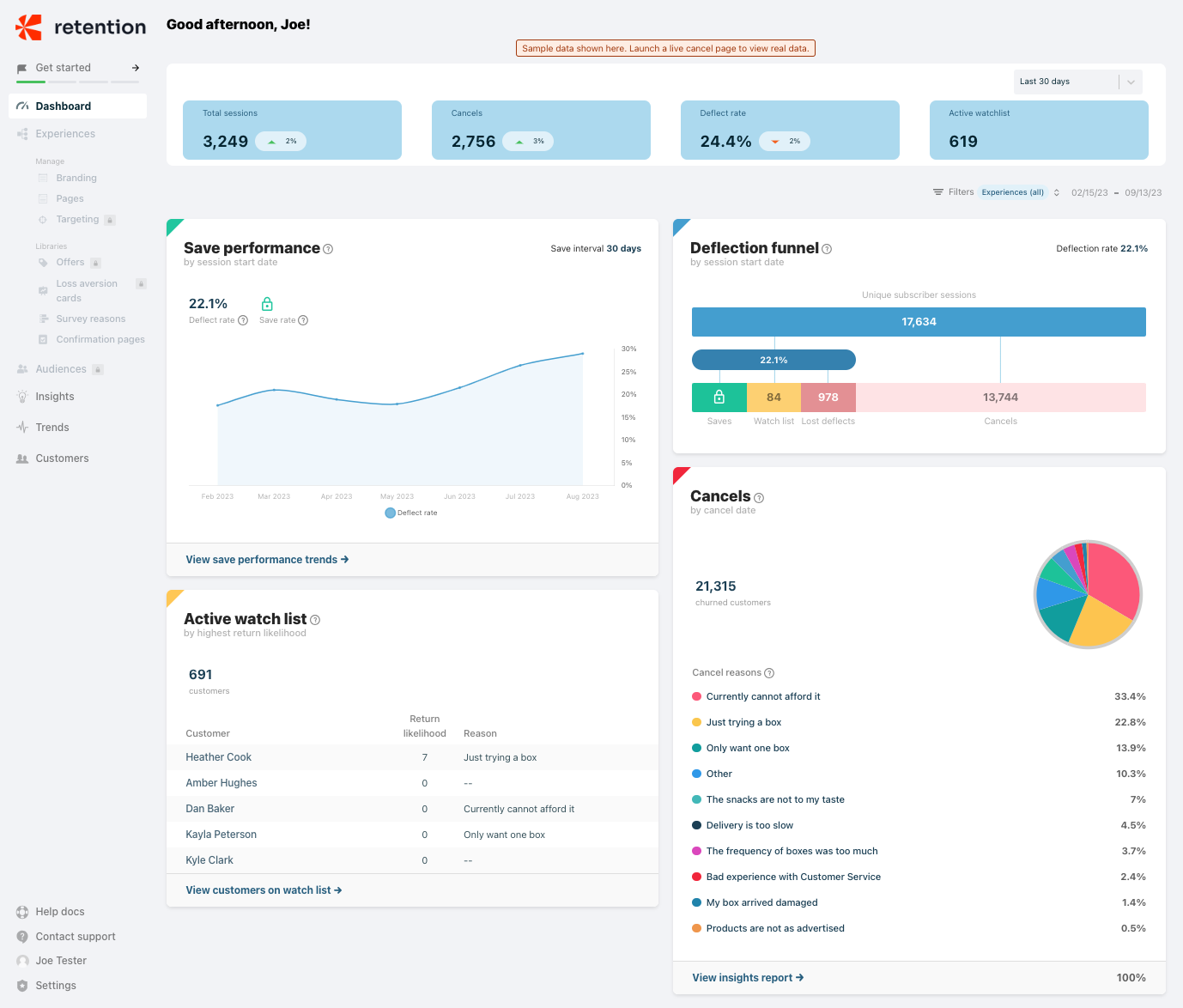
The dashboard contains five out-of-the-box reports to provide a high-level overview of your cancel page performance:
- Pulse report
- Save performance report
- Deflection funnel report
- Cancels report
- Active watchlist report
Pulse report
Located at the top of the dashboard, the Pulse report allows you to quickly view key metrics for your cancel page:
- Total sessions
- Number of customers who canceled
- Deflect rate
- Number of customers on the active watchlist
You can view the data for the last 7 days, last 30 days, or month to date.

Save performance report
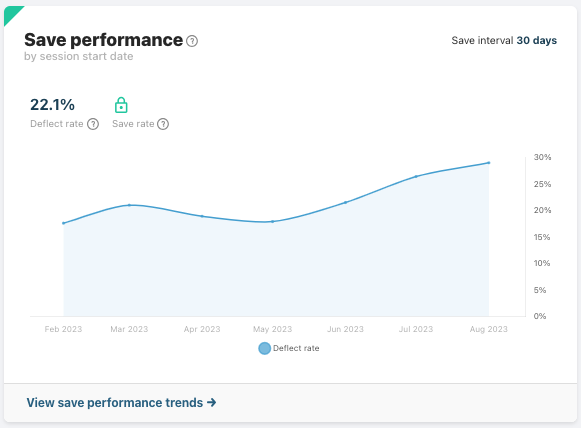
The Save performance report captures the deflect rate over the period specified in the date range filter. The deflect rate represents the percentage of customers who saw the cancel page and exited the page without canceling. The save rate, which is not available for the free version of Starter, represents the % of customers who deflected and remain a paying customer 30 days after the deflect event. Click the link at the bottom of the report to go to the Saves trend report for more details.
Deflection funnel report
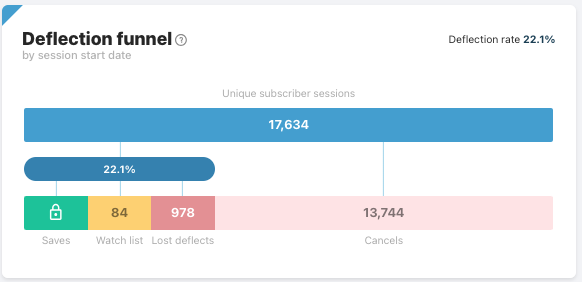
The Deflection funnel report captures the total cancel page traffic volume over the period specified in the date range filter and performance by outcome:
- Deflect rate (22.1%)
- Number of customers who canceled (13,744)
- Number of customers saved (not available in the free version of Starter)
- Number of customers on watchlist (84)
- Number of customers who exited the cancel page but eventually canceled (978)
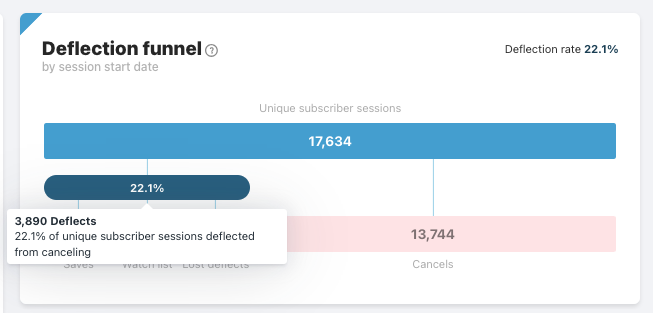
Hover over the bar to get more details for the outcome.
Cancels report
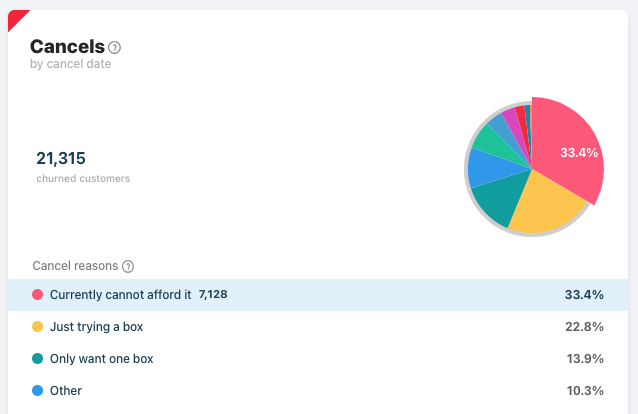
The Cancels report shows the total number of canceled customers during the specified time period and break down by cancel reason. Click the link at the bottom of the report to go to the Cancel insights report for more details.
You can hover over the cancel reason in the list to view the number of canceled customers for the reason and show in the pie chart.
Active watchlist report
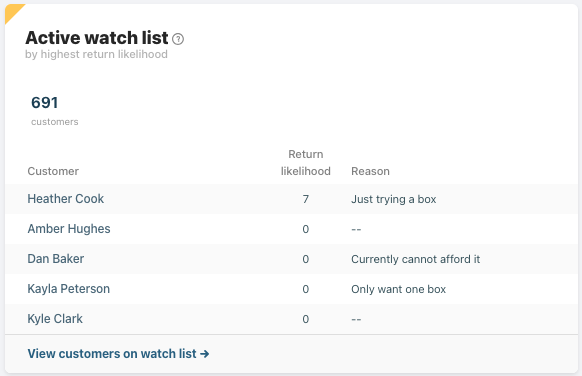
Customers who exit the cancel page without canceling are still at risk of churning at a later time. The Active watchlist report includes the total count of customers who saw the cancel page but did not cancel, as well as the top five customers based on highest likelihood of return.
Click on the link at the bottom of the report to go to the Customers > Watchlist report to get a full, detailed list of customers on the watchlist.
Insights report
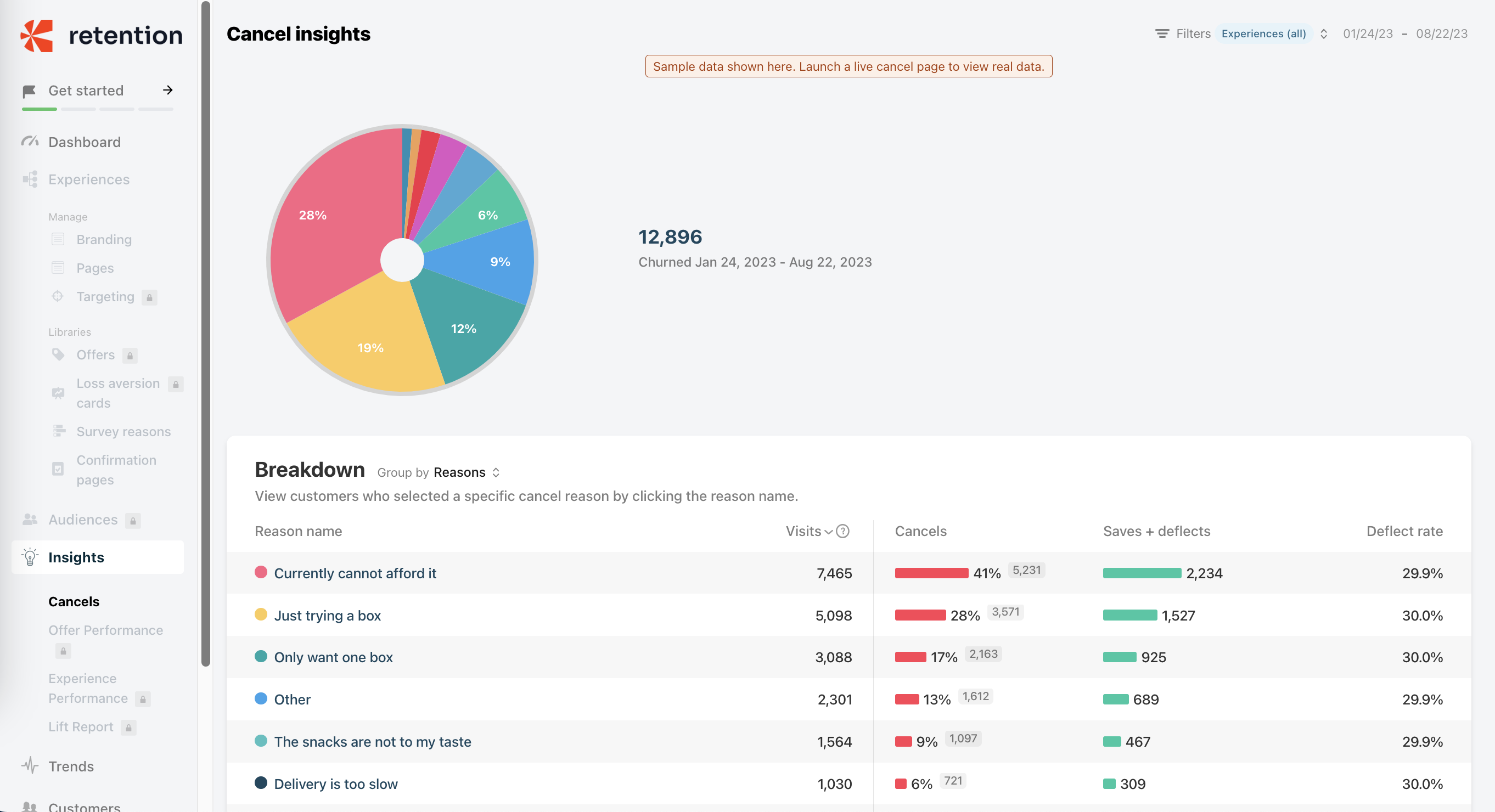
The Cancel insights report provides additional details on your cancel reasons. In addition to the cancel volume and breakdown by cancel reason, you can view the impact of cancel reasons on deflect rate.
Trends report
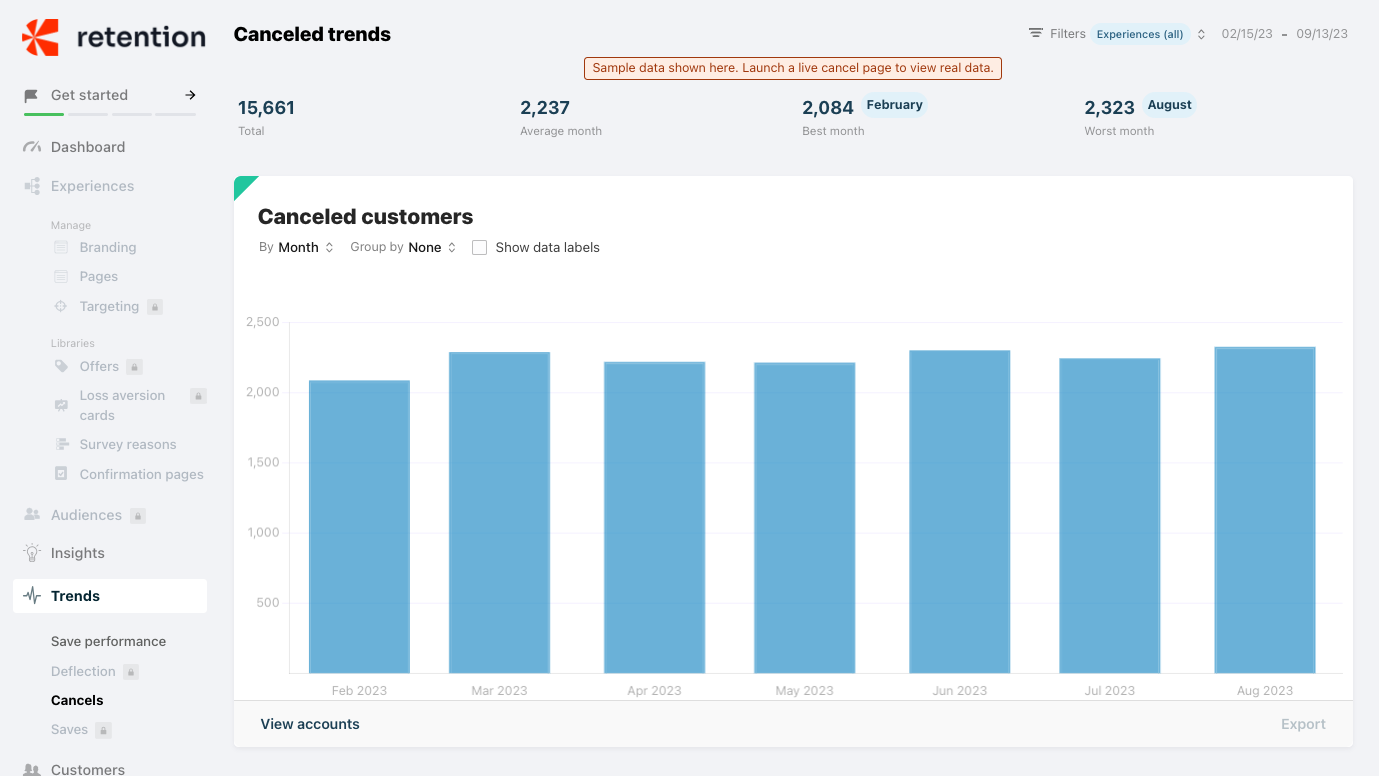
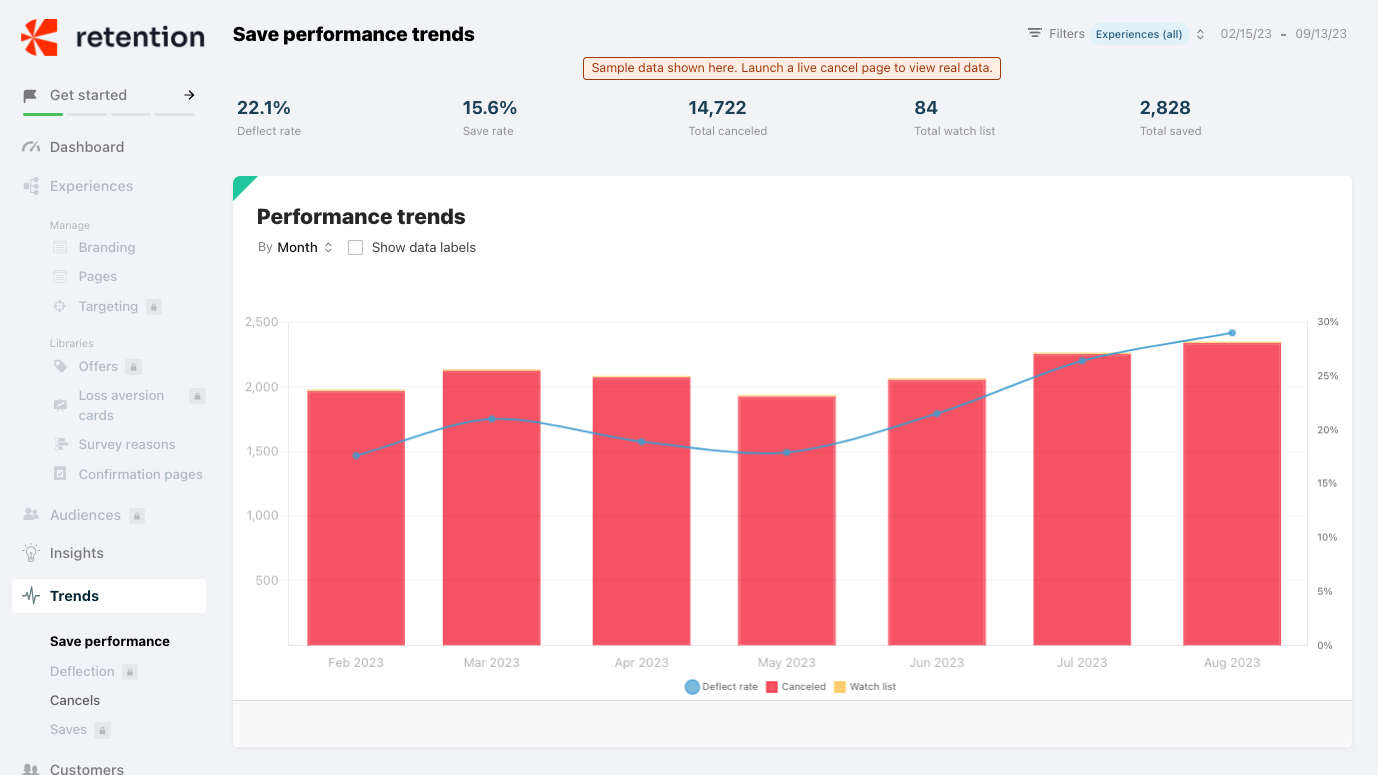
The Cancel and Save performance trends reports show how your cancel and deflects evolve over time. You can adjust the grouping by day, week, or month.
Customers report
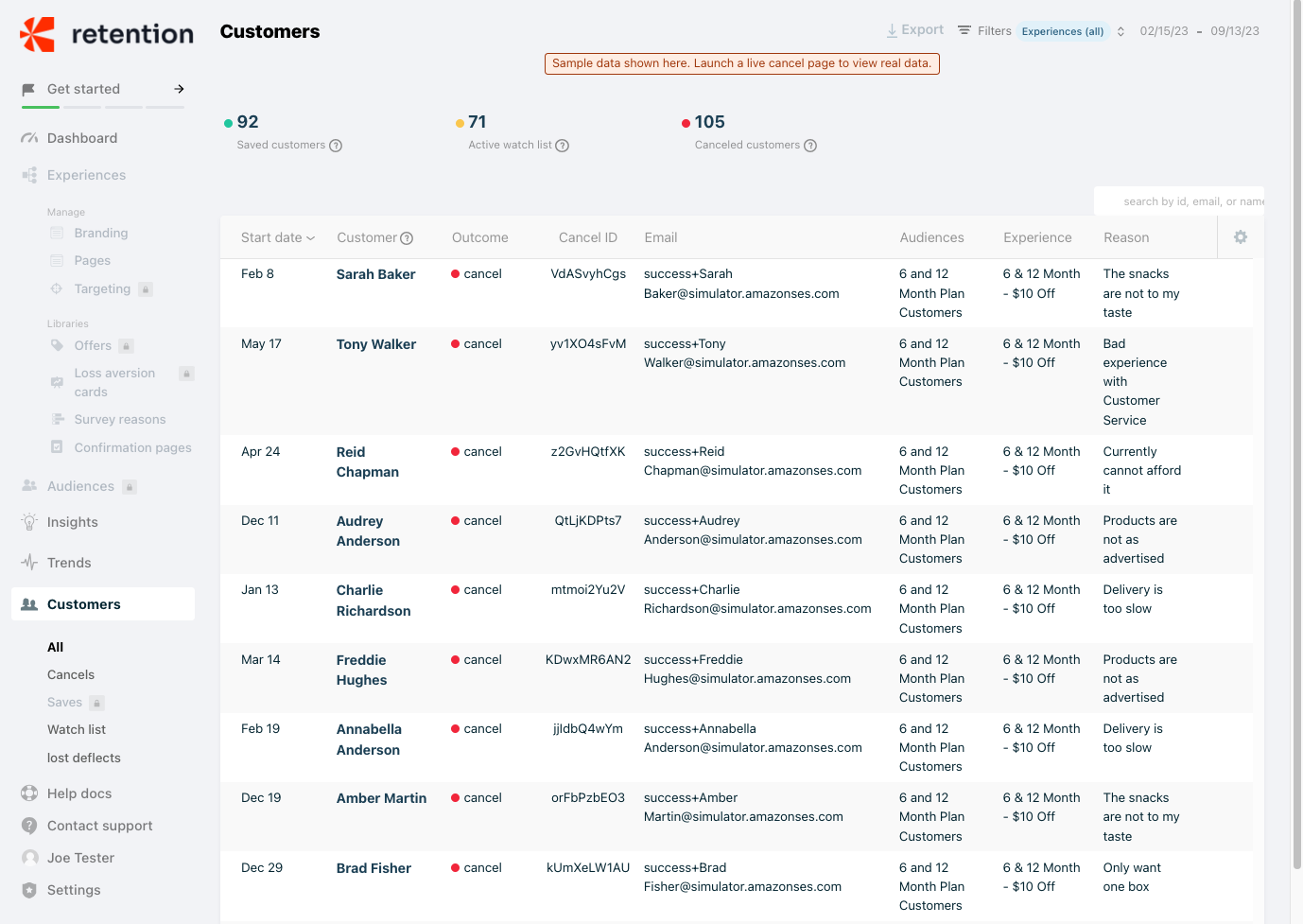
The Customers report provides a list of all your customers who visited the cancel page, broken out by outcome.
- All: All customers who visited the cancel page
- Cancels: All customers who visited the cancel page and completed cancellation
- Watch list: All customers who visited the cancel page and exited the page without canceling over the last 30 days
- Lost deflects: All customers who visited the cancel page and exited the page without canceling, but eventually canceled
Digest email
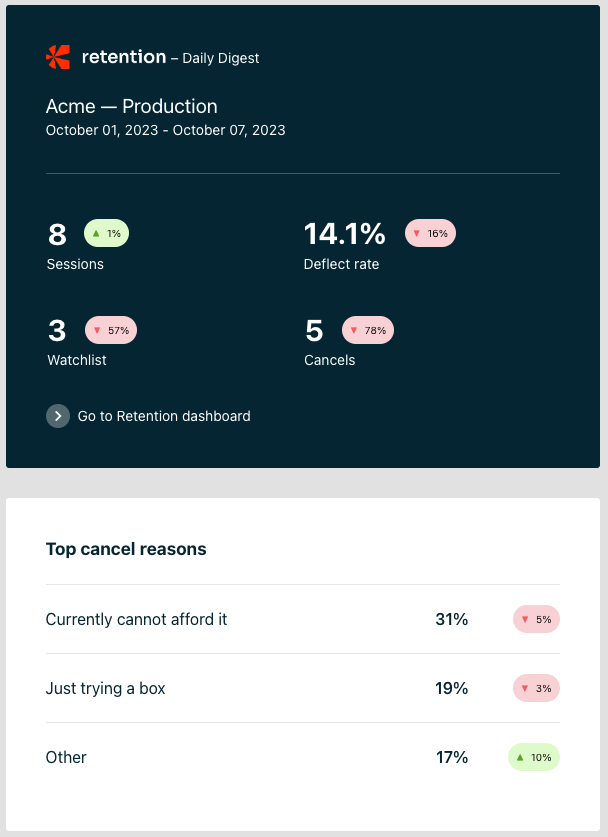
When signing up for Starter, you will be added to a weekly digest email that sends a summary of key Retention metrics for your business:
- Number of sessions
- Number of customers canceled
- Deflect rate
- Number of customers on watchlist
- Top 3 cancel reasons
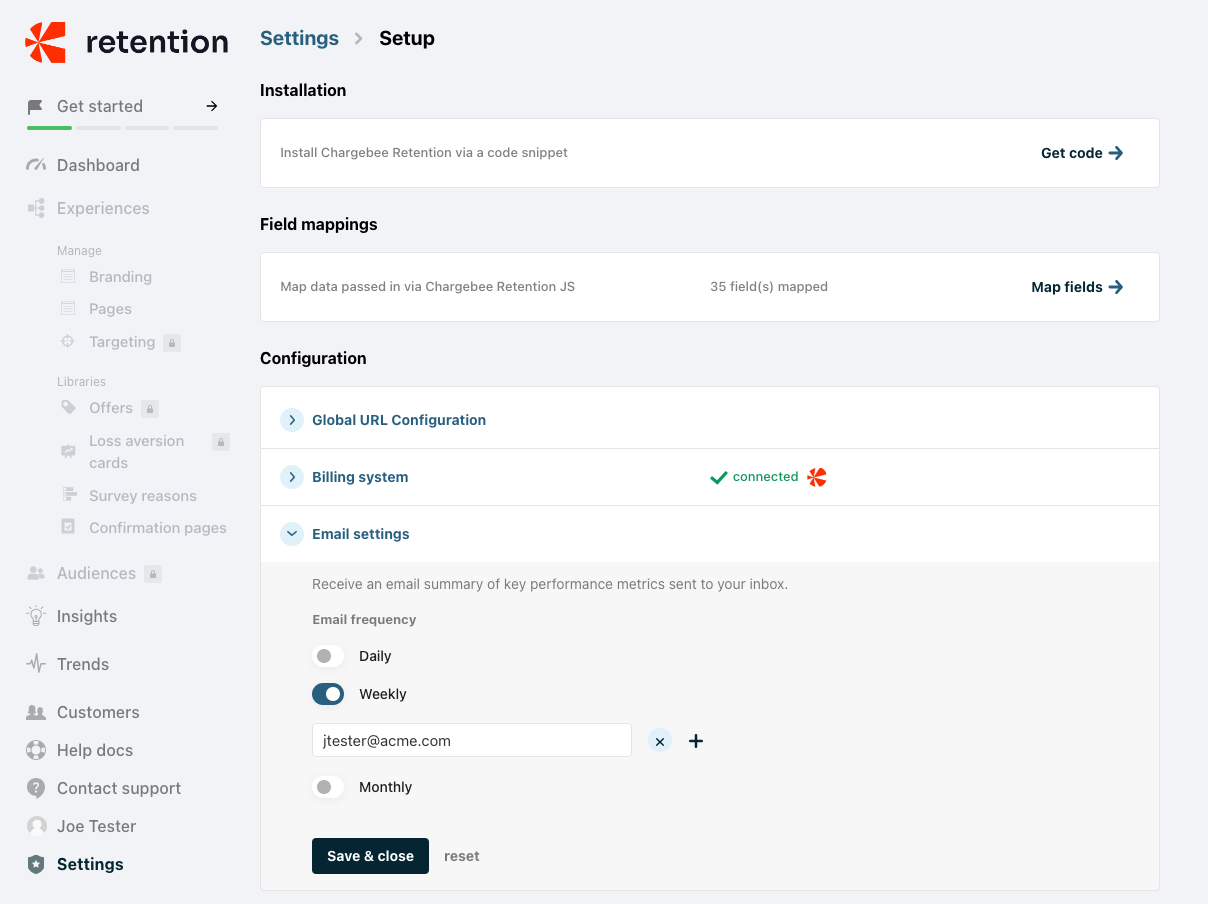
You can also choose to receive the email daily or monthly and add other team members to the email distribution list. These team members do not need to have access to the Retention app.
If you have any questions about Starter Churn Insights, please contact retention-support@chargebee.com.
Was this article helpful?