New in Chargebee: Explore Reveal and understand your payment performance end-to-end.Try Now
Docschargebee docs
HomeBillingCPQPaymentsRevRecGrowthReveal
Support

Product Updates


  • Release Notes

Getting Started with RevRec


  • About Chargebee RevRec
  • Quick Start Guide
  • Site Configuration
  • Conversion
  • RevRec Essential
  • Articles and FAQ

Revenue Recognition


  • Configuring Product Catalog
  • Standalone Selling Price
  • Configuring Revenue Rules
  • Recognizing Discounts
  • Revenue Arrangement
  • Prior Period Adjustment
  • Pending Collectibility
  • Chargebee Billing Features
  • Articles and FAQ

Expense Recognition


  • Recognizing Expenses
  • Articles and FAQ

Multi Currency


  • Multi-Currency
  • Articles and FAQ

Multi Entity


  • Multi-Entity

Data Processing & Validation


  • Overview
  • Automated Data Synchronization
  • Importing Data in Bulk
  • Input via User Interface
  • Control Checks
  • Automated Import and Export
  • Understanding Errors
  • Articles and FAQ

Adjustments


  • Manual Adjustments

Reports & Analytics


  • New Reporting Solution FAQs
  • Overview of RevRec Reporting
  • RevRec Standard Reports
  • Articles and FAQ

General Ledger & Accounting Close


  • Journal Account Mapping
  • Understanding Journal Entries
  • Creating Journal Entries
  • Journal Posting & Closing Accounting Period
  • Articles and FAQ

Integrations


  • HubSpot
  • Salesforce
  • QuickBooks Online
  • Xero
  • Sage Intacct
  • NetSuite
  • Stripe
  • Mobile Stores
  • Articles and FAQ

RevRec Premium


  • Overview
  • Quick Start Guide
  • Site Configuration
  • Getting Around RevRec Premium
  • General Ledger & Accounting Close
  • Reports & Analytics
  • Integrations
  1. RevRec
  2. Integrations
  3. Articles and FAQ
  4. Integrations
  1. RevRec
  2. Integrations
  3. Articles and FAQ
  4. Integrations

How to check the environment before configuring Hubspot in RevRec?

Scope

What happens in RevRec once the Hubspot sales order is in the Closed Won Stage?

How to integrate Hubspot custom sales in RevRec?

Summary

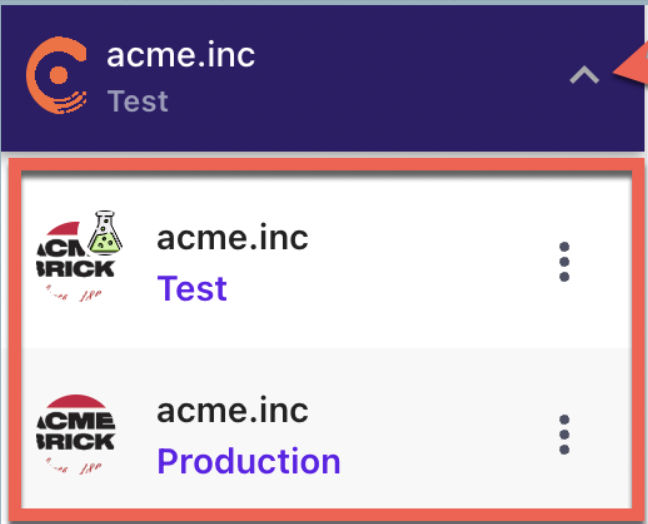
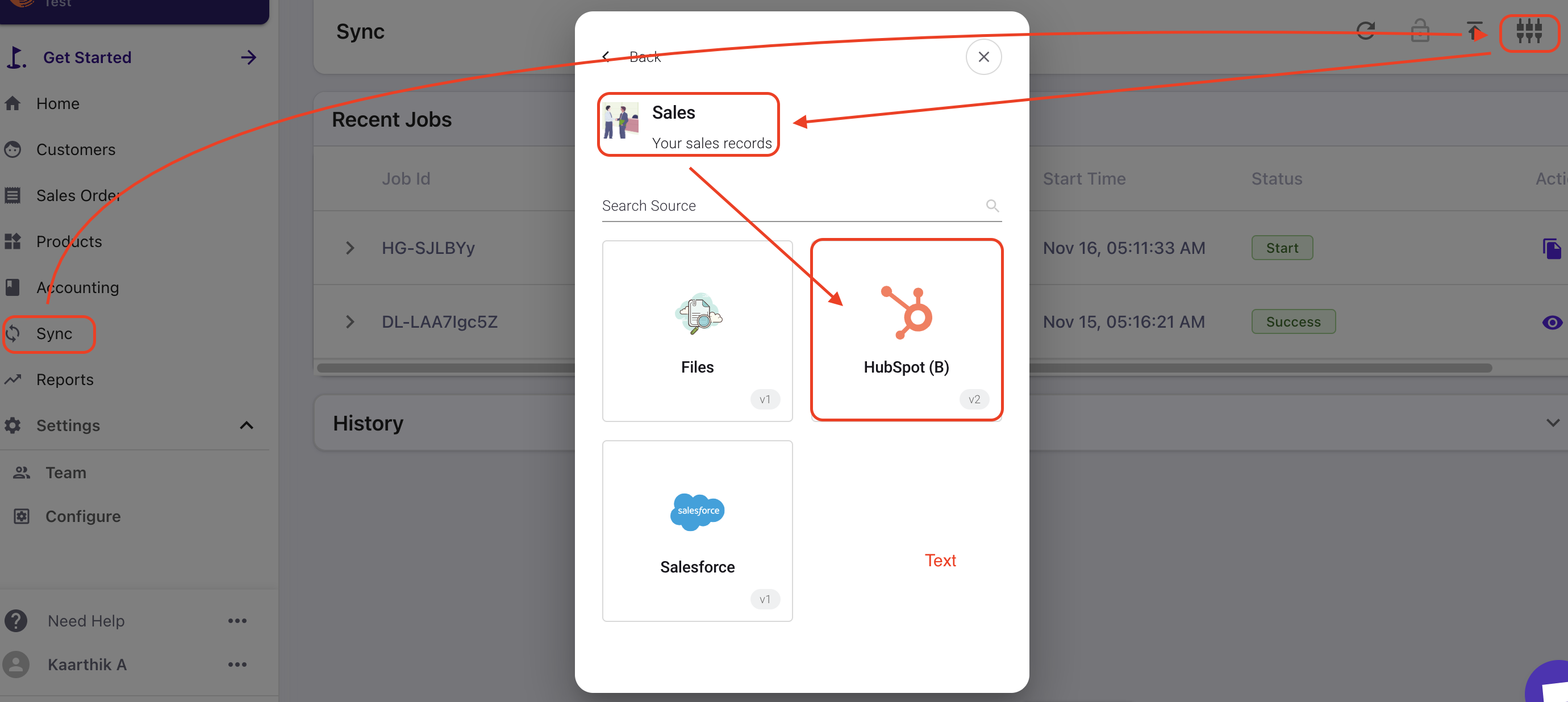
After logging in to your RevRec site, you can navigate to the environment panel on the top left corner of your site name and select Production for the live environment or Test for the sandbox environment to configure Hubspot. Then you can navigate to Sync > Connect to the other systems > Sales > Hubspot.
image

Solution

Connecting Hubspot Step 1: You can integrate Hubspot with RevRec by navigating to Sync > Connect to the other systems > Sales > Hubspot. Refer to this link to know more about the right environment.
image

Step 2: Refer to this link for more details on how to Configure HubSpot.

Our standard sync integration leverages the Deal and Product concepts in Hubspot to automatically create a sales order in the system for every opportunity that is in the 'Closed Won' stage

It is important to understand what key terms RevRec uses and how it leverages them from Hubspot.

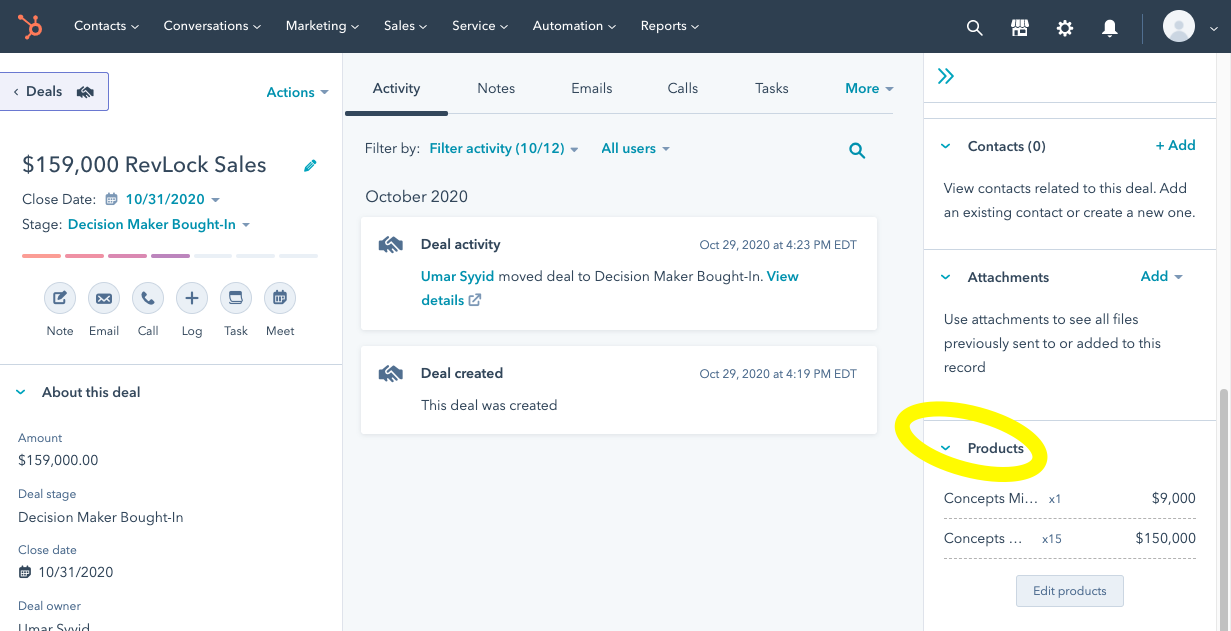
We expect that products being sold are set up in the product library and are referenced appropriately in every deal in Hubspot. You can see these on your deal page in Hubspot as shown below.
image

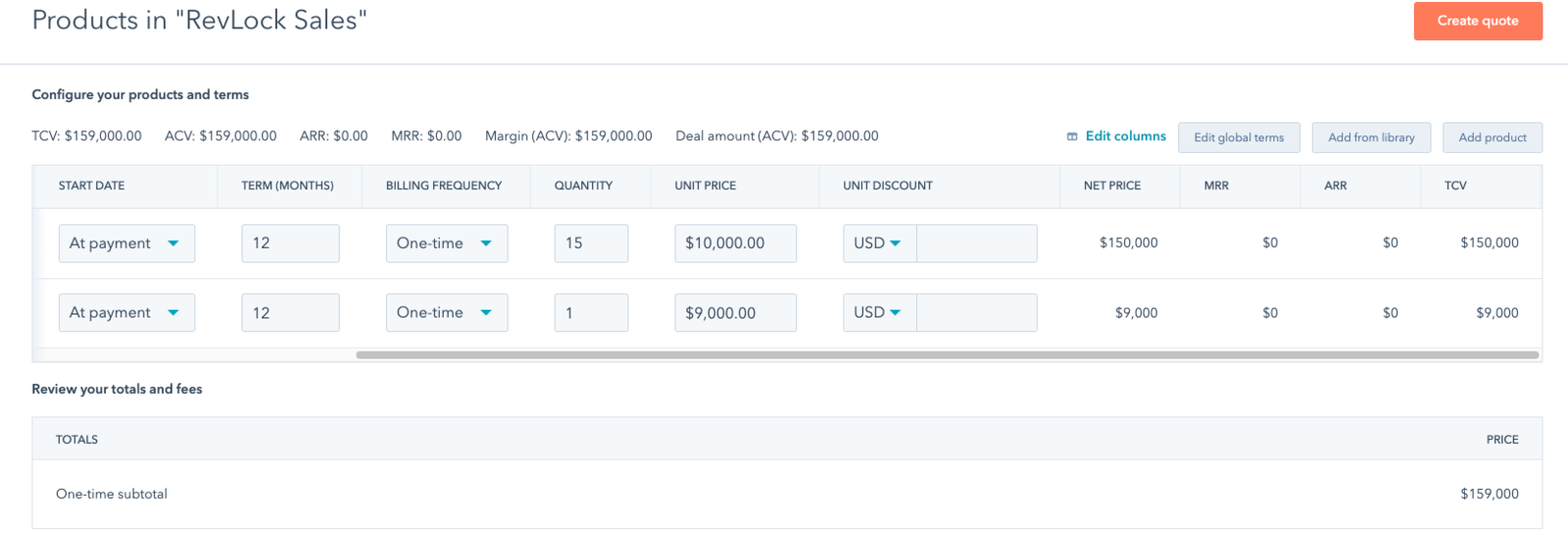
The Start Date, Quantity, Unit Price, and Term for the deal line items are populated, similar to the example in the screenshot below
image

In order to leverage the product library, you will need to be on the appropriate version of Hubspot with the right sales access. You can learn more about it here on the Hubspot site.

Custom Configuration

Our custom integration service allows you to implement a custom sales process and still directly sync with Hubspot.

The RevRec services team can pick up any custom field in Hubspot and map these fields and attributes to determine the fields mentioned above. Contact our sales team to learn more about this service.

Related Articles

Does RevRec leverage direct sync with Salesforce?
What are the types of flows Quickbooks online can be configured with RevRec?
How to integrate RevRec with Hubspot?

Was this article helpful?