Payment Failed but not updated in Chargebee
Problem Statement
A direct debit payment (e.g., GoCardless) failed at the bank but was initially marked as successful in Chargebee. You need to update the invoice status and optionally collect payment again.
Solution
Direct debit services typically take about 3 days to process a transaction. Chargebee updates the invoice to "Paid" when the gateway reports success. In rare cases, the bank later reports a failure (e.g., insufficient funds, closed account, invalid details). Chargebee checks with GoCardless for returns between 7–15 days after a transaction. If the status changes, Chargebee records an offline refund and sets the invoice to "Not Paid". After 15 days, Chargebee does not update the invoice status based on gateway changes.
Steps to Set It Up
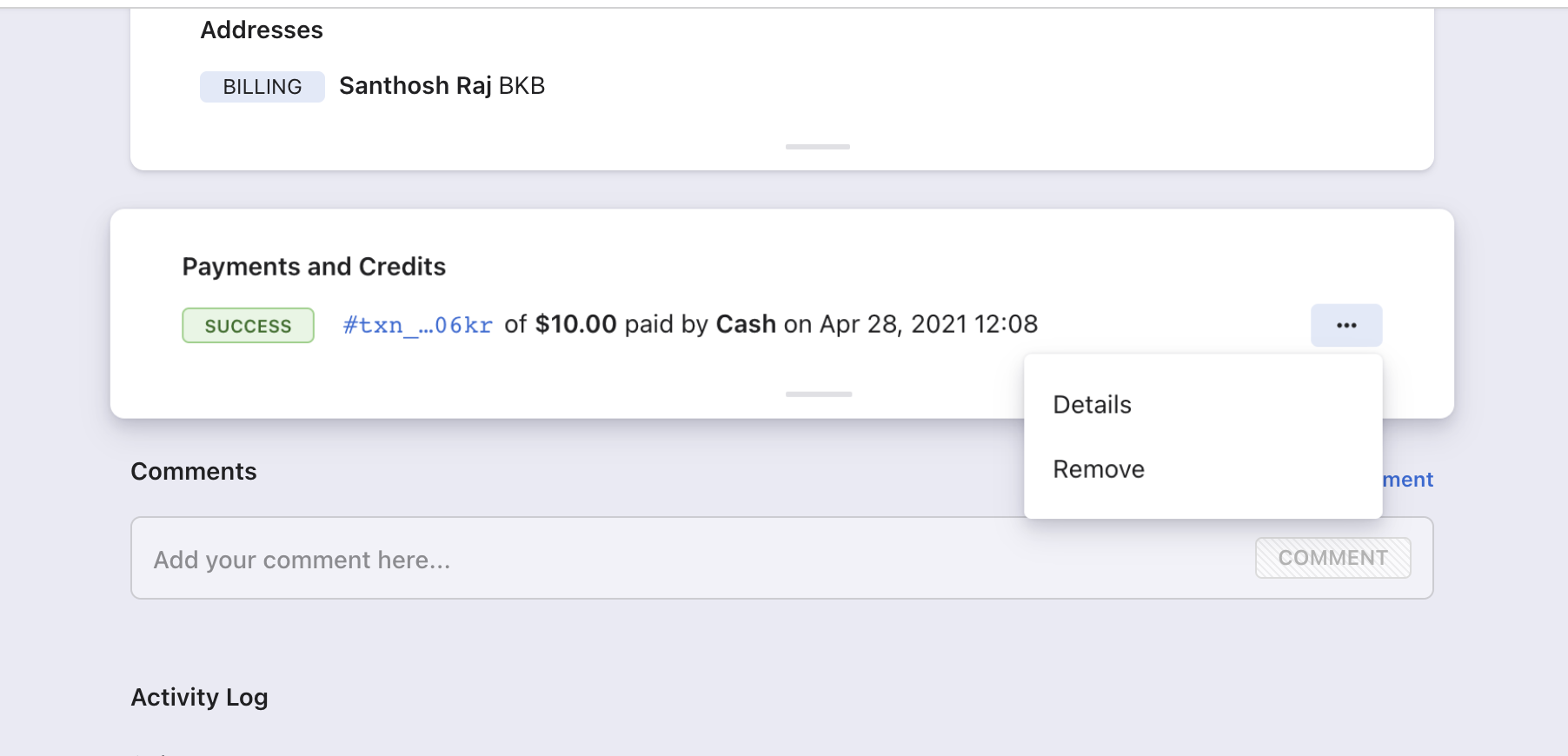
- Remove the payment from the invoice.
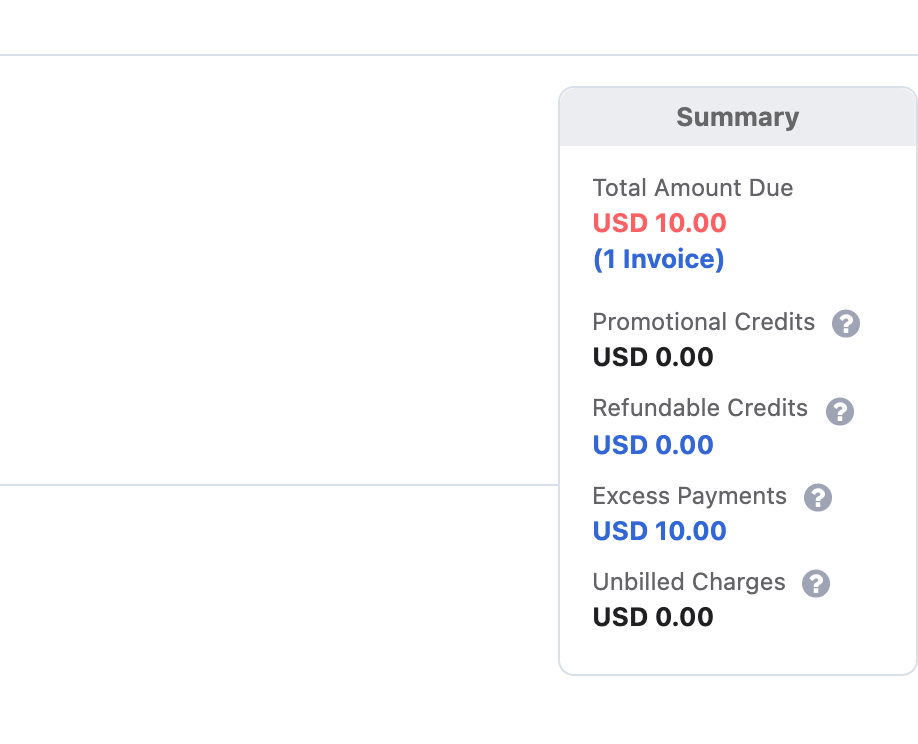
- The amount moves to the customer's excess payments.
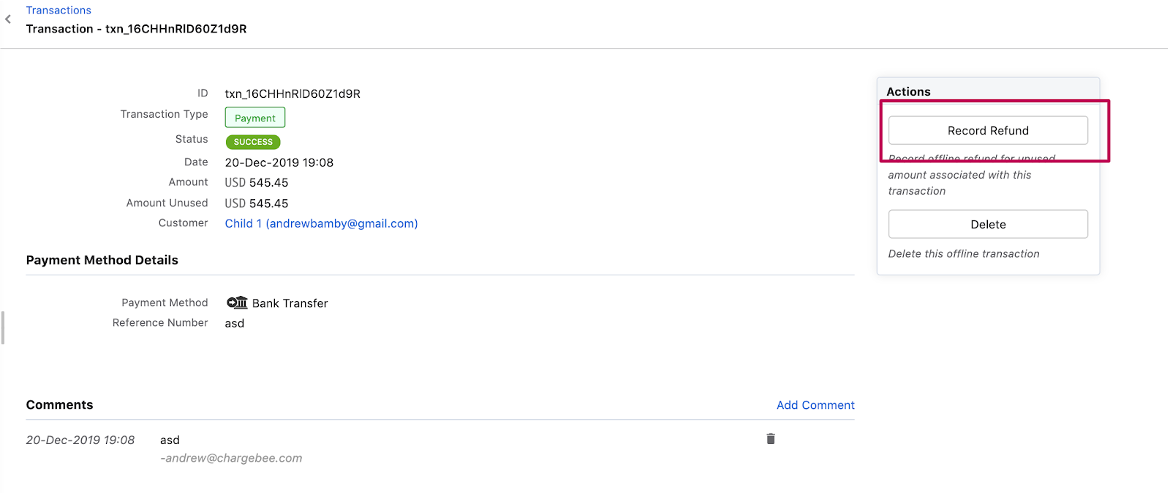
- Go to Excess payment > Transaction ID > Record Refund. Add a comment for reference.
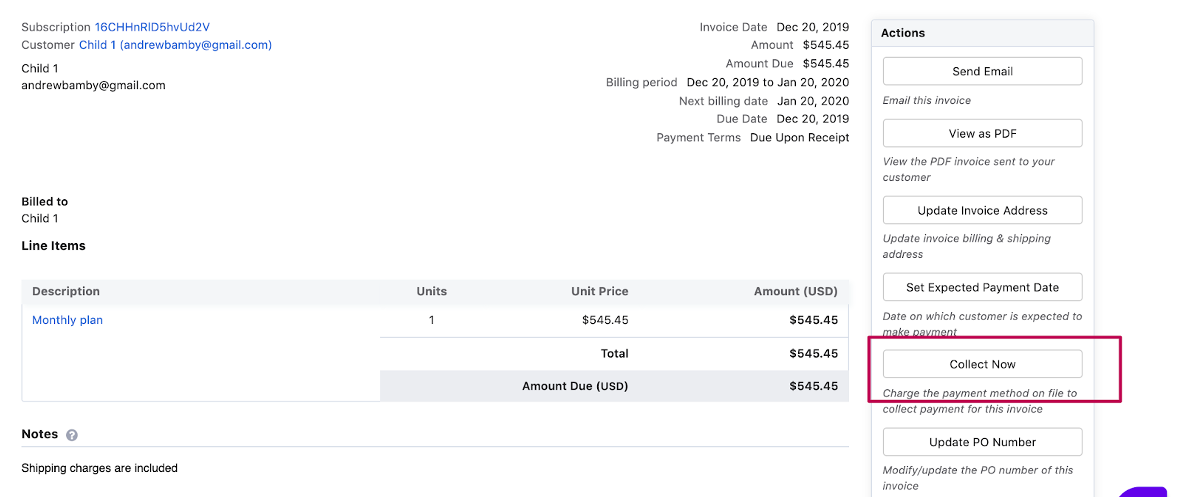
- Use Collect Now to request payment again.
Important Notes
Note
If a customer has more than 3 failed direct debit attempts, the mandate may be cancelled. Use Request payment method to have the customer add a new payment method.
To receive GoCardless transaction alerts, go to GoCardless Dashboard > Settings > Email notifications > enable Alerts.
Additional Information
Common reasons for direct debit failures: GoCardless support.
Was this article helpful?