Pix via dLocal
Pix is a popular real-time payment method in Brazil. This integration allows you to accept Pix payments through the dLocal gateway in Chargebee.
Before you begin, ensure that dLocal is configured. See Configure dLocal in Chargebee.
Prerequisites
Before enabling Pix:
- Ensure dLocal is configured in your Chargebee site.
- Pix does not require additional configuration. You can enable it using a toggle.
Configure Pix via dLocal in your Chargebee site
Follow these steps to enable Pix via dLocal:
Information
Pix is available only after dLocal is configured successfully.
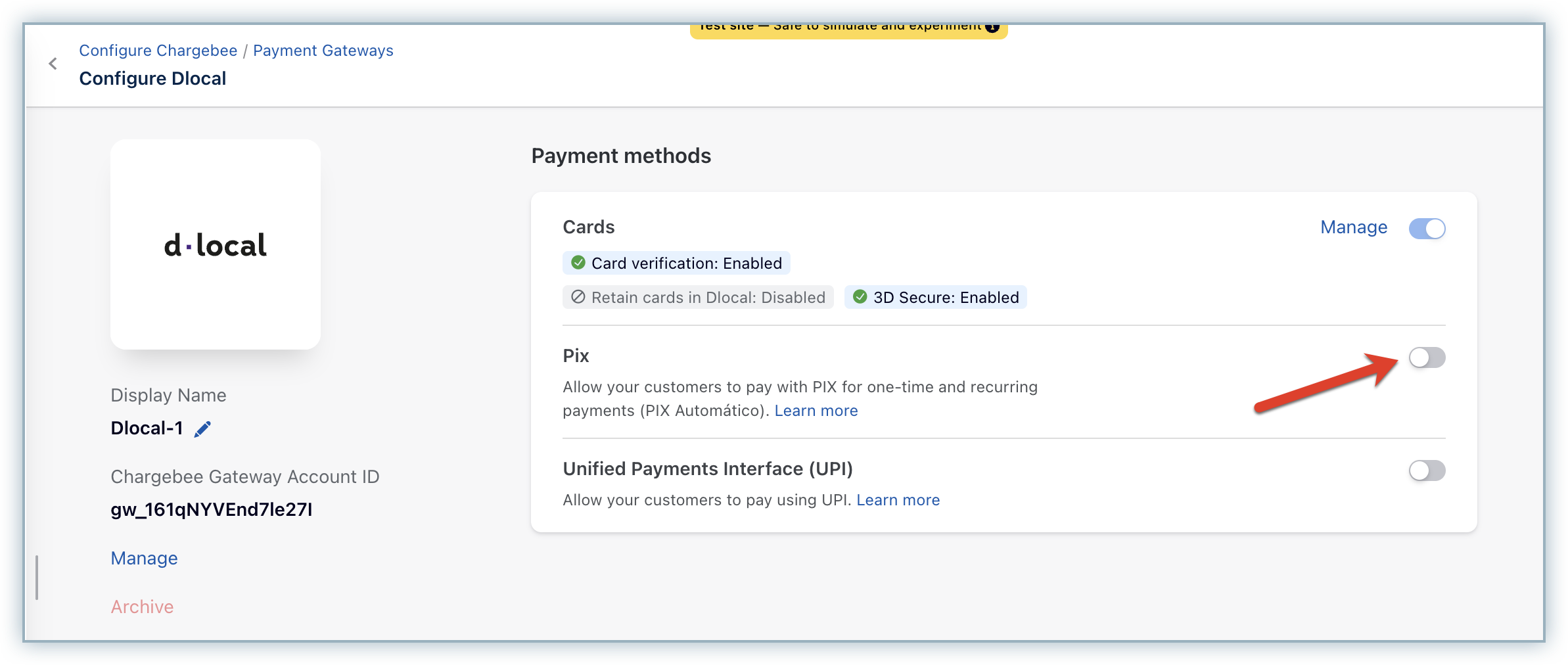
- Go to Settings > Configure Chargebee > Payment Gateways > dLocal.
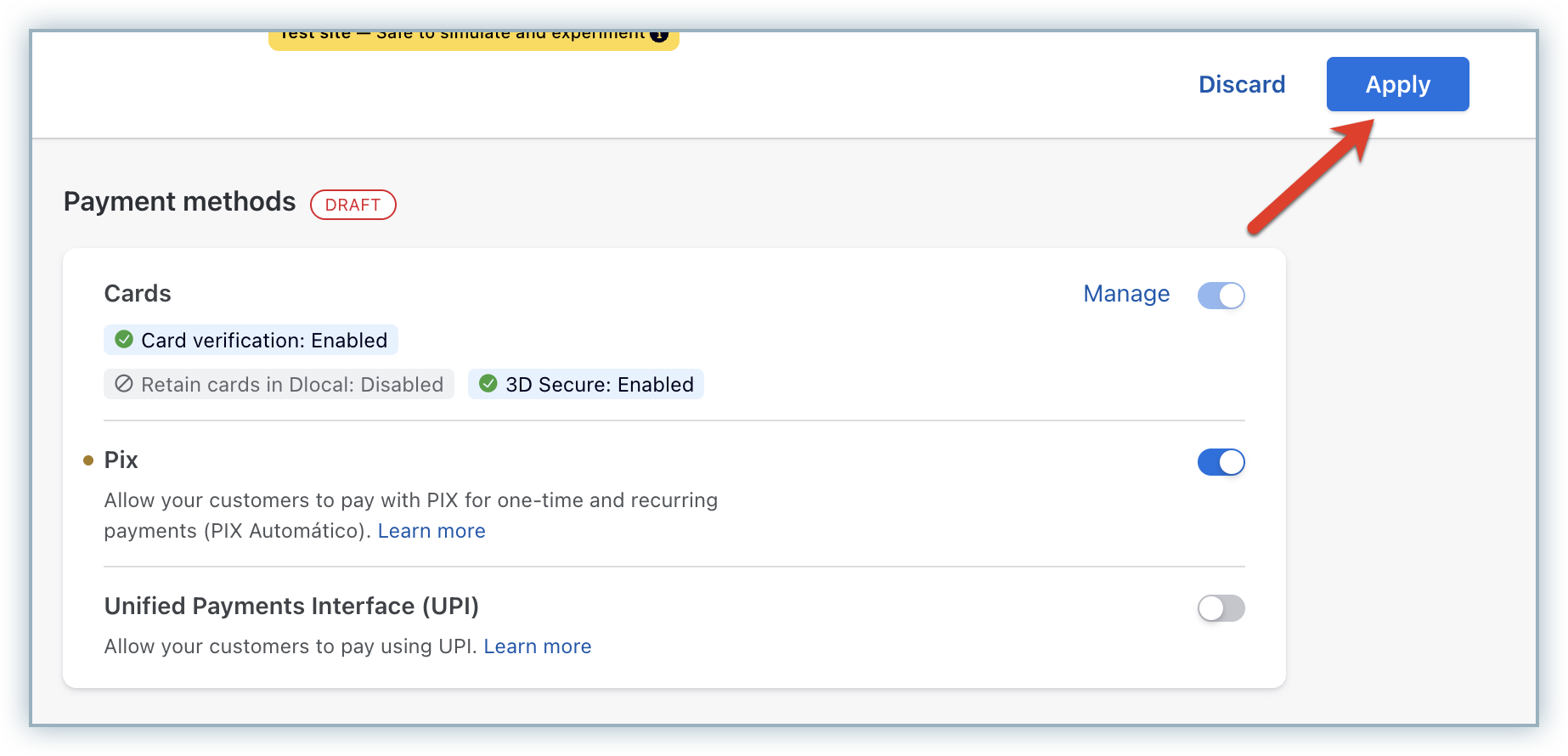
- On the Configure dLocal page, turn on Pix.
- Select Apply to save your changes.
How Pix works
Pix is a real-time payment method that customers complete using their banking app.
- During checkout, customers are shown a QR code or payment key.
- Customers complete the payment using their bank app.
- dLocal processes the payment asynchronously.
- Chargebee updates the payment status after receiving webhook notifications.
Note
Pix payments are asynchronous. A payment remains in a pending state until Chargebee receives the final status from dLocal via webhooks.
Payment features
The following table describes supported features and behavior for Pix via dLocal:
| Feature | Description | Supported | Default state | Configuration / behavior |
|---|---|---|---|---|
| Integration sync mode | Defines how payment requests are processed and how statuses are updated. | Yes (asynchronous only) | Asynchronous | dLocal processes Pix payments asynchronously. Chargebee receives the final status through webhooks. |
| Capture settings | Defines when funds are captured after authorization. | Yes | Auto capture | No configuration required. Auto capture is the only supported option. |
| Verification modes | Defines how payment methods are validated before payment. | No | Enabled | Validation occurs in the background. Payments are still initiated. |
| Regulatory requirements support | NA | NA | NA | NA |
| Statement descriptor | Business name shown in the customer’s bank statement. | Yes | Disabled | Configure under Settings > Configure Chargebee > Transaction Descriptor. |
| Chargeback management | Handles disputes and chargebacks. | No | Disabled | Not supported. |
| Fraud management | Identifies high-risk transactions. | No | NA | Not supported. |
| Transaction initiation type | Indicates whether the transaction is customer-initiated or merchant-initiated. | No | NA | Not supported. |
| Error intelligence | Provides standardized failure categorization. | Yes | NA | No configuration required. |
| Gateway transaction details | Provides raw gateway responses. | Yes | Enabled | Available under Error details on the transaction page. |
| Addition of payment methods in Chargebee dashboard | Add payment methods collected outside Chargebee. | Yes | Enabled | Use the Create payment source using permanent token API. |
Supported token formats
Use the following token formats when building a custom checkout or migrating from another provider:
| Token type | Description | Supported | Token field | Token format |
|---|---|---|---|---|
| Chargebee Payment Intent | Recommended for custom checkout using Chargebee JS. | Yes | payment_intent[id] | payment_intent_id |
| Chargebee token | Legacy format. Not recommended for new integrations. | No | token_id | NA |
| Gateway permanent token | Used for recurring payments or migrations. | Yes | payment_method[reference_id] | mandate_id |
| Gateway temporary token | Short-lived token convertible to permanent token. | No | NA | NA |
Testing
Testing in sandbox
dLocal provides the following scenarios:
| Description | dLocal | Amount at Chargebee | Chargebee |
|---|---|---|---|
| 100:approved | Success | 1000 | Transaction succeeds |
| 100:rejected | Failure | 2000 | Transaction fails |
| 302 | Insufficient balance | 3000 | Transaction fails |
You can use the following test document numbers:
CPF: 53033315550
CNPJ: 91980232000109
You can also generate and use any valid CPF or CNPJ numbers online for testing purposes.
Reference: Pix Testing Environment.
Warning
If you use amounts not listed above, dLocal does not receive a scenario description. These transactions remain in a pending state.
Information
Ensure webhook handling is configured correctly. Payment status updates depend on webhook notifications from dLocal.
Testing in production
Before going live:
- Ensure Pix is configured in both dLocal and Chargebee.
- Perform end-to-end testing using a real Pix-enabled banking app.
Note
Pix payments require real bank interaction for validation in production.
Reconciliation
To reconcile transactions between Chargebee and dLocal:
- Locate the id_at_gateway value in the Chargebee transaction.
- Use this value as the Reference ID in dLocal.
This mapping ensures accurate reconciliation between systems.
Was this article helpful?