In-Progress Transaction Sync
Sometimes, a payment may remain in the In-Progress state longer than expected due to gateway issues or notification delays. To help you resolve these transactions more quickly, Chargebee offers a manual sync option that allows you to fetch the latest status directly from the payment gateway.

When to use Transaction Status Sync
Use this feature when you need to verify or update a transaction that hasn't moved out of the In Progress state.
You should sync a transaction if:
- The payment has been in the In-Progress state longer than expected.
- You suspect a missed webhook or a gateway delay.
- You want to check the most recent payment status before taking further action.
This option is available only for transactions processed through gateways that support Transaction Fetch.
How to sync a transaction
You can manually sync a transaction's status from the transaction details page.
Follow these steps:
- Log in to your Chargebee Billing site.
- Go to Logs > Transactions.
- Select the transaction that is marked as In Progress.
- On the transaction details page, look for the 'Transaction is In-Progress' section.
- Click Sync Now to fetch the latest status.
Chargebee will then contact the payment gateway and update the transaction if the status has changed.
What happens after you sync
Depending on the gateway response, one of the following will occur:
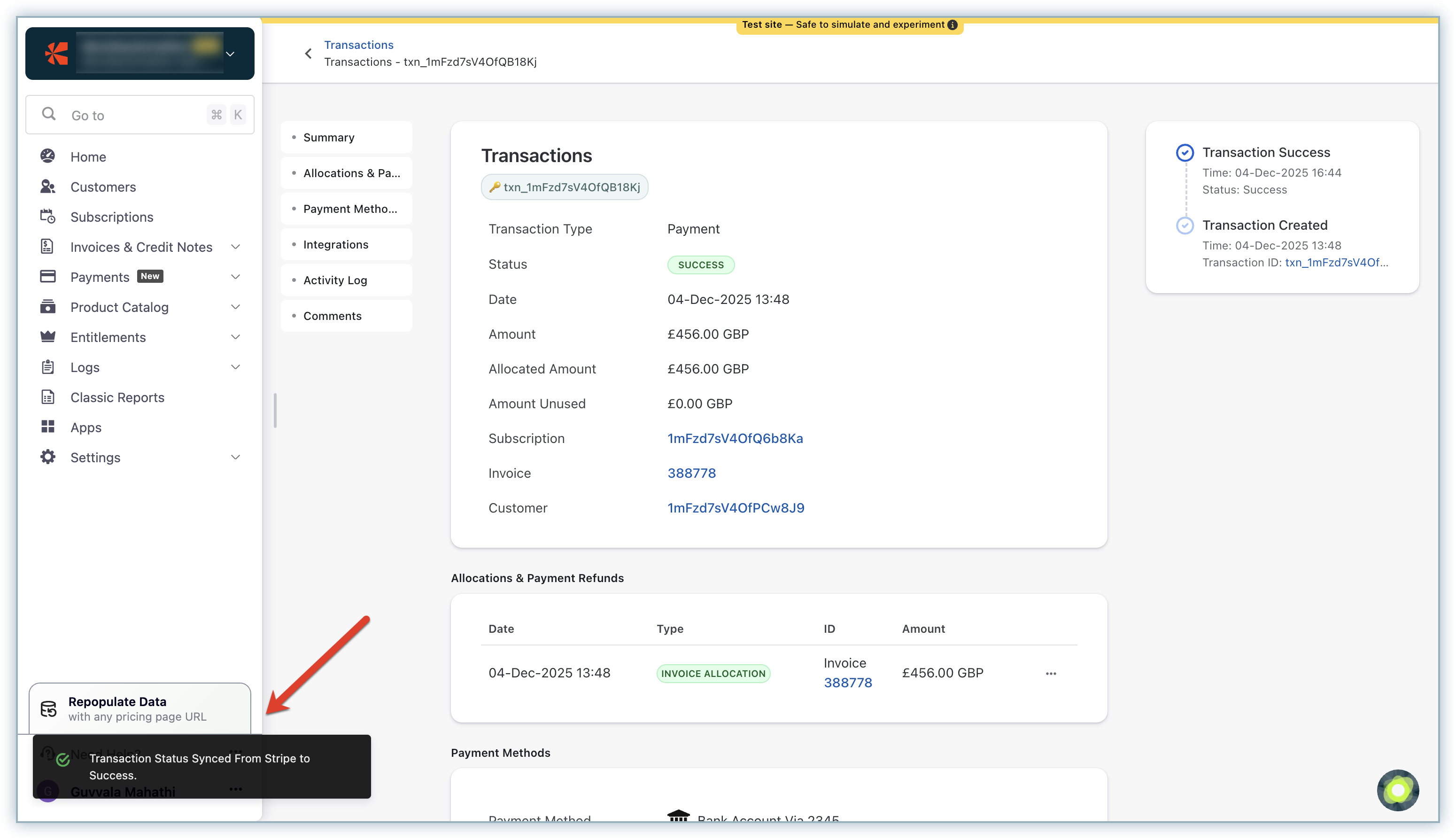
Successful sync
- The transaction status is updated (e.g., Success, Failed, Voided).
- A confirmation toast message appears.
Sync failed
- Chargebee could not fetch the status.
- An error message explains the issue.

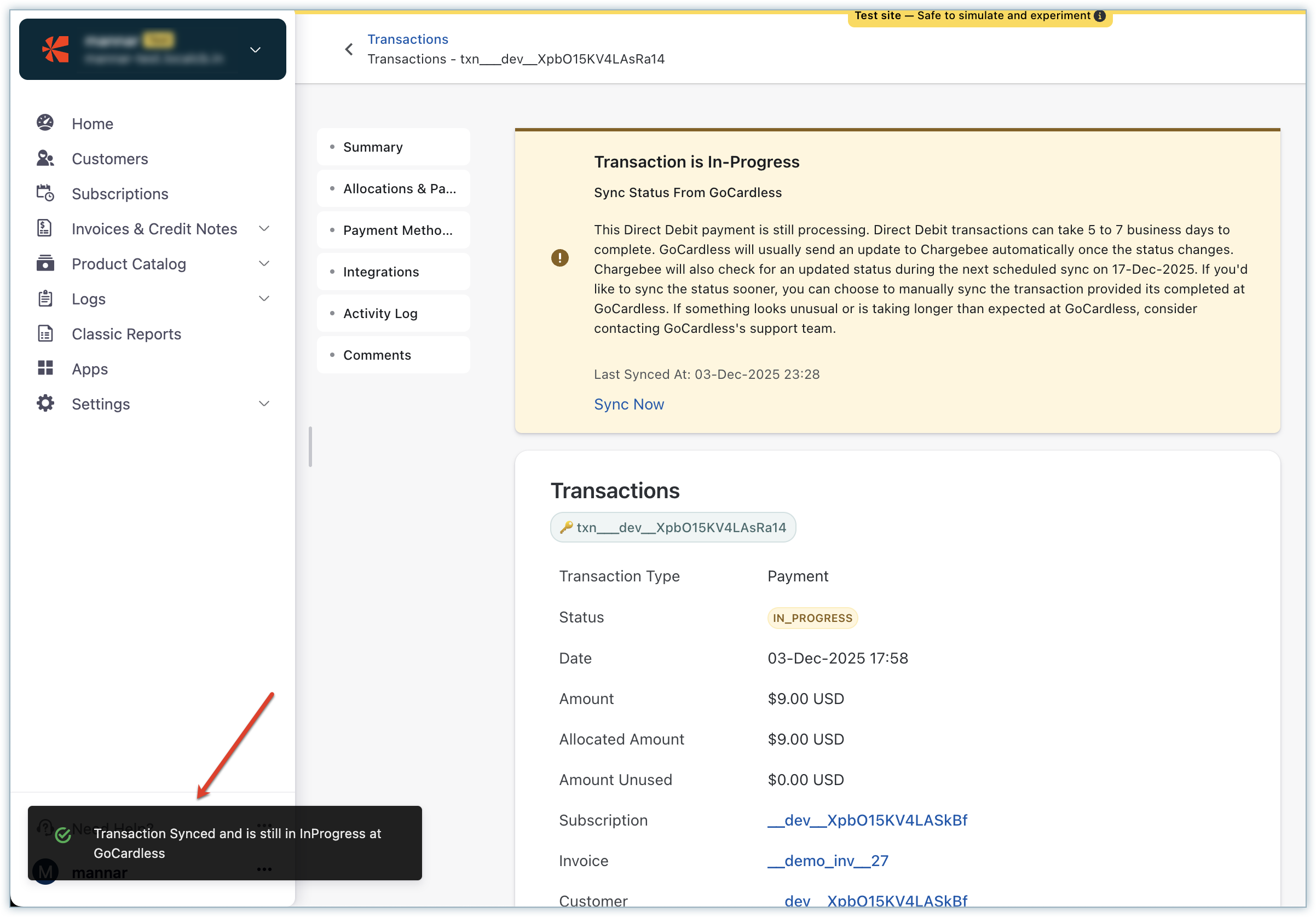
Still In Progress
- If the gateway reports that the transaction is still pending, the state remains In Progress.
- The Last Synced At timestamp is updated, so you know the latest attempt time.
Why this feature is helpful
This feature helps you take control of stalled transactions and avoid delays caused by gateway or webhook issues.
Key benefits include:
- Resolving stuck payments without needing to contact Support
- Handling missed gateway notifications or response delays
- Ensuring transaction accuracy and status visibility during payment processing
Was this article helpful?