New in Chargebee: Explore Reveal and understand your payment performance end-to-end.Try Now
Docschargebee docs
HomeBillingCPQPaymentsRevRecGrowthReveal
Support

Product Updates


  • Release Notes

Getting Started with RevRec


  • About Chargebee RevRec
  • Quick Start Guide
  • Site Configuration
  • Conversion
  • RevRec Essential
  • Articles and FAQ

Revenue Recognition


  • Configuring Product Catalog
  • Standalone Selling Price
  • Configuring Revenue Rules
  • Recognizing Discounts
  • Revenue Arrangement
  • Prior Period Adjustment
  • Pending Collectibility
  • Chargebee Billing Features
  • Articles and FAQ

Expense Recognition


  • Recognizing Expenses
  • Articles and FAQ

Multi Currency


  • Multi-Currency
  • Articles and FAQ

Multi Entity


  • Multi-Entity

Data Processing & Validation


  • Overview
  • Automated Data Synchronization
  • Importing Data in Bulk
  • Input via User Interface
  • Control Checks
  • Automated Import and Export
  • Understanding Errors
  • Articles and FAQ

Adjustments


  • Manual Adjustments

Reports & Analytics


  • New Reporting Solution FAQs
  • Overview of RevRec Reporting
  • RevRec Standard Reports
  • Articles and FAQ

General Ledger & Accounting Close


  • Journal Account Mapping
  • Understanding Journal Entries
  • Creating Journal Entries
  • Journal Posting & Closing Accounting Period
  • Articles and FAQ

Integrations


  • HubSpot
  • Salesforce
  • QuickBooks Online
  • Xero
  • Sage Intacct
  • NetSuite
  • Stripe
  • Mobile Stores
  • Articles and FAQ

RevRec Premium


  • Overview
  • Quick Start Guide
  • Site Configuration
  • Getting Around RevRec Premium
  • General Ledger & Accounting Close
  • Reports & Analytics
  • Integrations
  1. RevRec
  2. Data Processing & Validation
  3. Articles and FAQ
  4. Data Processing & Validation
  1. RevRec
  2. Data Processing & Validation
  3. Articles and FAQ
  4. Data Processing & Validation

How to automate data synchronization in RevRec?

Scope

How to automate data synchronization in RevRec?

How to schedule data sync automation in RevRec?

Can I set the frequency of data sync in RevRec?

Summary RevRec can integrate with your sales, commissions, or invoicing systems to pull in the sales, commissions, or billing transactions. It comes out of the box with integration for several types of systems out of the box. Note that you don't have to sync data. Navigate over to the 'Sync' option and click the connect button. You can also schedule to automatically sync your data. For instance, to configure this in Chargebee navigate from Sync > Connect button > Invoices > Chargebee > Quick Actions > Edit schedule.

Solution All you have to do is navigate over to the 'Sync' option and click the connect button.

Read about specific integration requirements in the integrations section.
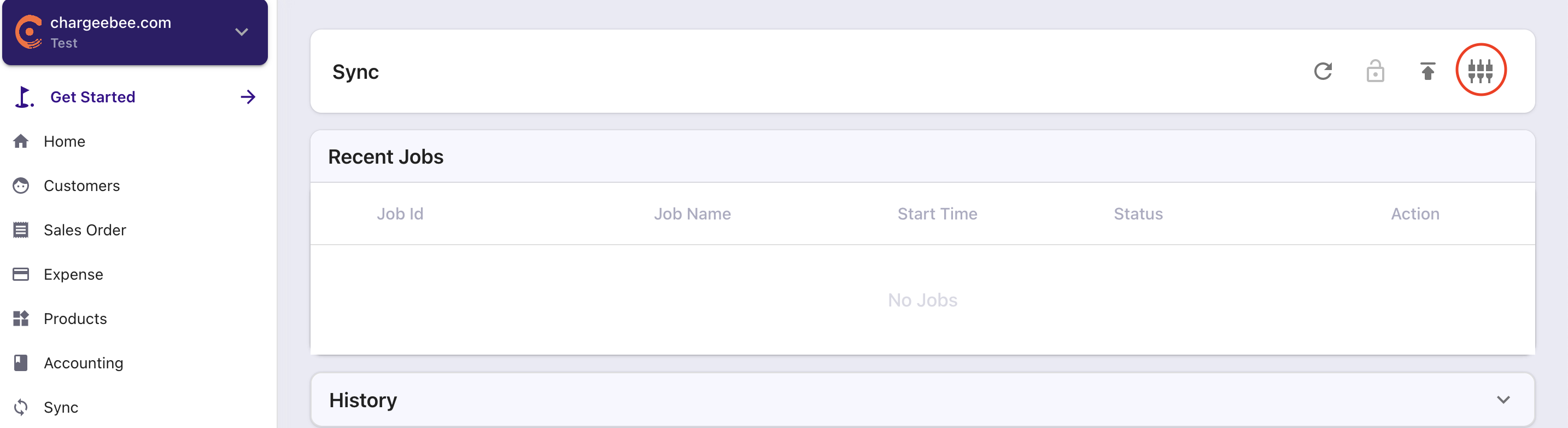
image

When you do this you can select a particular system you want to connect to from the options presented. All you will need are your system credentials.
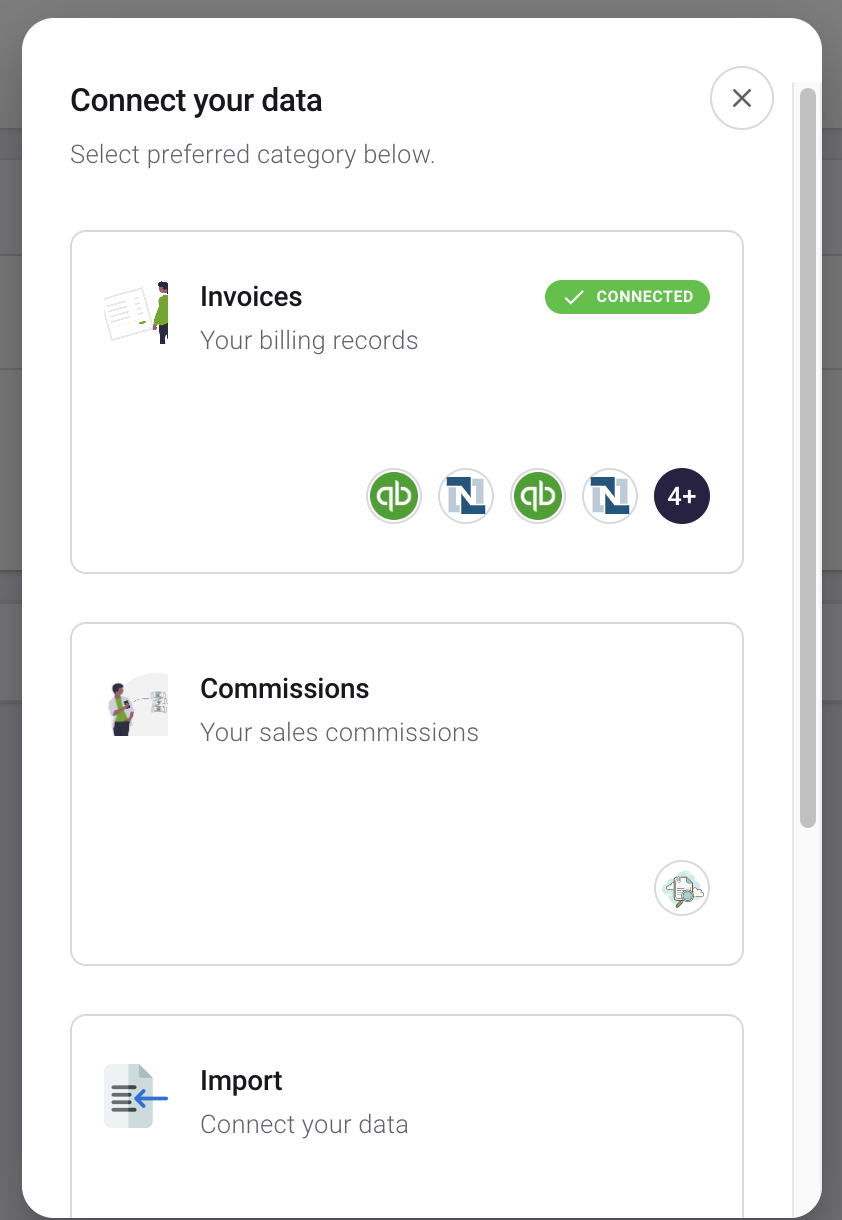
image

You can also schedule to automatically sync your data. For instance, to configure this in Chargebee navigate from Sync > Connect button > Invoices > Chargebee > Quick Actions > Edit schedule.
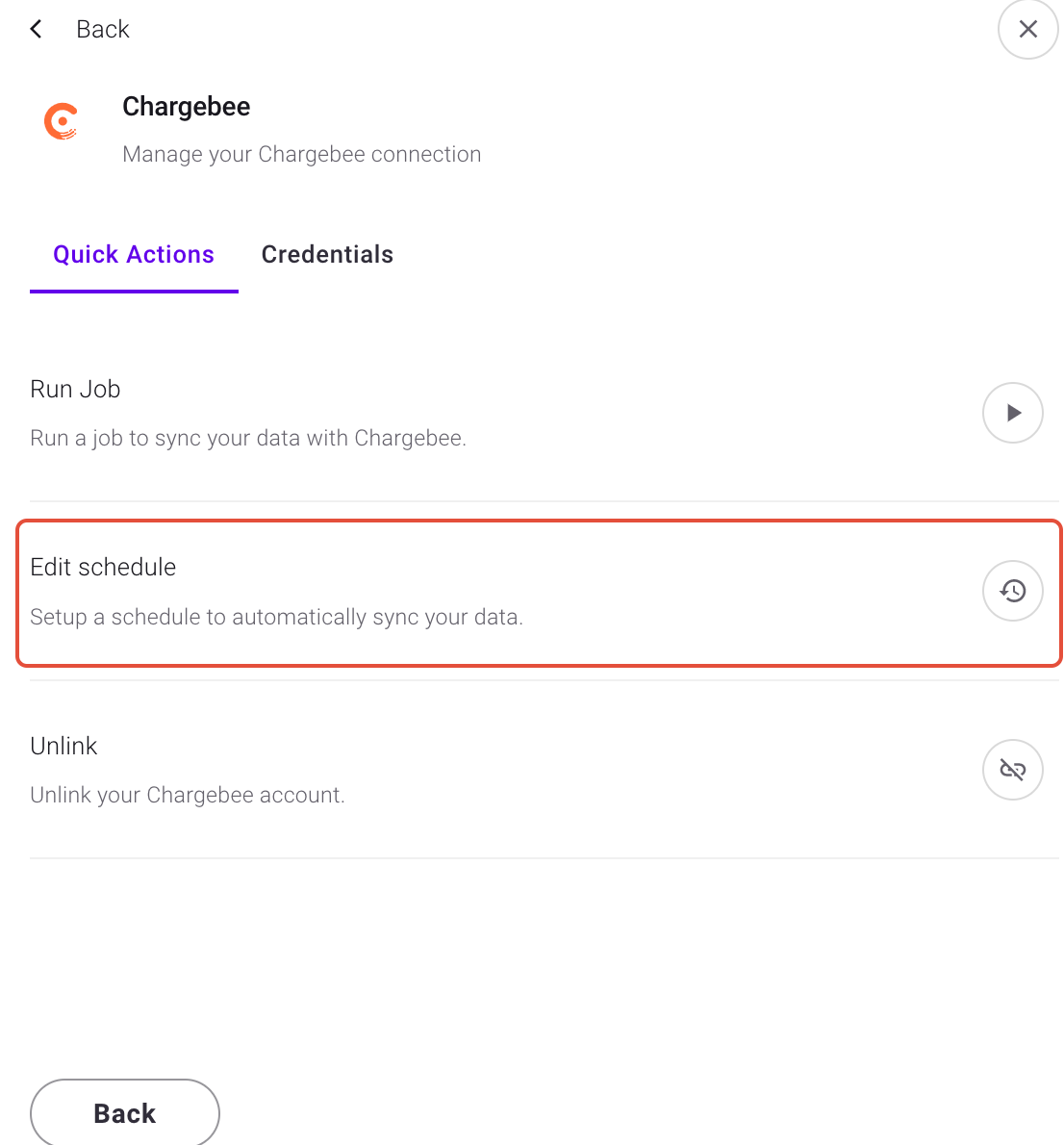
image

Then configure Frequency, Time of the day, and Timezone to schedule automatically sync data.
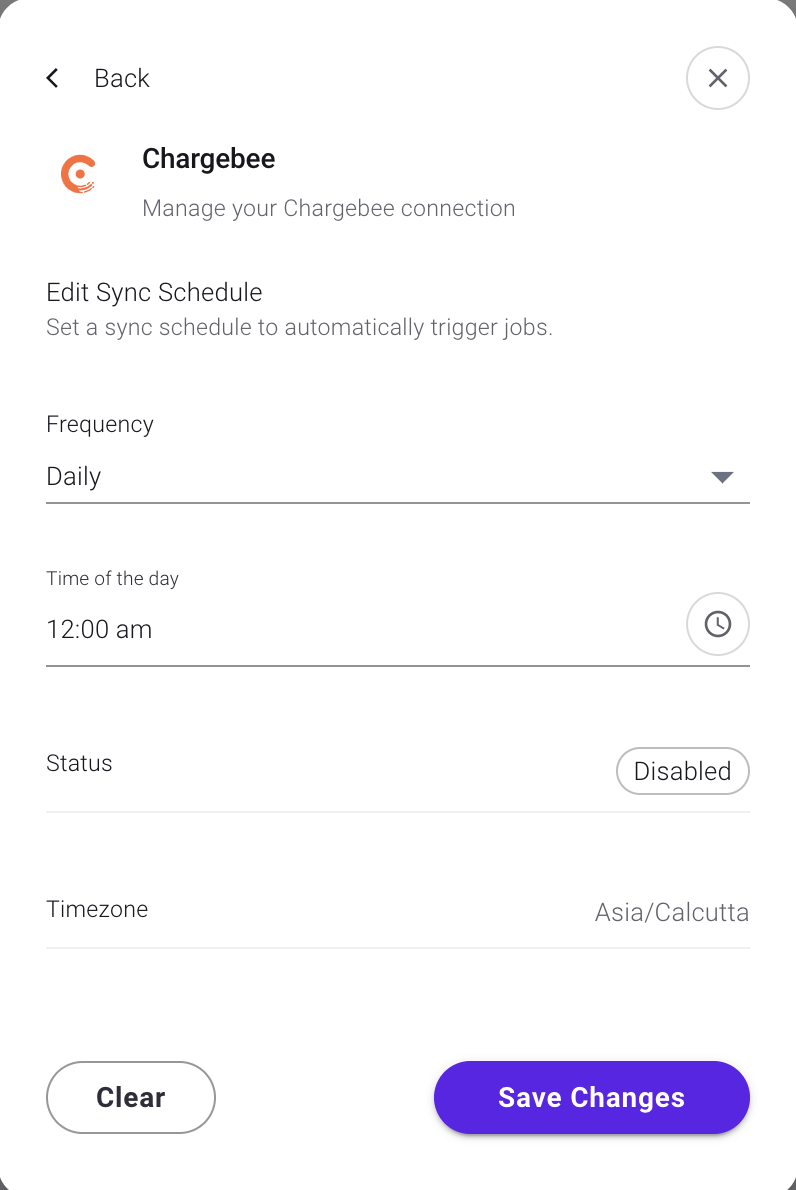
image

Related Articles

How to create orders and invoices directly in RevRec?
How to search Orders in RevRec?
How to find and correct errors in RevRec?
How to import bulk transactions in RevRec?
Data Validation check in RevRec.
What happens if the subscription value increases within a term in RevRec?
How to view and manage errors in RevRec?

Show more

Was this article helpful?