How to remove excess payments for a customer?
Problem Statement
You want to remove excess payments for a customer (e.g., when a payment was charged incorrectly or recorded against the wrong invoice).
Solution
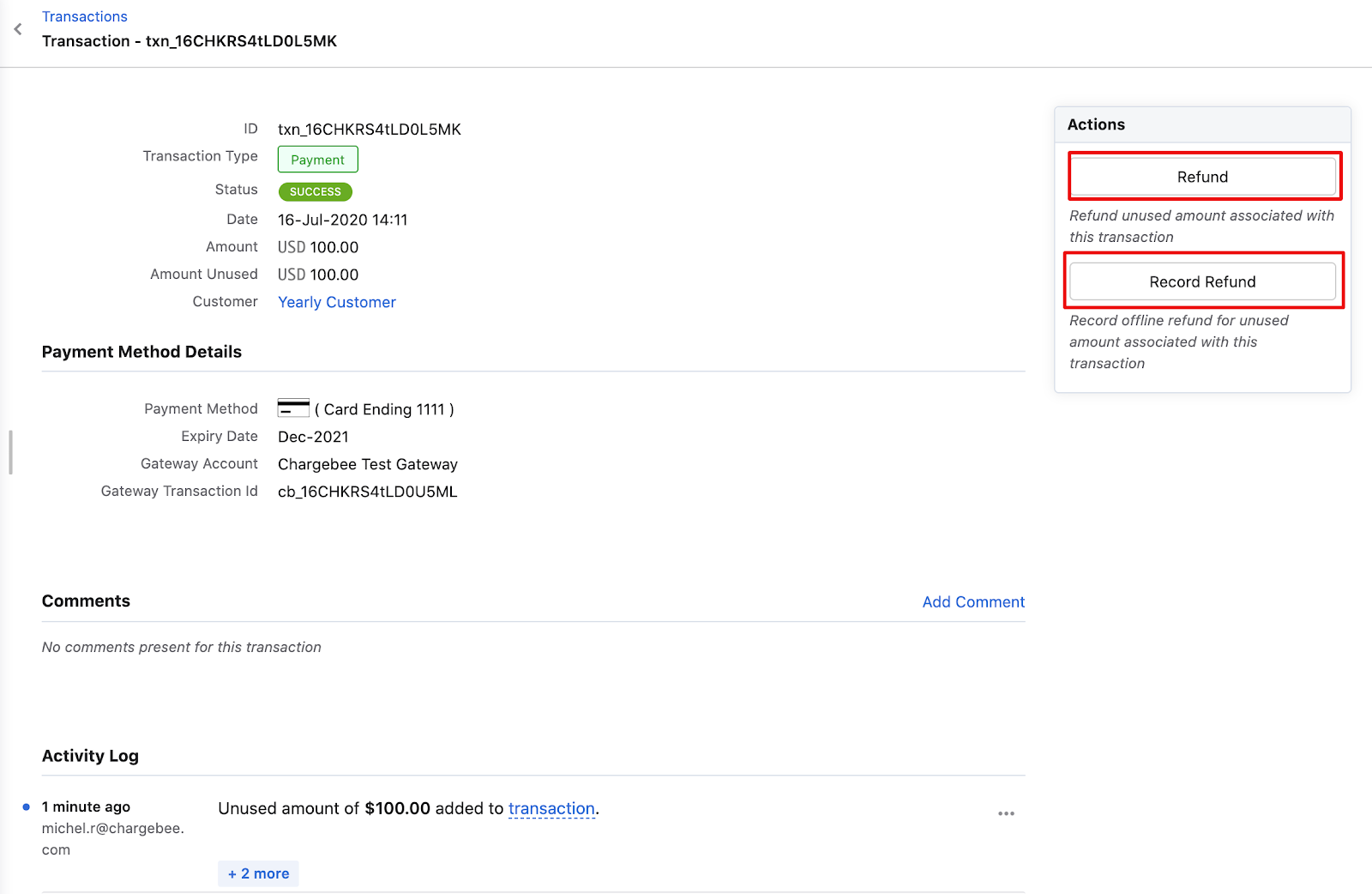
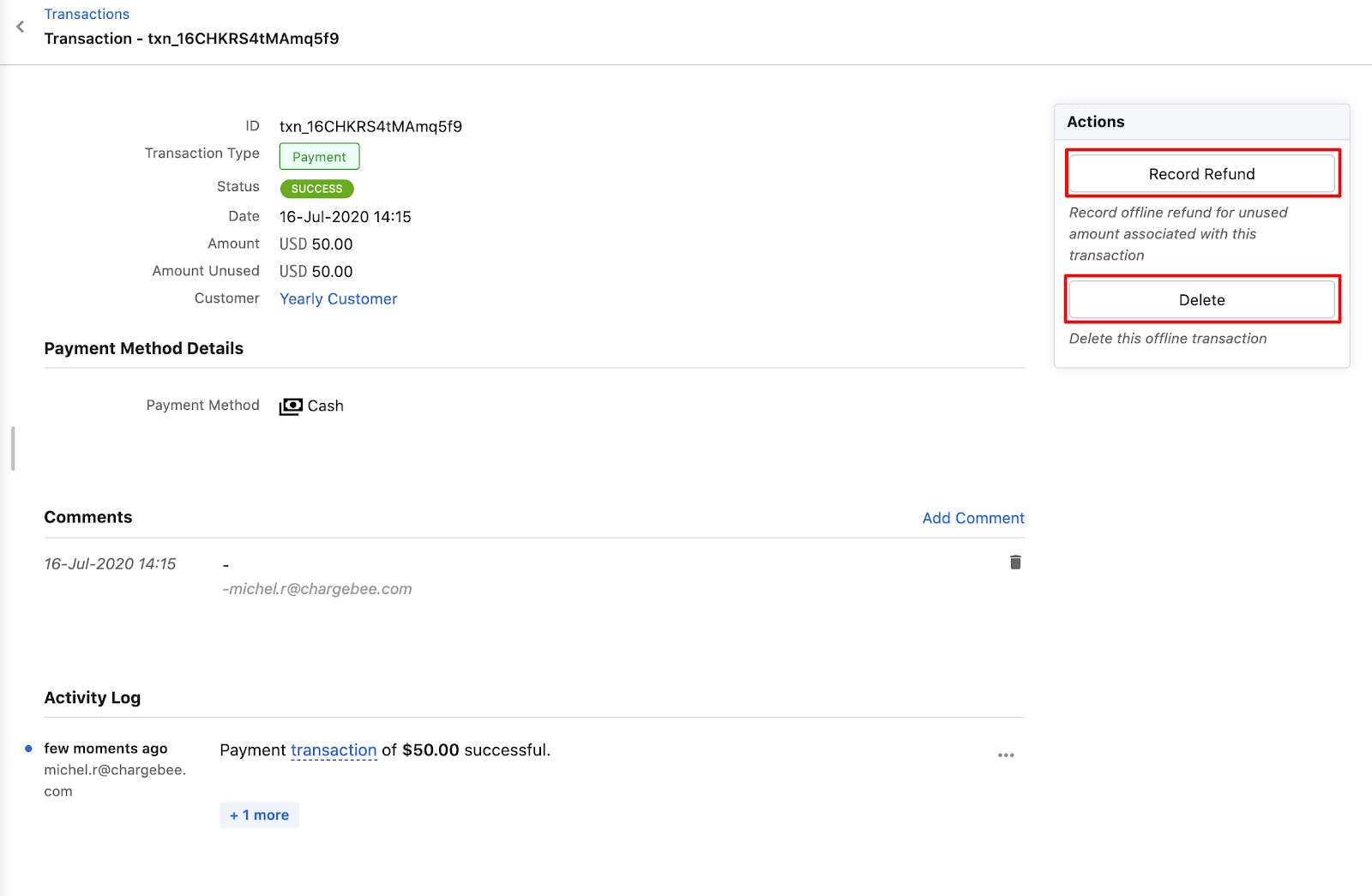
Excess payments are removed by refunding or deleting the related transaction. Online payments can be refunded or marked as offline refund; offline payments can be refunded or the transaction deleted.
When do excess payments get created?
- A payment linked to an invoice is removed.
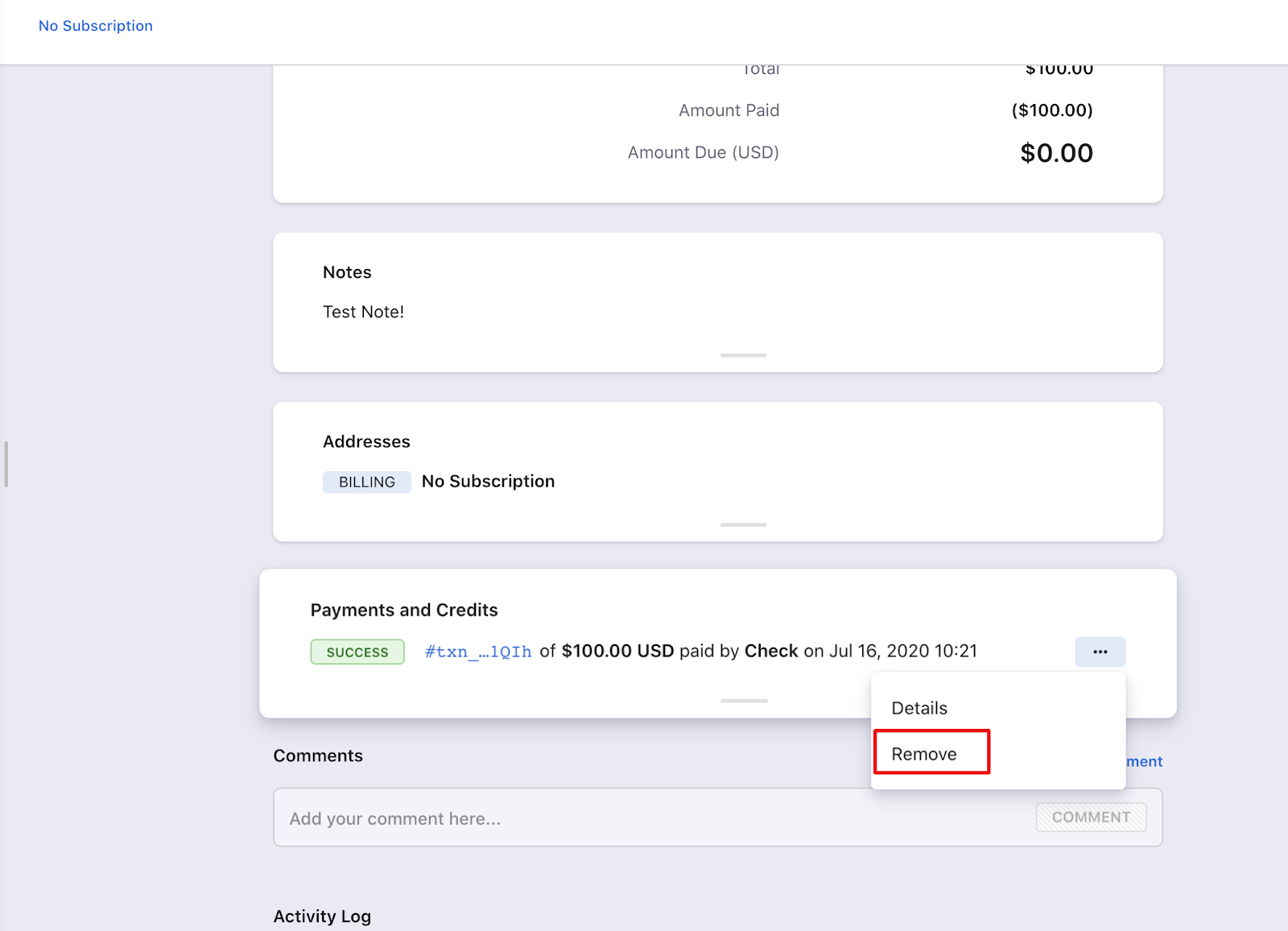
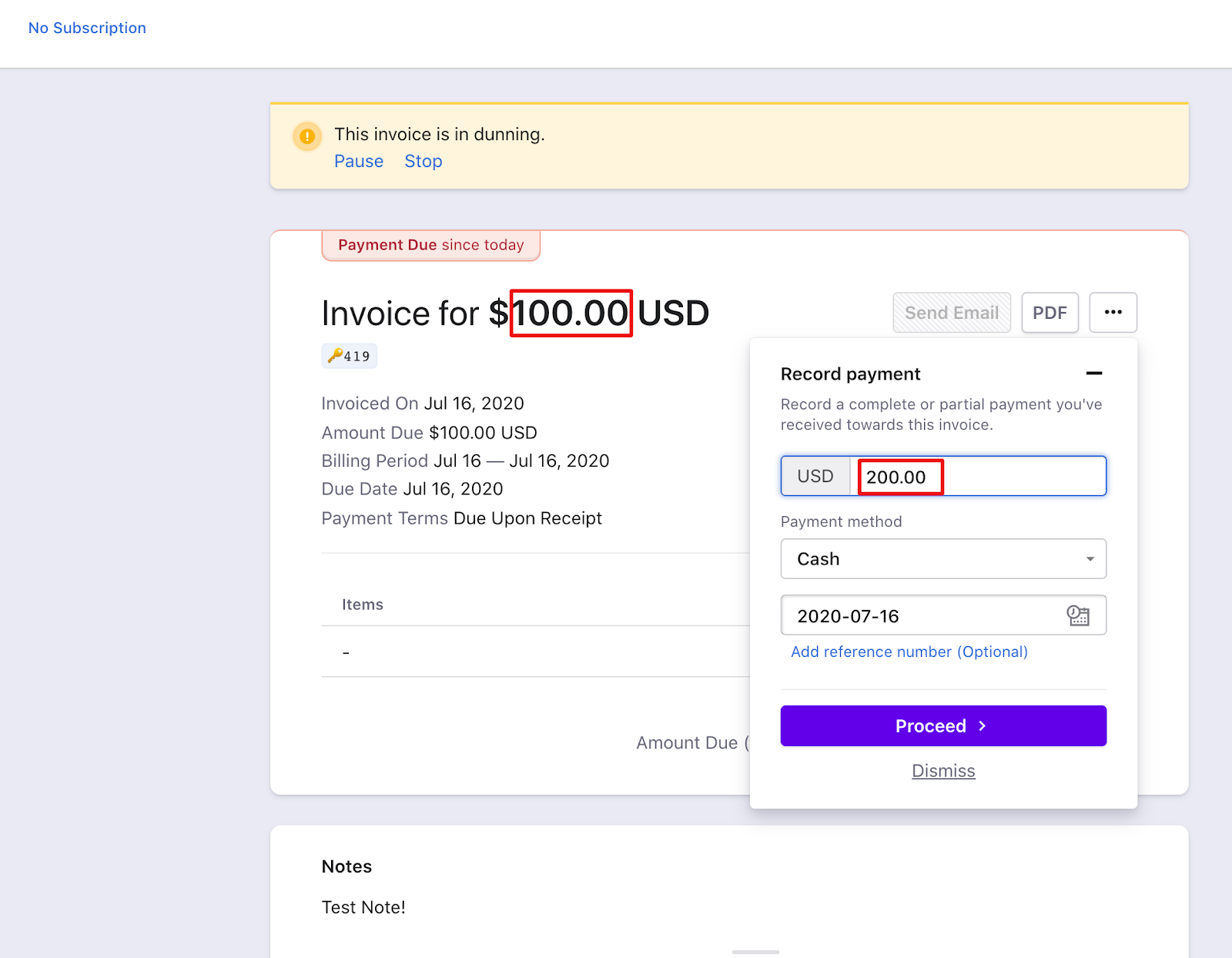
- An offline payment recorded for an invoice is greater than the invoice amount. The difference becomes excess payment.
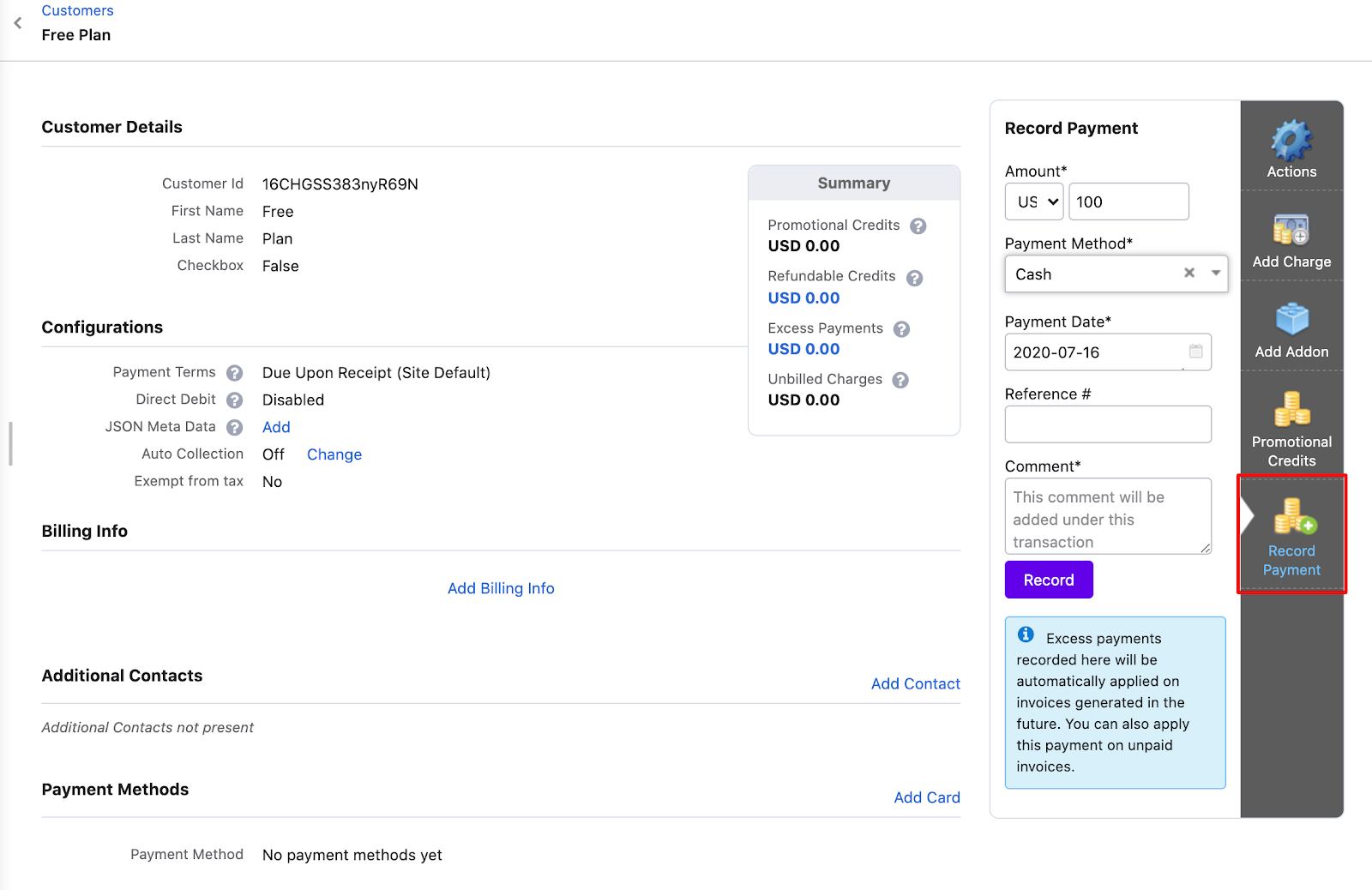
- A payment is recorded directly against a customer.
Steps to Set It Up
Online payments: Refund or record an offline refund against the transaction.
Offline payments: Record a refund or delete the transaction.
Important Notes
Note
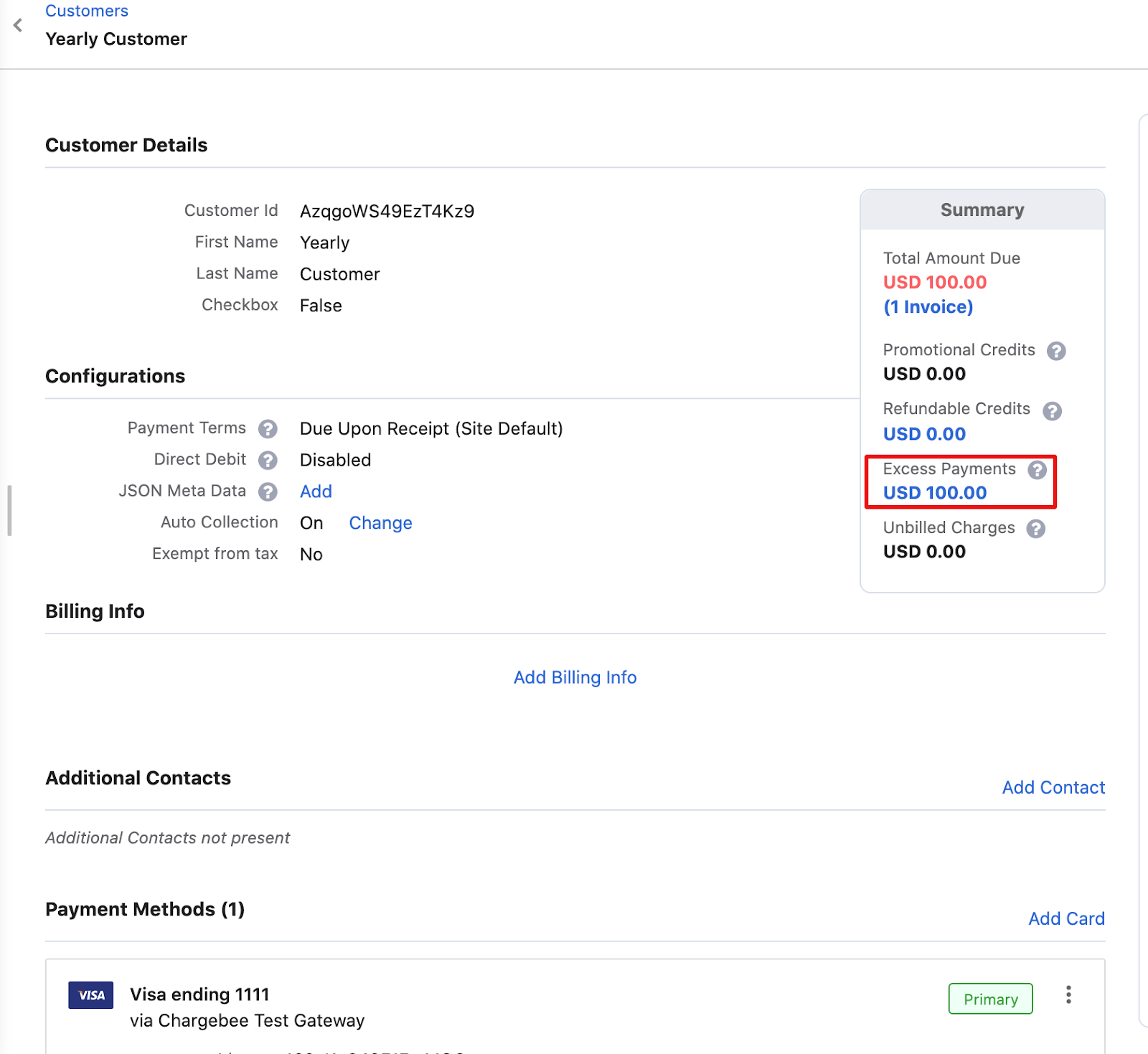
Total Excess Payments is shown in the summary box at the top of the Customer details page. See Summary section.
Note
Excess payments are automatically applied to future invoices for that customer.
Was this article helpful?