New in Chargebee: Explore Reveal and understand your payment performance end-to-end.Try Now
Docschargebee docs
HomeBillingPaymentsRevRecGrowthReveal
Support

Product Updates


  • Release Notes

Payment Methods


  • Payment Methods Overview
  • Cards
  • Direct Debit
  • Bank Based Payments
  • Wallets
  • Vouchers
  • Articles and FAQ

Payment Gateways and Configuration


  • Payment Gateways Overview
  • Chargebee Test Gateway
  • Stripe
  • PayPal Payment Services
  • Chargebee Pay
  • Adyen
  • Authorize.net
  • Bambora (formerly Beanstream)
  • Bank of America
  • BluePay
  • BlueSnap
  • Braintree
  • Checkout.com
  • CyberSource
  • dLocal
  • EBANX
  • Ecentric
  • Elavon
  • E-xact Direct Integration
  • eWay Rapid
  • Global Payments
  • GoCardless
  • J.P. Morgan Mobility Payment Solutions
  • Metrics Global
  • Mollie
  • Moneris
  • Network Merchants Incorporated (NMI)
  • Nuvei
  • Orbital (Chase Paymentech)
  • Pay.com
  • Paymill
  • Paystack
  • Pin Payments
  • QuickBooks Payments
  • Razorpay
  • Sage Pay
  • Solidgate
  • Tempus
  • Twikey
  • Windcave
  • Worldline Online Payments(formerly Ingenico)
  • Worldpay
  • Articles and FAQ

Level 2/3 Data Support


  • Level 2/3 Data Support

Advanced Routing


  • Advanced Routing

Dunning


  • Dunning
  • Articles and FAQ

Offline Checkout


  • Offline Checkout
  • Articles and FAQ

Transaction Sync & Invoice Mapping


  • Transaction Sync and Invoice Mapping

Fraud Management


  • Fraud Management

Error Handling


  • Errors with Root Cause and Troubleshooting

Payment Lifecycle Logs


  • Payment Intents
  • Transactions
  • Gateway Activity Logs
  • Gateway Webhook Logs
  • Articles and FAQ

Others


  • Reach (Merchant of Record)
  • Payment Verification
  • Bulk Deletion of Payment Methods
  • Custom Payment Methods
  • Payment Initiator Parameter
  • PSD2 and Strong Customer Authentication
  • RBI e-Mandate
  • RBI Tokenization Regulations
  • Chargeback Management
  • Transaction Descriptors
  • Payment Preferences
  • Visa Trial Rules
  • Mastercard Trial Rules
  • Co-badged Card Compliance
  • Articles and FAQ
  1. Payments
  2. Payment Gateways and Configuration
  3. Articles and FAQ
  4. Configuration
  1. Payments
  2. Payment Gateways and Configuration
  3. Articles and FAQ
  4. Configuration

Can we have a different payment method for each subscription?

Problem Statement

This article helps you understand can we have a different payment method for each subscription.

Scope

Can we have different payment methods for each subscription?

How to provide only one of the two cards for a particular subscription?

Summary

In Chargebee, you can assign two payment methods for a customer as a Primary and Backup payment method, also you can specify a specific payment method for a specific subscription respectively from the Subscription details page > Payment method > Change.

Solution

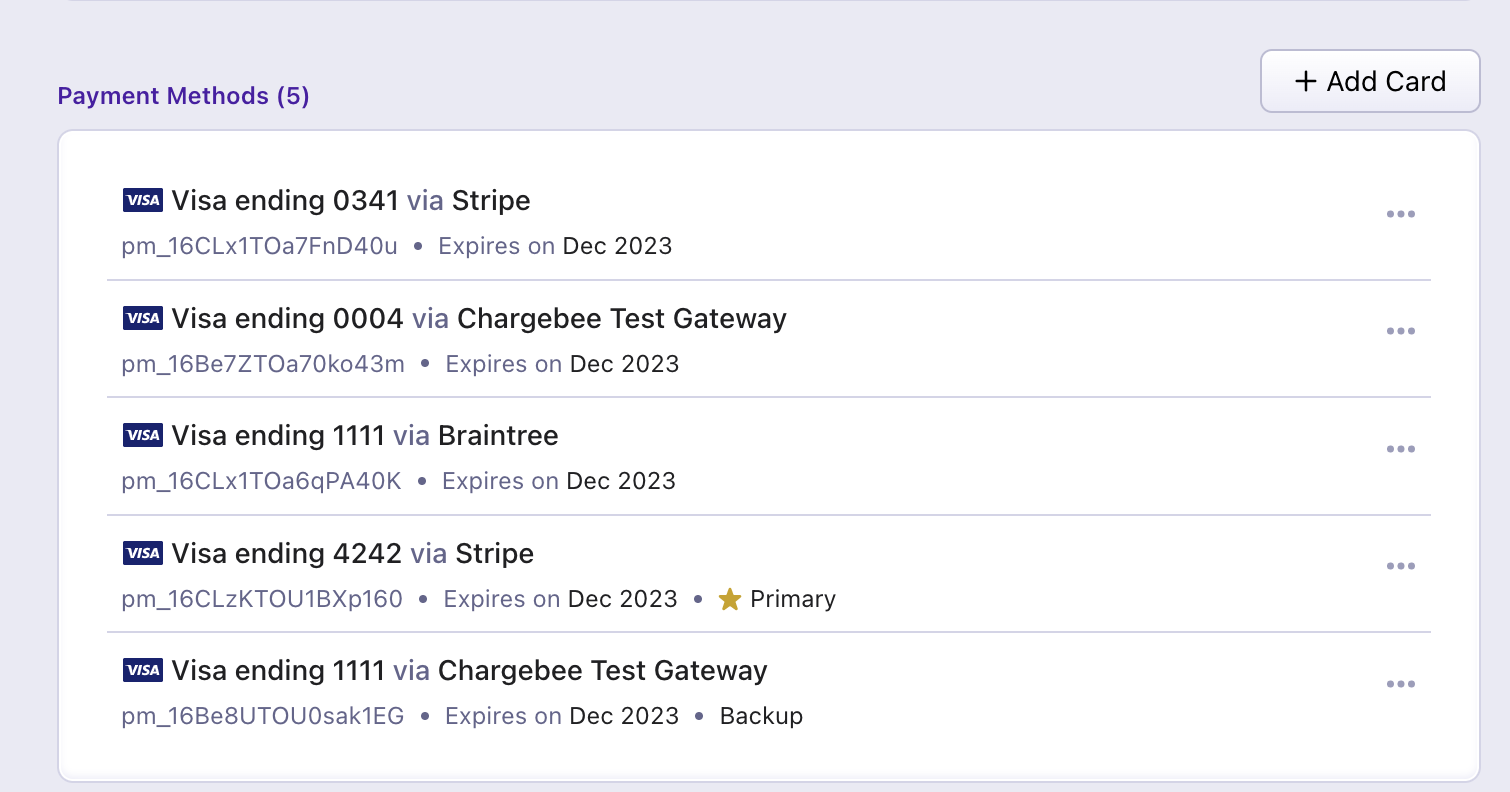
By default, a customer can have multiple payment methods added to his account (refer to the screenshot below) You can set the Primary payment method and Backup payment method from the list of these payment methods.
image

Payment method for a subscription

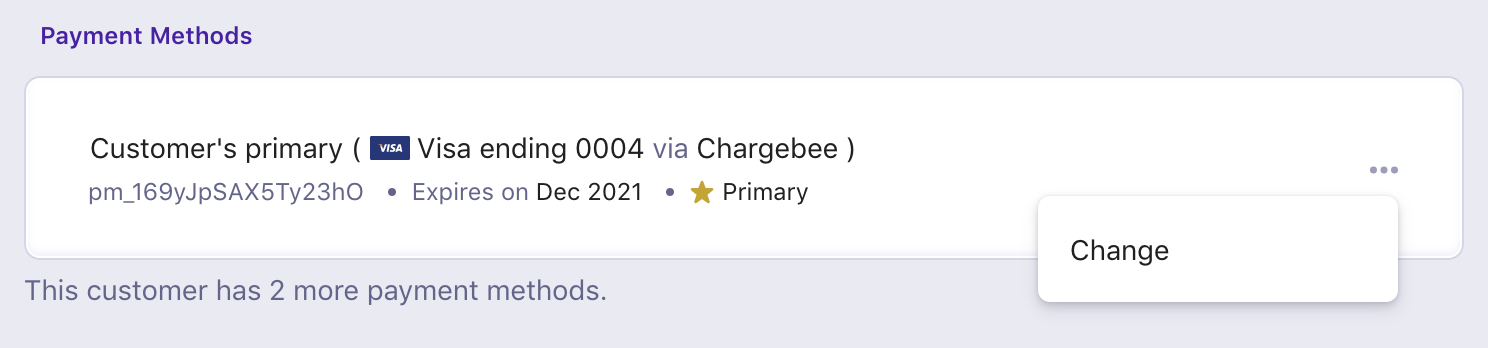
In addition to setting payment methods as Primary and Backup, you can assign a payment method to subscriptions or use a particular payment method when collecting a one-time charge. If assigned to a subscription (or subscriptions, if a customer is subscribed to more than one of your plans), Chargebee will charge the payment method for all subscription-related charges due, none of the customer's other payment methods will be used (even in the event that the assigned payment method fails).
image
  • Assigning a payment method to a subscription or to one-time charges is optional. Chargebee will charge the primary payment method in all cases where an alternative has not been assigned to a particular subscription.

  • In case you assign a customer's primary payment method to a subscription, note that this payment method will be attached to the subscription even if your primary/backup tags are updated to different payment methods at a later time.

  • Auto-collection for subscriptions should be turned OFF to avoid payment failures if your customer does not have a primary payment source present. If a primary payment method is present, on the other hand, turning auto-collection for a subscription on will prompt Chargebee to collect payments for the subscription using the customer's primary payment method (or payment method assigned to the subscription) when paying for the subscription is due. More on auto-collection for subscriptions here.

Assigning a payment method to a subscription

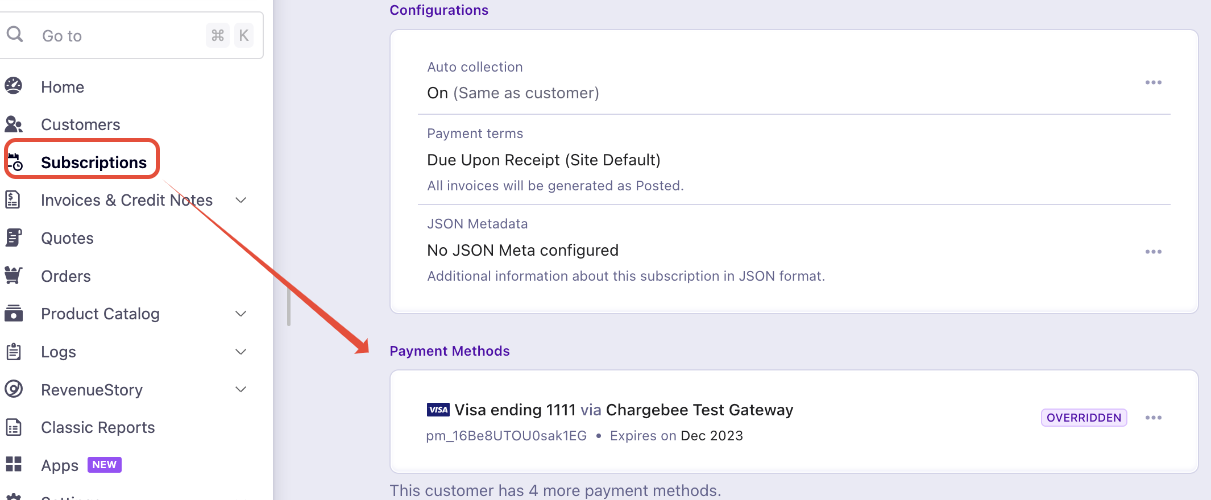
A customer's primary payment method will be used for payments due in a customer's subscription(s) by default. If you would like to change this setting by assigning one of the other payment methods to a particular subscription, follow these steps:

  1. Navigate to the Payment Method section on the subscription details page.
image
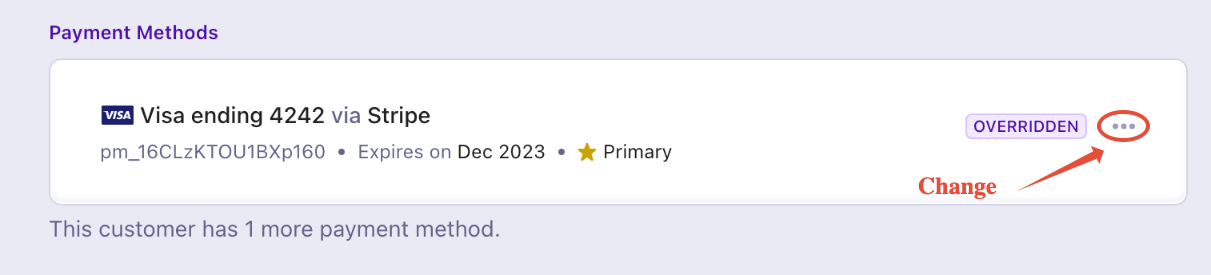
  1. Click Change against the payment method assigned for this subscription.
image
  1. Choose the payment method you would like to use for this subscription.
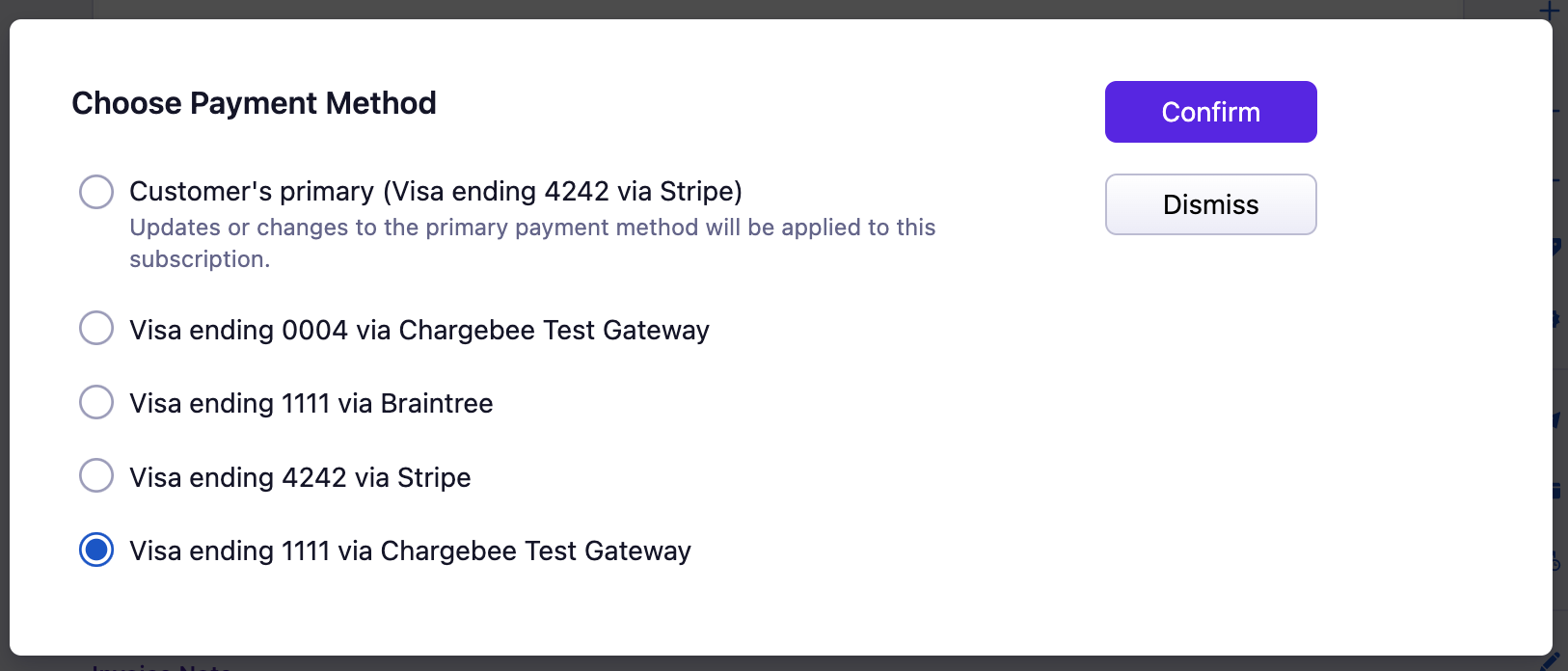
image

Refer to the following API operation to assign a payment method to a subscription via API,

  • Override Billing Profile

    Note: Once a payment method is assigned to a subscription, an alternative payment method will not be used if the assigned payment method fails

Related Articles

How to setup Apple Pay Sandbox?
Can my customers update their payment method information through the Chargebee customer portal?
How do I use Apple Pay as a payment method via API?
How to remove excess payments for a customer?
How to add payment methods in a subscription?
What can I do if the apple pay domain verification fails?
Whom can I contact for Gateway related queries?
How to manually link the refund/dispute from Stripe Webhooks to Chargebee invoices?
How to let my customer update their payment method during transaction failures?
How can I choose to display Direct Debit as a payment option on checkout for my customers?
How to configure BlueSnap with Chargebee?
How to get a list of transactions that are Chargebacks?
How to filter all the credit card transaction for a particular period?
Bulk Electronic Clearing System (BECS) and Pre-Authorized Debit (PAD)
Payment methods - IBAN not being accepted
Why is the Apple Pay not appearing on the checkout?
Move payment method from one customer to another
Difference of $0.01 on the payments made towards invoices
What are the mandatory fields have to configured for Bank of America payment receipts?
How to test Global Payment in Chargebee Test Environment?
How can I mark a payment method present at the customer level as primary/backup payment method?
What is Fraud Management in Bank of America?
How to integrate Bluesnap and Chargebee?
How do you delete the payment source for individual customers?
Customer Profile ID or Customer Payment Profile ID not found - Authorize.net
Is it possible to get an export of customers bank account details from Chargebee?
'{plan.name} merge variable does not show up for a few Mollie transactions'
Why is my reported revenue higher than the amount received in my bank?

Show more

Was this article helpful?