SEPA Chargeback not automatically reflecting in Chargebee
Problem Statement
A chargeback was initiated at the payment gateway but is not reflected in Chargebee. You want to know why and how to handle it.
Solution
Chargebacks are reflected automatically in Chargebee when Chargeback Management is enabled. This feature is available on specific plans only. Refer to the plans and pricing page for more details. Supported gateways for chargeback automation are Stripe, Adyen, GoCardless, and Mollie.
Without Chargeback Management, you must record chargebacks manually. To collect payment again for the invoice:
Steps to Set It Up
- Remove the existing SEPA payment from the invoice and record a refund on the transaction.
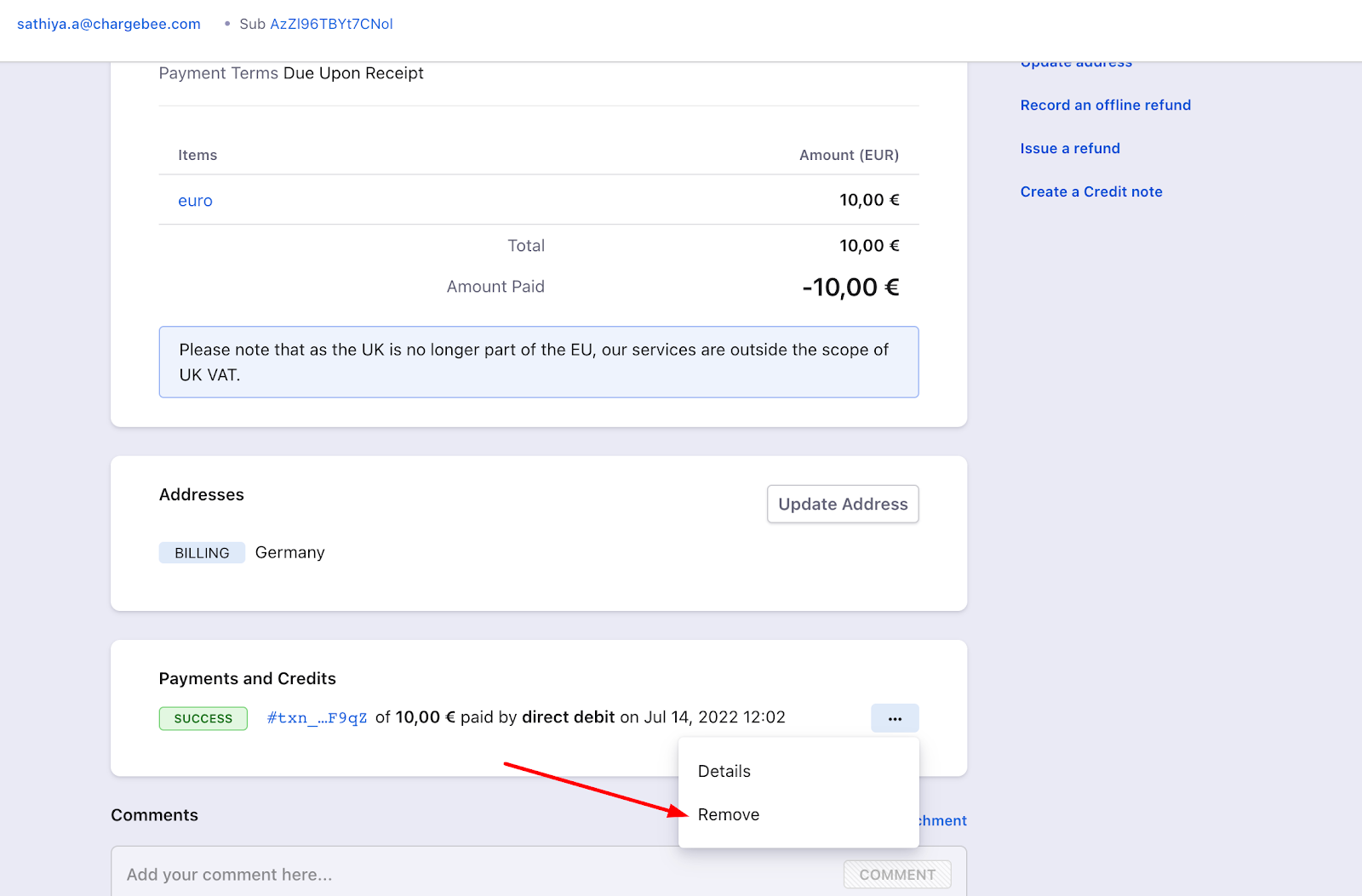
- Removing the payment adds the amount to the customer's excess payments and marks the invoice as "Payment Due".
- Open the customer record, go to the excess payment amount, and record a refund. See this video walkthrough.
- Use Request Payment on the customer details page to ask the customer to pay again.
Additional Information
See chargeback automation isn't working for more reasons why chargeback automation may not work.
Was this article helpful?