New in Chargebee: Explore Reveal and understand your payment performance end-to-end.Try Now
Docschargebee docs
HomeBillingPaymentsRevRecGrowthReveal
Support

Product Updates


  • Release Notes

Getting Started with RevRec


  • About Chargebee RevRec
  • Quick Start Guide
  • Site Configuration
  • Conversion
  • RevRec Essential
  • Articles and FAQ

Revenue Recognition


  • Configuring Product Catalog
  • Standalone Selling Price
  • Configuring Revenue Rules
  • Recognizing Discounts
  • Revenue Arrangement
  • Prior Period Adjustment
  • Pending Collectibility
  • Chargebee Billing Features
  • Articles and FAQ

Expense Recognition


  • Recognizing Expenses
  • Articles and FAQ

Multi Currency


  • Multi-Currency
  • Articles and FAQ

Multi Entity


  • Multi-Entity

Data Processing & Validation


  • Overview
  • Automated Data Synchronization
  • Importing Data in Bulk
  • Input via User Interface
  • Control Checks
  • Automated Import and Export
  • Understanding Errors
  • Articles and FAQ

Adjustments


  • Manual Adjustments

Reports & Analytics


  • Overview of RevRec Reporting
  • RevRec Standard Reports
  • Articles and FAQ

General Ledger & Accounting Close


  • Journal Account Mapping
  • Understanding Journal Entries
  • Creating Journal Entries
  • Journal Posting & Closing Accounting Period
  • Articles and FAQ

Integrations


  • HubSpot
  • Salesforce
  • QuickBooks Online
  • Xero
  • Sage Intacct
  • NetSuite
  • Stripe
  • Mobile Stores
  • Articles and FAQ

RevRec Premium


  • Overview
  • Quick Start Guide
  • Site Configuration
  • Getting Around RevRec Premium
  • General Ledger & Accounting Close
  • Reports & Analytics
  • Integrations
  1. Revrec
  2. General Ledger & Accounting Close
  3. Articles and FAQ
  4. General Ledger & Accounting Close
  1. Revrec
  2. General Ledger & Accounting Close
  3. Articles and FAQ
  4. General Ledger & Accounting Close

How to create a Chart of Accounts in RevRec?

Scope

Example: Creating a Chart of Accounts in RevRec.

Creating Chart of Accounts in RevRec.

Summary

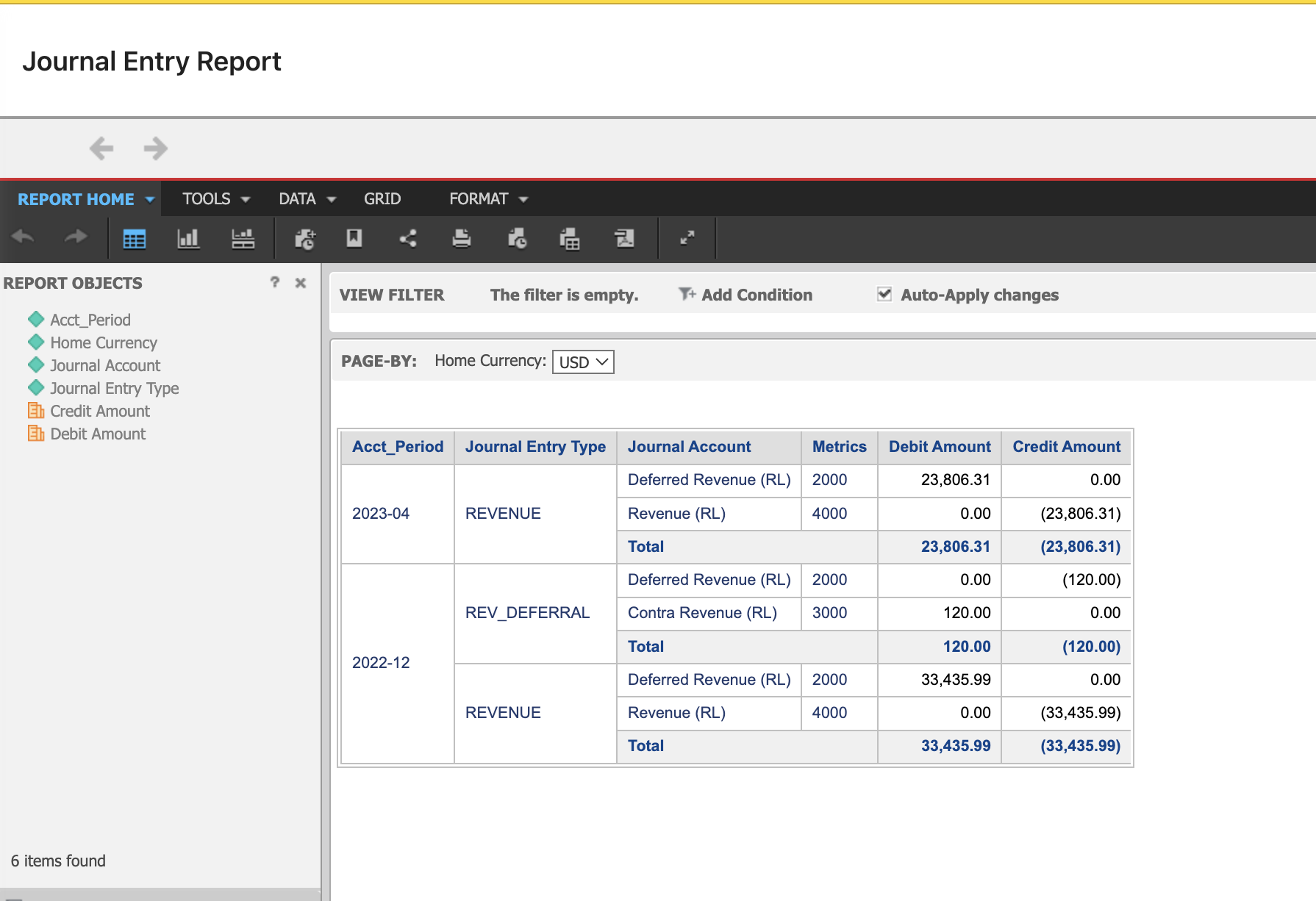
By default, you will have preconfigured general accounts in RevRec under Accounting > Journal Accounts. All the Journal Account mapping is defined by Journal Accounts type. You can see this under Reports > Accounting > Revenue Journal. This report is categorized on the chart of accounts you provided.

Solution

The Revenue Journal report is categorized by the chart of accounts you provided. The revenue accounts report all the income earned by your business from selling your products or services. Revenue Journal comes with the following default revenue accounts:

  • Contra Revenue: The clearing account used to re-class revenue from the current period recognition, for the purpose of deferring revenue recognition over the performance period.

  • Deferred Revenue: Liability on the company's balance sheet that represents pre-payments by customers for goods or services.

  • Revenue: Income earned from providing products and services in the current period.
image

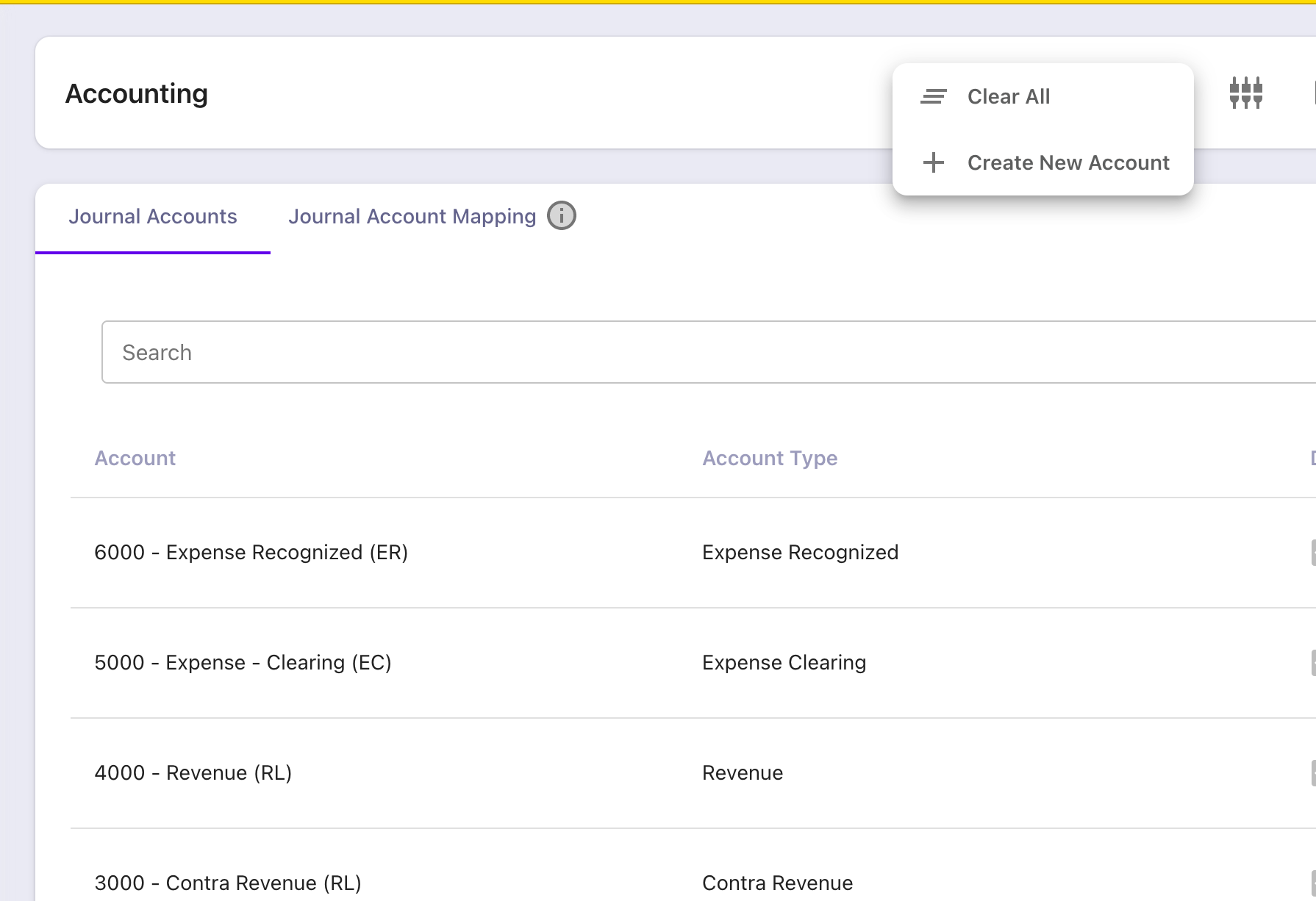
STEP 1: To create a new report, first we need to delete the default chart of accounts by navigating to Accounting > Journal Accounts > CLEAR ALL.
image

STEP 2: Then, click on Create New Account and update the below details from your accounting application.

  1. External Id

  2. Account Number

  3. Account Name

  4. Account Type.

Refer to this link for more information.

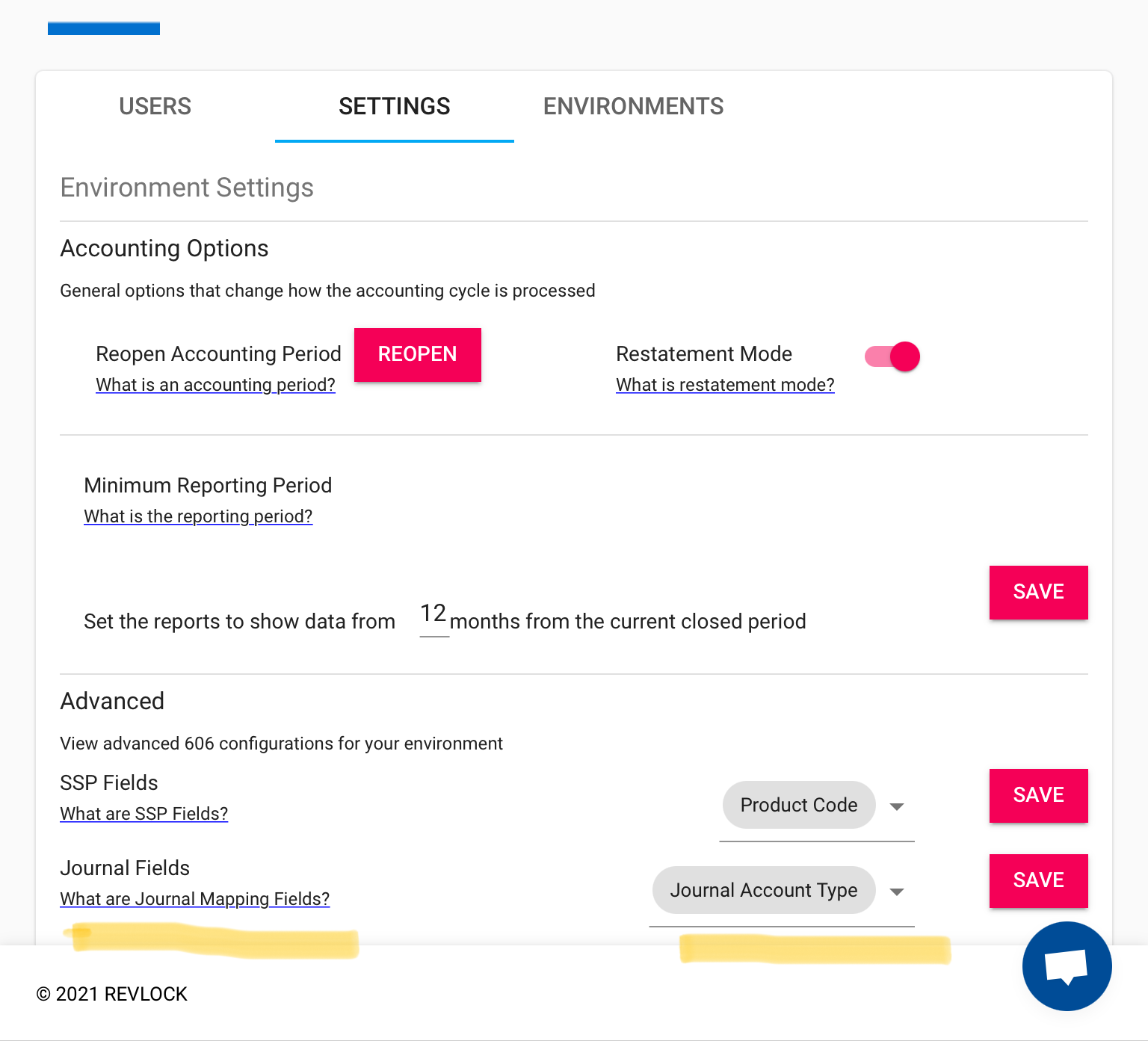
STEP 3: Now, you can perform Journal account mapping as per your accounting by referring to this link.
image

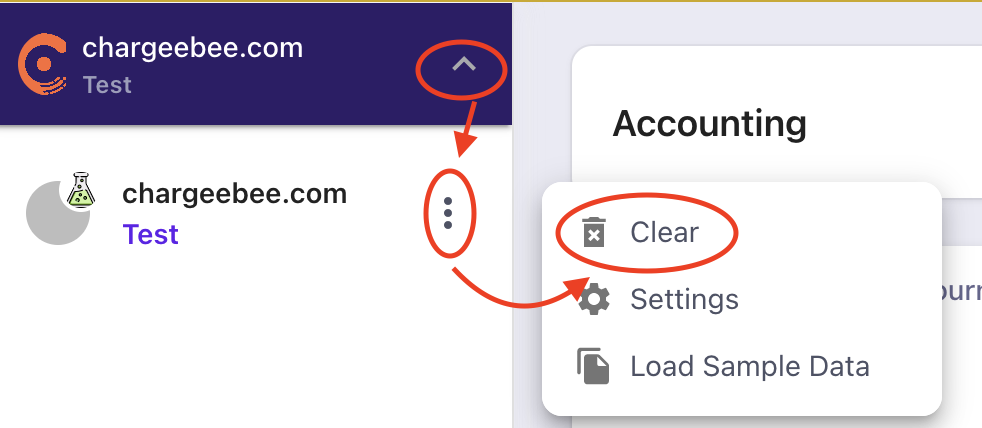
STEP 4: Once, done you can clear the sample data from the test site, by clicking on the arrow on the site name > ellipsis > Clear
image

STEP 5: Now, you can import the data from your accounting system. Refer to this link for more information. After uploading, you can also manually update specific data by clicking on them. (Refer to the screenshot)
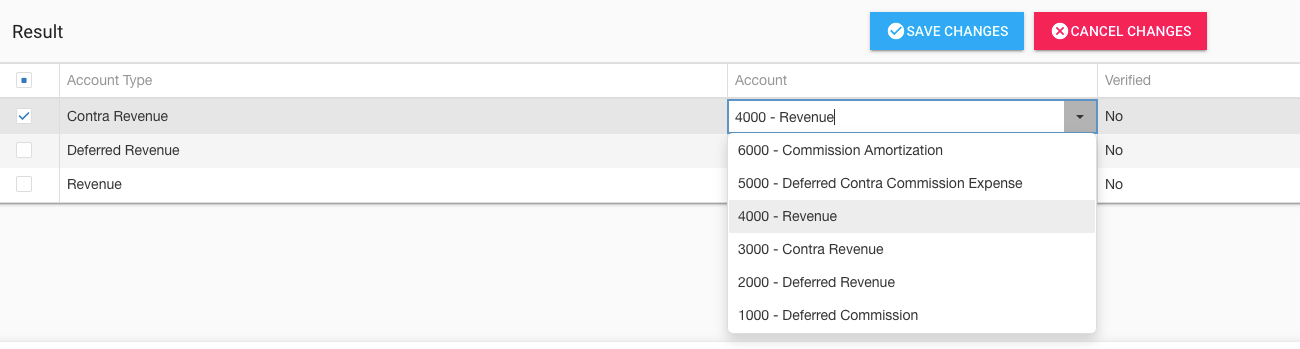
image

Your report is ready. Navigate to Reports > Accounting > Revenue Journal to view the updated report.

The following video demonstrates how to create a chart of accounts in RevRec. It explains how the user can use the advanced Journal Account Mapping feature in RevRec to book revenue for different products to separate revenue accounts.

Related Articles

How are the revenue and commission recognized in RevRec Journal entries?
What is Journal Posting in RevRec?
How to manually generate Journal Entries in RevRec?
What is Journal Account Mapping in RevRec?
What are the default Expense GL Accounts and Journal Entries in RevRec?

Show more

Was this article helpful?