Freshworks Release Notes links
Void Older dated invoices
If the user voids the older dated invoice before the sync start date, and a mapping exists in the third-party mapping table. Then a credit memo is created, and invoice status is updated as part of the NetSuite connector.
To enable this feature, reach out to support. The following prerequisites should be met:
- Add config with key enable_void_older_invoice_if_voided and set its value to true.
- A mapping exists for the older invoice in the TPEM.
For example, if you create an invoice on June 09 and the sync start date is June 15. After enabling this configuration, the TPEM mapping for this record is voided and a credit memo is created.
- Void the invoice in Chargebee and sync.
- The NetSuite invoice status will be updated, and a credit memo will be created.
Void Unsynced invoices
If a customer creates the invoice and voids it before the sync happens, then an invoice and a credit memo are created in NetSuite (for void action), and the invoice status is updated.
-
Create an Invoice in Chargebee and Void it before syncing to NetSuite.
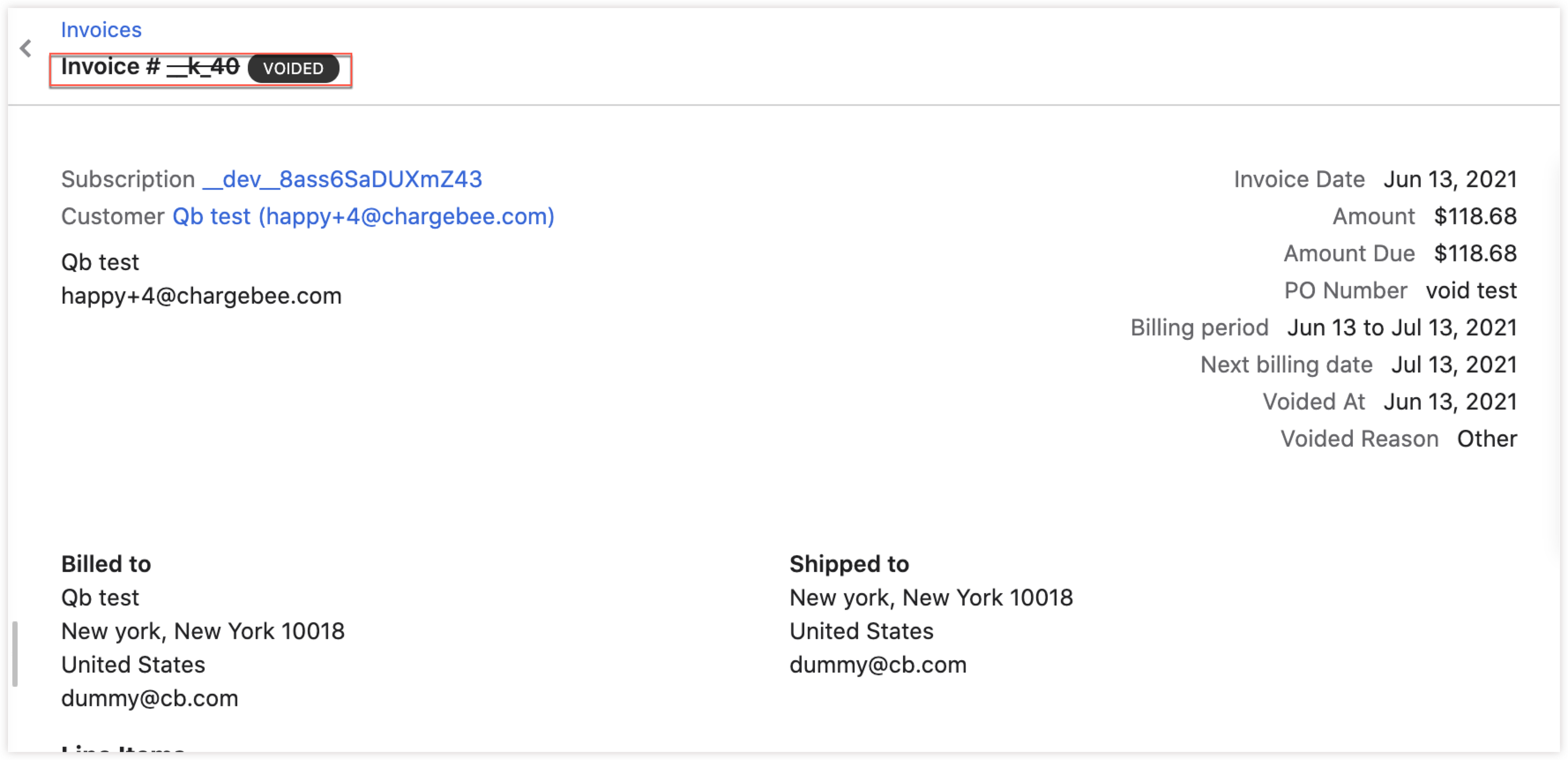
-
An invoice will be created in NetSuite with a Closed state.
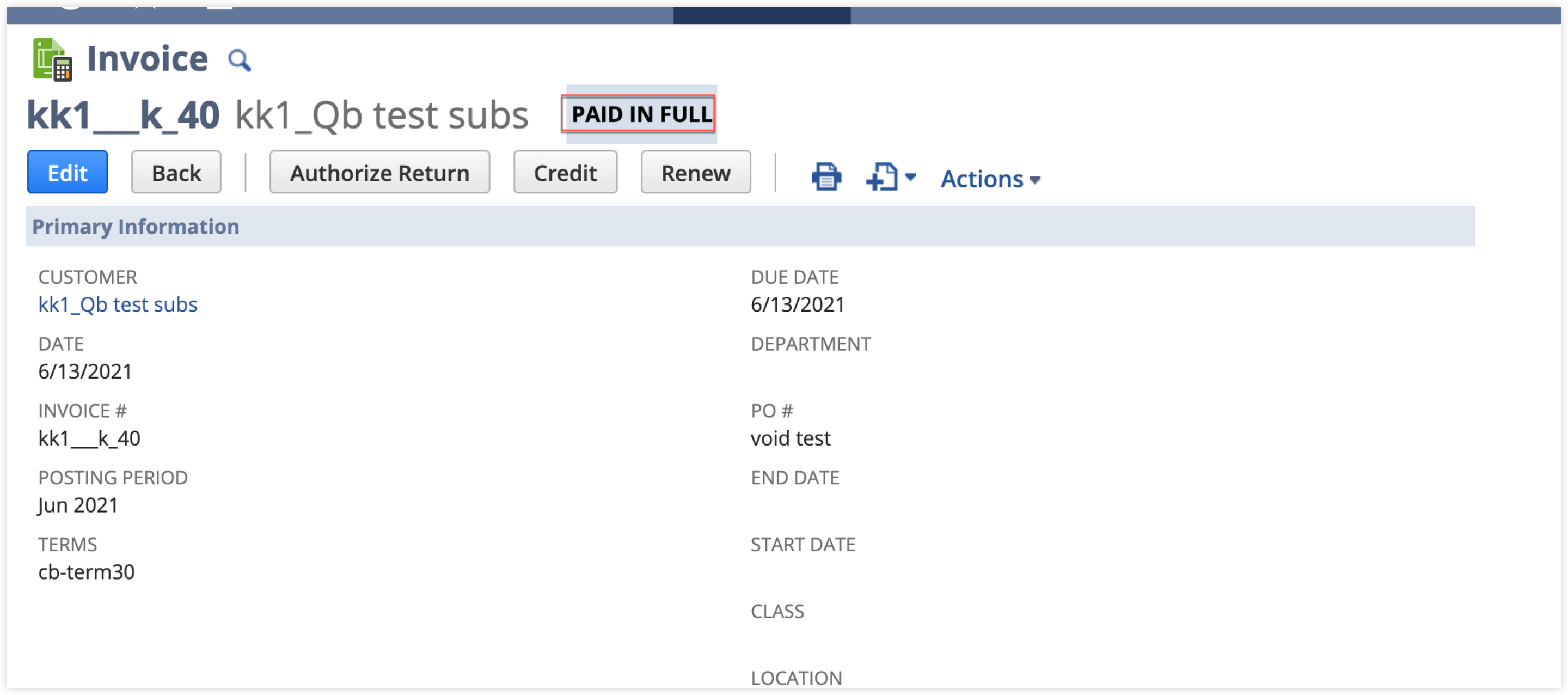
-
Void Credit Note is created to close the invoice.
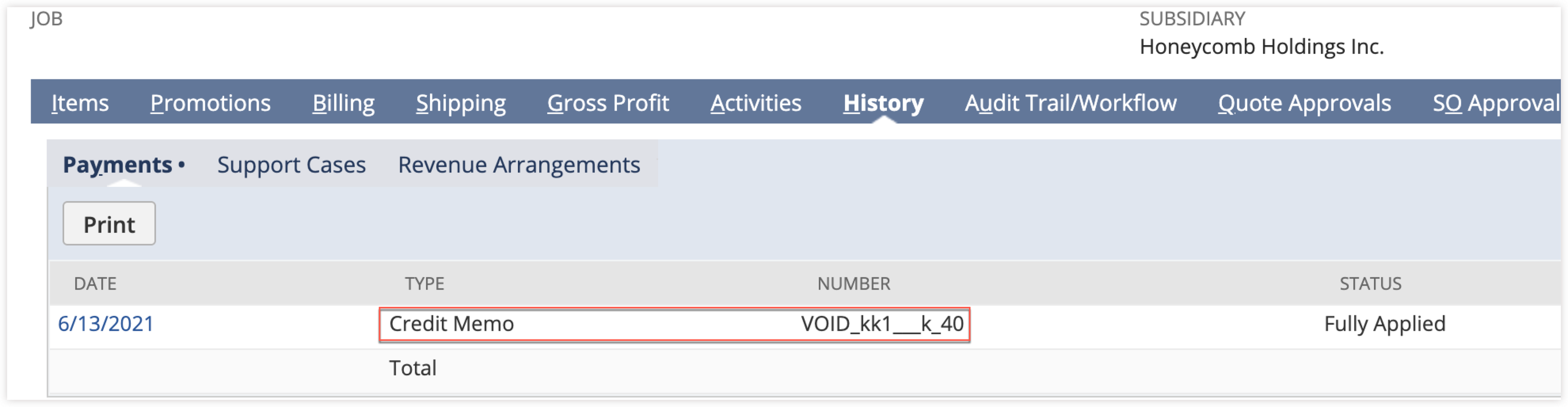
Note
The invoice is created in an open state first and then immediately voided and a credit memo will be created and applied to the invoice as a post-operation. Both operations would occur in a single sync request.
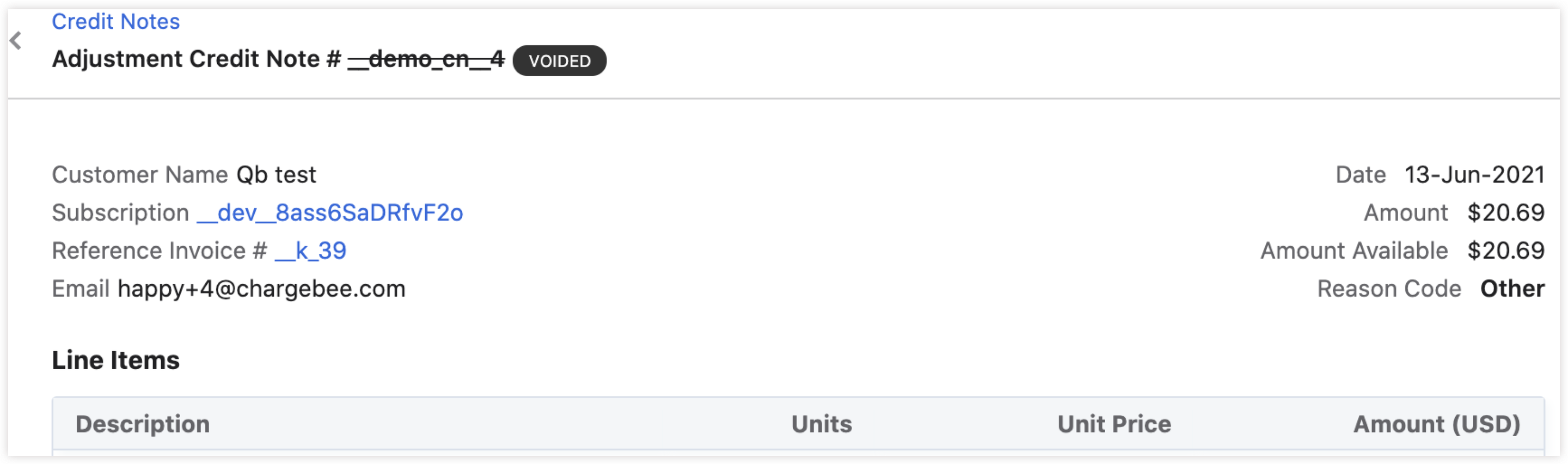
Voided credit note, is deleted in NetSuite.
Ignore Invoice updates
The Ignore invoice update feature is enabled in Netsuite. If the user now voids an older dated invoice before the sync start date and a mapping exists in the third-party entity mapping table (TPEM). Then a credit memo is created, and the invoice status is updated as part of the NetSuite connector. At times, the merchants make an update to an invoice or credit note once it is created in NetSuite.
Possible reasons for the update are:
- The accounting period is closed
- Some business wants invoice to immutable
- Migrated or imported invoices could result in invoice failures at certain configurations.
- Tax-related issues in, suite tax enabled accounts.
Reach out to support to enable this feature. Once the feature is enabled then the following actions will be synced.
- Applying to a payment - It is achieved by updating the payment record.
- Applying to a credit note - It is accomplished by updating the credit note record.
- Voiding an invoice - It is done by creating a new credit memo record. -Write off an invoice - It is done by creating the write-off credit note record.
Note
- To force an invoice update, invoice status is set to
update_failedin the TPEM. - An invoice would be skipped if the
ignore_invoice_updateis set totrueand invoice status is neithernewnorupdate_failed. - If
ignore_invoice_updateis enabled, the delete action will not be synced to NetSuite.
Sync payment/credit notes to older invoices with TPEM
Earlier updates for the older dated invoices, such as the payment and credit notes were not synced. Now if the mapping is established, we will sync the updates made to the invoice.
Applying older credit notes/payments to new invoices
You can now sync older credit notes and payments to new invoices.
- An older payment (payment dated six months earlier) is created/imported into NetSuite.
- Mapping is established between Chargebee to NetSuite payment while setting up the integration.
Note
Earlier, older payments were ignored, and no updates were made to the invoice.
A new feature is introduced to enable syncing the older payment if any newer allocations are made.
Feature - Prop - enable_older_resource_new_allocations
- The integration is set up with a recent sync start date.
- A new invoice is created for the older payment. The price from the older payment reflects in the created invoice.
Was this article helpful?