How to delete the personal data of my customers?
Problem Statement
You want to clear a customer's personal data (GDPR). The "Clear Personal Data" option may not appear in some cases.
Solution
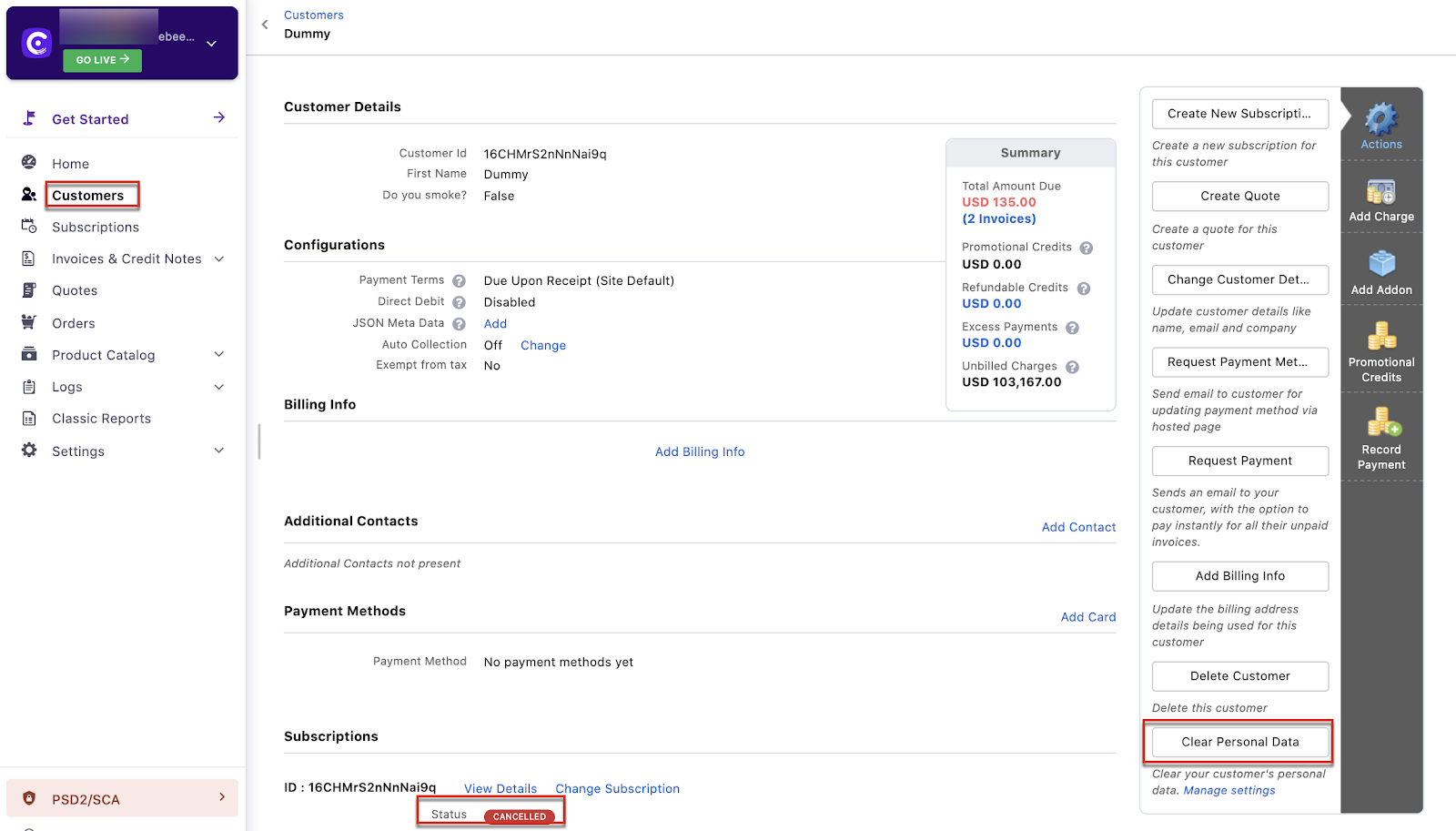
Chargebee supports GDPR data clearing. You can clear data automatically, manually via UI, or via API. Manual clearing is only available when the subscription is in Canceled state. The option appears on the customer details page only.
Steps to Set It Up
Manual (UI)
- Go to Customers > open the customer details page.
- Use Clear Personal Data.
API
Use the Clear Personal Data of a customer API.
Automatic
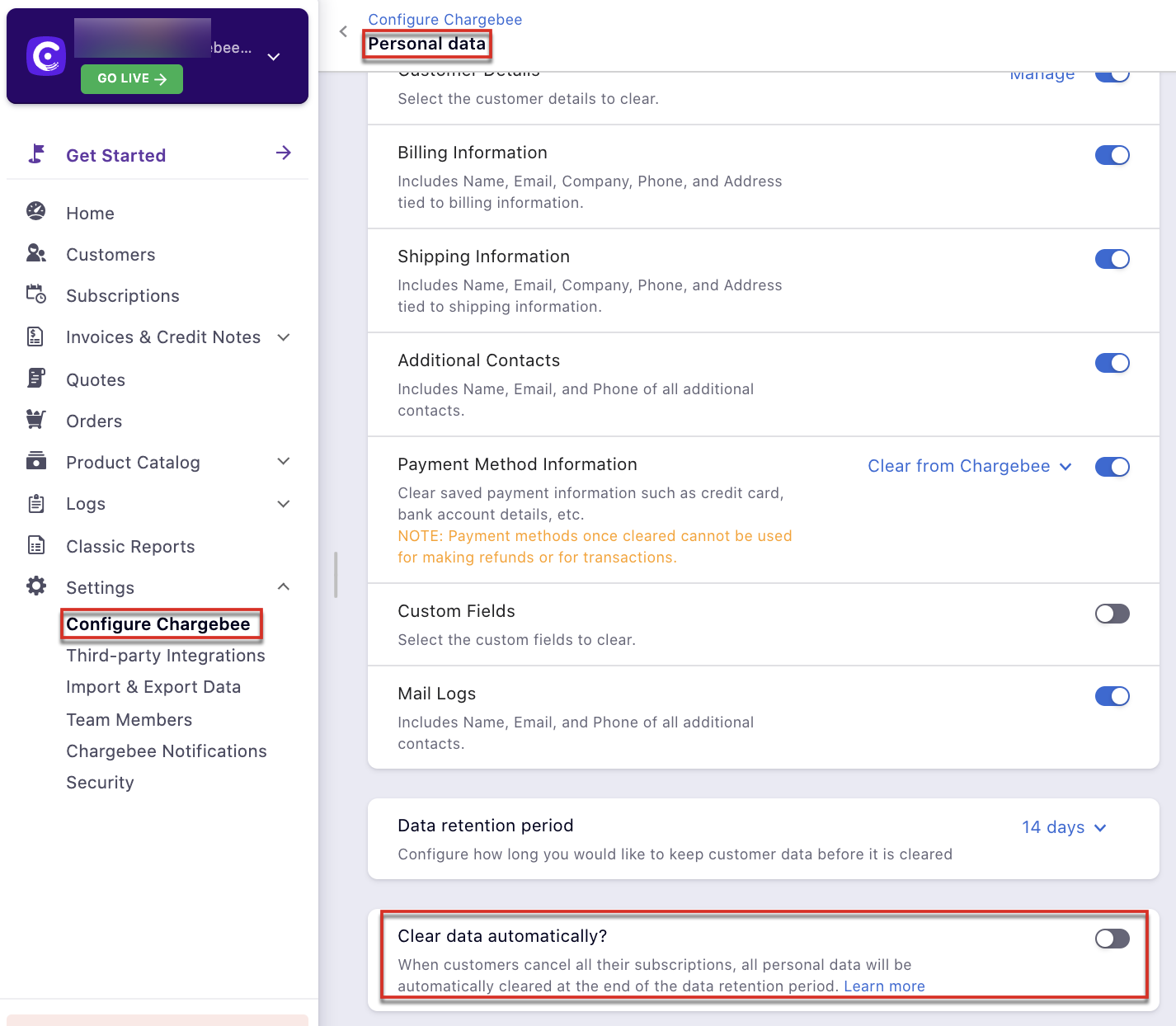
Enable Clear data automatically so data is cleared when a customer has canceled all associated subscriptions.
Important Notes
Note
- If GDPR is set to clear automatically, it cannot be overridden via UI or API.
- Manual clearing is only available when the subscription is Canceled.
- This action is irreversible. See Personal data management.
- Changing the Data retention period applies only to future cancellations. To change scheduled deletions, contact support.
Was this article helpful?