How to rearrange fields in Chargebee?
Problem Statement
You want to reorder or group custom fields in checkout and the self-serve portal (e.g., move a field into the Account Information block).
Solution
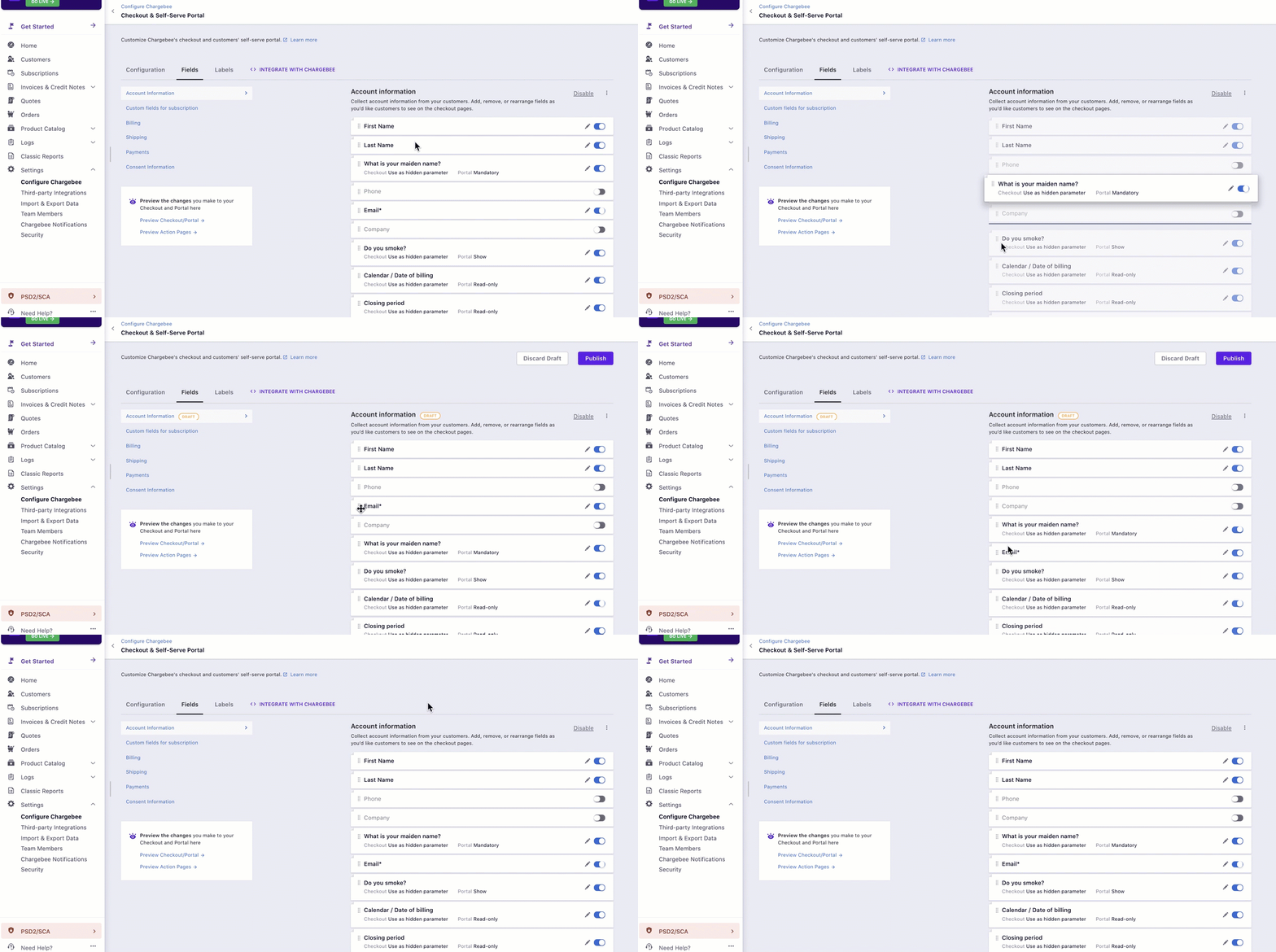
Custom fields in Chargebee collect additional information. You can rearrange them by dragging and dropping in the Fields settings.
Steps to Set It Up
- Go to Settings > Configure Chargebee > Checkout and Self serve portal > Fields.
- Drag and drop fields to arrange them in the order you want.
Related Articles
Was this article helpful?