How to add notes in quotes?
Problem Statement
This article explains how to set notes for quotes—either site-level notes that apply to all quotes or notes for a specific quote.
Related Scenarios
- Setting the note for tax details on quotes.
- How to add notes for a specific quote?
Solution
You can set a default note in Quotes settings (it appears on all quote PDFs created after that). You can also add or edit notes on a per-quote basis when creating or editing a quote.
Steps to Set It Up
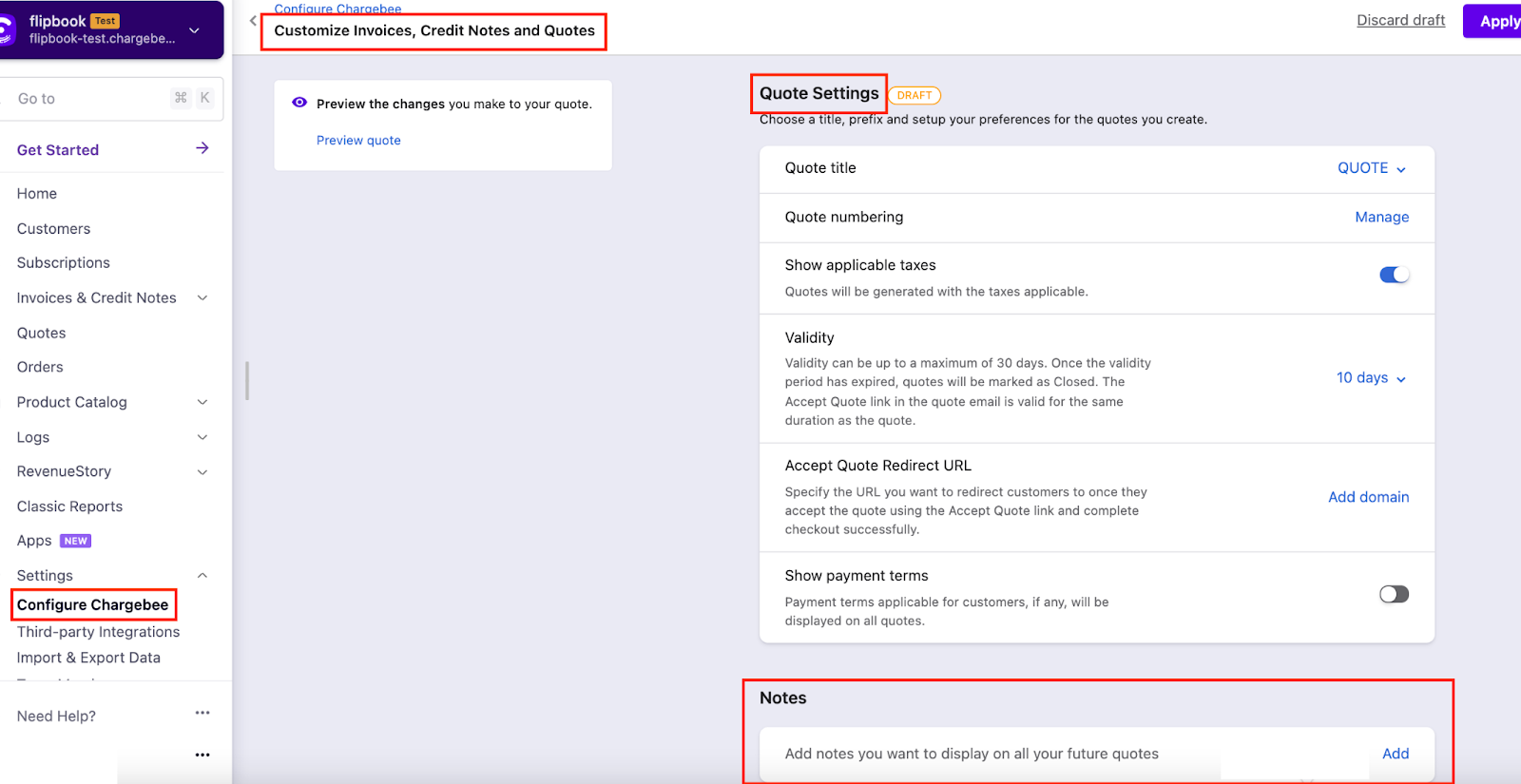
Site-level notes (all quotes): Go to Settings > Configure Chargebee > Invoices, credit notes & quotes > Quotes tab. Add text in the Notes section. It will appear on all new quotes. Enable Quotes first if needed.
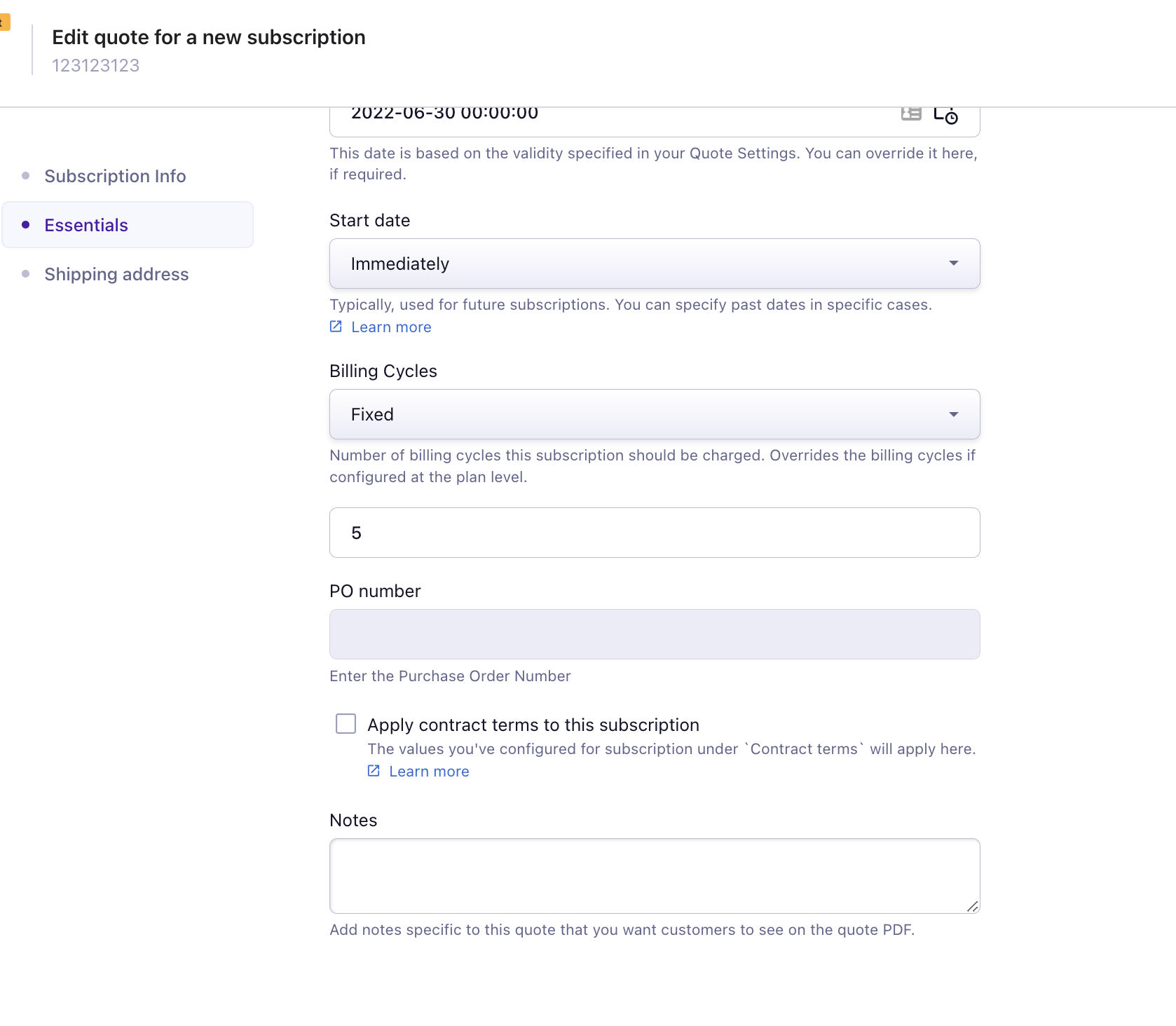
Notes for one quote: Edit the quote > Essentials > Notes. Enter or change the note and save. This note applies only to that quote.
Additional Information
Was this article helpful?