How can I add or deduct promotional credits for customers?
Problem Statement
You need to add or deduct promotional credits for a customer. You can do this via the Admin Console or via APIs.
Solution
Via Admin Console
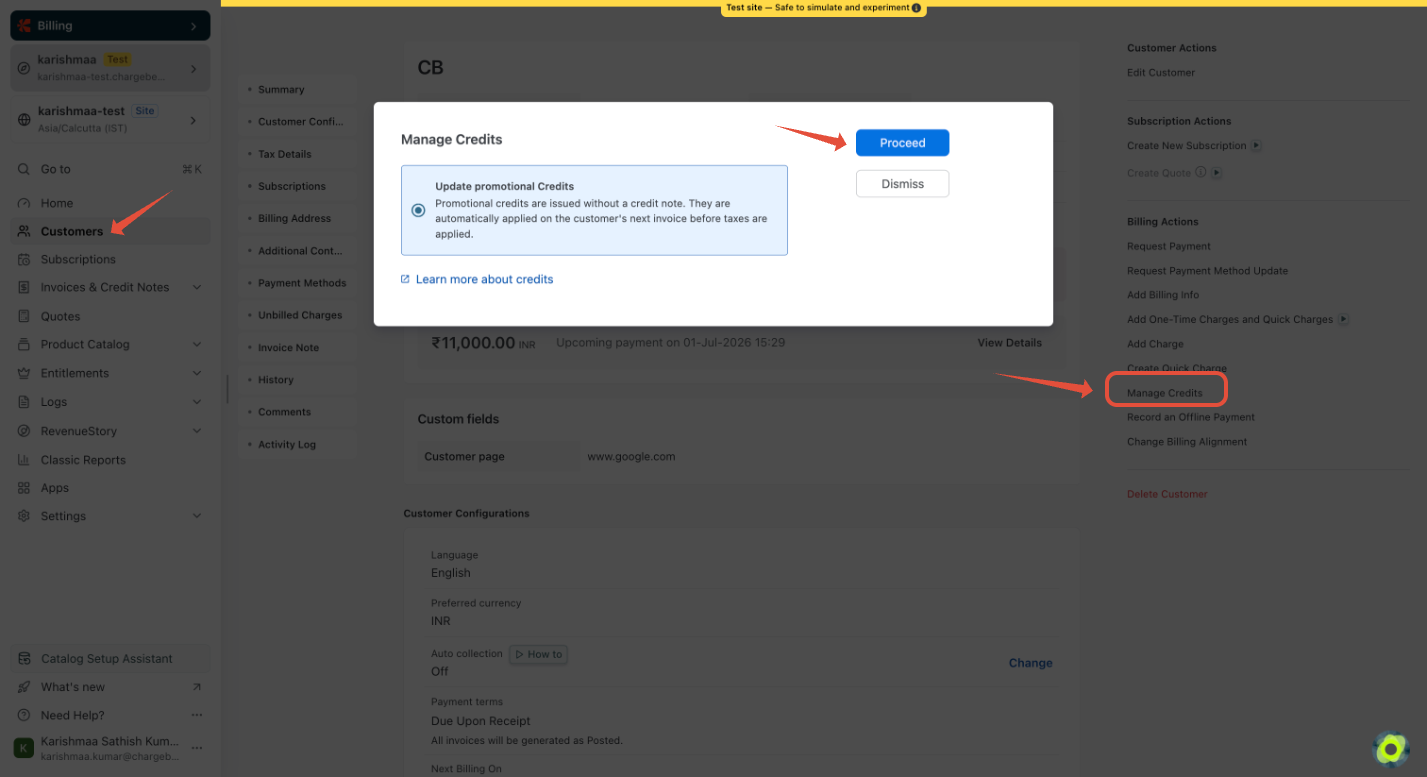
- Go to the Customers Index page.
- Find the customer using the search option.
- Click the Customer ID to open the customer details page.
- Click Manage Credits (on the right panel).
- Select Update Promotional Credits > Proceed.
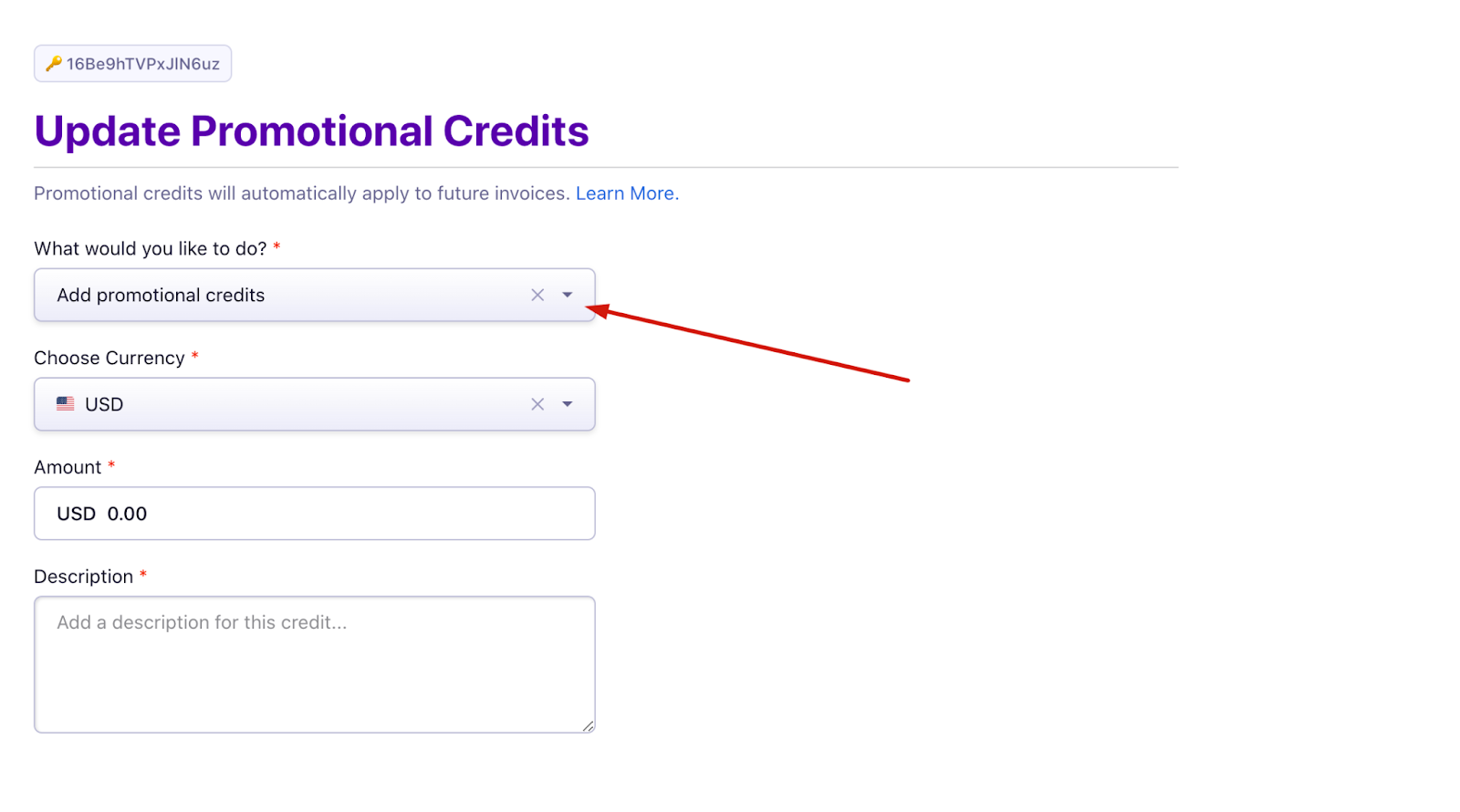
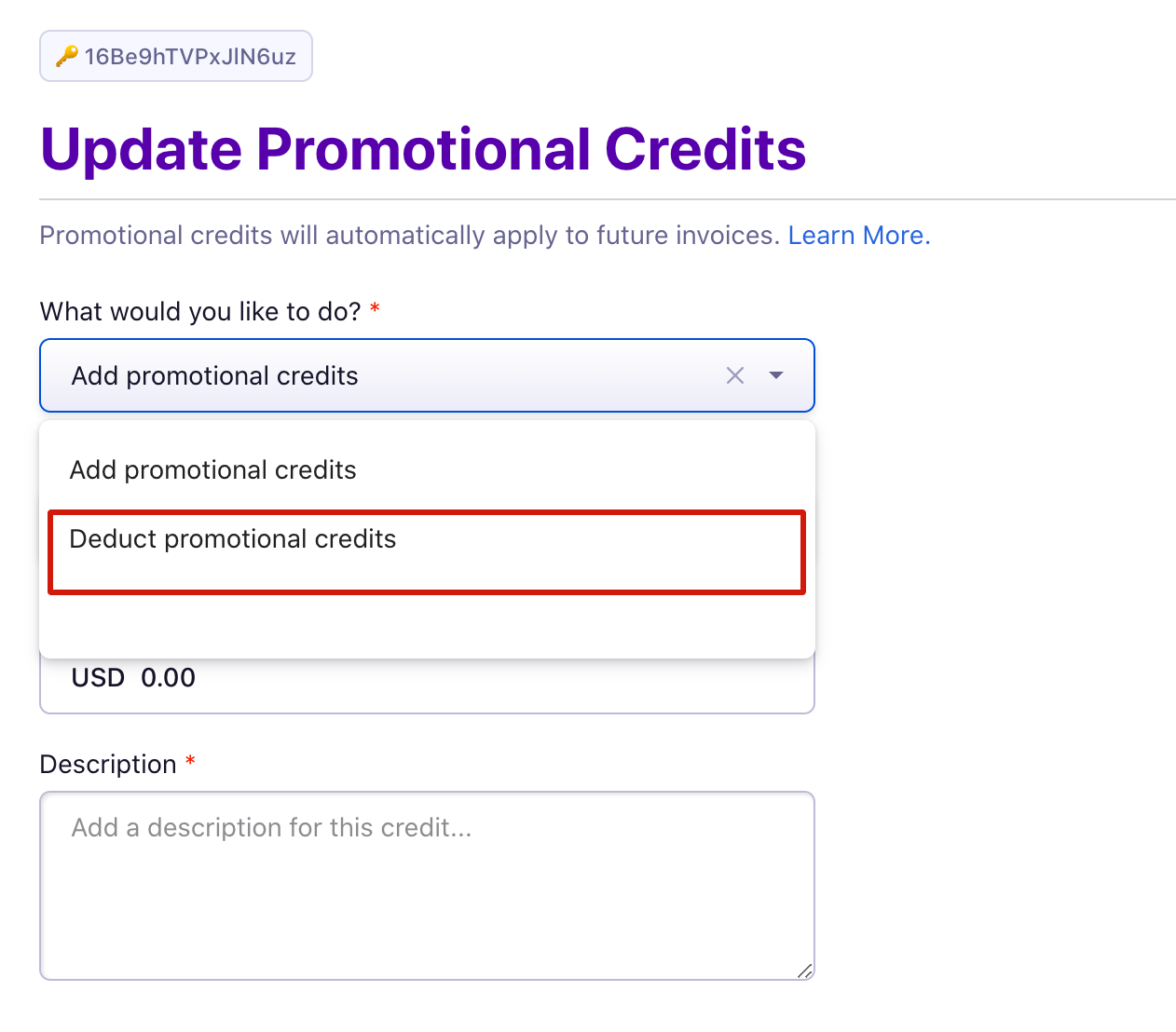
- Choose Deduct or Add from the dropdown menu.
- Enter the amount to add or deduct from the current balance.
- Enter a description (for example, to record the reason).
- Click Update to complete the action.
Via APIs
Use the Add/Deduct Promotional credits API. Chargebee APIs are supported on multiple language platforms.
Important Notes
- Promotional credits are applied before tax, similar to discounts. Adjustment and Refundable Credits are handled like payments and are applied after tax.
- Promotional credits are automatically applied to the next invoice when available.
- Promotional credits are added at the customer level and apply to all subscriptions under that customer.
Related Articles
Was this article helpful?