How can I allow my customers to enter their local bank account details while making payment by Direct Debit via GoCardless within the Chargebee Checkout page?
Problem Statement
How can a customer process their Direct Debit payment via GoCardless without being redirected to another page while using Chargebee Checkout?
Solution
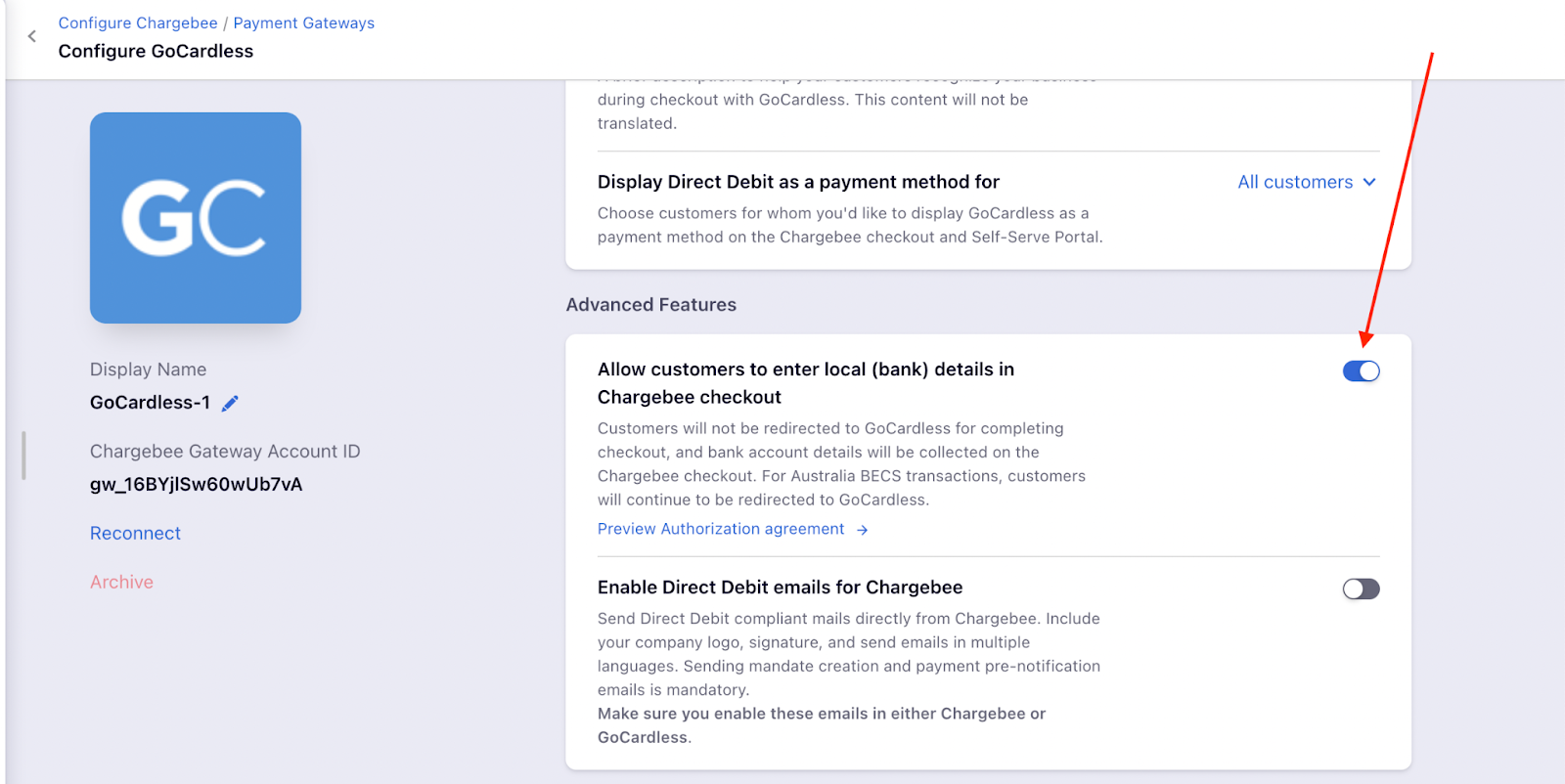
To let customers enter their local bank account details for Direct Debit via GoCardless on the Chargebee Checkout page, enable the Allow customers to enter local (bank) details in Chargebee checkout option in the GoCardless Advanced feature settings.
Steps to Set It Up
- Go to Settings > Configure Chargebee > Payment Gateways > GoCardless
- Scroll to the Advanced feature section
- Enable Allow customers to enter local (bank) details in Chargebee checkout
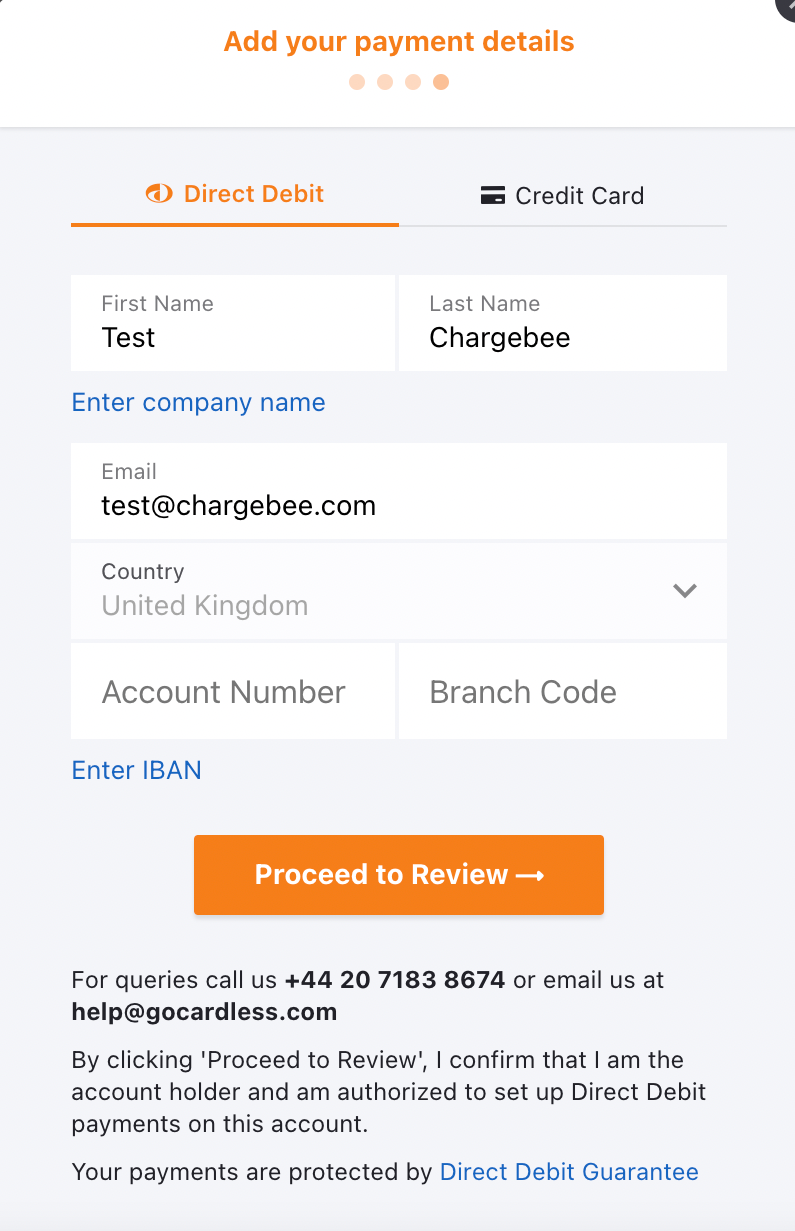
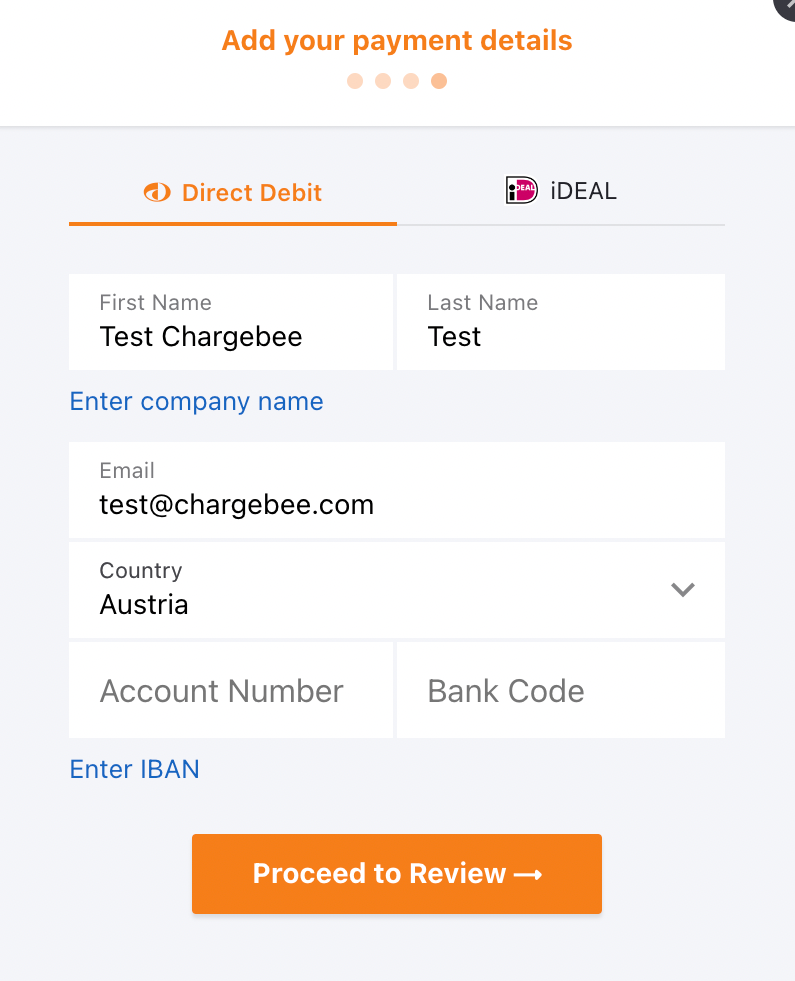
Customers can then enter their local bank account details directly on the Checkout page.
Additional Information
- GBP: Customers can only select the UK.
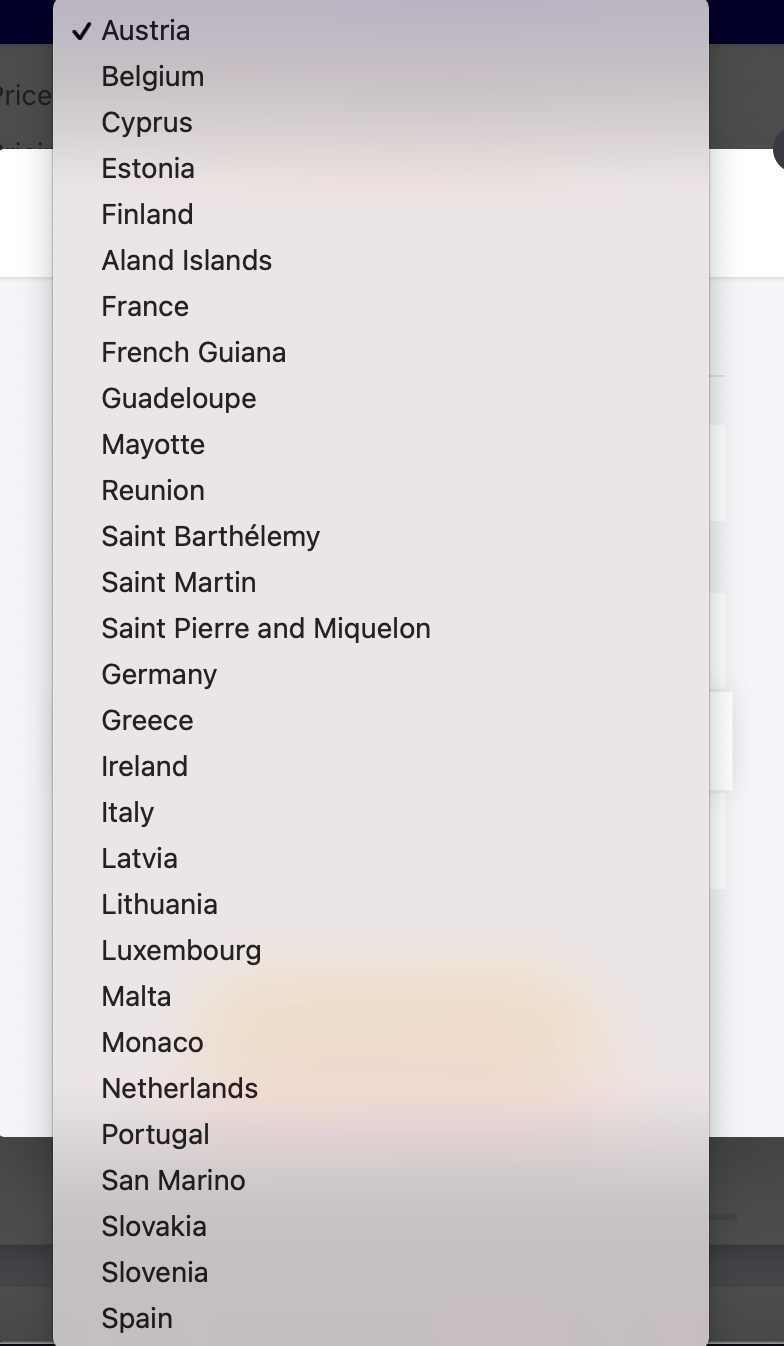
- EUR: Customers can select different EU countries.
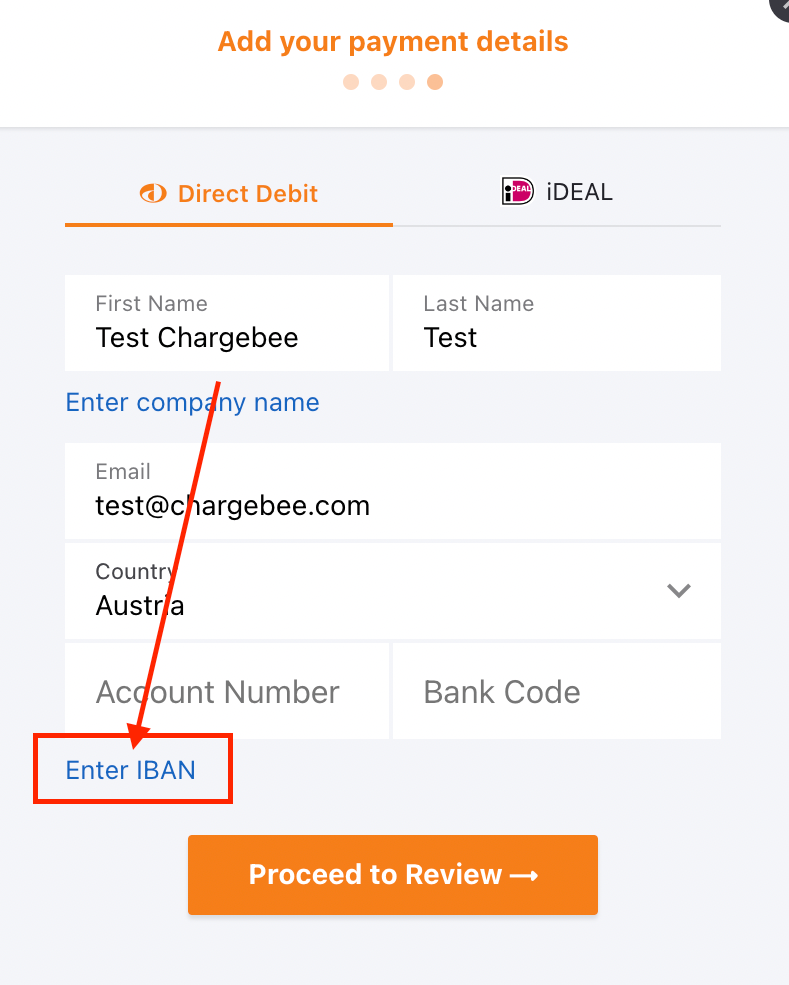
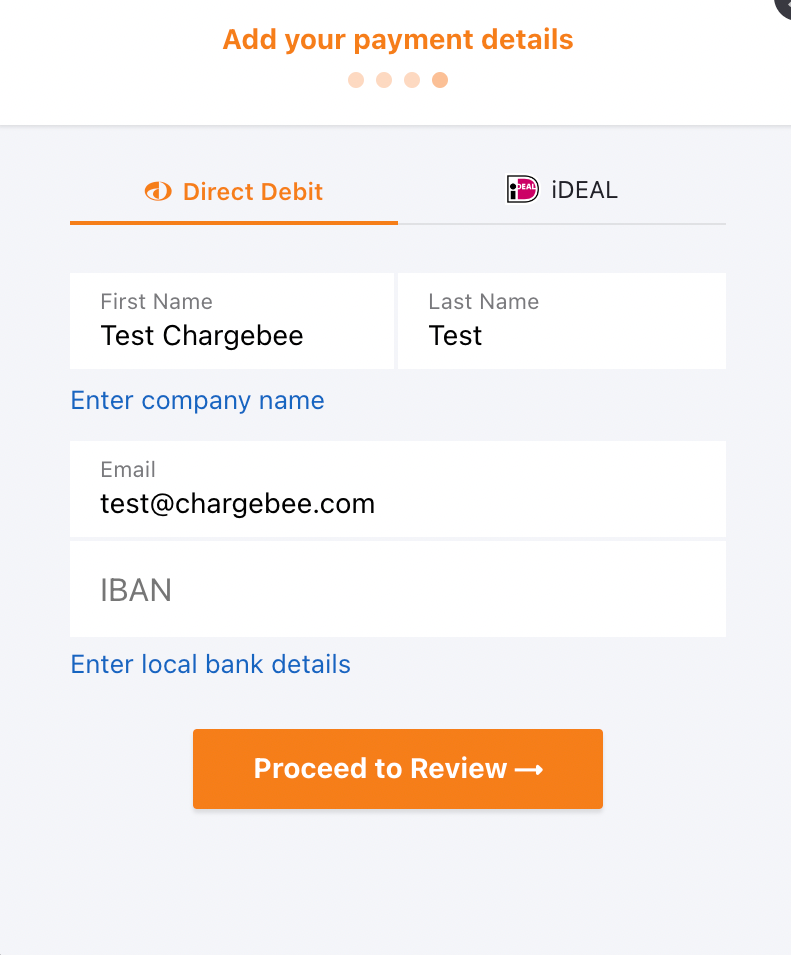
- Other countries: Customers can click Enter IBAN and use their International Bank Account Number.
Important Notes
Note
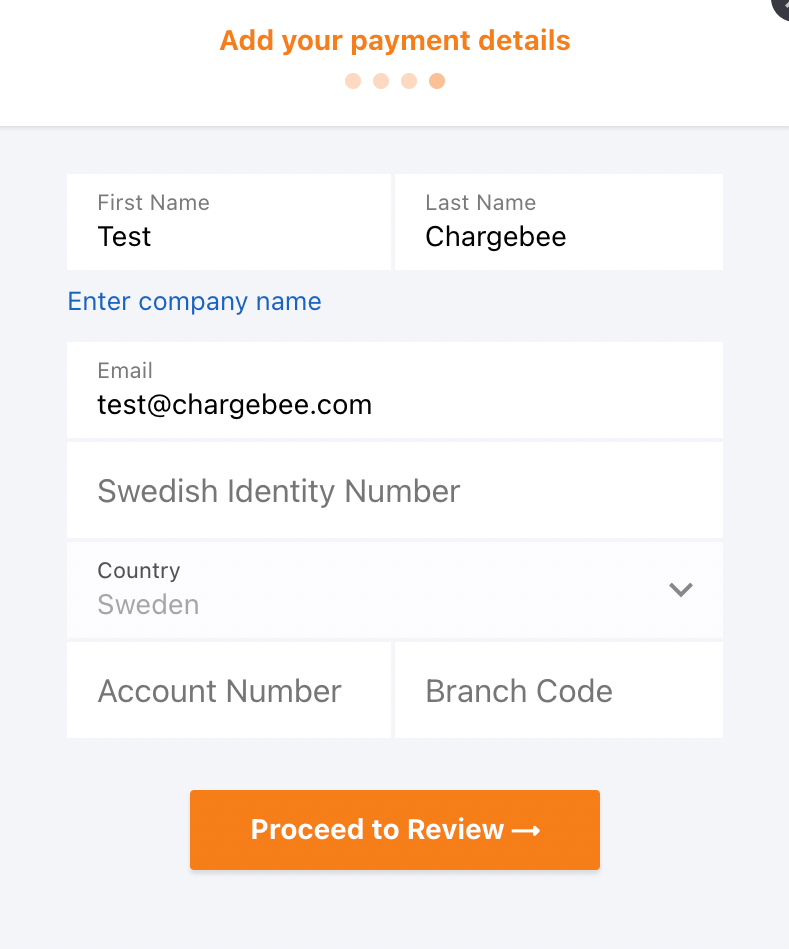
For SEK payments, IBAN entry is not supported. Customers must use their Swedish local bank account details.
Note
This GoCardless Advanced feature is available only for BACS (GBP), SEPA (EUR), and Autogiro (SEK) Direct Debit schemes.
Related Articles
Show more
Was this article helpful?