How to copy/move just the card details from one customer record to another?
Problem Statement
You want to copy a card from one customer to another without asking the customer to re-enter it. You do not want to merge subscriptions or invoices.
Solution
For shared payment across customers, consider Account Hierarchy. To copy card details only (with customer consent), use the Create using Permanent Token bulk operation.
Steps to Set It Up
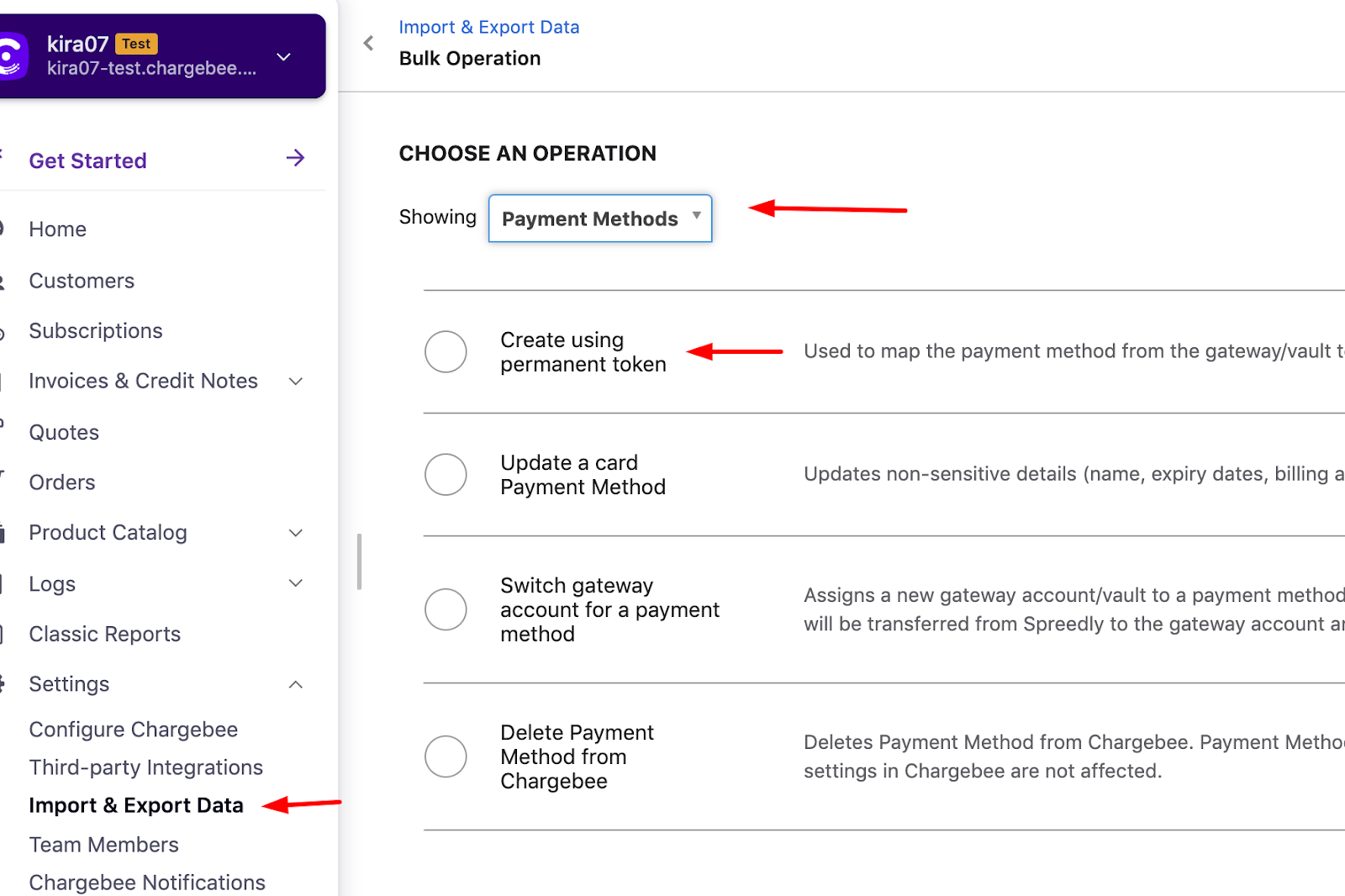
- Go to Settings > Import & Export Data > Bulk operations > Create using Permanent Token.
- Provide: target customer ID,
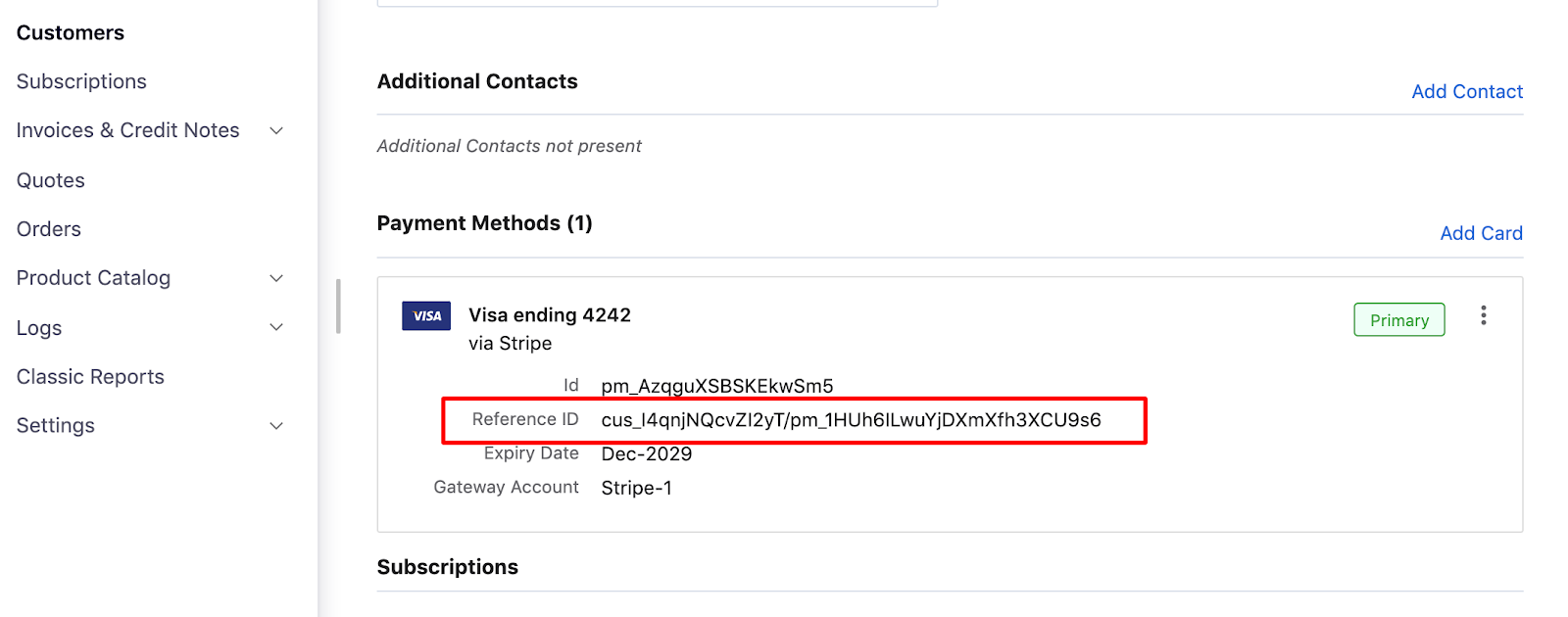
payment_source[reference_id](from the source customer's payment record), and gateway account ID (from Settings > Configure Chargebee > Payment Gateways).

See the API guide for field details.
Important Notes
Note
To remove the card from the source customer without deleting it from the gateway, use Delete Payment Method from Chargebee (Bulk operations > Payment Methods). Do not use "Remove Payment Method" from the card section, as that deletes it from the gateway.
Note
Copying a payment method means the target customer's invoices can be charged on that card. Do this only with the customer's awareness and consent.
Was this article helpful?