How to access the shared RevenueStory dashboard?
Problem Statement
You want to view the shared RevenueStory dashboard or share revenue data with people outside your Chargebee site.
Solution
Access shared dashboards
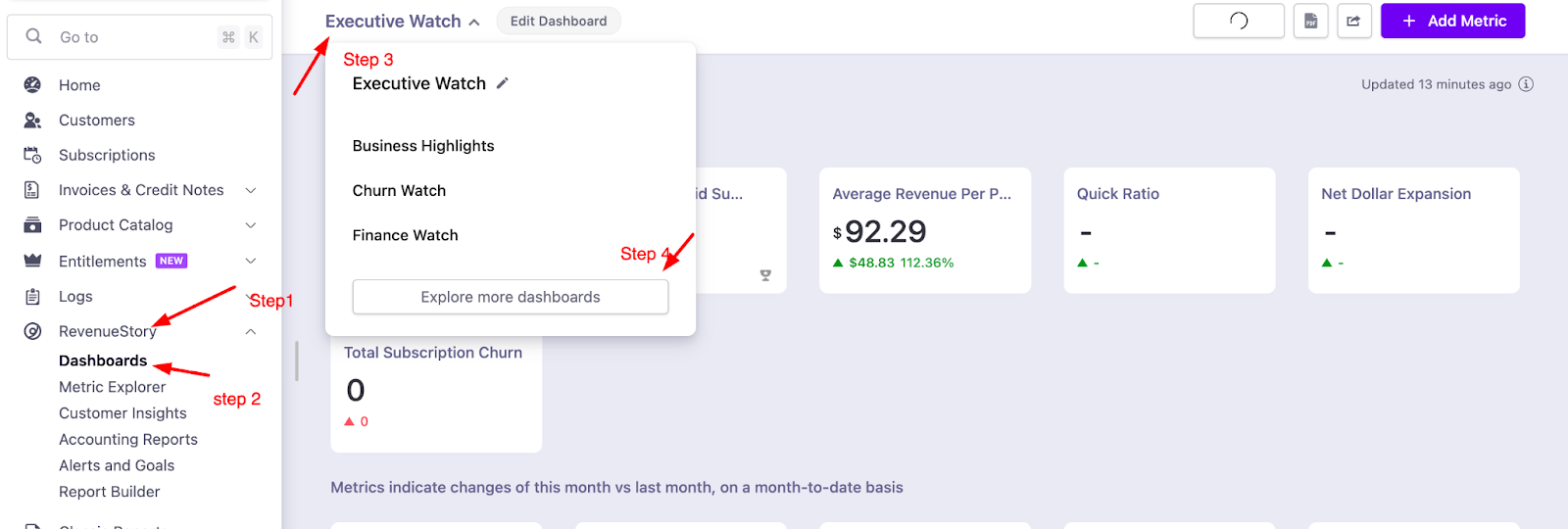
- Go to RevenueStory > Dashboard on your Chargebee site.
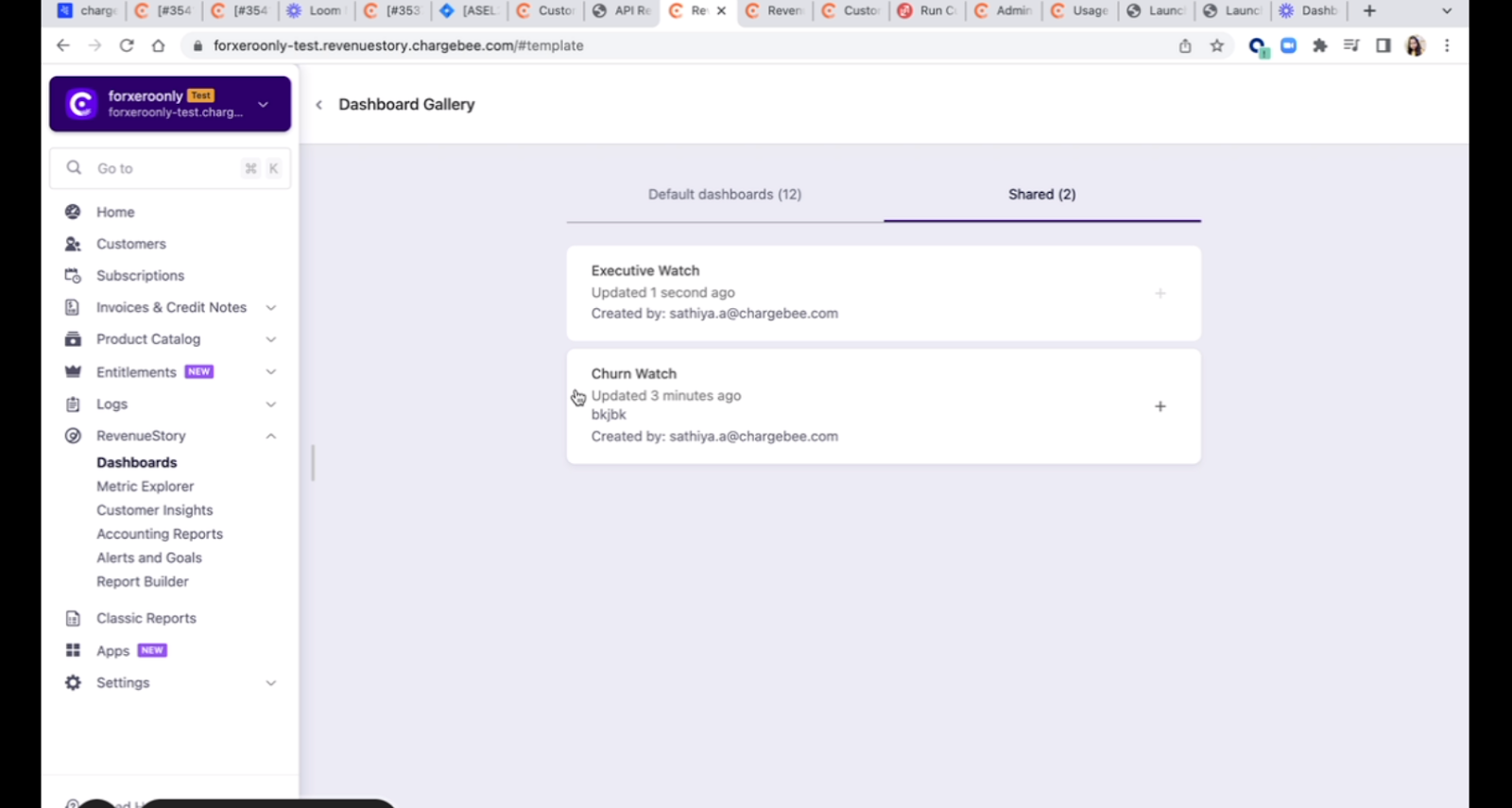
- Click the dashboard name (e.g., Executive Watch), then Explore more dashboards > Shared tab.
Share with users outside your site
External users cannot access the dashboard directly. Share data by:
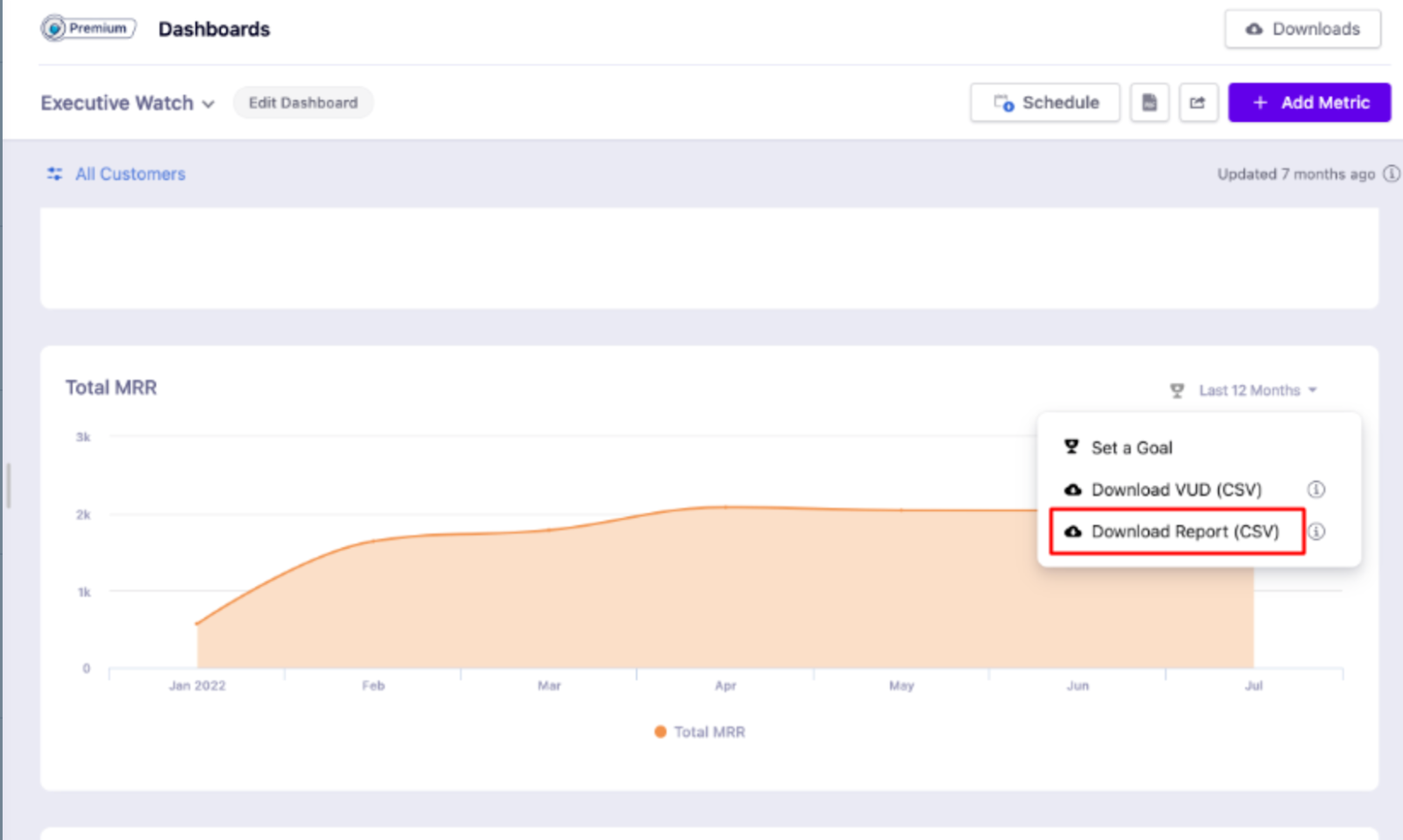
- CSV: Go to the metric > Download the CSV and send via email.
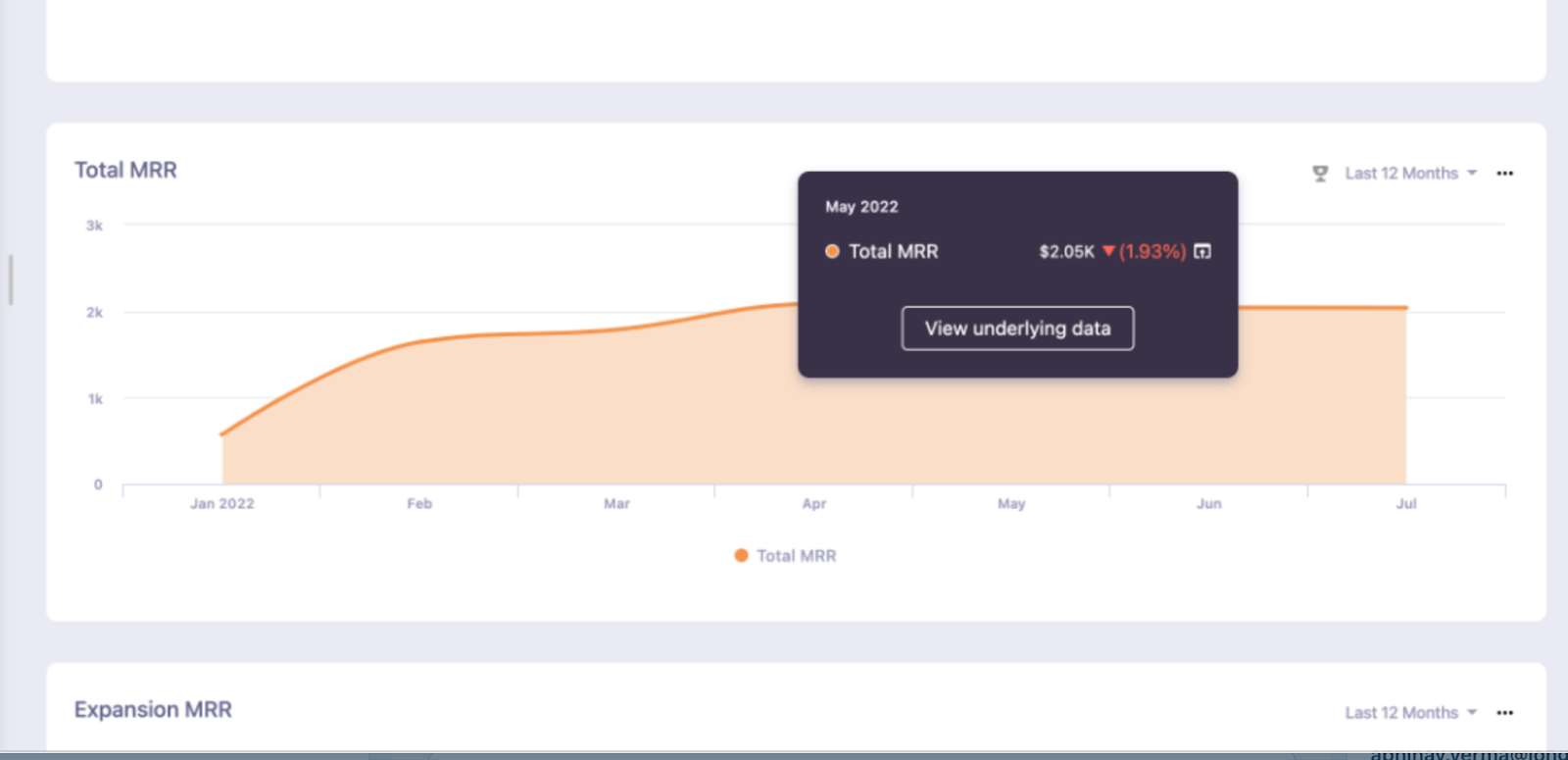
- Screenshot: Hover on the graph to show the VUD (value on hover) and share a screenshot.
Was this article helpful?