Docschargebeedocs

HomeBillingPaymentsRevRecGrowth
Support

Product Updates

  • Release Notes

Getting Started

  • Overview
  • Chargebee Billing Data Centers
  • Object Relationship Model
  • Understanding Sites
  • Developer Resources
  • Chargebee Tech Glossary
  • Articles and FAQ

Implementing Chargebee

  • Implementation Guide
  • Go-live Checklist
  • Articles and FAQ

AI in Chargebee

  • Chargebee Agents
  • Chargebee Copilot
  • Chargebee MCP Server (Model context protocol)

Product Catalog

  • Product Catalog Overview
  • Coupons
  • Articles and FAQ

Subscriptions

  • Working with Subscriptions
  • Billing
  • Orders
  • Articles and FAQ

Customers

  • Managing Customers
  • Account Hierarchy
  • Email Notifications
  • Branding
  • Configure Multiple Languages
  • Articles and FAQ

Invoices, Credit Notes and Quotes

  • Invoices
  • Credit Notes
  • Quotes [Legacy]
  • Transactions
  • Articles and FAQ

Taxes

  • Overview
  • Configuring Taxes
  • Country-specific Taxes
  • Articles and FAQ

Hosted Capabilities

  • Overview
  • Hosted Checkout
  • Hosted Self-Serve Portal
  • Hosted Pages Features
  • Additional Hosted Pages
  • Payment Components
  • Managing payments with ChargebeeJS
  • Mobile-Optimized Hosted Pages
  • Articles and FAQ

Site Configuration

  • Users & Roles
  • Custom Fields & Metadata
  • Mandatory Fields
  • File Attachments & Comments
  • Advanced Filter Options
  • Multicurrency Pricing
  • Multi-decimal Support
  • Configuring Reason Codes
  • Events and Webhooks
  • API Keys
  • Time Zone
  • Time Machine
  • Transfer Configurations
  • Articles and FAQ

Reports and Analytics

  • RevenueStory
  • Home Dashboard
  • Frequently Asked Questions
  • FAQs for Classic Reports Sunset
  • Articles and FAQ

Integrations

  • Sales
  • Customer Support and Success
  • Finance
  • Tax
  • Marketing
  • Stitch
  • Collaboration
  • Contract Management
  • Order Management
  • Mobile Subscriptions (Legacy)
  • Other Integrations
  • Articles and FAQ

Data Privacy & Security

  • Two Factor Authentication
  • SAML Single Sign-On
  • System for Cross-Domain Identity Management (SCIM)
  • EU-GDPR
  • Consent Management
  • Personal Data Management
  • Compliance Certificates
  • HIPAA Guidelines
  • PCI Recommendations and Integration Types
  • Articles and FAQ

Data Operations

  • Bulk Operations
  • Migration
  • Articles and FAQ
  1. Billing
  2. Taxes
  3. Articles and FAQ
  4. Configuration
  1. Billing
  2. Taxes
  3. Articles and FAQ
  4. Configuration

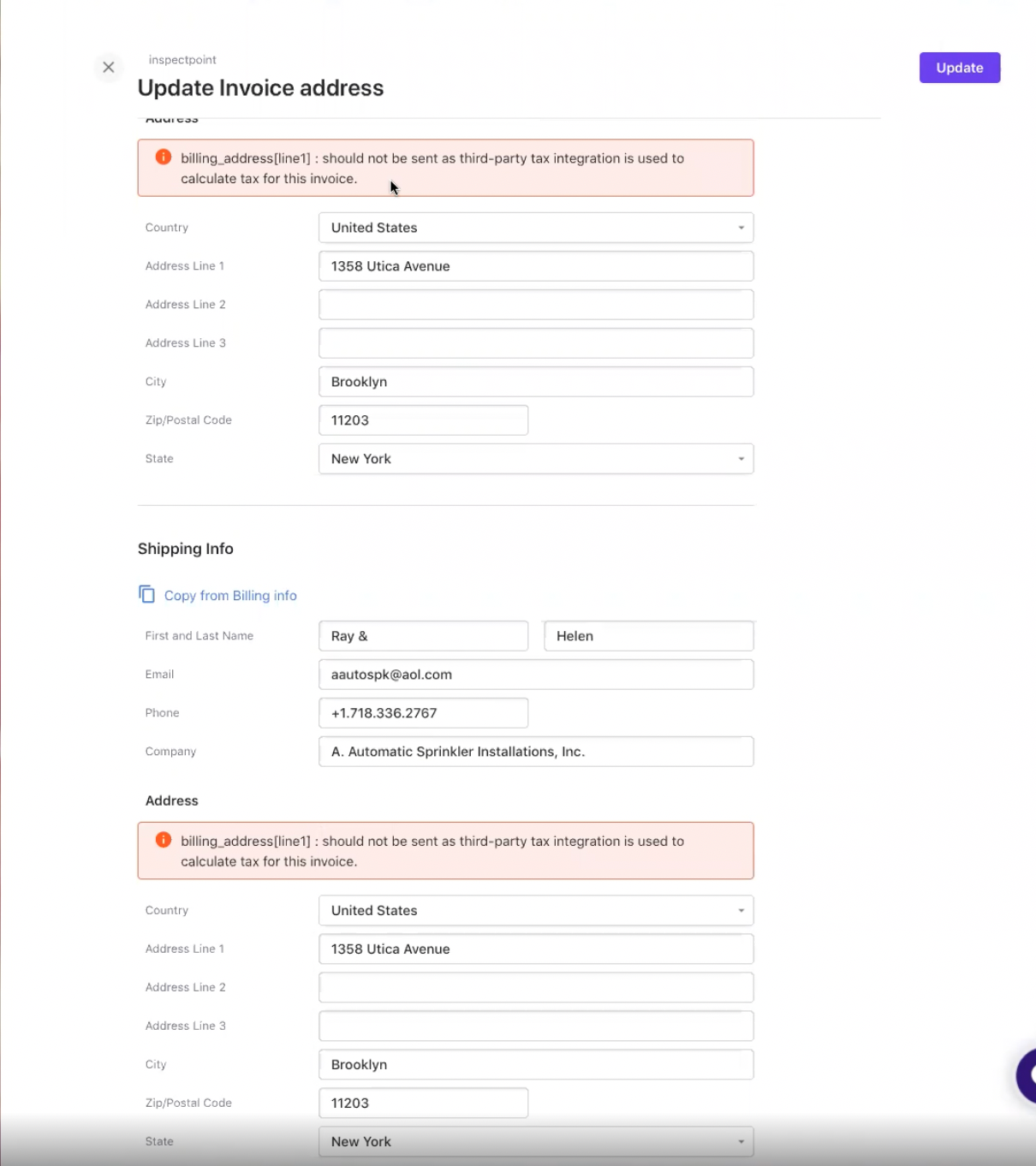
Error - billing_address[line1] should not be sent as third-party tax integration is used to calculate tax for this invoice

Problem Statement

How do I update the address on an invoice when my site uses a third-party tax integration?

Solution

When your Chargebee site is integrated with a third-party tax application, you cannot edit address fields or the VAT Number on an invoice, because the tax rate is calculated from them. Editing these fields triggers the error: billing_address[line1]: should not be sent as third-party tax integration is used to calculate tax for this invoice.

You can still update non-address fields. To change the address on an already generated invoice, you must void and regenerate the invoice.
image

Was this article helpful?