Fair Billing Policy for Revenue-Based Plan
Introduction
Chargebee delivers a fair billing policy with transparency and customer-centricity. A fair billing policy enables you to pay only for what you use. The further read will help understand the fair billing concept in detail.
Glossary
Two terms you will read about constantly in this document. You can read more about them here.
- Overage amount: In Chargebee, each revenue-based pricing model offers a default revenue limit covered in the base plan amount. When you exceed this limit, you will be charged an overage amount (on top of the basic plan amount) for the additional revenue processed. The overage percentage (%) varies based on your plan. Refer to our pricing for details on the overage charges associated with each plan.
- Voided Invoice: It refers to the invoices you void (cancel) in your live Chargebee site.
- Revenue-based plan: This plan offers a pricing model that is based on your revenue during monthly, quarterly, half-yearly, yearly, or multi-year billing cycles.
There are two initiatives to ensure a fair and transparent billing policy for customers.
Excluding voided invoices from overage calculation
Chargebee automatically adjusts overages in the current billing process for monthly, quarterly, half-yearly, and annual subscriptions for all invoices created and voided in the same billing term. For example, if you are billed monthly, the amount of invoices that are created and voided in the same billing term will not be considered as part of your revenue. Similarly, if you are billed quarterly, half-yearly, or annually the number of invoices that are created and voided in the same billing term (quarterly, half-yearly, or annual) will not be considered as part of your revenue as well. Therefore, it will be excluded from the overage calculation of the corresponding billing term.
Sometimes, an invoice created in one month may be voided the following month. Because the renewal cycle is shorter for monthly subscriptions, the amount for the voided invoice is included as revenue in the overage calculation for the previous billing term.
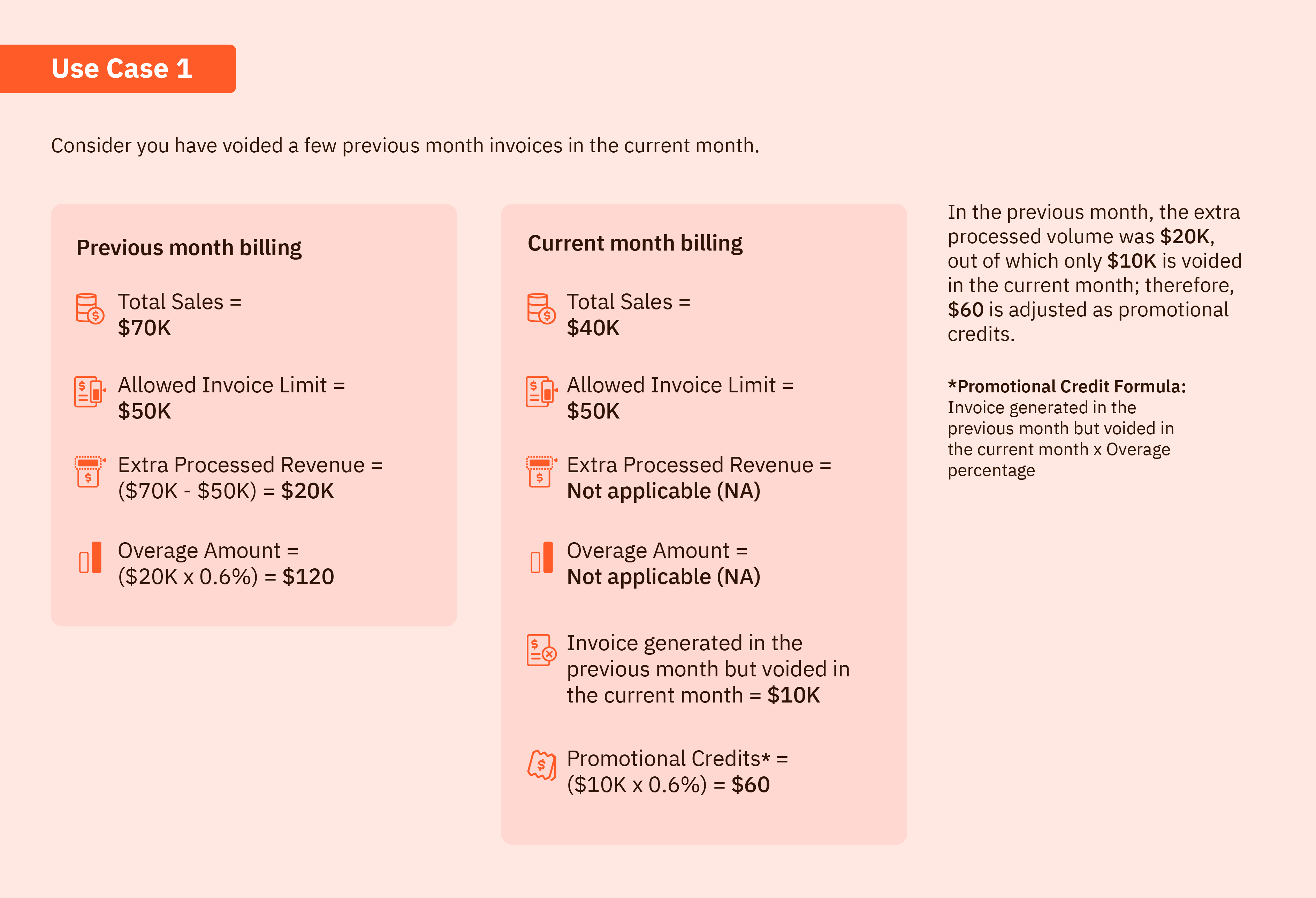
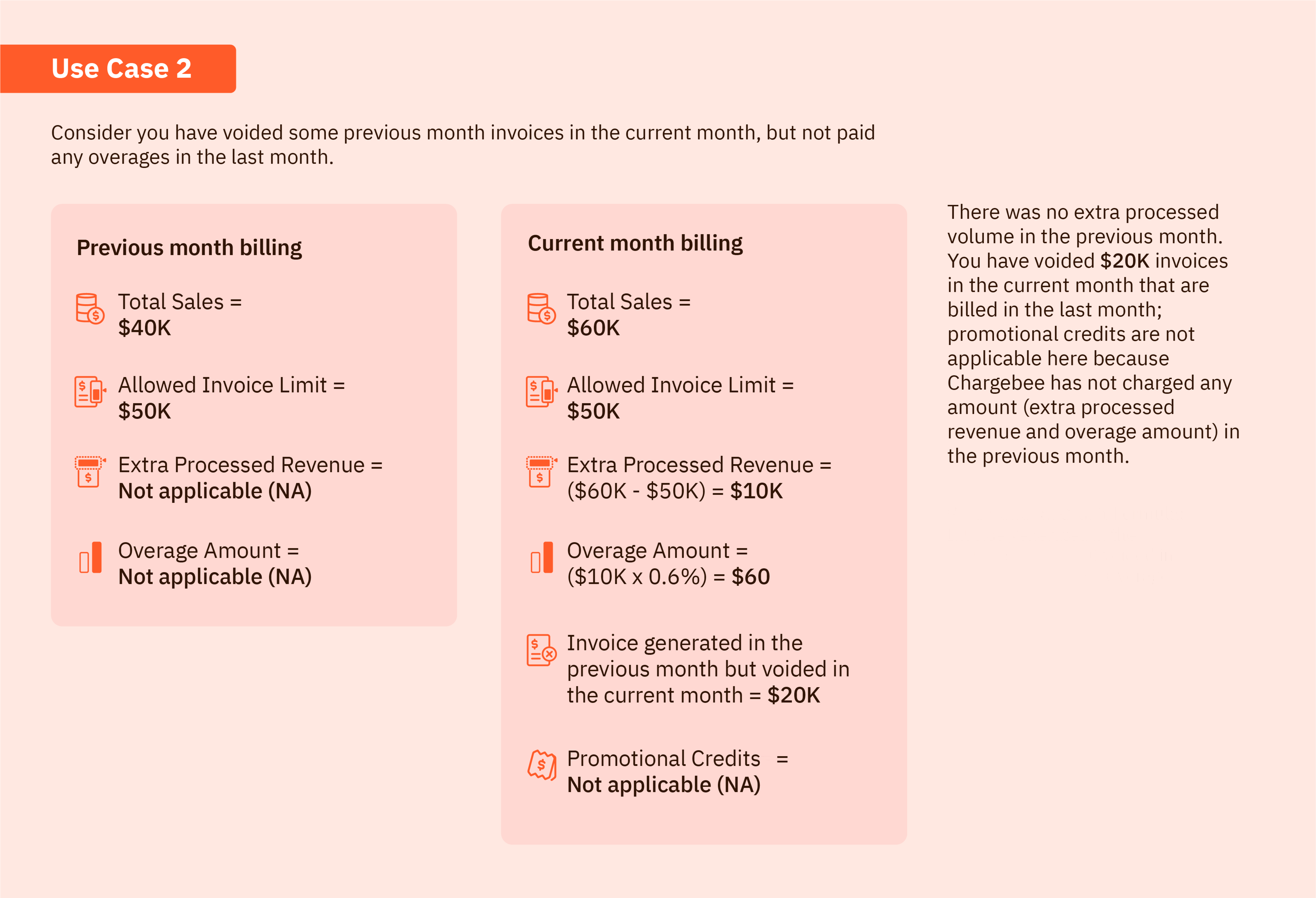
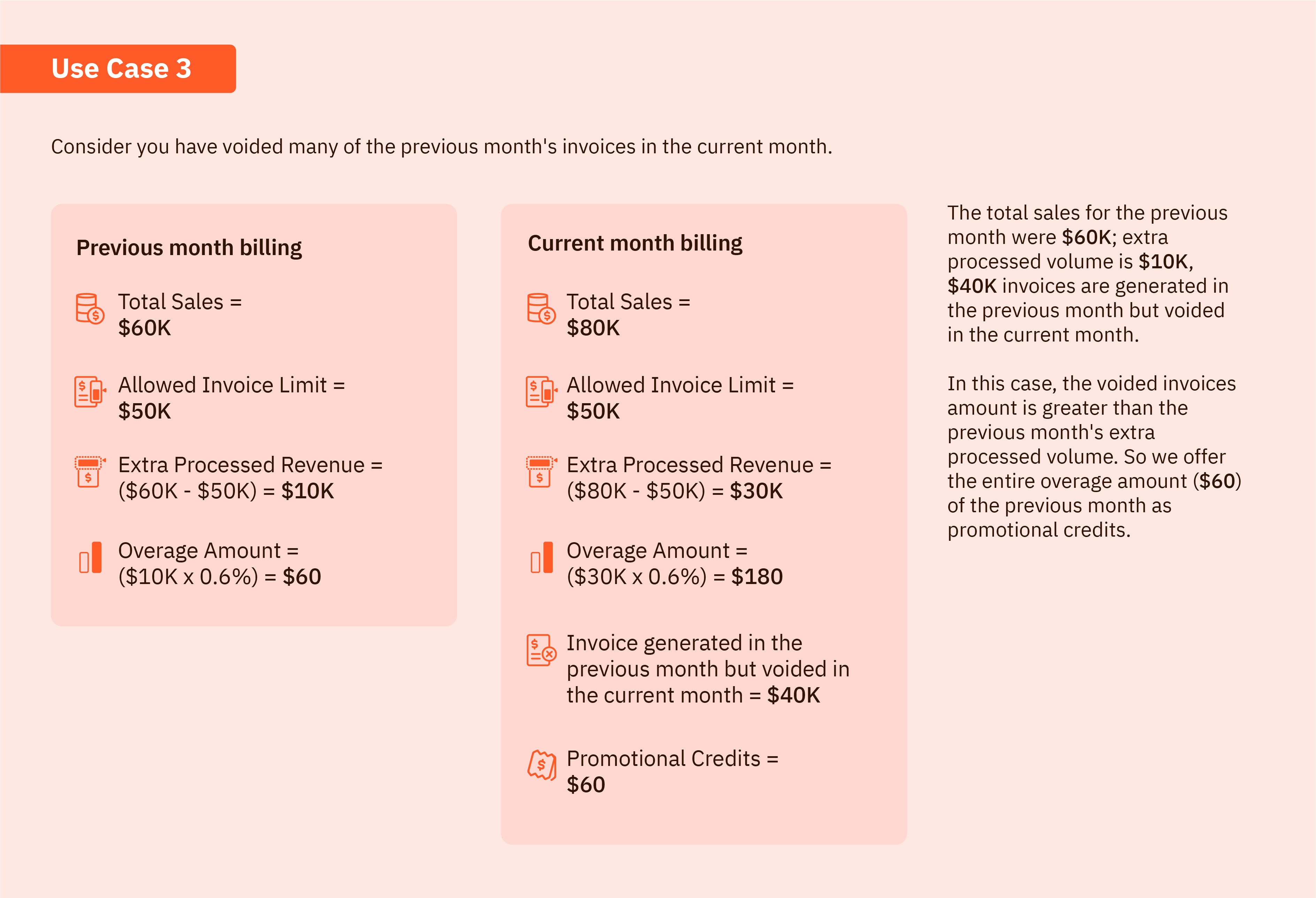
For customers with monthly subscriptions, Chargebee issues promotional credits for the overage amount caused by voided invoices from the previous billing term and automatically applies them to your next invoice.
Prerequisites for promotional credits
The following are the eligibility criteria for promotional credits.
To be eligible for promotional credits:
- You must be an active customer with a monthly subscription in the revenue-based model.
- All invoices generated in the previous month but voided in the next immediate month are considered for promotional credit calculation.
- If overages are raised in the previous month, the respective overage amount caused by voided invoices will be provided as promotional credits.
The following are some use cases that explain the logic of promotional credit calculation for an revenue-based plan.
Automatic alerts based on revenue growth
Chargebee sends three alerts when invoicing limit reaches 50, 80, and 90 percent(%) for customers who have quarterly, half-yearly, yearly, or multi-year billing cycles. This communication will help Chargebee's customers to compare current and projected revenue growth. It also reminds customers to connect with their customer success manager (CSM) or account manager (AM) for upcoming subscription renewal. For customers with a monthly billing cycle, a single alert is generated when the invoicing limit reaches 90 percent (%). This helps avoid multiple alerts for monthly subscriptions. The alert appears on the application user interface when the invoicing limit reaches 50, 80, and 90 percent (%).
Note
- The alert appears as a banner on the application only for the admin or owner of the site.
- The fair billing initiatives are not applicable for freemium users.
Related link
Was this article helpful?