What happens when dunning retries expire?
Problem Statement
This article explains what happens when dunning retries expire and how to collect payment manually or request payment from customers after automatic retries have failed.
Related Scenarios
- Manual payment retry after dunning expires
- Requesting payment when collection fails
Solution
Chargebee supports two dunning versions:
- Dunning V1 – 3 additional retries after the initial payment attempt
- Dunning V2 – Two modes: Custom (3 retries) or Smart dunning (12 retries)
Offline Dunning is also supported for customers who pay outside Chargebee.
When dunning ends
- Subscriptions: You can configure the final action (e.g., keep active or cancel).
- Invoices: You can choose to mark as not paid, void, write off, or reverse (create a credit note with reason code Subscription_Cancellation).
Steps to Set It Up
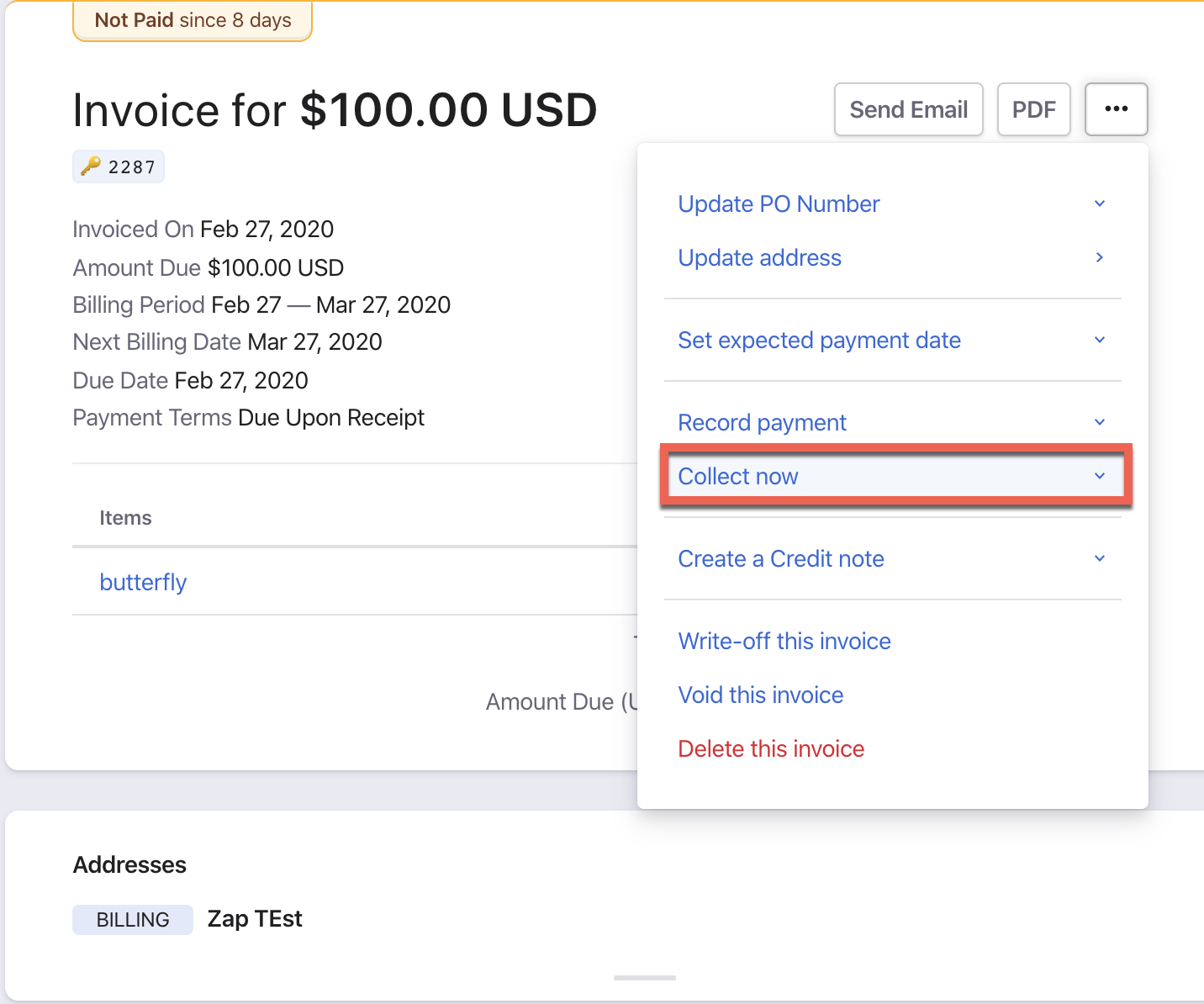
Collect payment manually
- Open the Invoice details page.
- Click the 3 dots in the top right (or Collect Now on the right in Classic UI).
- Select Collect Now (available only when a payment method is on file).
- Adjust the amount if needed (invoice remains payment due if not fully collected).
- Click Proceed > Confirm.
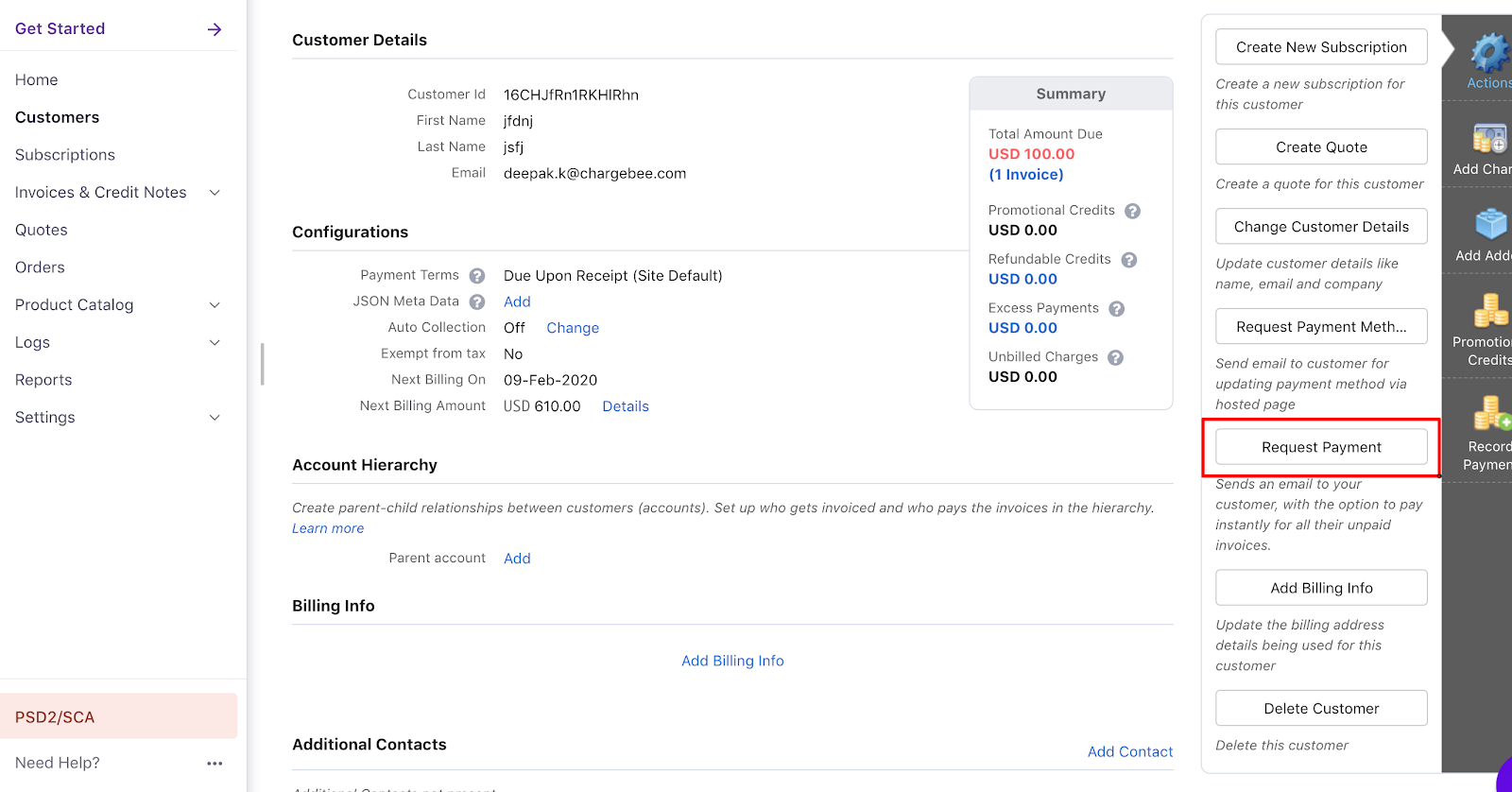
Request payment from customer
- Request Payment – Customer can view outstanding invoices and pay while updating payment details.
- Request Payment Method – Customer can only update payment details; you collect manually afterward.
Important Notes
- You need a payment method on file to use Collect Now.
- Collect Now does not change auto-collection status.
- If the bank declines, the customer must use a different payment method.
- On success, the invoice moves to Paid; on failure, the customer receives a Payment Failed email.
- To send automated card expiry emails: Settings > Configure Chargebee > Email Notifications > Invalid Payment method.
Was this article helpful?