Smart and Manual Dunning Management
Scope
What is New dunning?
What happens when a client does not pay? Does Dunning alert us?
What does the setting "cancel subscription" and "mark as not paid" do?
If a client wants to pay after they were marked as unpaid or cancelled how to allow them to reactivate? Or should we start a new subscription altogether?
Why am I not seeing my Dunning settings from the configuration page?
Dunning for CRC customers
Solution
What is New dunning? In Dunning V1, the payment retries are based on the configuration you have set up. The new Dunning/Dunning V2 applies Chargebee's Smart Retry logic to retry payments at dynamic intervals. To use this, Go to Chargebee Dashboard > Settings > Configure Chargebee > Dunning for Online/Offline Payments, and enable the Dunning as required.
Look for the prompt Activate Dunning. Depending on your plans, you can choose between Custom and Smart Dunning
Note: The Dunning v2 version is not compatible with your Chargebee CRC-partnered account. Smart Dunning is available from Performance Plan.
What happens when a client does not pay? Does Dunning alert us? Dunning executes payment retries on your customer's unpaid invoices at configured intervals. In addition to this, you can configure Dunning Emails to notify your customers.
If you wish to get notified of dunning, you can cc your email address to receive a copy of your email. Go to, Settings > Configure Chargebee > Email Notifications and Dunning for online/offline payments(v2) > Edit your email notification: Include your email address in the cc or bcc option.
What do the settings "cancel subscription" and "mark as not paid" do?
This setup dictates what action is taken for your subscription and invoice as a final Dunning action. This action will apply when the payment collection fails on the last dunning attempt. Here you have the option to cancel the subscription and mark the invoice as not paid. Alternatively, you can keep the subscription active if you want to.
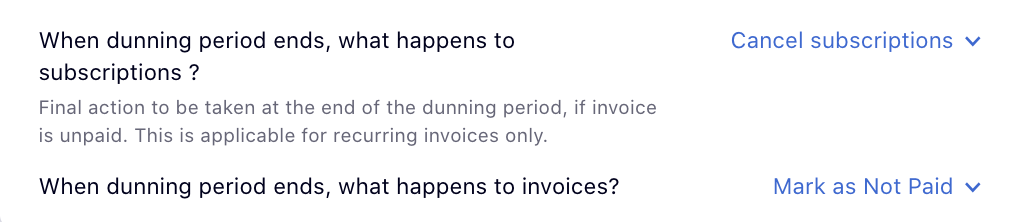
If a client wants to pay after they were marked as unpaid or cancelled, how do you allow them to reactivate? Or should we start a new subscription altogether?
You can reactivate a customer's subscription or allow them to create a new one, depending on your business needs.
If you want the subscription to be canceled as the final dunning action, then you have to reactivate the subscription for future renewals. When the customer has a valid card on file, you can also manually attempt collection on invoices by going to the invoice and clicking on the Collect now option.
Why am I not seeing my Dunning settings on the configuration page? You will not be able to use the Dunning settings v2 if you have integrated your Chargebee account with CRC. Contact support to switch you to v1 so that you can use Dunning.
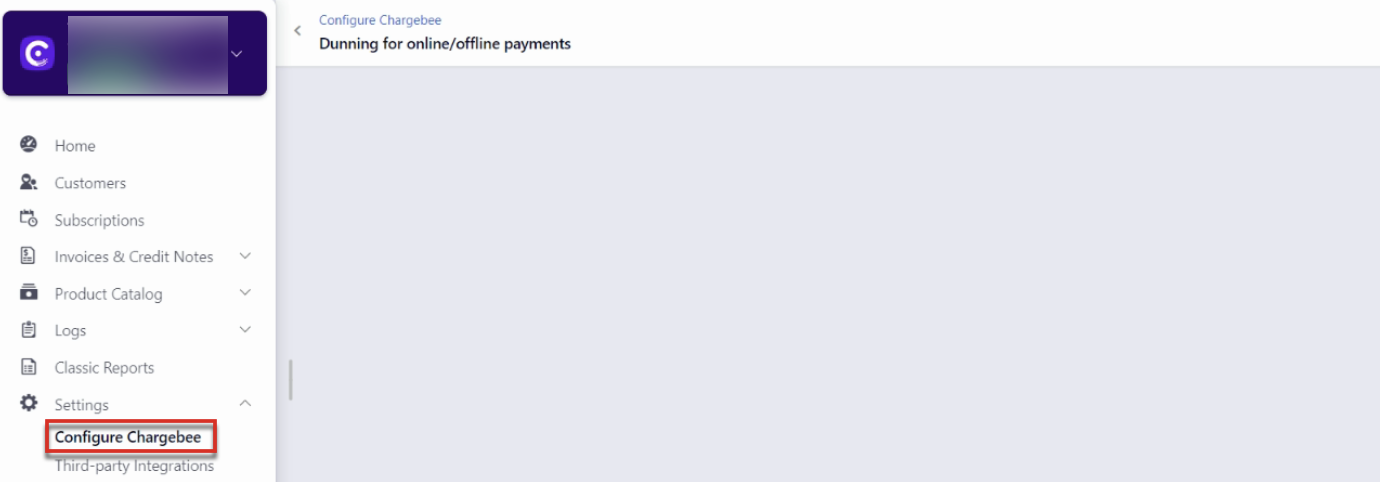
Retry Frequencies
Smart [up to 12 retries]: Chargebee will determine the retry frequency based on transaction patterns and the type of gateway transaction errors without you having to configure it. Click here to learn more about Smart Retry.
Based on the type of gateway transaction error, Chargebee will retry up to 12 times to collect the payment. Along with this, if you want to set specific days/dates to retry and collect the payment from your customer, contact support.
Note: This feature is available only for specific plans. Visit Plans and Pricing for more.
Custom: You can set up the frequency of retries to collect the payment, in days. The maximum number of retries you are allowed to set is 5.
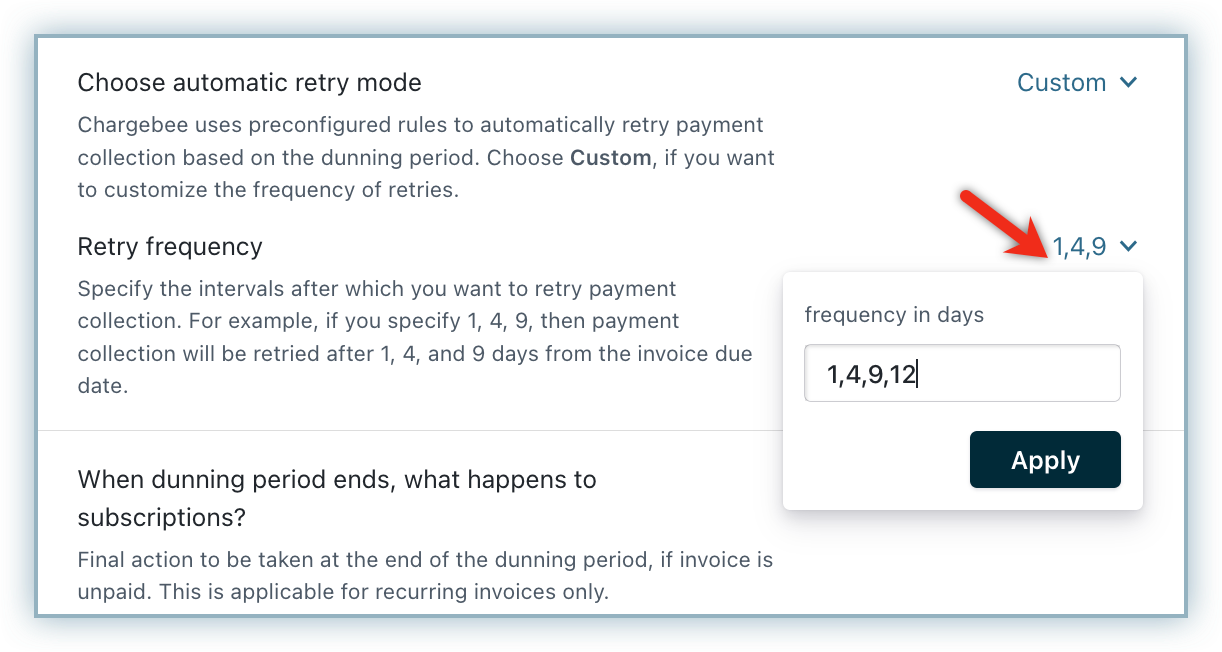
Say the dunning period is set to 8 days and the retry frequency is "1, 4, 8. This means that the payment retries are scheduled for 1 day, 4 days, and 8 days from the day of the initial payment failure.
Was this article helpful?