Adyen Giropay
Giropay is an online banking payment system based in Germany. It offers a real-time payment method to accept payments made in Euro seamlessly.
This documentation explains how to configure Giropay via Adyen. Configuring Giropay enhances your business opportunities in Germany.
To configure Giropay via Adyen, you must have an account with Adyen and have configured Adyen SEPA. Giropay via Adyen is generally used for one-time payments. In a subscription business, you will charge your customers on a recurring basis. Therefore, Chargebee handles recurring scenarios by converting the Giropay payment method to Direct Debit SEPA payment method. The first payment will happen via Giropay, and all future recurring payments will happen via Direct Debit SEPA.
Note
- Giropay to SEPA conversion is not supported in the test site, as Adyen has not provided an option for this conversion in the sandbox environment.
Configuring Giropay via Adyen
As mentioned earlier, Giropay is configured using Adyen. Therefore, you must have an Adyen account.
To configure Giropay via Adyen, follow these steps:
- Configure Adyen Payment Gateway. If you have already configured it, open the settings page. You can do this by clicking Settings > Configure Chargebee > Payment Gateway > Adyen.
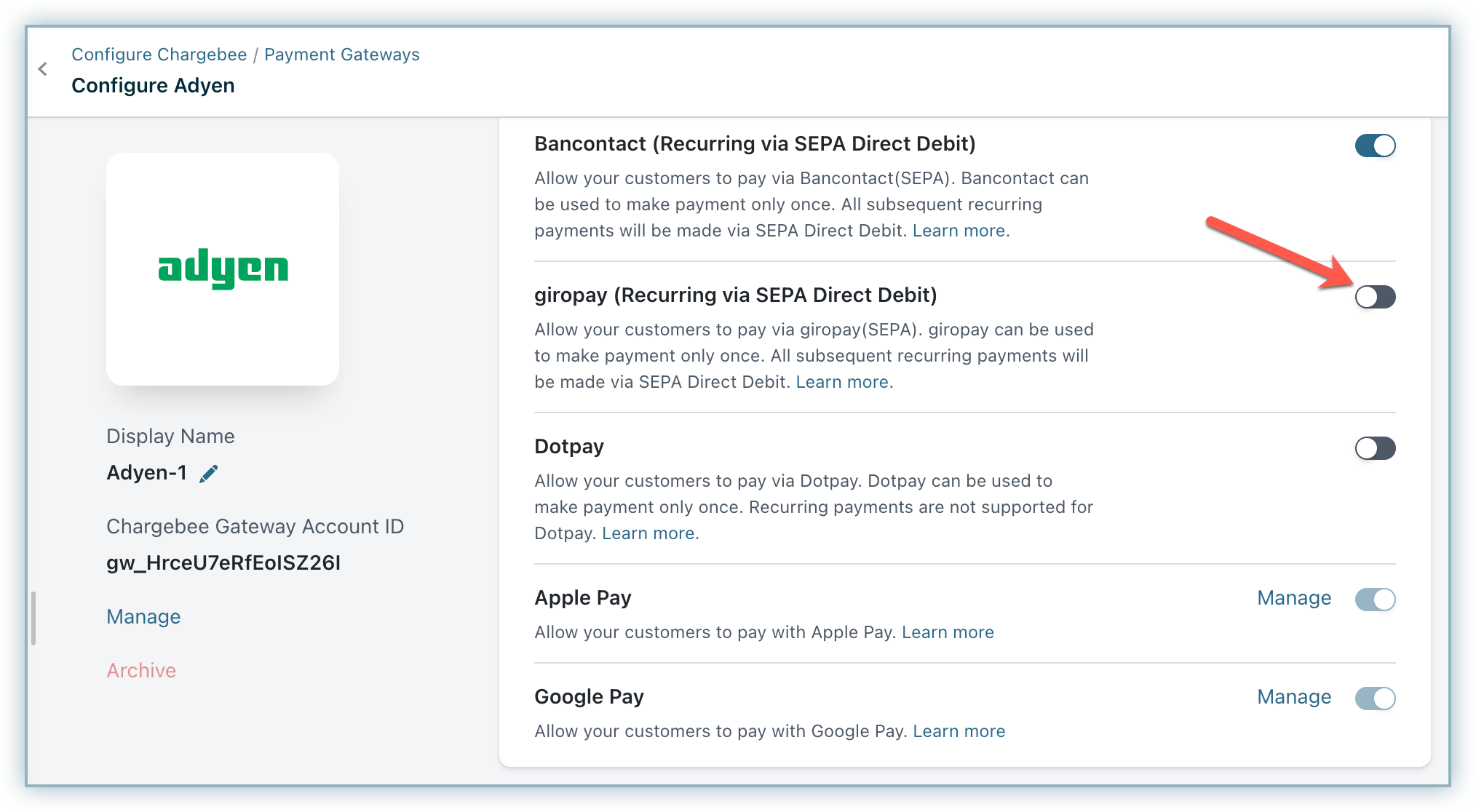
- Enable Direct Debit (SEPA). Refer to this document to learn how.
- Enable Giropay (Recurring Via SEPA Direct Debit).
- Configure the Notification URL to get the status of SEPA payments. It is mandatory to set this up in Adyen for the integration to work. Learn more about configuring Notification URL.
Handling Recurring Payments
Giropay is an online banking payment method and is generally used to make one-time payments. Chargebee handles recurring scenarios by converting Giropay payments to Direct Debit SEPA payment method. The first payment will happen via Giropay, and all future recurring payments will happen via Direct Debit SEPA. Therefore, it is important to inform your customers about this process.
Checkout workflow
Here is the checkout flow for a customer using Giropay:
- During checkout, the customer selects Giropay as the payment method.
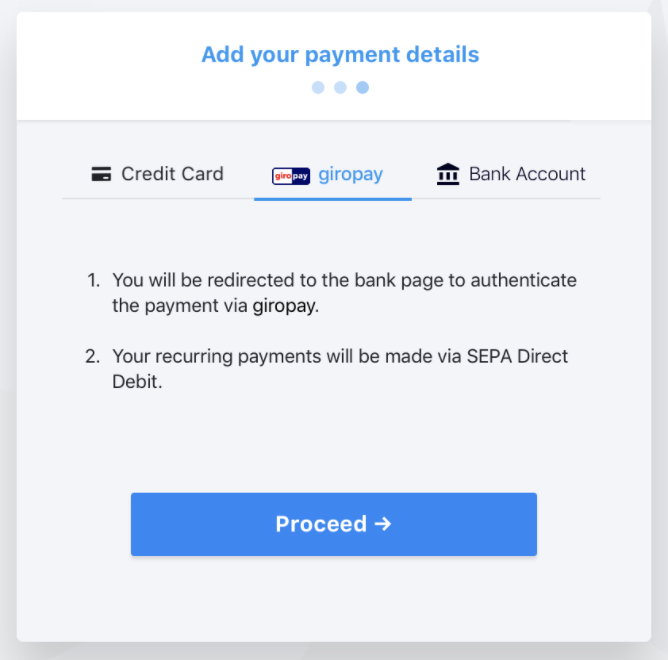
- They then select the bank account.
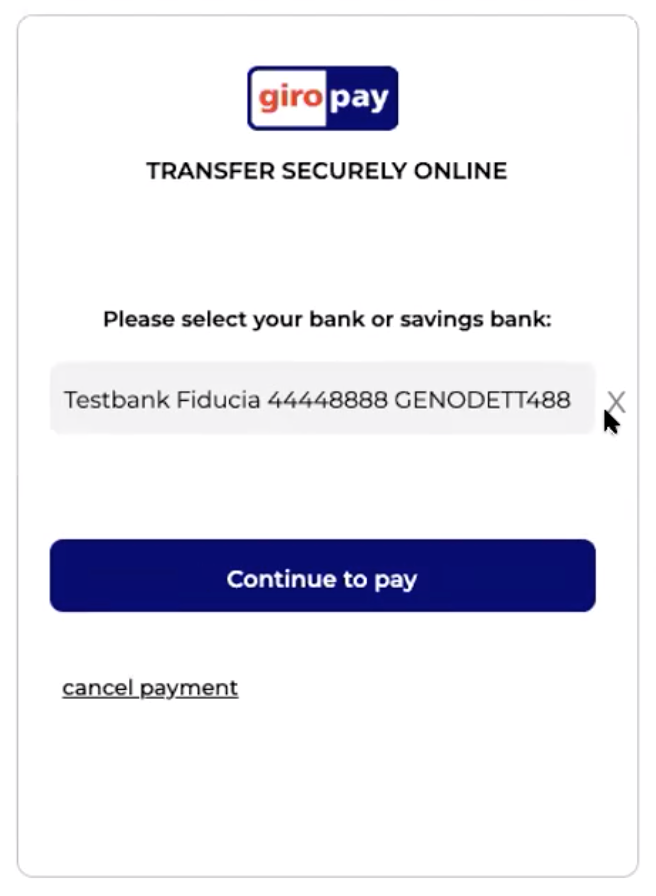
- Upon confirmation, they are redirected to the bank's page where they must authenticate using their bank account credentials.
- Once the payment is made, they are redirected to Chargebee's confirmation screen. A subscription is created, and all future renewals will be charged using SEPA Direct Debit.
Note
Chargebee allows you to send mandate creation and payment pre-notification specific to SEPA from Chargebee. Ensure that you collect the email address of your customers if you intend to use this feature.

Note
Chargebee allows you to send mandate creation and payment pre-notification specific to SEPA from Chargebee. Ensure that you collect the email address of your customers if you intend to use this feature.
Was this article helpful?