iDEAL via Adyen
iDEAL is a Netherlands-based payment method that allows customers to complete transactions online using their bank credentials. It is the most preferred online payment method in the Netherlands.
This documentation explains how to configure iDEAL via Adyen. Chargebee allows you to configure and process iDEAL payments with Adyen seamlessly, enhancing your business opportunities in the Netherlands.
To configure iDEAL via Adyen, you must have an account with Adyen and have configured SEPA via Adyen. iDEAL via Adyen is generally used for one-time payments. In a subscription business, you charge your customers on a recurring basis. Therefore, Chargebee handles recurring scenarios by converting the iDEAL payment method to Direct Debit (SEPA) payment method, where the first payment happens via iDEAL and all future recurring payments happen via Direct Debit (SEPA).
Prerequisites
Before configuring iDEAL via Adyen in your Chargebee site:
-
Configure the Adyen Payment Gateway. Learn more
-
Enable iDEAL 2.0 in your Adyen account: iDEAL 2.0 is the new version that ensures compliance with the latest iDEAL payment experience by redirecting payers to an iDEAL-hosted page for payment collection. Follow these steps to enable the iDEAL 2.0 payment method in your Adyen sandbox account. No action is required for live sites as they will continue to function as usual.
- Log in to your Adyen sandbox account.
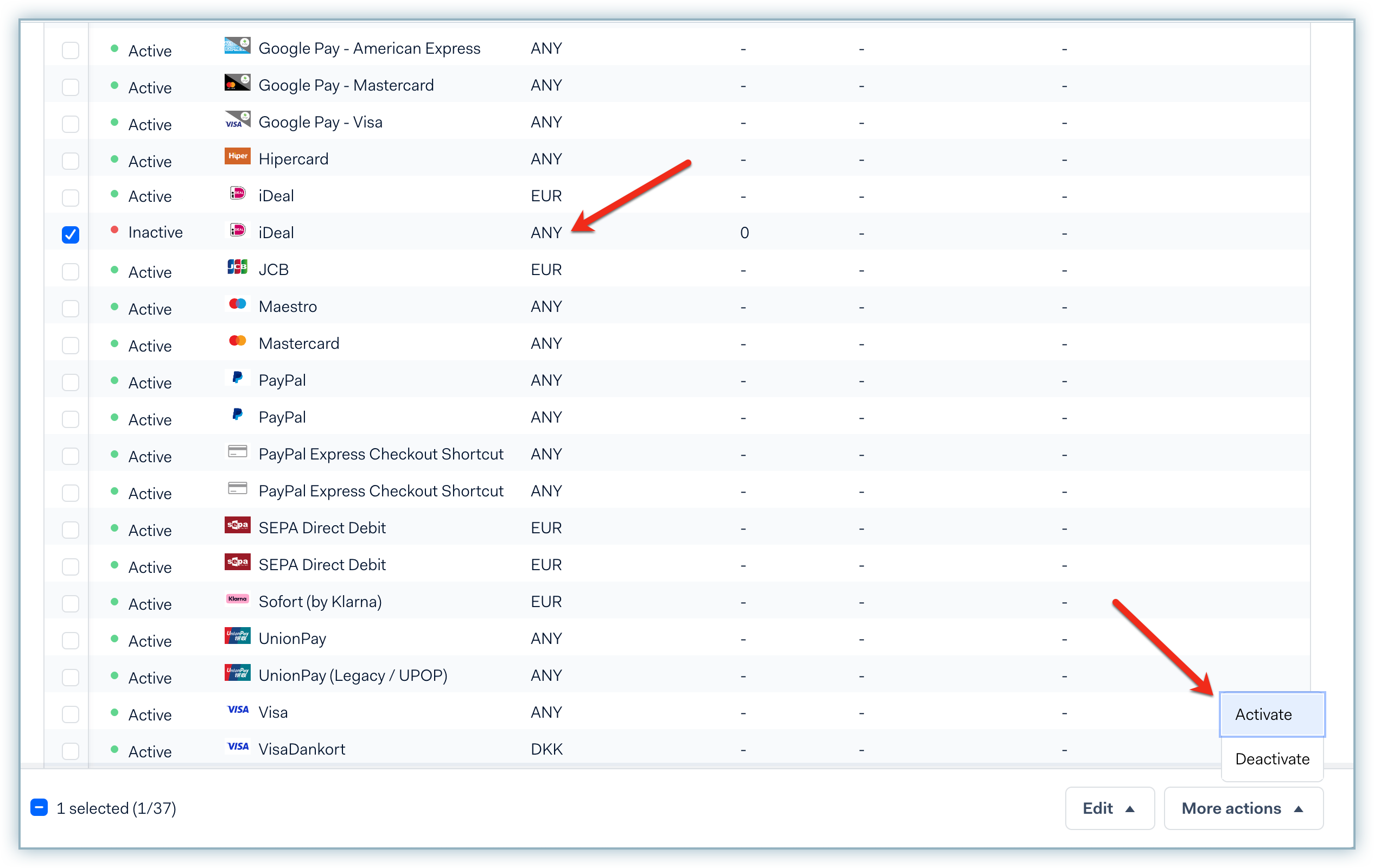
- Go to Settings > Payment Methods.
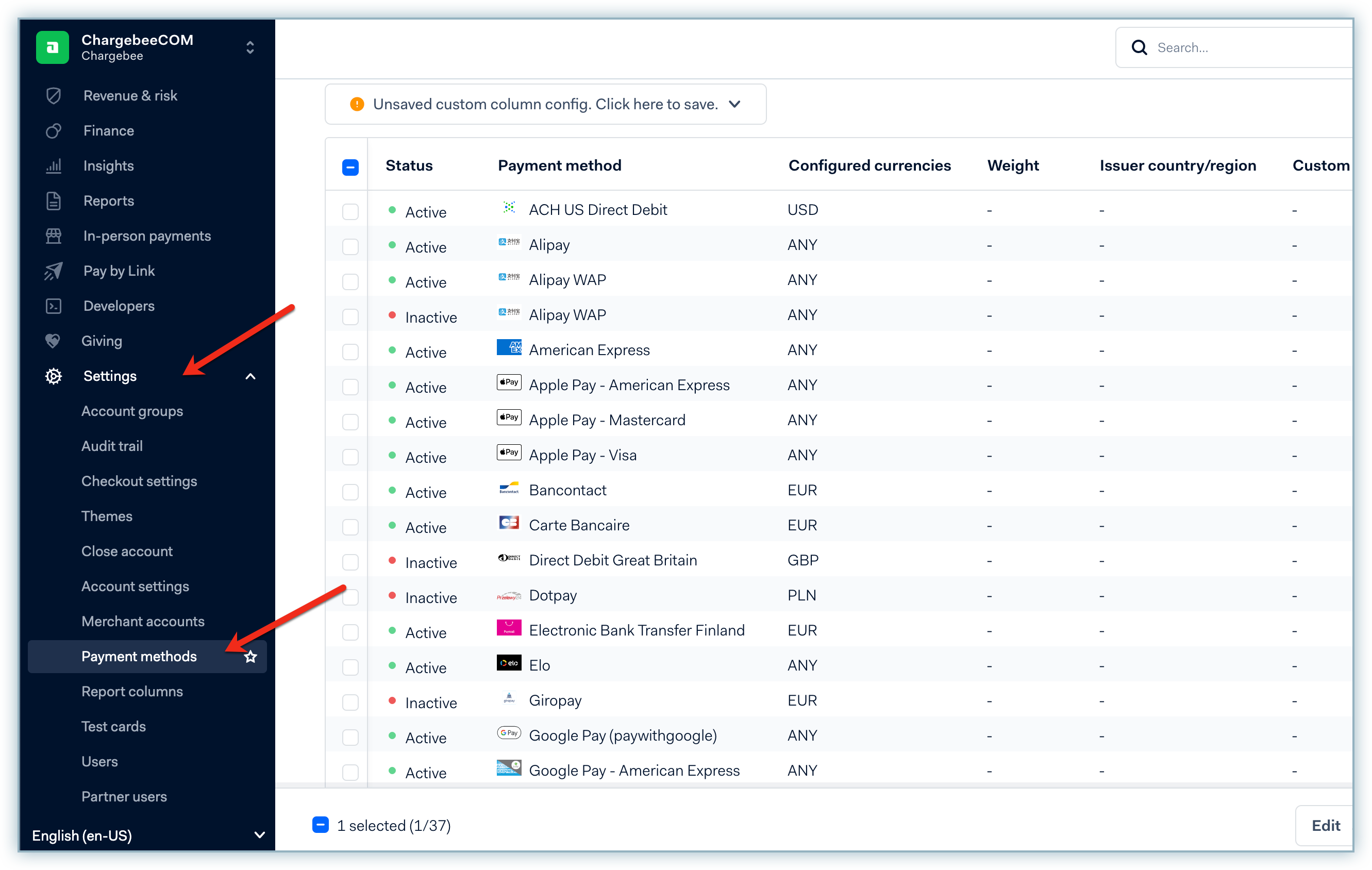
- If iDEAL with a specific currency (for example, EUR) is already activated, select it, click the More Actions button, and click Deactivate. Confirm in the confirmation pop-up.
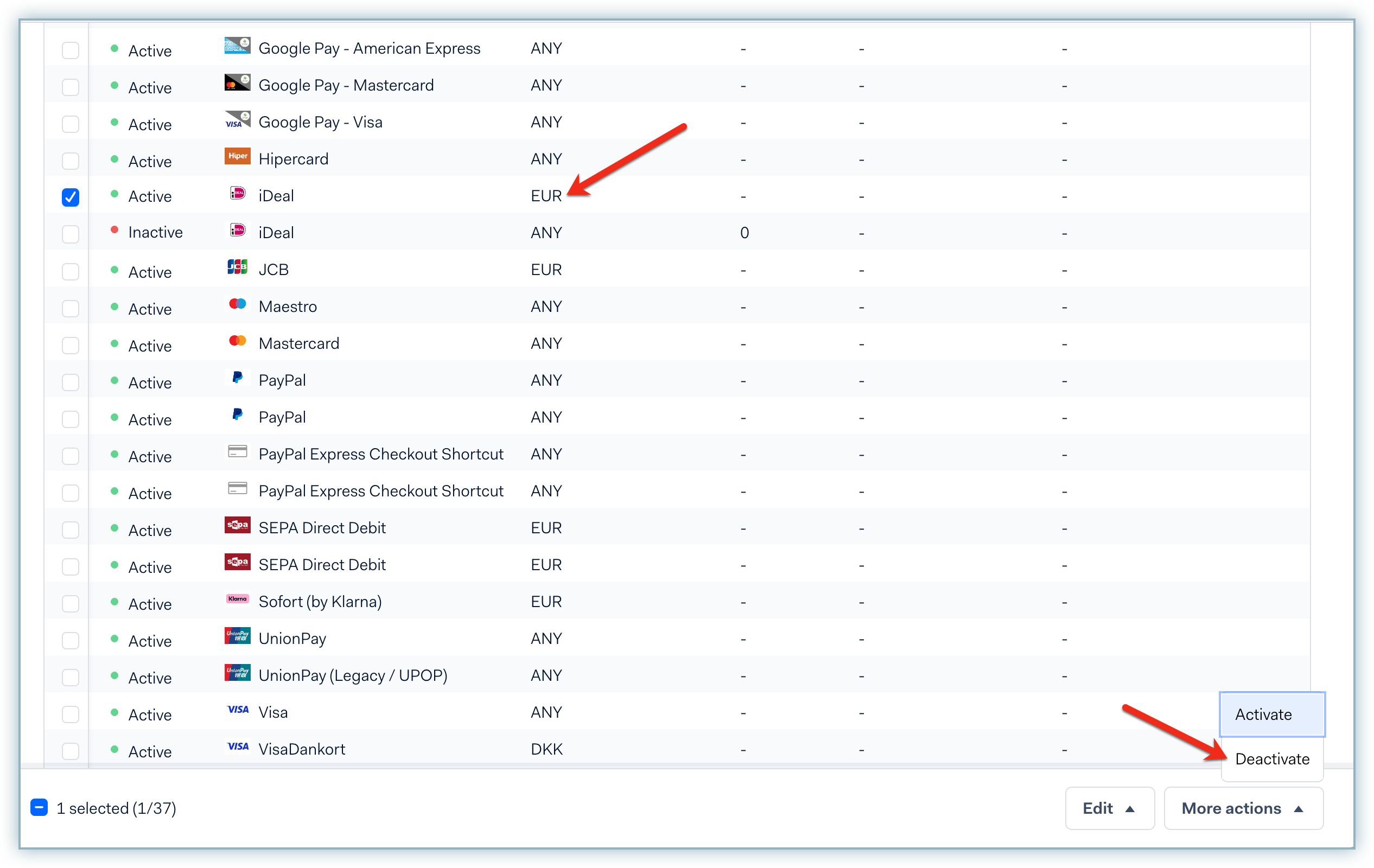
- To activate the iDEAL 2.0 version, select the iDEAL payment method with currency set as ANY, click the More Actions button, and click Activate. Confirm in the confirmation pop-up.
Note
The iDEAL 1.0 version is deprecated and will no longer be supported after April 1, 2025. We recommend upgrading as soon as possible to avoid any disruptions to your payment processing.
Configuring iDEAL via Adyen
Follow these steps to configure iDEAL via Adyen in your Chargebee site:
- Log in to your Chargebee site.
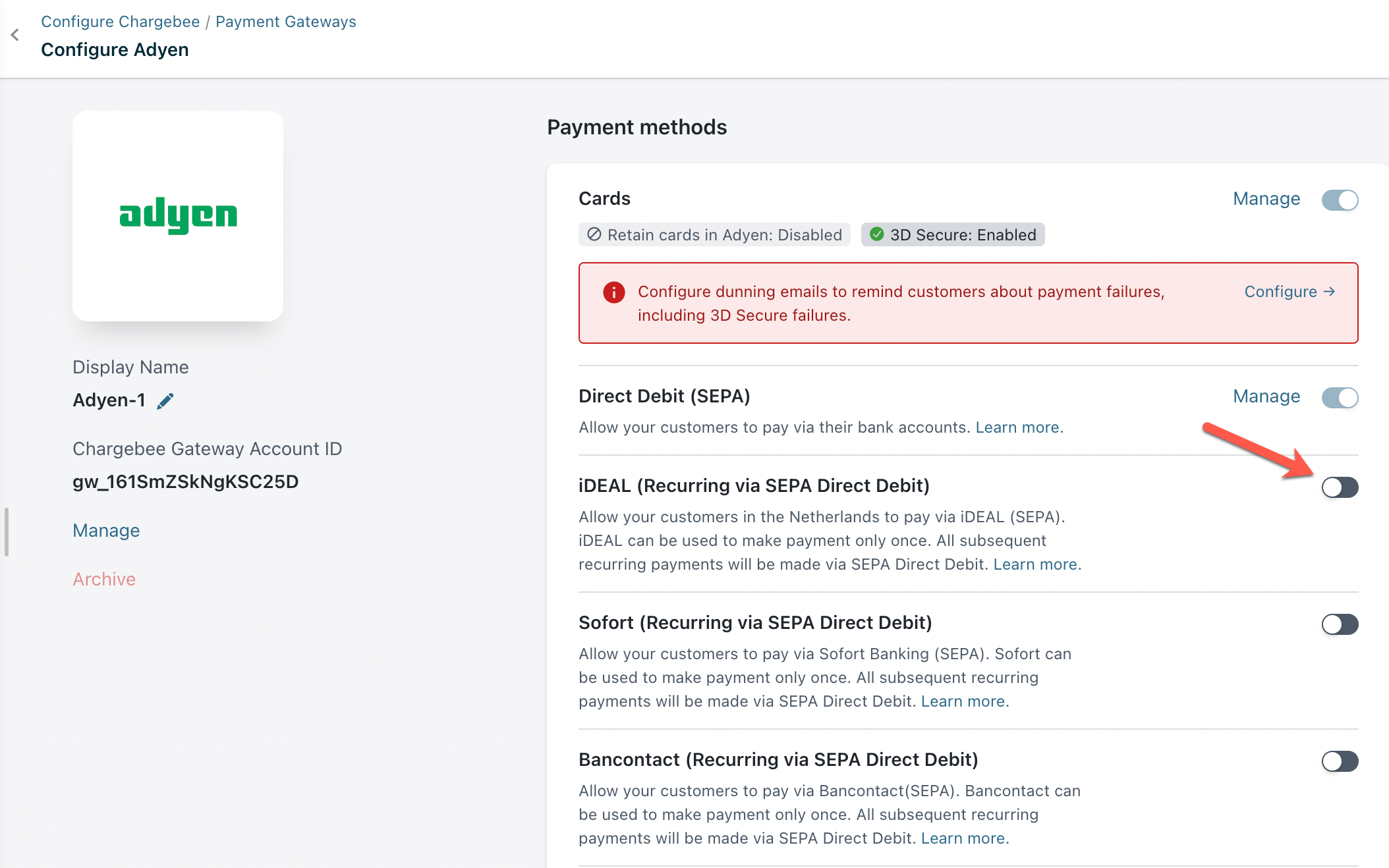
- Go to Settings > Configure Chargebee > Payment Gateway > Adyen.
- Enable Direct Debit (SEPA). Refer to this document to learn how.
- Enable iDEAL (Recurring Via SEPA Direct Debit). You have now enabled Adyen iDEAL.
- You need to configure the Notification URL to get the status of SEPA payments. It is mandatory to set this up in Adyen for the integration to work. Learn more about configuring Notification URL.
Handling recurring payments
Adyen iDEAL can be used to make the payment only once. Chargebee handles recurring scenarios by converting the iDEAL payment method to Direct Debit SEPA payment method. The first payment will happen via iDEAL and all future recurring payments will happen via Direct Debit SEPA. Therefore, it is important to inform your customers about this process.
Checkout flow
Here is the checkout flow for a customer using iDEAL:
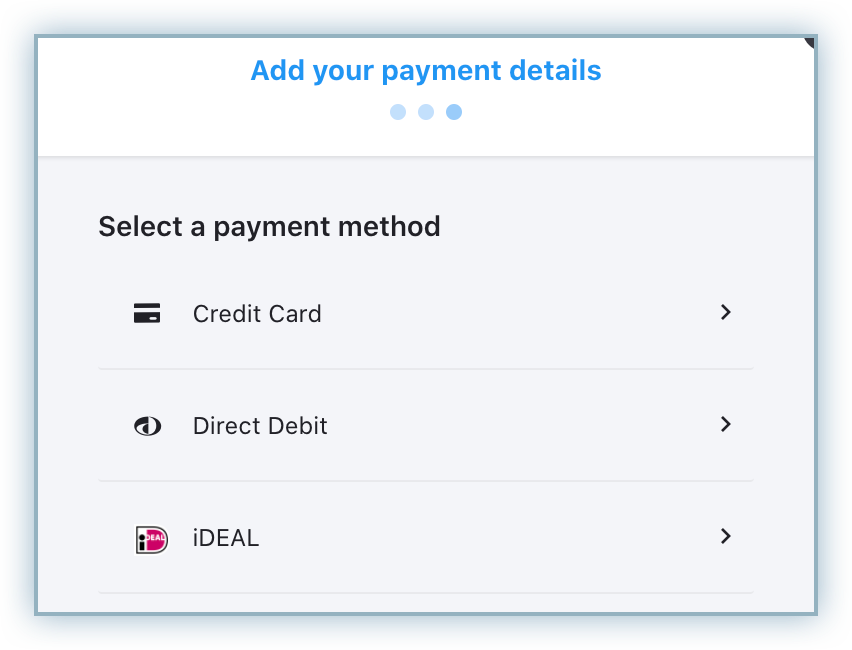
- During checkout, the customer selects iDEAL as the payment method.
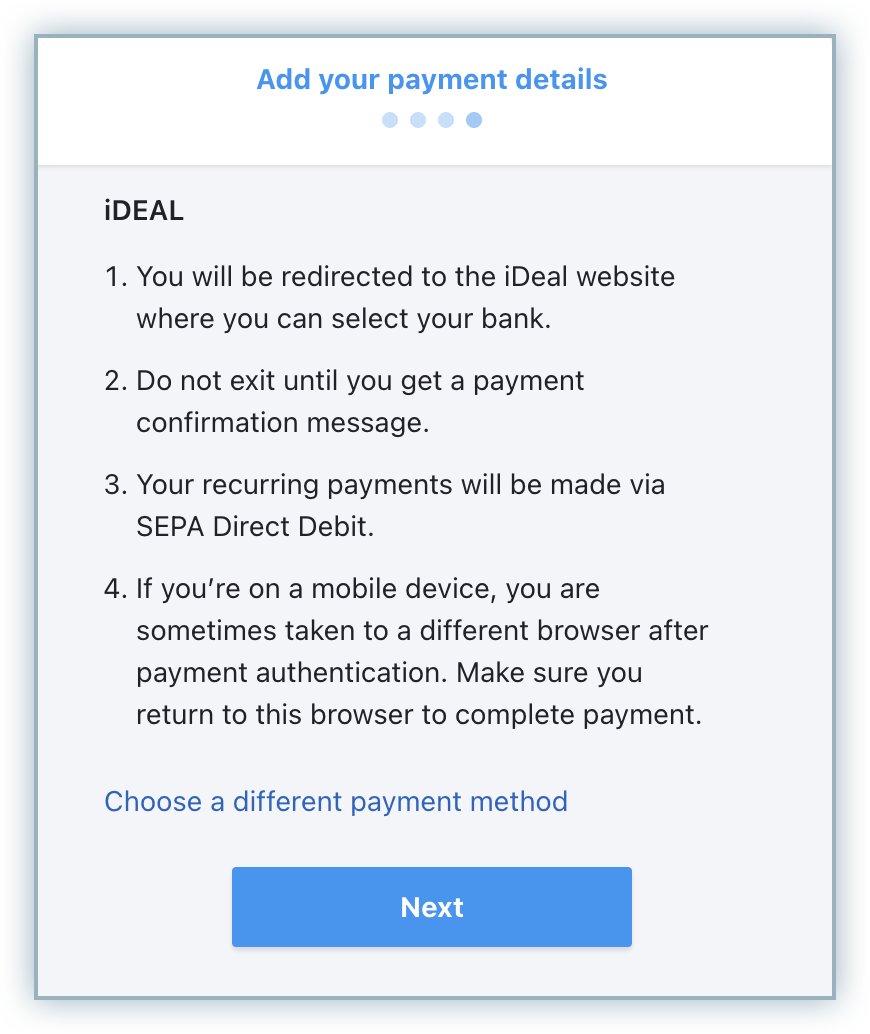
- The customer reviews the terms of agreement and clicks Next.
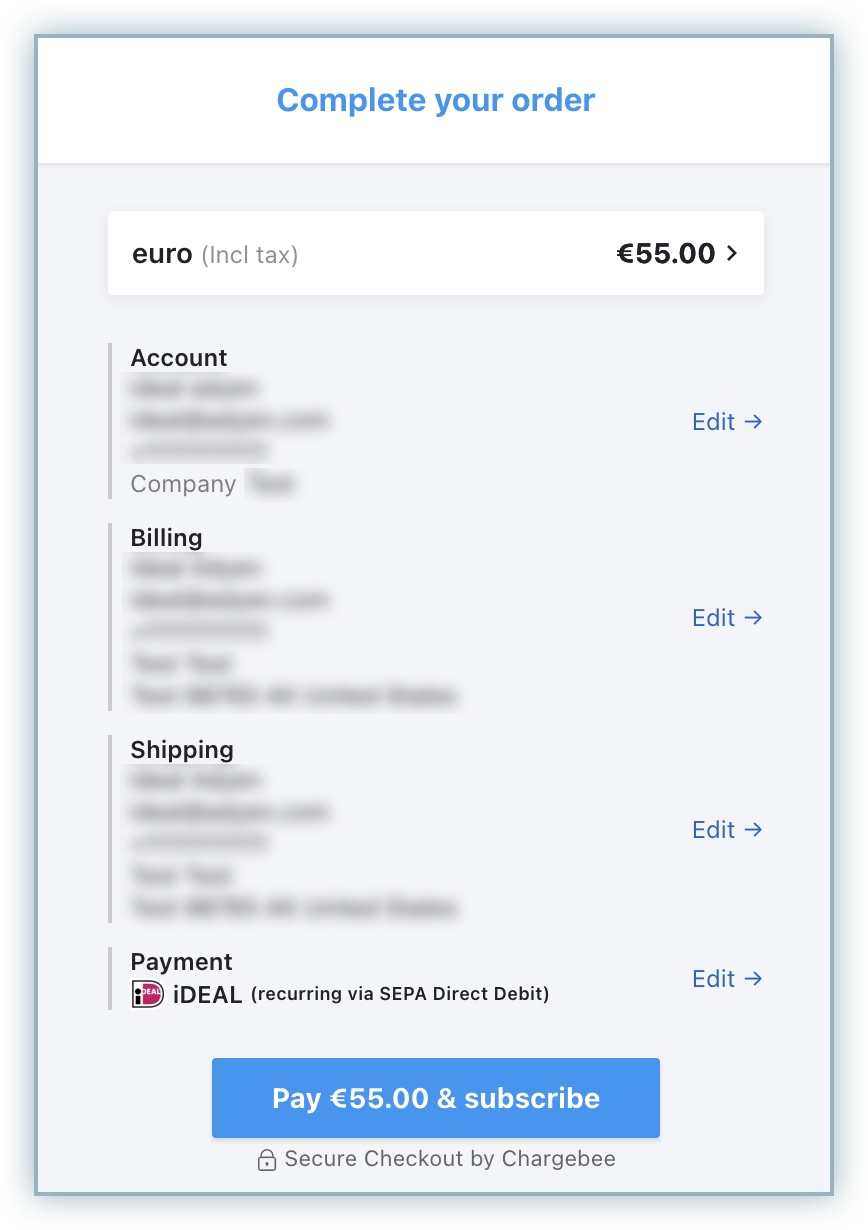
- The customer can review the details of the order and click Pay and subscribe.
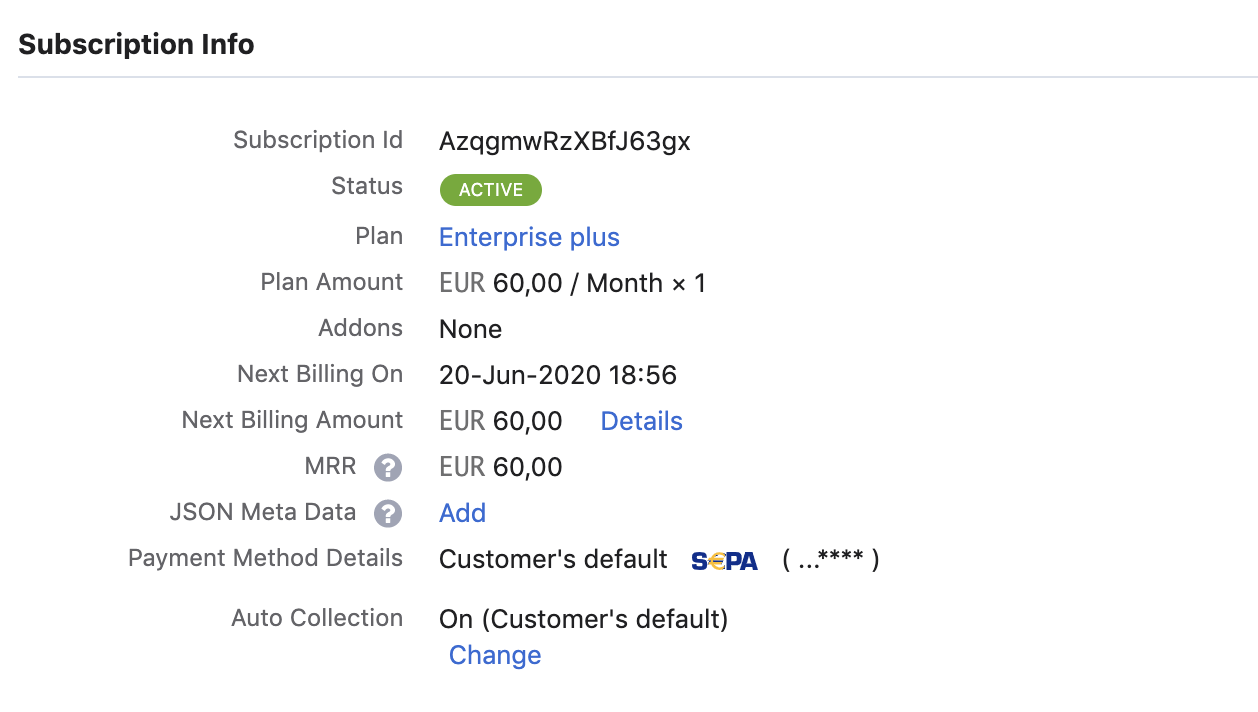
- Once the payment is made, they are redirected to Chargebee's confirmation screen. A subscription is created and all future renewals will be charged using SEPA Direct Debit.
Note
- Chargebee allows you to send mandate creation and payment pre-notification from Chargebee. Ensure that you collect the email address of your customers if you wish to use this feature.
- This feature will not work if you are using in-app browsers.
Was this article helpful?