New in Chargebee: Explore Reveal and understand your payment performance end-to-end.Try Now

Docschargebeedocs

HomeBillingPaymentsRevRecGrowthReveal
Support

Product Updates


  • Release Notes

Payment Methods


  • Payment Methods Overview
  • Cards
  • Direct Debit
  • Bank Based Payments
  • Wallets
  • Vouchers
  • Articles and FAQ

Payment Gateways and Configuration


  • Payment Gateways Overview
  • Chargebee Test Gateway
  • Chargebee Pay
  • Stripe
  • Adyen
    • ACH Payments via Adyen
    • SEPA Payments via Adyen
    • BACS via Adyen
    • iDEAL via Adyen
    • Bancontact via Adyen
    • Sofort via Adyen
    • Klarna Pay Now via Adyen
    • Payconiq by Bancontact via Adyen
    • Online Banking Poland via Adyen
    • Apple Pay via Adyen
    • Google Pay via Adyen
    • PayPal via Adyen
    • Adyen Giropay
  • Braintree
  • Authorize.net
  • PayPal Payment Services
  • GoCardless
  • Razorpay
  • Checkout.com
  • Mollie
  • BlueSnap
  • CyberSource
  • Global Payments
  • QuickBooks Payments
  • Worldline Online Payments(formerly Ingenico)
  • Worldpay
  • Twikey
  • J.P. Morgan Mobility Payment Solutions
  • Bank of America
  • Solidgate
  • Pay.com
  • EBANX
  • BluePay
  • Sage Pay
  • Paymill
  • Bambora (formerly Beanstream)
  • E-xact Direct Integration
  • Orbital (Chase Paymentech)
  • Pin Payments
  • Moneris
  • Elavon
  • Network Merchants Incorporated (NMI)
  • eWay Rapid
  • dLocal
  • Ecentric
  • Windcave
  • Metrics Global
  • Nuvei
  • Paystack
  • Articles and FAQ

Level 2/3 Data Support


  • Level 2/3 Data Support

Advanced Routing


  • Advanced Routing

Dunning


  • Dunning
  • Articles and FAQ

Offline Checkout


  • Offline Checkout
  • Articles and FAQ

Transaction Sync & Invoice Mapping


  • Transaction Sync and Invoice Mapping

Fraud Management


  • Fraud Management

Error Handling


  • Errors with Root Cause and Troubleshooting

Payment Lifecycle Logs


  • Payment Intents
  • Transactions
  • Gateway Activity Logs
  • Articles and FAQ

Others


  • Reach (Merchant of Record)
  • Payment Verification
  • Bulk Deletion of Payment Methods
  • Custom Payment Methods
  • Payment Initiator Parameter
  • PSD2 and Strong Customer Authentication
  • RBI e-Mandate
  • RBI Tokenization Regulations
  • Chargeback Management
  • Transaction Descriptors
  • Payment Preferences
  • Visa Trial Rules
  • Mastercard Trial Rules
  • Co-badged Card Compliance
  • Articles and FAQ
  1. Payments
  2. Payment Gateways and Configuration
  3. Adyen
  4. Sofort via Adyen
  1. Payments
  2. Payment Gateways and Configuration
  3. Adyen
  4. Sofort via Adyen

Sofort via Adyen

Sofort via Adyen is now deprecated. Existing users can continue using the integration without interruption. However, new onboarding is no longer available.

Sofort (Pay now with Klarna) is a popular online banking method in Europe. It is available in Germany, Austria, Netherlands, Switzerland, Italy, Spain, Belgium, and Poland.

This documentation explains how to configure Adyen Sofort. Chargebee allows you to configure and process Sofort payments with Adyen seamlessly, helping you reach a larger audience in Europe.

To configure Adyen Sofort, you must have an account with Adyen and have configured Adyen SEPA. Adyen Sofort is generally used for one-time payments. In a subscription business, you charge your customers on a recurring basis. Therefore, Chargebee handles recurring scenarios by converting the Sofort payment method to Direct Debit SEPA payment method. The first payment will happen via Sofort, and all future recurring payments will happen via Direct Debit SEPA.

See also

  • Configuring Adyen Payment Gateway
  • Configuring Direct Debit (SEPA)

Configuring Adyen Sofort

  1. Configure Adyen Payment Gateway. If you have already configured it, open the settings page. You can do this by clicking Settings > Configure Chargebee > Payment Gateway > Adyen.
  2. Enable Direct Debit (SEPA). Refer to this document to learn how.
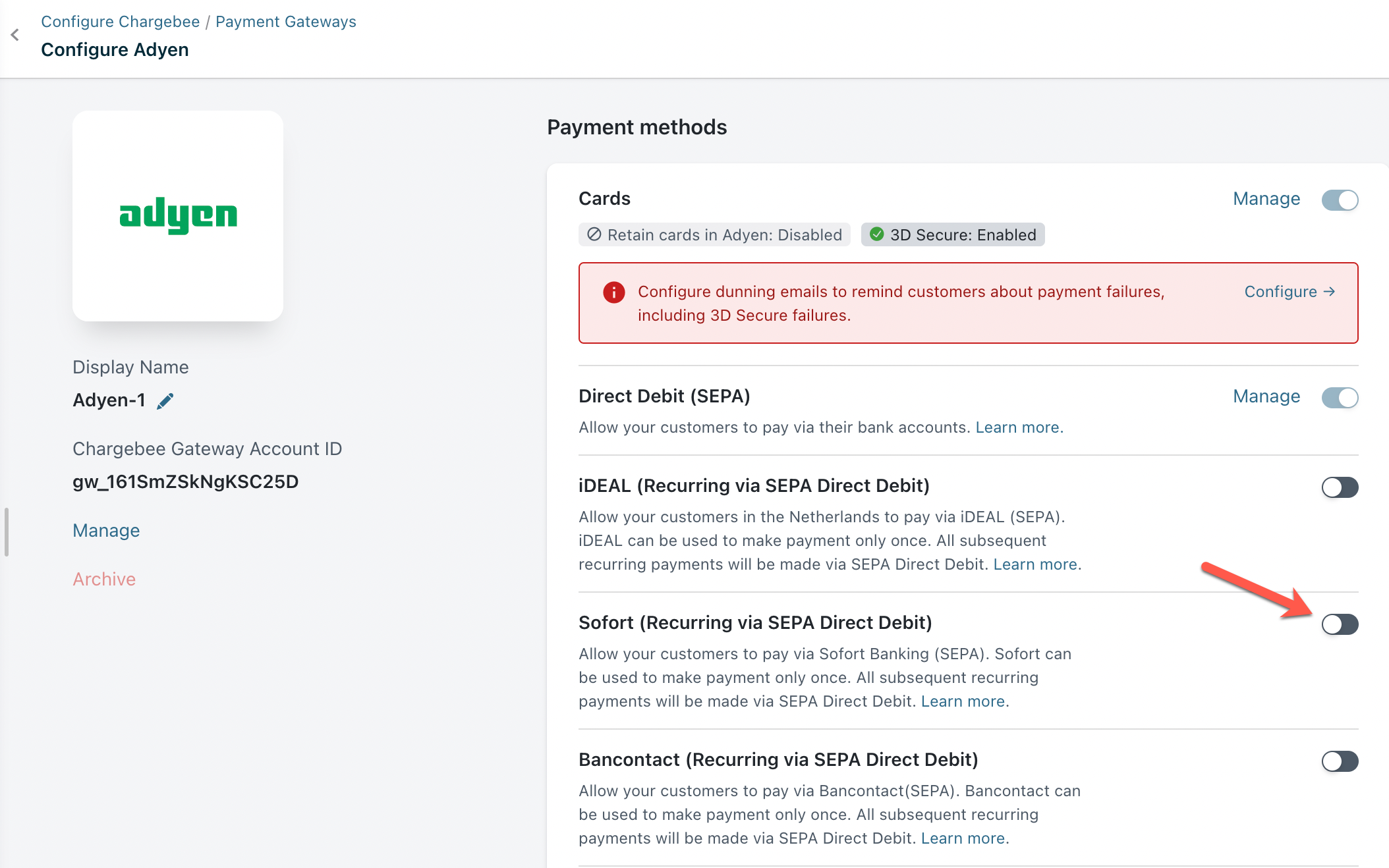
  3. Enable Sofort (Recurring Via SEPA Direct Debit). You have now enabled Adyen Sofort.
    image
  4. You need to configure the Notification URL to get the status of SEPA payments. It is mandatory to set this up in Adyen for the integration to work. Learn more about configuring Notification URL.

Handling recurring payments

Adyen Sofort can be used to make the payment only once. Chargebee handles recurring scenarios by converting the Sofort payment method to Direct Debit SEPA payment method. The first payment will happen via Sofort, and all future recurring payments will happen via Direct Debit SEPA. Therefore, it is important to inform your customers about this process.

Workflow

Here is the checkout flow for a customer using Sofort:

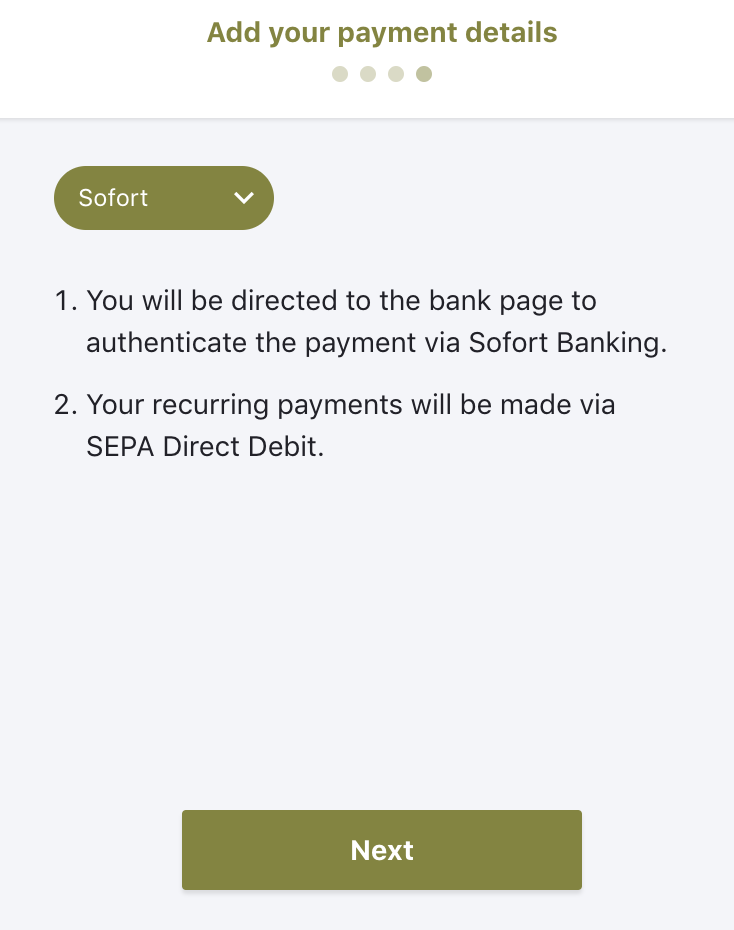
  • During checkout, the customer selects Sofort as the payment method.
    image
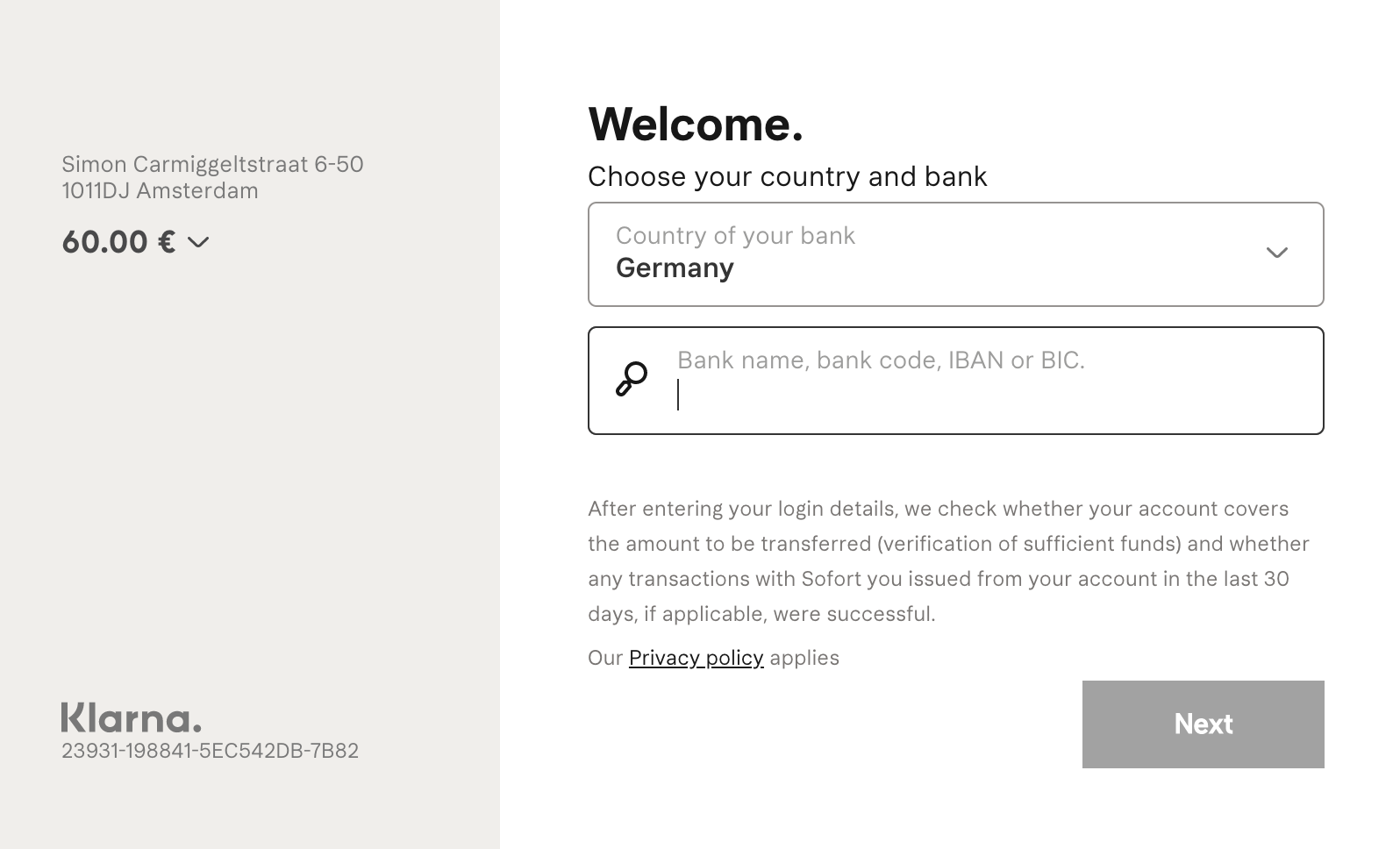
  • Upon confirmation, they are redirected to sofort.com for authentication.
    image
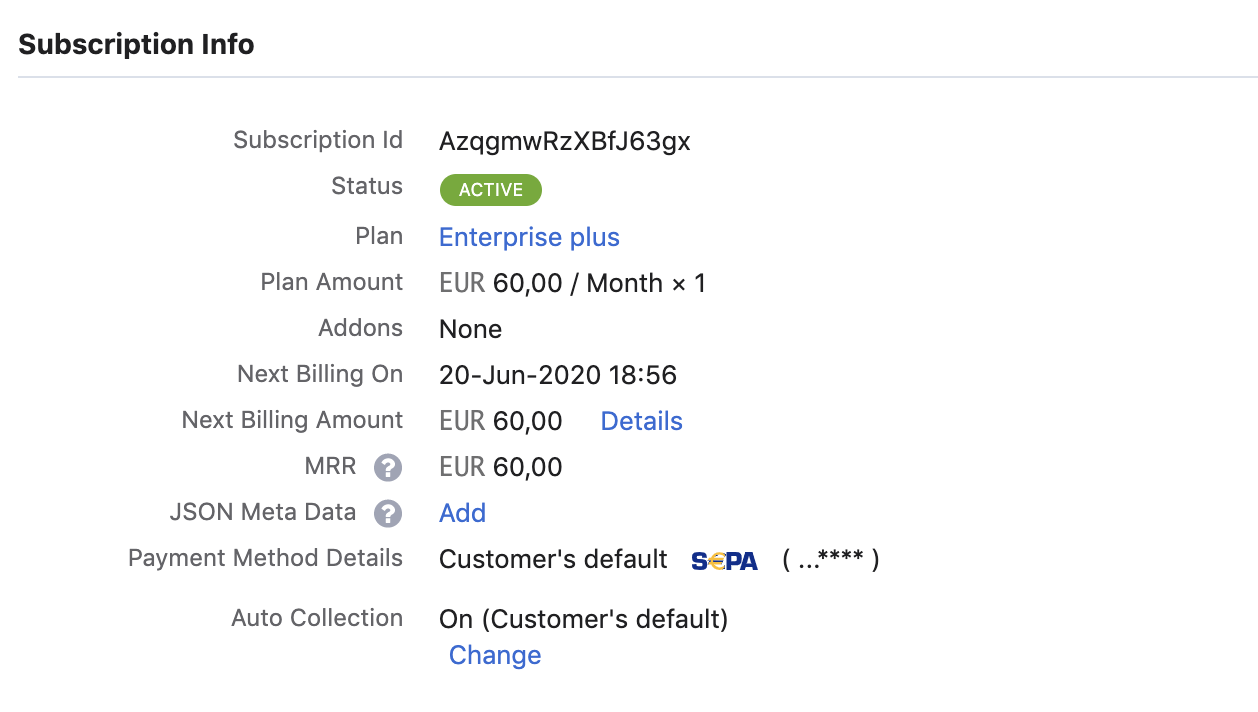
  • Once the payment is made, they are redirected to Chargebee's checkout. A subscription is created, and all future renewals will be charged using SEPA Direct Debit.
    image

Note

  • Chargebee allows you to send mandate creation and payment pre-notification from Chargebee. Ensure that you collect the email address of your customers if you wish to use this feature.
  • This feature will not work if you are using in-app browsers.

Articles & FAQs

Configuring Adyen Sofort in Chargebee
Adyen Sofort is not configured in your gateway account

Was this article helpful?