Payment Pricing Models
Chargebee Pay supports two industry-standard pricing models for card transactions:
- Blended – A single, predictable processing fee that combines interchange, scheme, and processor markup.
- Interchange-Plus-Plus (IC++) – A transparent structure where interchange, scheme, and processor markup are itemized separately.
This document explains how each model works, how fees are applied, and how they appear in the Chargebee Pay portal and reports.
Blended Pricing (Card Payments)
In the Blended pricing model, you pay a fixed processing fee for each card transaction. This single rate includes:
- Interchange fees (set by card-issuing banks)
- Card scheme or network fees (e.g., Visa, Mastercard)
- The payment processor’s markup
Advantages Easy to understand and forecast
One predictable rate applied across all card payments.
Interchange-Plus-Plus (IC++) pricing
In the IC++ pricing model, the fee for each card transaction is broken down into separate components:
- Interchange fee – Set by the card-issuing bank.
- Scheme (network) fee – Charged by card networks.
- Processor markup – Chargebee’s agreed markup.
An invoice is issued to merchants on IC++ pricing. Transactional fees are collected at the time of payment. Non-transactional fees, which are not tied to individual transactions but are billed periodically by schemes, are auto-collected monthly, and the details are included in the end-of-month invoice.
Advantages
- Transparent view of true cost.
- Costs vary by card type, geography, and cross-border usage.
- More cost-effective for high-volume customers.
Limitations
- Harder to predict exact fees per transaction.
- Typically available only to larger customers with higher card processing volumes.
Scope
- Cross-border and premium cards may incur higher fees.
- Additional scheme assessments or minimums may apply.
- Some fee components may be reported with a delay.
- Processor markup is negotiated based on your contract.
How Fees Appear in Chargebee
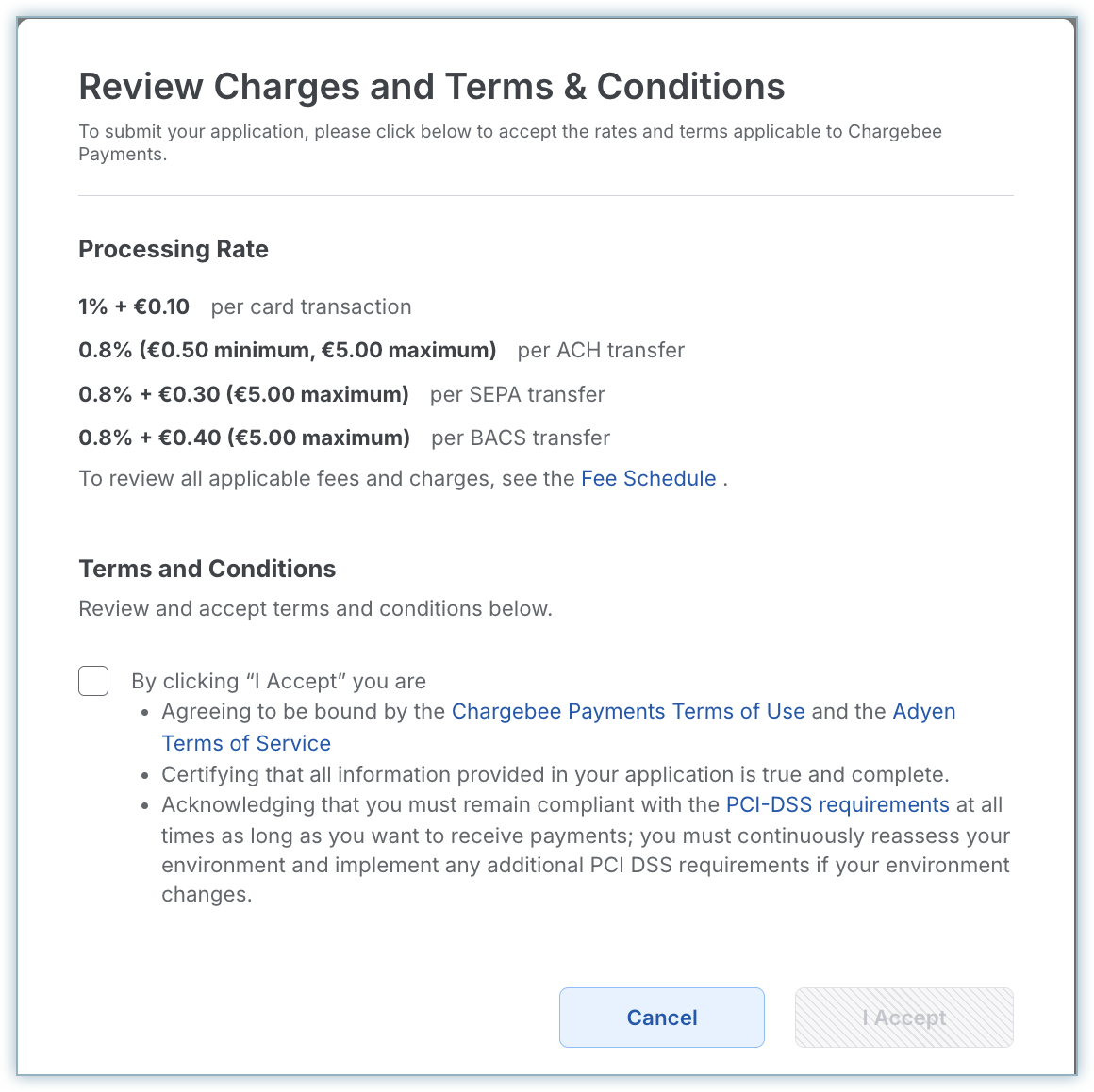
- Onboarding Your selected pricing model (Blended or IC++) is confirmed during onboarding.
- Portal and Reports
The way fees are displayed in the Chargebee Pay portal and reports depends on the selected pricing model.
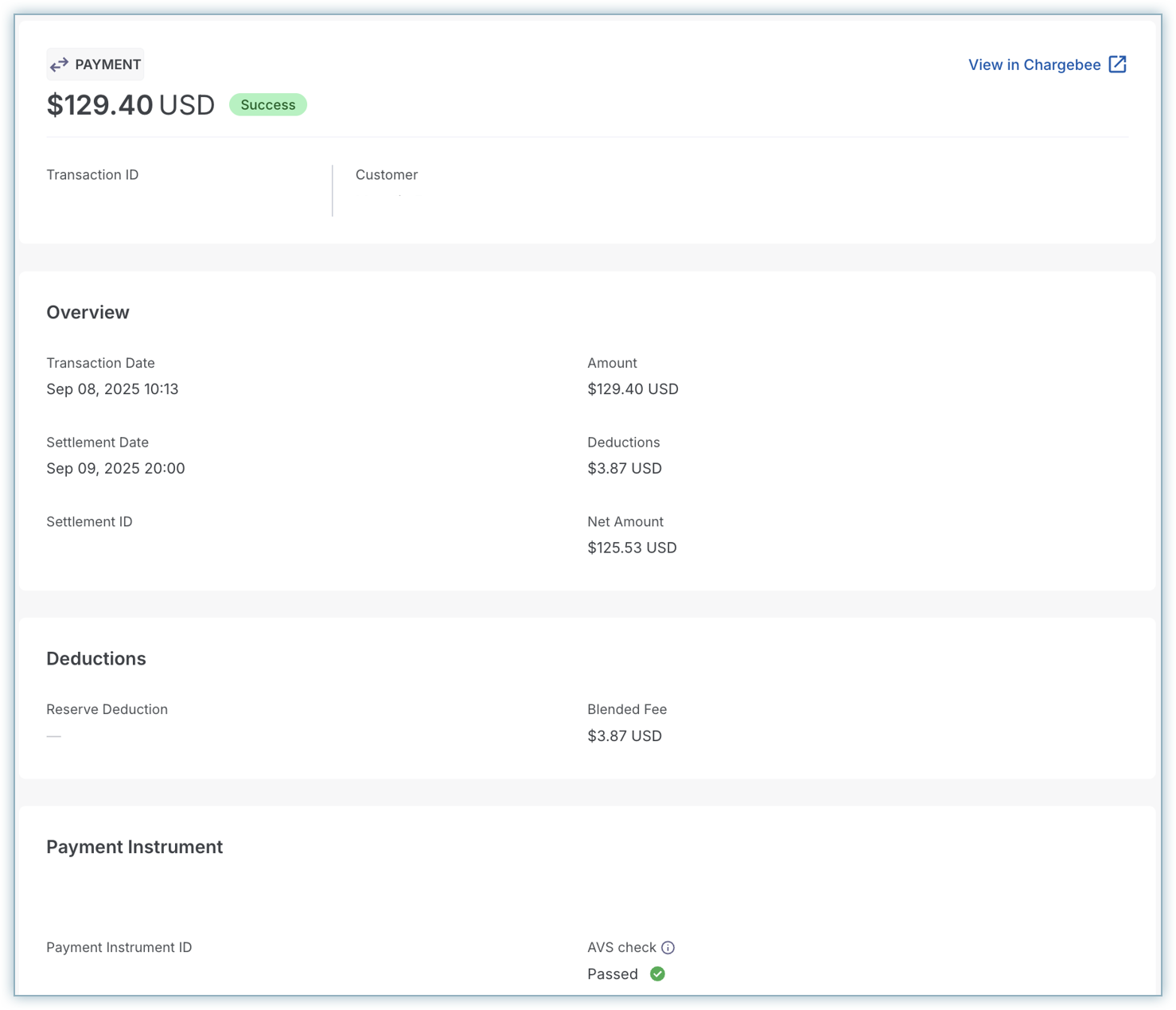
- Blended:
- A single fee per card transaction.
- The Total Deduction is displayed per transaction.
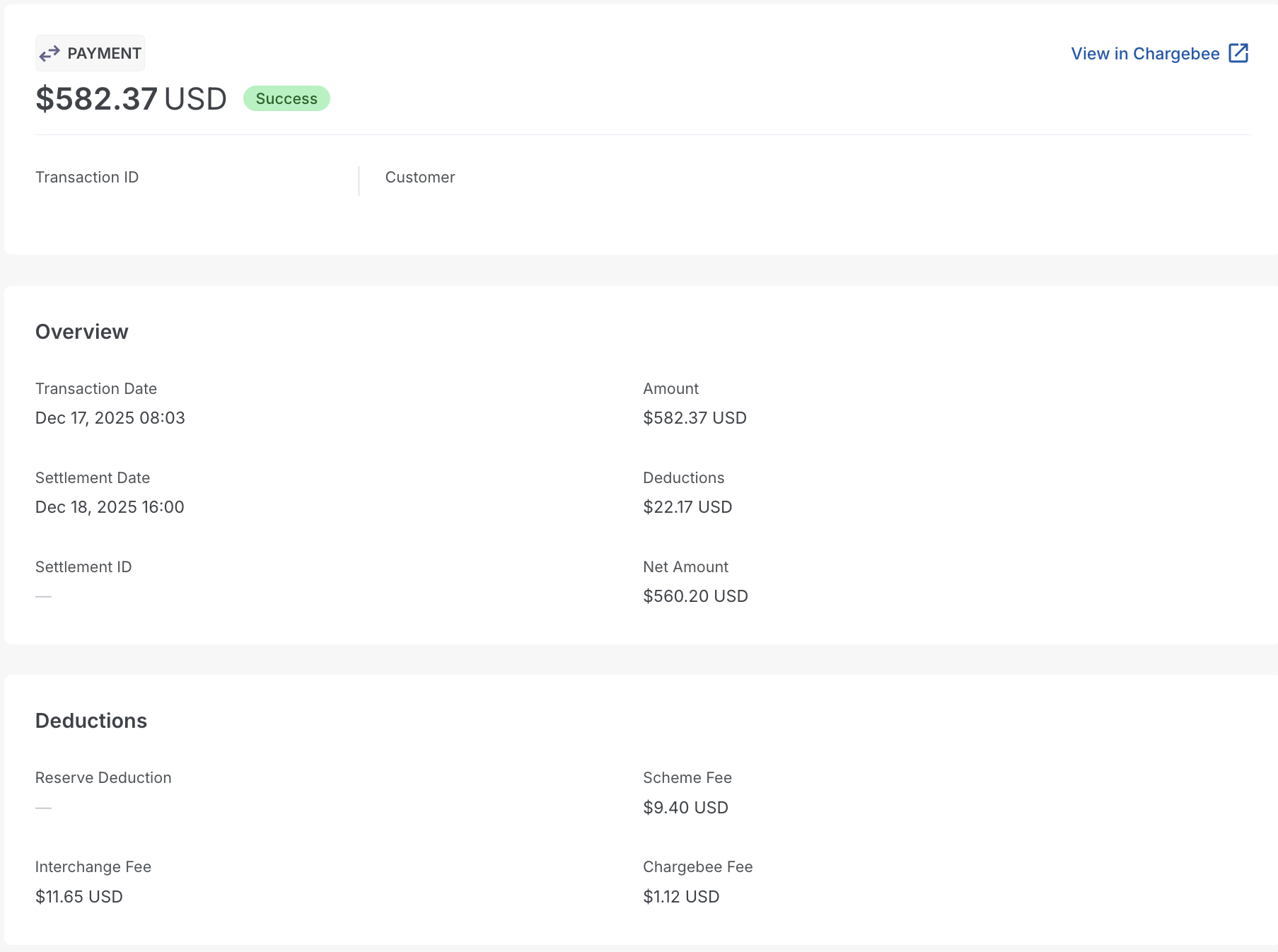
- IC++:
- A combined fee is shown, with detailed breakdowns (interchange, scheme, processing markup).
- Fee components are itemized in reports and portal.
- Blended:
Other Supported Payment Methods
In addition to card payments, Chargebee Pay supports the following payment methods, each with its own fee schedule:
- ACH – Typically charged as a percentage with minimums and caps.
- SEPA – Percentage-based with flat transaction costs.
- BACS – Defined per region.
The exact fee schedule depends on your onboarding country. Customers should refer to the Chargebee Pay Fee Schedule to view country-specific pricing.
Regional Availability
- ACH – Available for US customers
- SEPA – Available for EU customers
- BACS – Available for UK customers
Not all payment methods are available in every region. Availability depends on your onboarding country.
Choosing the Right Pricing Model
Choose the model that best fits your business:
| Feature | Blended | Interchange-Plus-Plus (IC++) |
|---|---|---|
| Fee structure | One fixed fee that includes interchange, scheme, and processor markup. | Separate components: interchange + scheme + processor markup. |
| Transparency | Low — costs are bundled. | High — breakdown visible by card type and geography. |
| Predictability | High and easy to forecast | Low — fees vary by card type, issuer, and region. |
| Best suited for | Businesses that value simplicity and predictability | Businesses with high volumes seeking transparency and cost optimization |
| Availability | Ideal for those who prefer simplicity and predictable fees. | Best suited for customers who need transparency and can benefit from cost optimization at scale. |
For detailed, country-specific pricing (including ACH, SEPA, BACS, and cards), refer to the Chargebee Pay Fee Schedule.
Was this article helpful?