You are viewing:
Product Catalog 2.0
Latest
'Contact Field is required' error with Razorpay gateway
This article covers
Ques 1: When checking out using Razorpay gateway, I am getting an error message: 'Contact Field is Required'
Summary
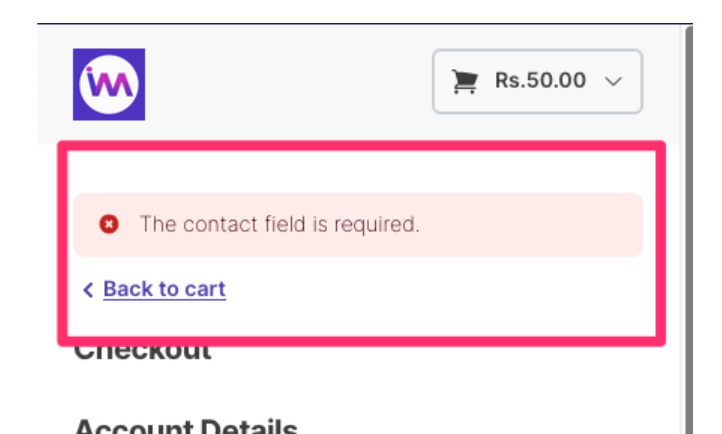
During the checkout process, when integrated with Razorpay and during the initial phases of testing, you may encounter the following error message:
"Contact field is required."
This can occur even if the customer record already contains phone details.
Solution
According to Razorpay's guidelines, the phone number and email fields are mandatory in the Contact Info section.
To resolve this, follow these steps:
- Navigate to Settings > Configure Chargebee > Checkout & Self-Serve Portal > Fields > Phone number.
- Click the Edit button.
- Mark the Phone number field as mandatory.
This ensures that the required contact details are collected at checkout and the Razorpay gateway processes the request successfully.
Was this article helpful?