Why is the discount item not calculated correctly? - NetSuite
Problem Statement
Why are discount items not being calculated correctly when syncing invoices from Chargebee to NetSuite?
Solution
Discount items in NetSuite must not have a rate associated with them. If the discount item has a rate, it will cause incorrect calculations. Create a new form for discount items without the rate field and use that form in NetSuite.
Steps to Set It Up
- In NetSuite, go to List > Accounting > Items and open the Discount Item.
- Check that the discount item does not have a rate associated with it.
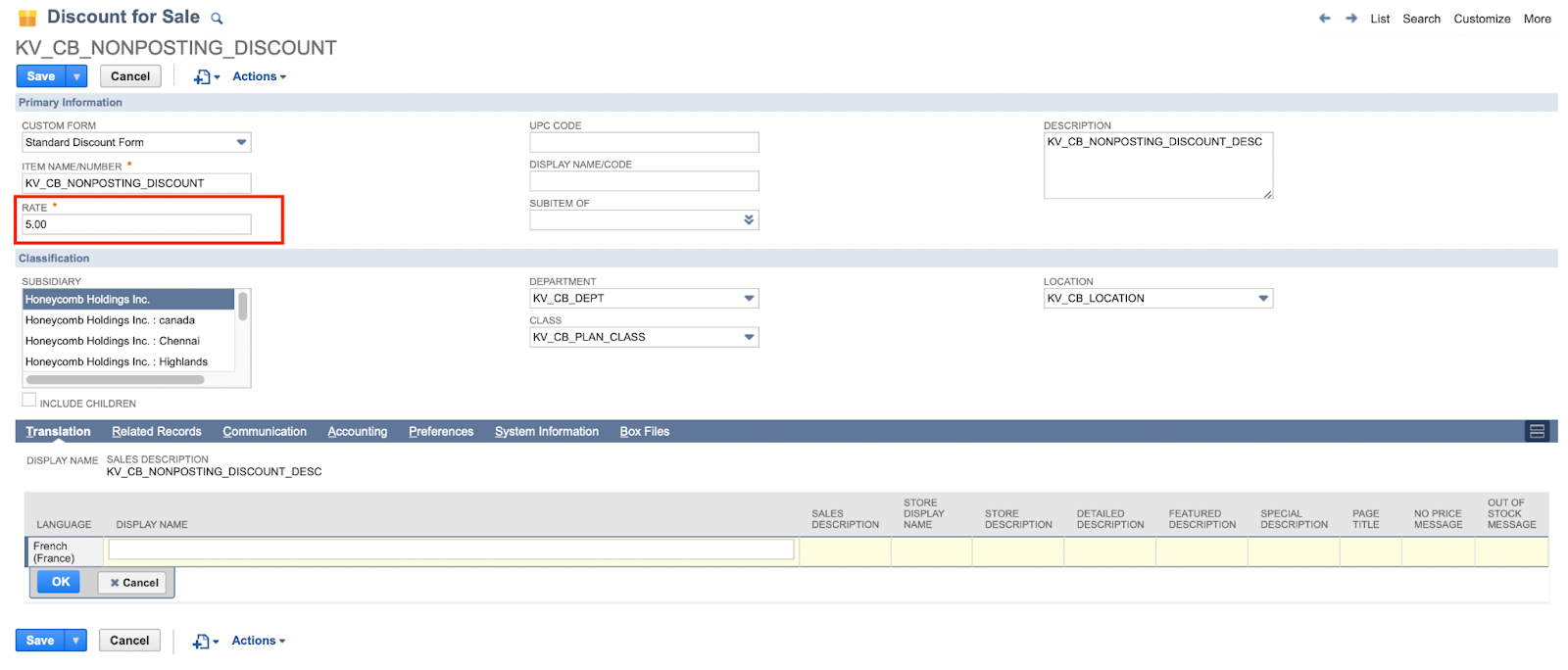
- If the rate field is present, create a new form for discount items and remove the rate field:
- Go to Customization > Forms > Transaction Forms.
- Create a new form for discount items.
- Remove the rate field from the form.
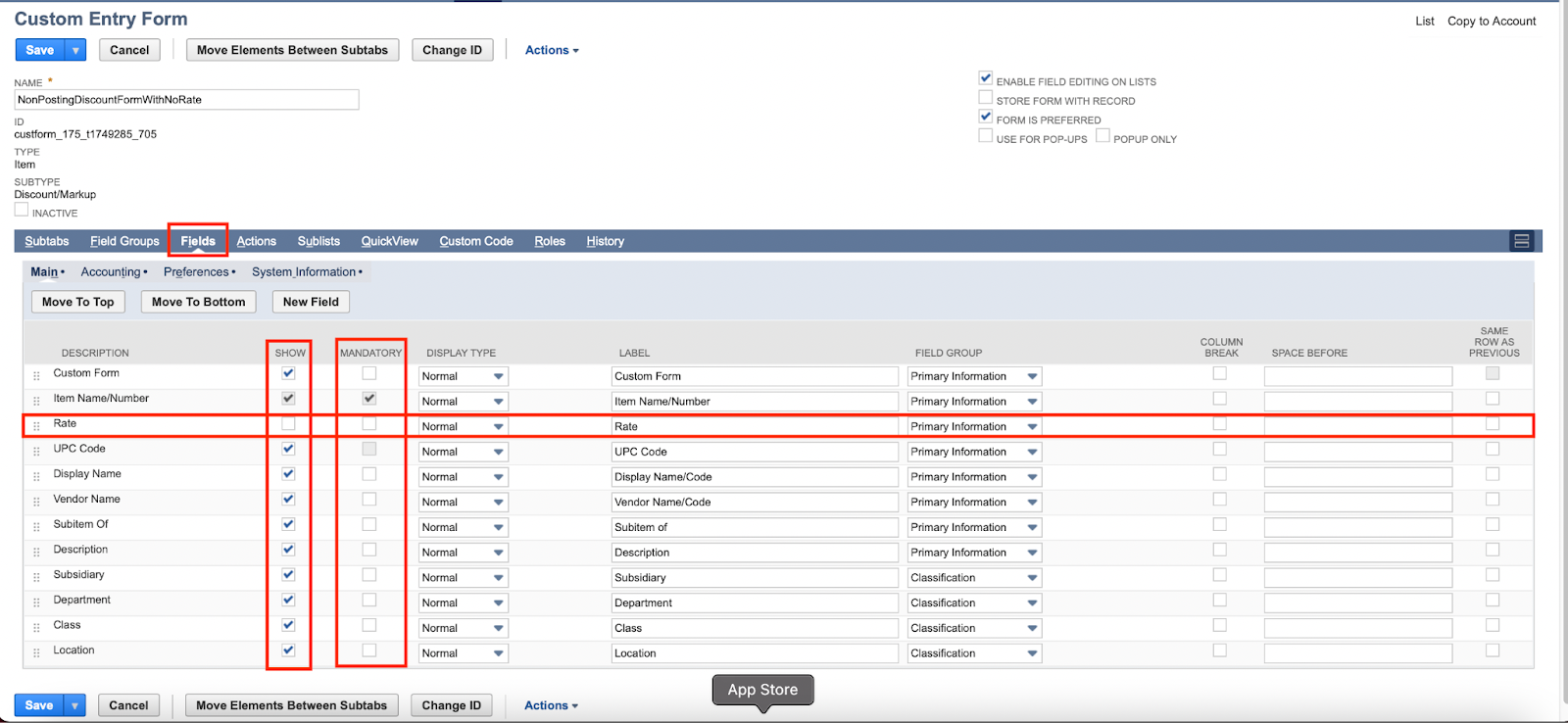
- Use the new form to create a discount item and note the internal ID.
- Share the internal ID of the discount item with Chargebee support to map it in Chargebee.
Related Articles
Show more
Was this article helpful?