How to check the customers revenue plan on RevRec?
Scope
RevRec data feature reports
How to review the Revenue plan of a customer in RevRec?
How to drill through Sales Order revenue arrangements in RevRec?
Summary
Once you have you have loaded the data in RevRec you can learn how to quickly get to the revenue recognition-related data and metrics available. Navigate from either Customer Index Page/Sales Order Page > Arrangements. If you have not loaded any data yet start by reading our quick start guide.
Solution
Navigating your data You can navigate from the Customer details page and drill through to orders, invoices, and revenue arrangements.
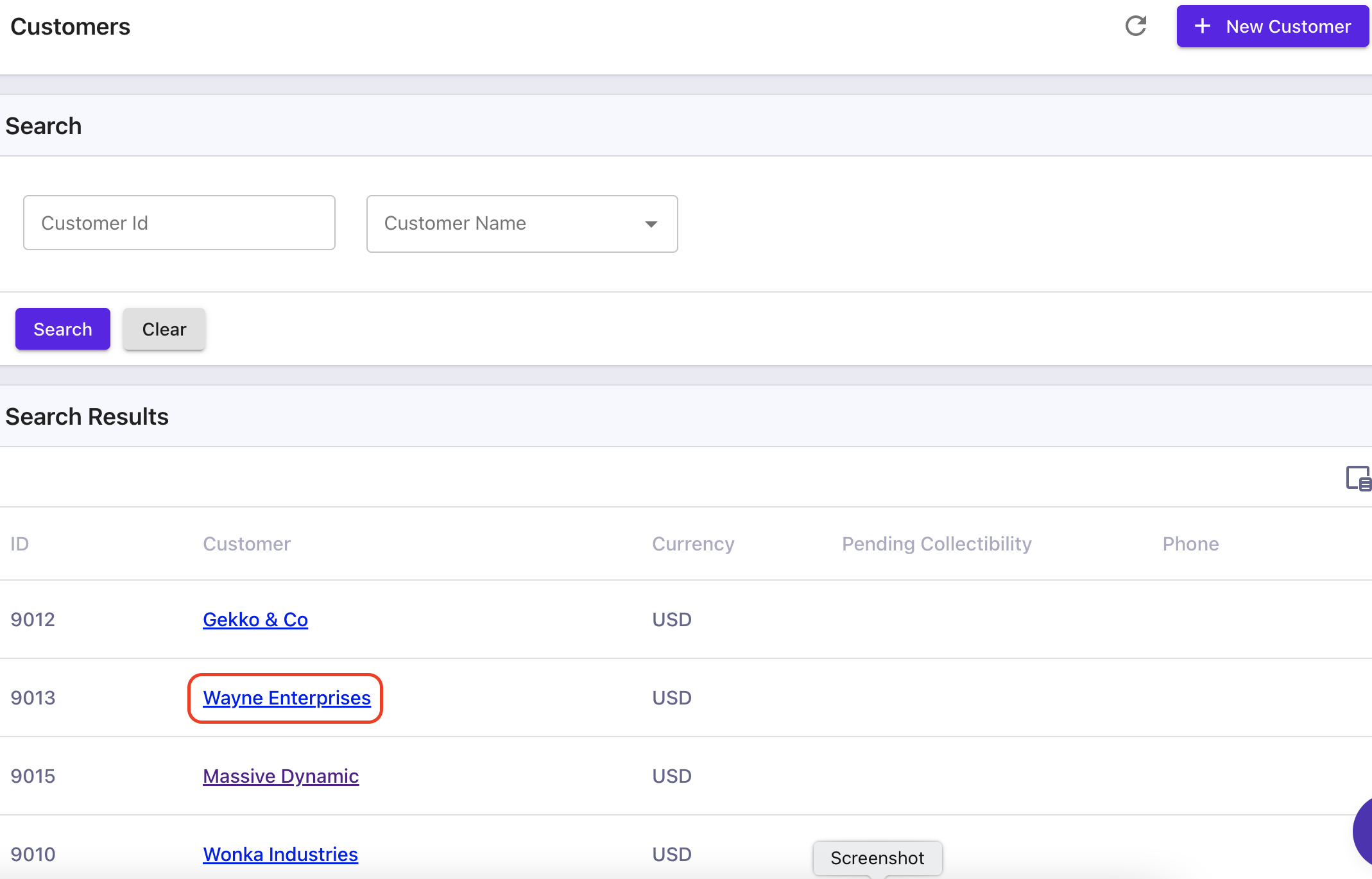
Select a customer and chose the 'Sales Order' tab. Here you will see all the Sales Orders related to this customer; we have selected Wayne Enterprises.
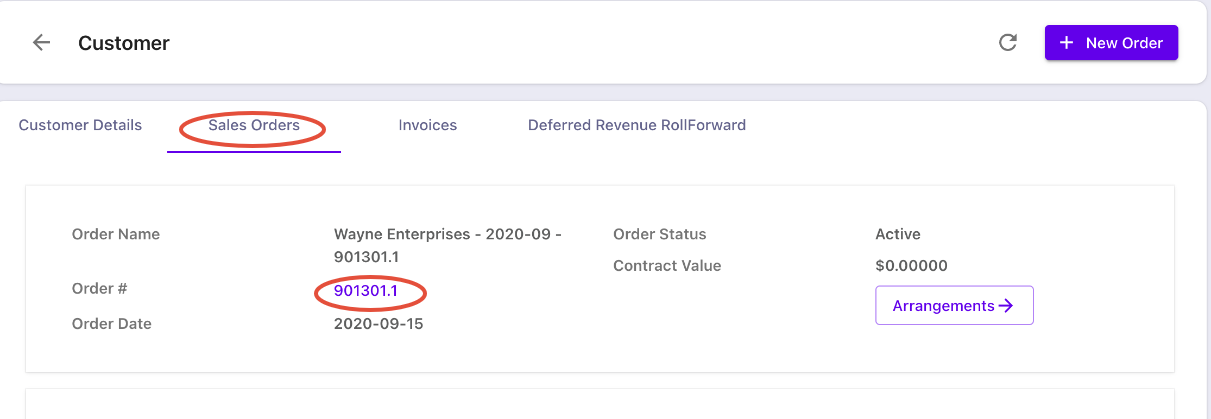
Wayne Enterprises has multiple sales orders. Click on the Sales Order Number to see the sales order items associated with this sales order
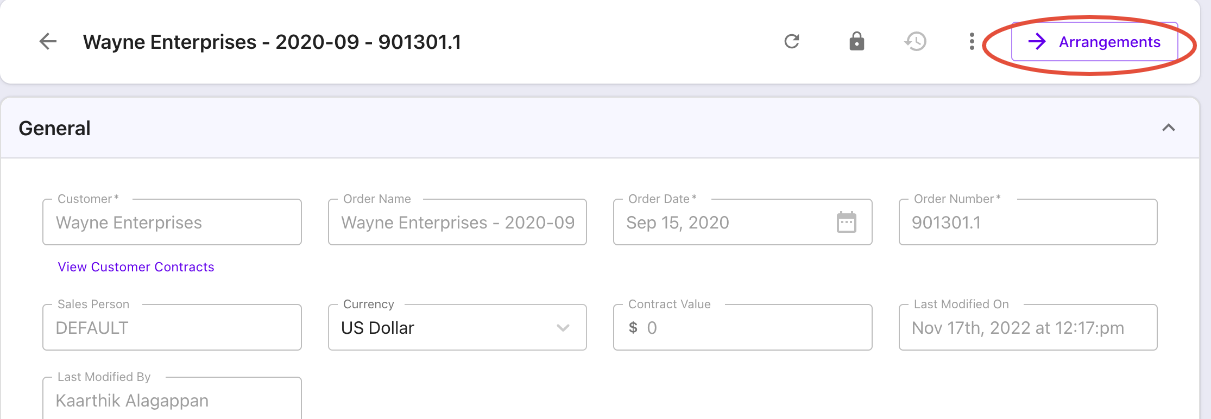
Select 'Arrangements' and select 'Revenue Elements'
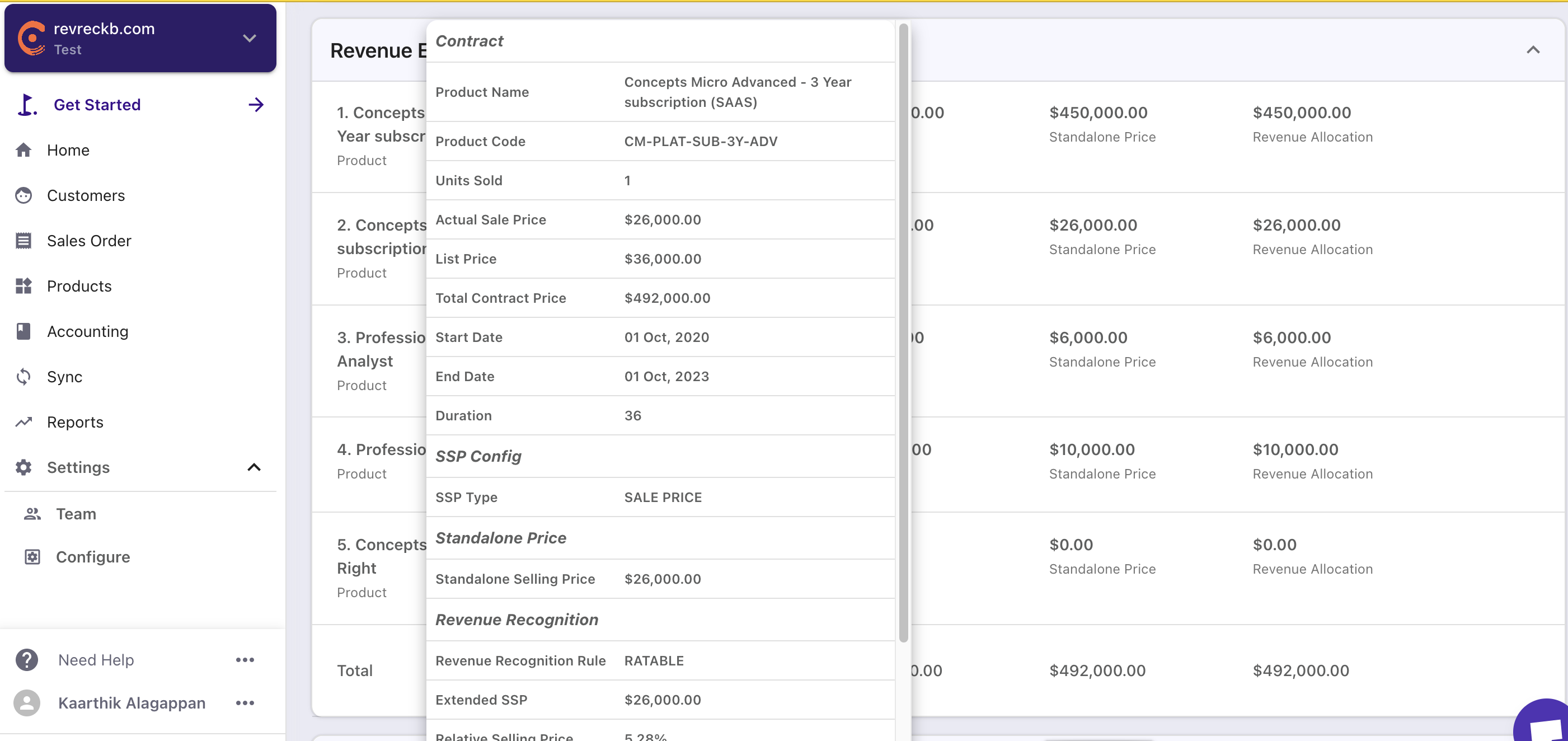
The Revenue Elements associated with this order are displayed. This shows the reallocation of the revenue to be recognized in accordance with ASC 606.
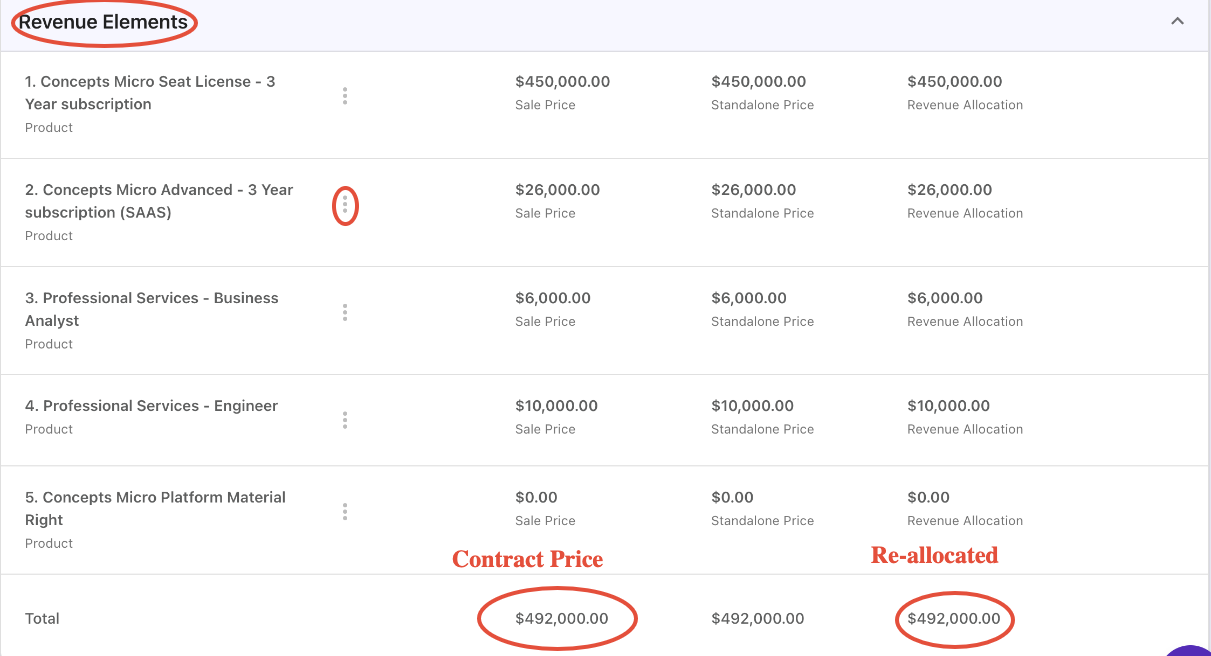
The Contract Price will equal the Re-Allocated revenue to be recognized. By clicking on the ellipsis, the details of the order and re-allocation rules will be displayed allowing the user to review and approve the details of the order.
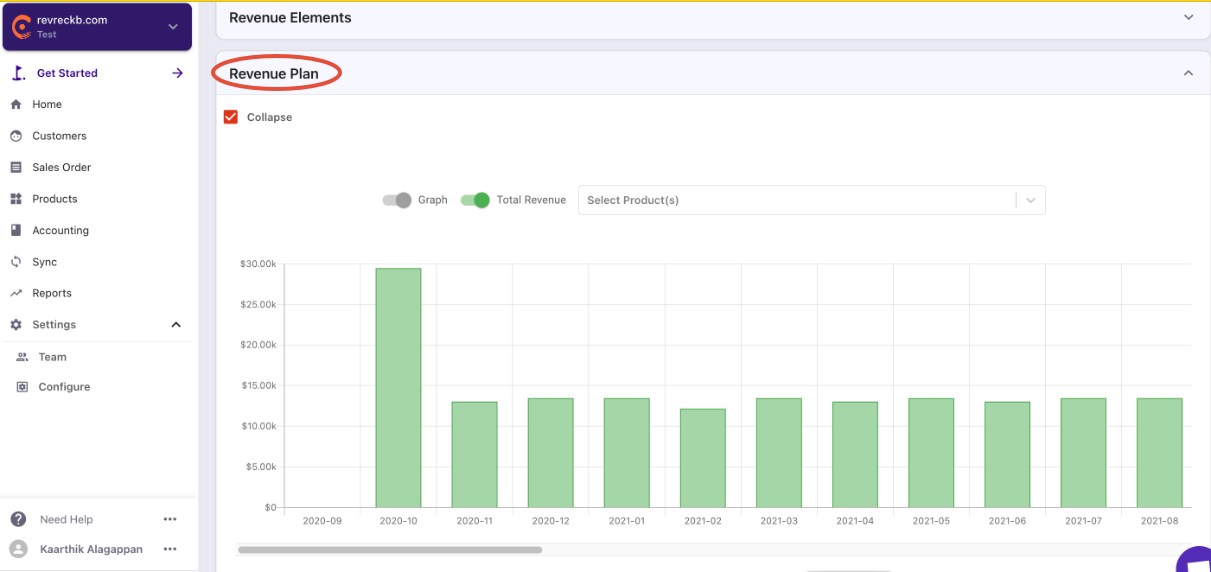
Select the Revenue Plan to see the revenue recognized under ASC 606 during the term of the contract.
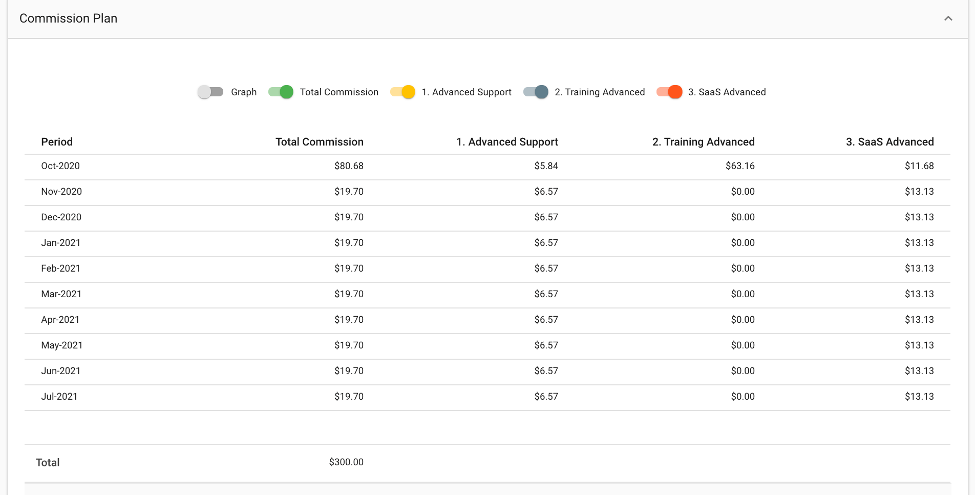
The 'Commission Expense' section shows the commission expense under ASC 606
And the 'Commission Plan' shows the commissions expensed by period.
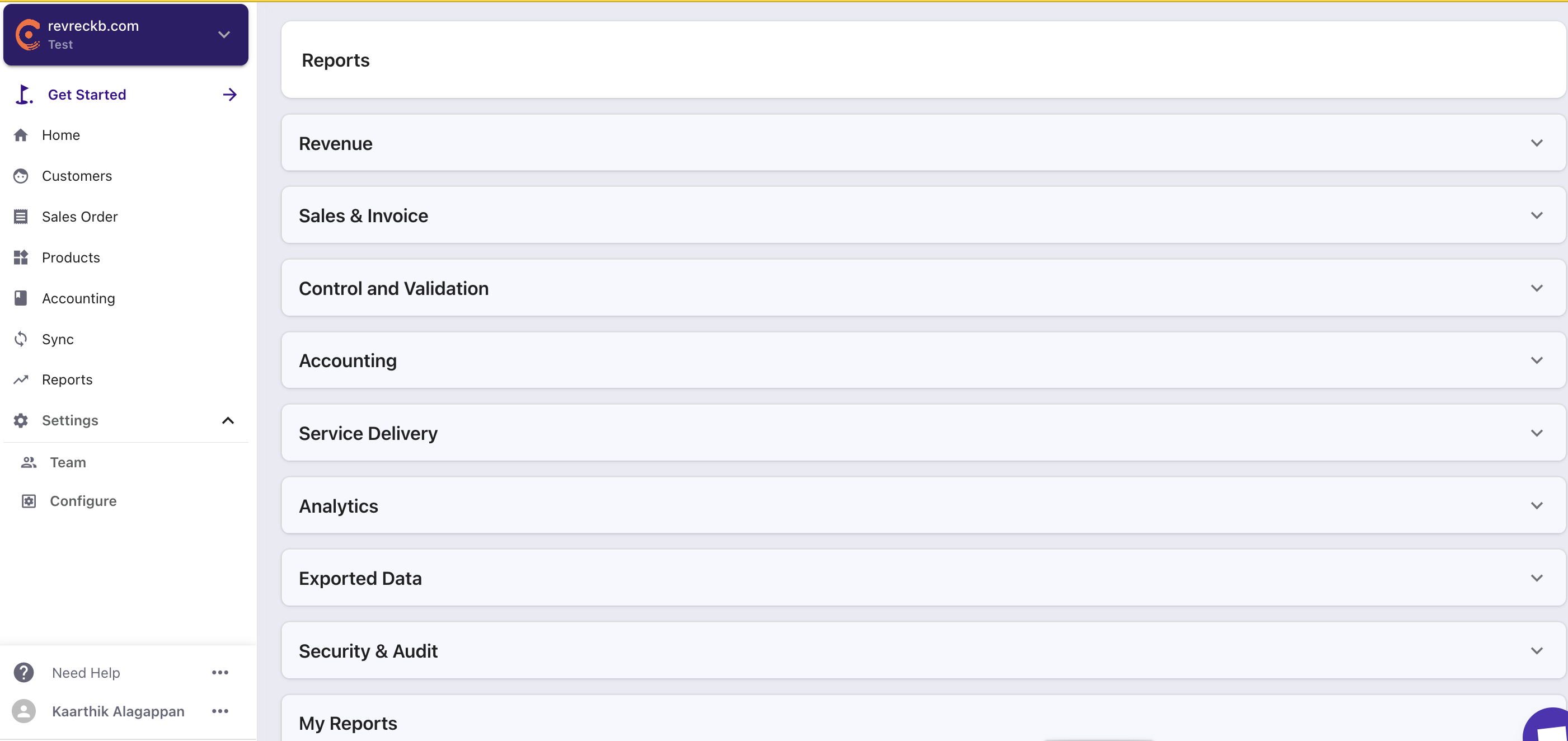
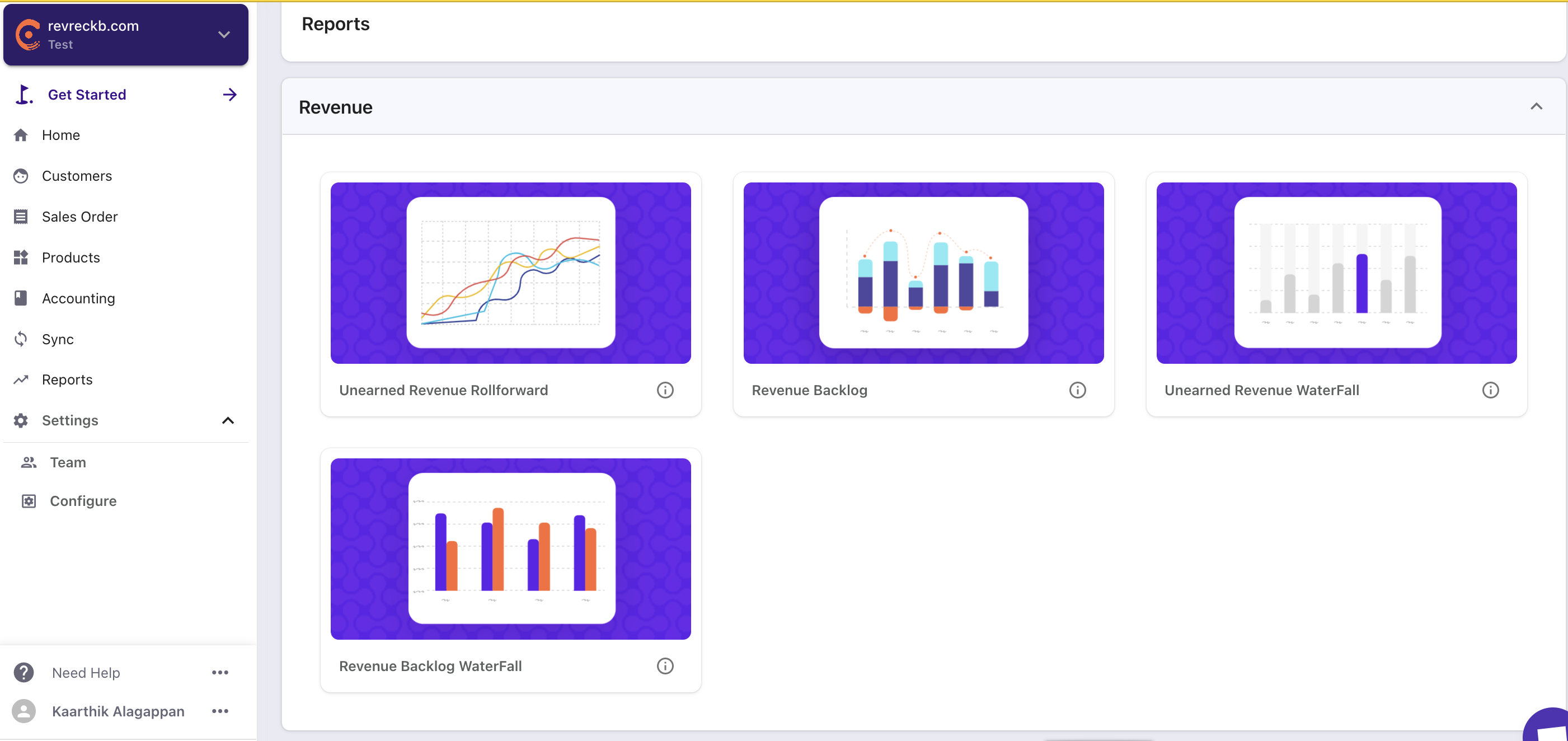
Navigating Reports Reports are accessed by selecting 'Reports' on the Navigation Bar and then expanding to the type of report you want to get to.
Unearned Revenue Rollforward The Unearned Revenue Rollforward can be accessed by selecting the Revenue Bar and selecting 'Unearned Revenue Rollforward'.
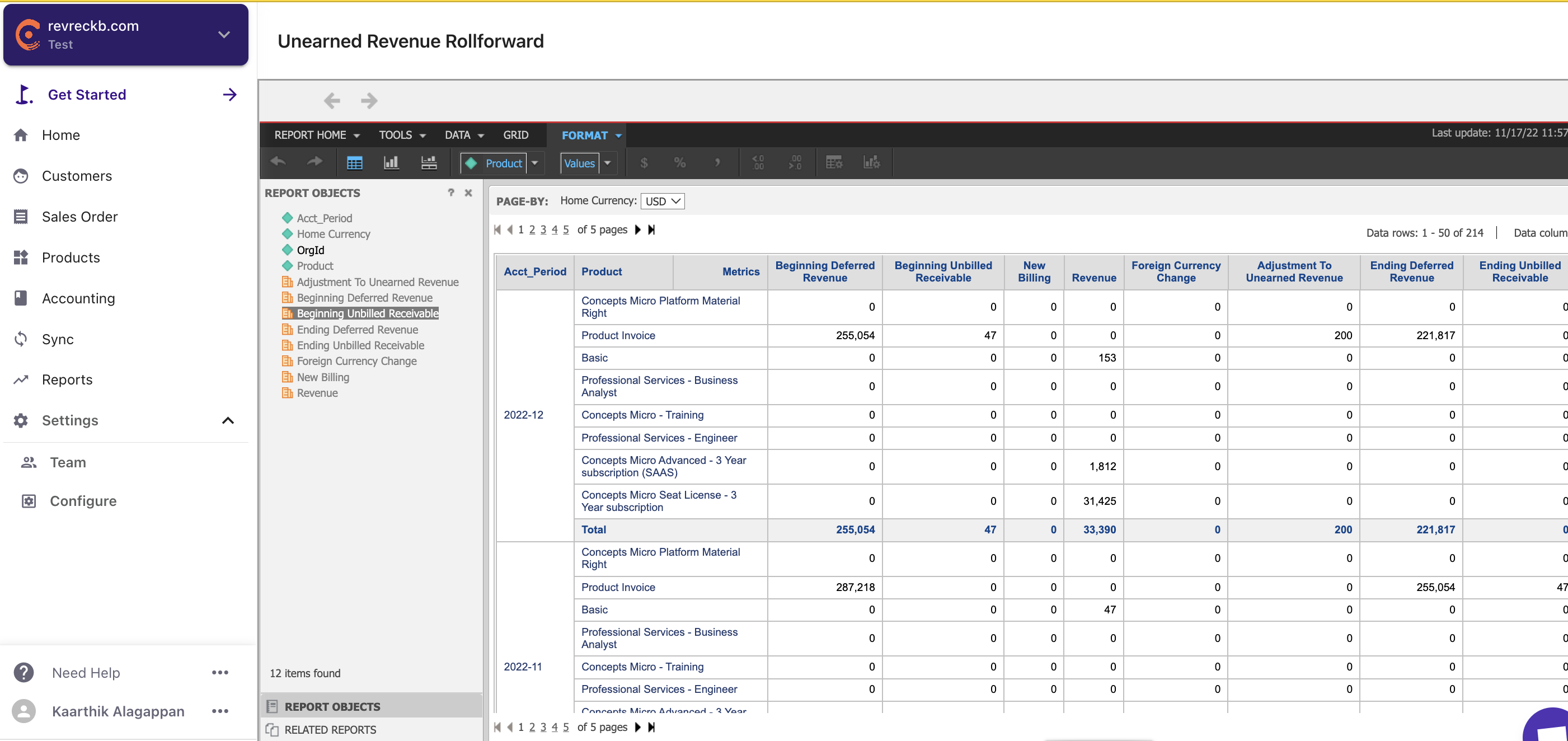
The deferred revenue roll-forward schedule represents items invoiced where the performance obligation has not been satisfied.
For example, a twelve-month subscription agreement with the full amount invoiced on the order date creates an unearned revenue for the amount invoiced. Each month a portion is earned (the portion of the obligation satisfied). The deferred revenue is reduced by this amount and the same amount is recognized as income.
Performance obligations satisfied represent revenue earned but not yet invoiced. Where a performance obligation is satisfied but the customer has not been invoiced, an 'unbilled receivable' is created. Here is an example of a deferred revenue roll forward.
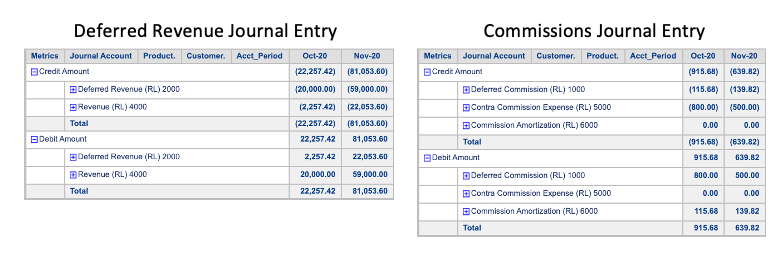
Journal Entries From the information in RevRec, journal entries for Unearned Revenue and Commissions Expense are generated.
Select 'Accounting' from the reports menu to access these reports.
Explore each of the report sections to see standard reports including key metric reporting (under 'Analytics'. Create your own reports and save them for future use in the 'My Reports Section'. All reports are exportable in excel or pdf format and can be forwarded as needed.
Have fun, and explore all of the power of RevRec automation. If you have any questions, access our online help.
RevRec provides training and support for advanced report generation.
Related Articles
Show more
Was this article helpful?