New in Chargebee: Explore Reveal and understand your payment performance end-to-end.Try Now
Docschargebee docs
HomeBillingPaymentsRevRecGrowthReveal
Support

Product Updates


  • Release Notes

Getting Started with RevRec


  • About Chargebee RevRec
  • Quick Start Guide
  • Site Configuration
  • Conversion
  • RevRec Essential
  • Articles and FAQ

Revenue Recognition


  • Configuring Product Catalog
  • Standalone Selling Price
  • Configuring Revenue Rules
  • Recognizing Discounts
  • Revenue Arrangement
  • Prior Period Adjustment
  • Pending Collectibility
  • Chargebee Billing Features
  • Articles and FAQ

Expense Recognition


  • Recognizing Expenses
  • Articles and FAQ

Multi Currency


  • Multi-Currency
  • Articles and FAQ

Multi Entity


  • Multi-Entity

Data Processing & Validation


  • Overview
  • Automated Data Synchronization
  • Importing Data in Bulk
  • Input via User Interface
  • Control Checks
  • Automated Import and Export
  • Understanding Errors
  • Articles and FAQ

Adjustments


  • Manual Adjustments

Reports & Analytics


  • Overview of RevRec Reporting
  • RevRec Standard Reports
  • Articles and FAQ

General Ledger & Accounting Close


  • Journal Account Mapping
  • Understanding Journal Entries
  • Creating Journal Entries
  • Journal Posting & Closing Accounting Period
  • Articles and FAQ

Integrations


  • HubSpot
  • Salesforce
  • QuickBooks Online
  • Xero
  • Sage Intacct
  • NetSuite
  • Stripe
  • Mobile Stores
  • Articles and FAQ

RevRec Premium


  • Overview
  • Quick Start Guide
  • Site Configuration
  • Getting Around RevRec Premium
  • General Ledger & Accounting Close
  • Reports & Analytics
  • Integrations
  1. Revrec
  2. Revenue Recognition
  3. Articles and FAQ
  4. Revenue Recognition
  1. Revrec
  2. Revenue Recognition
  3. Articles and FAQ
  4. Revenue Recognition

What does the 'Unbilled Receivable' amount represent in RevRec?

Scope

What is Unbilled Receivable in reports?

Types of Unbilled Receivable reports

Summary

Unbilled Receivable Asset: Unbilled receivables are recognized revenue that you have accounted for but have not yet invoiced to the customer. By default, the unbilled receivable is configured under journal entries, you can also create/modify them as per your accounting applications. You can see the unbilled receivable reports under revenue and sales reports.

Solution

RevRec Default Chart of Accounts

Unbilled Receivables are available in journal entries configured by default.

image

You can also create new journal entries by navigating to Accounting > Journal Accounting > Click on the ellipsis > Create New Account
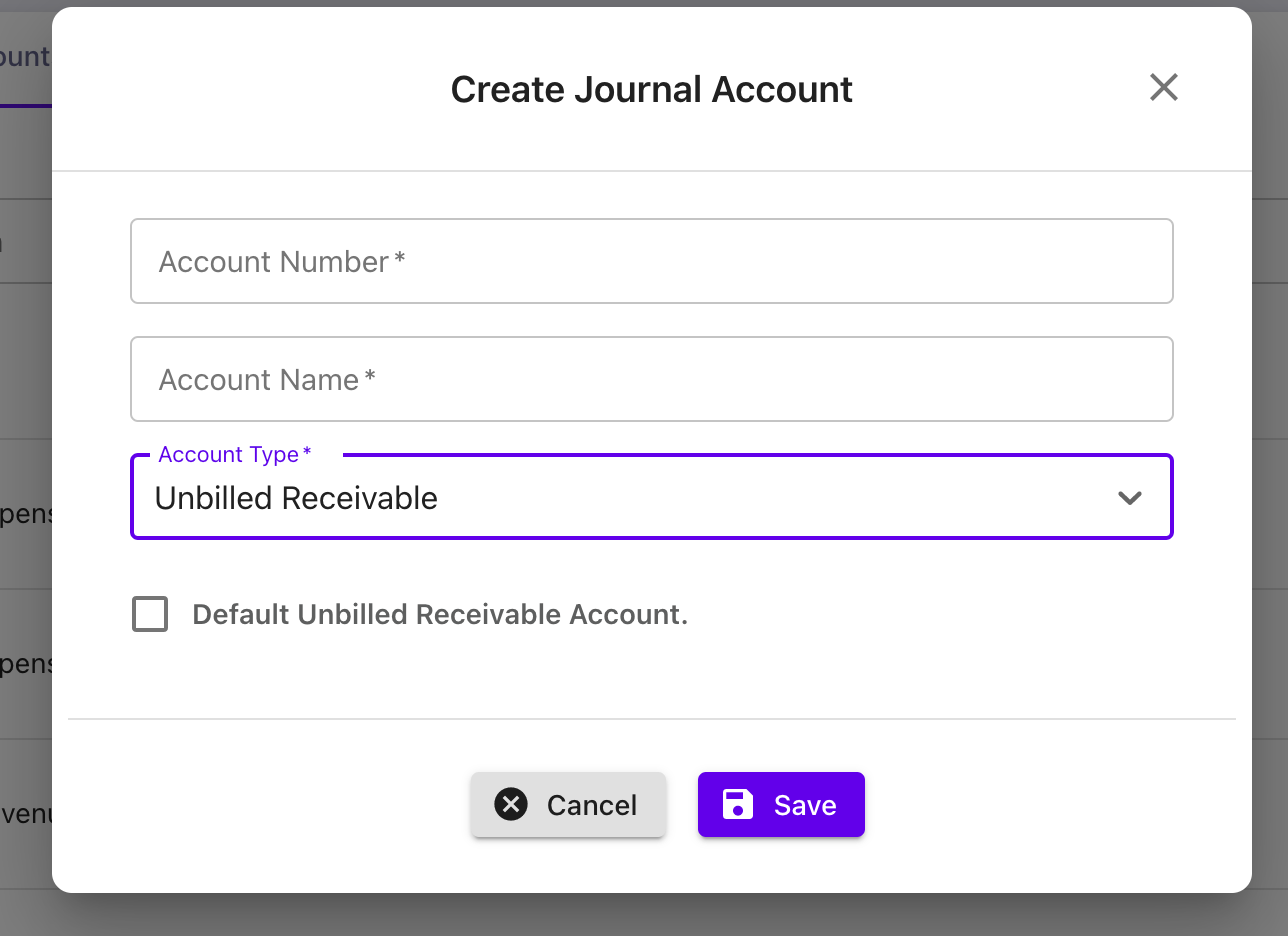
image

RevRec Reports

The standard reports categorized under revenue, and sales have the following table containing unbilled receivable reports. Navigate from Reports > Revenue/Sales.

CategoryReport
RevenueUnearned Revenue Rollforward
Unearned Revenue WaterFall
Sales & InvoiceUnbilled Receivable Rollforward

Unearned Revenue RollForward: Tracks the deferred revenue balance (or unbilled receivable) by accounting period, as well as the activities, including sales, billings, recognized revenue, and foreign currency adjustments that impact the balances. This report increases deferred revenue with new billings and decreases the total as revenue is earned.
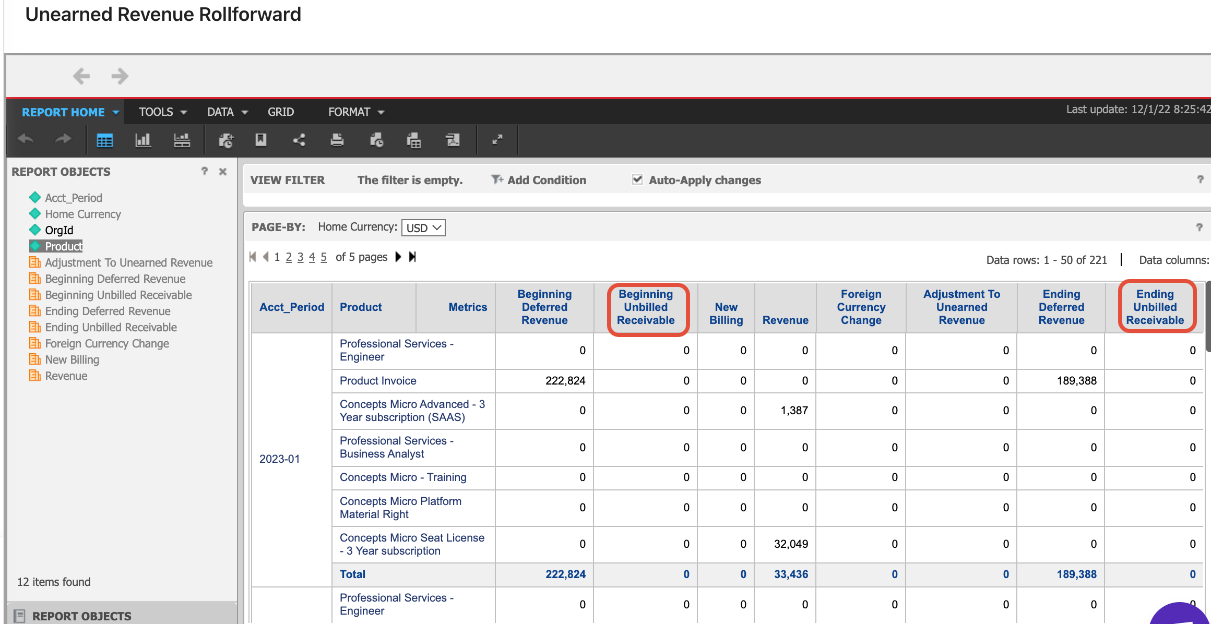
image

Unearned Revenue WaterFall: Forecasts the future deferred revenue balances based on the current orders and revenue recognition schedules.
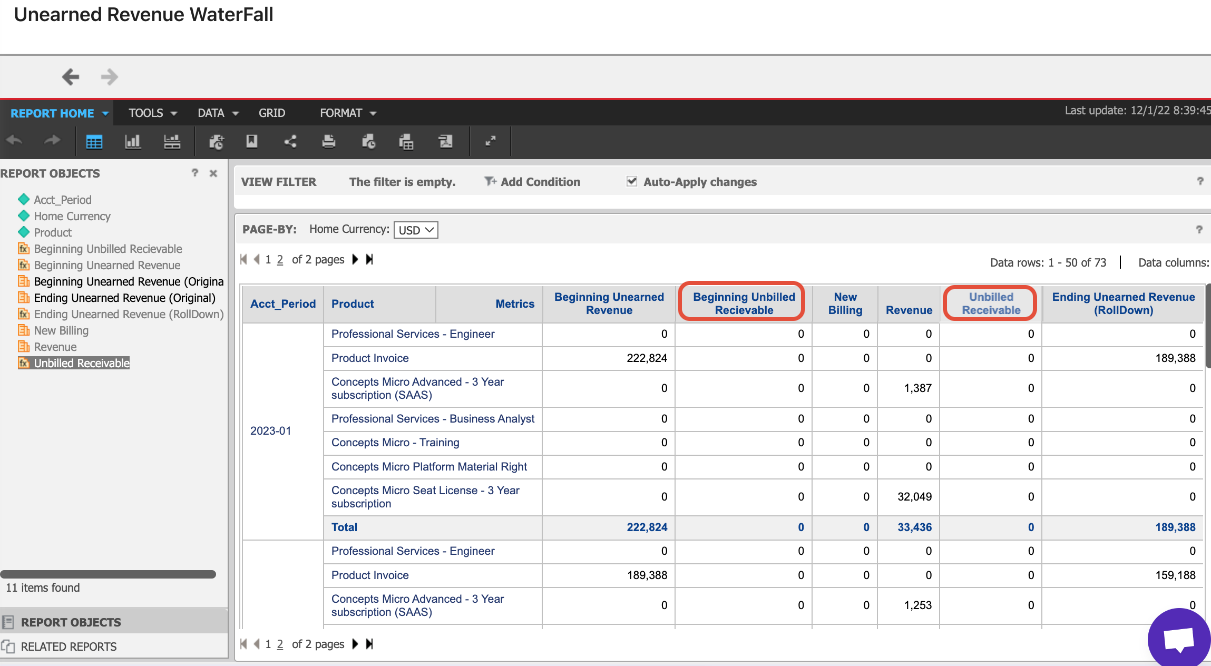
image

Unbilled Receivable Rollforward: Tracks the total unbilled receivables for sales orders during the accounting period.
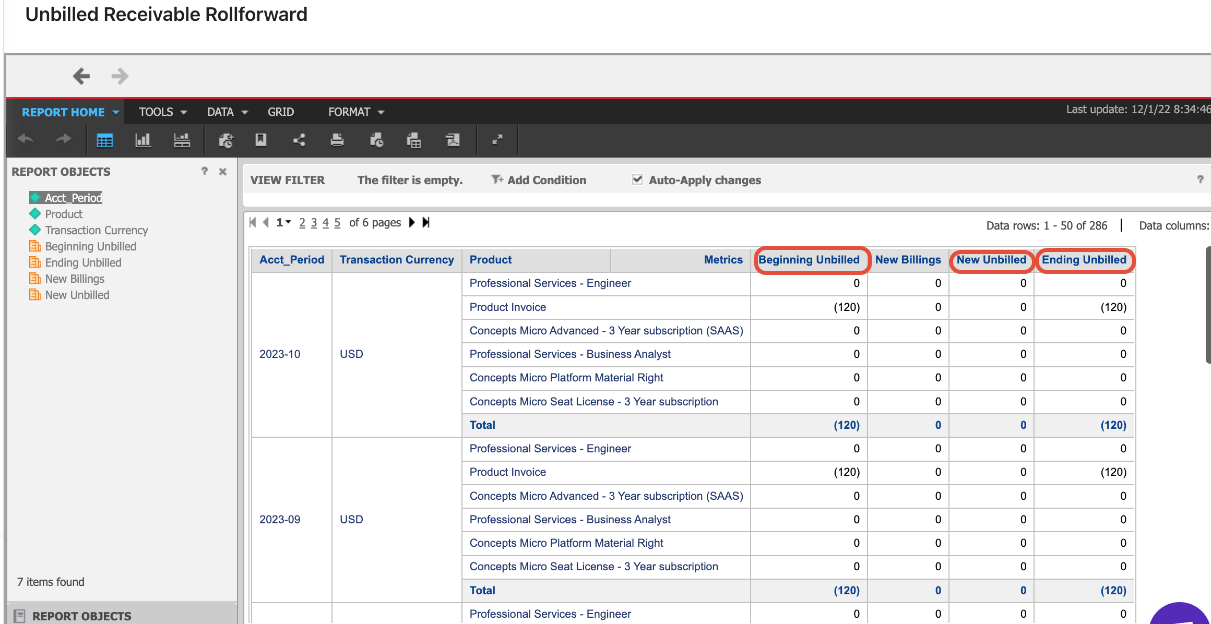
image

Related Article and Documentation

What are the Standalone selling price rules?

How to save and share a report in RevRec?

How to Customize a Report in RevRec?

How are the revenue and commission recognized in RevRec Journal entries?

Related Articles

What is the difference between default and advanced accounting treatment on the credit notes in RevRec?
What are the revenue recognition methods in RevRec and their associated rules?
How to understand your revenue plans and their accounting in RevRec?
What are the types of Ratable Revenue Recognition plans in RevRec?
What are the standalone selling price rules in RevRec?
How to check the customers revenue plan on RevRec?
What is the Standalone Selling Price in RevRec?
How to check consumption based Revenue Recognition in RevRec?
How to maintain your SSP library?
How is the Percent Net Revenue Reallocation is calculated in RevRec?
How is the decreased subscription value within the billing period is calculated in RevRec?
How to configure Product Catalog in RevRec?
How to reconcile Delivery data and Invoice data in RevRec?
What is SSP Versioning in RevRec?
What is SSP Analyzer in RevRec?
Enable passthrough feature for products in Revrec
RevRec - Accounting Journal Posting
Zero Dollar Invoice Sync RevRec

Show more

Was this article helpful?