How to create a non-posting discount item? - Netsuite
Problem Statement
You need to create a non-posting discount item in NetSuite for use with the Chargebee NetSuite integration.
Solution
Create the item in NetSuite, then provide its internal ID to Chargebee support so it can be configured for your NetSuite integration.
Steps to Set It Up
- In NetSuite go to List > Accounting > Items > New.
- Set Item Type to Discount.
- Open the Accounting tab and set the item to Non-Posting.
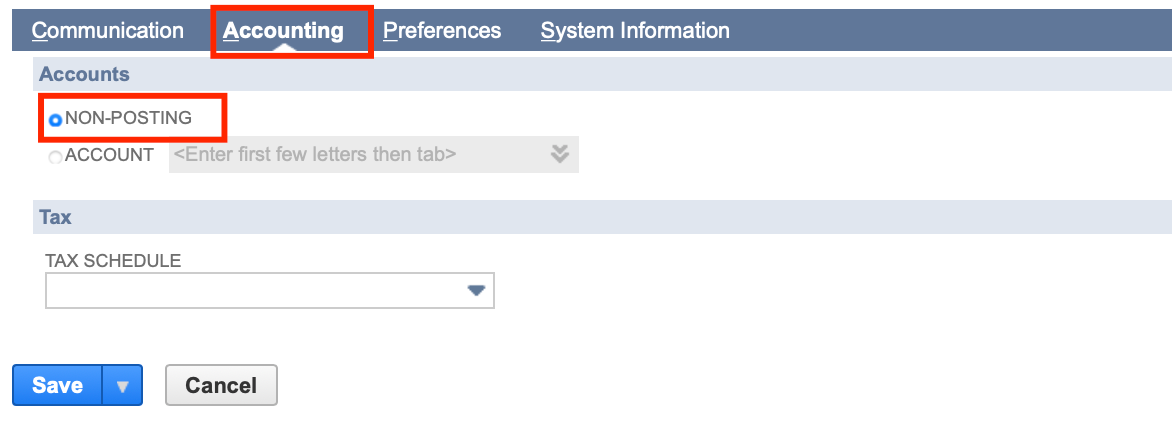
- Save the item. Copy the internal ID from the item record URL and send it to support so they can configure it for your NetSuite integration.
Related Articles
Show more
Was this article helpful?