Unable to edit the free quantity in per-unit price plans
Problem Statement
This article helps you understand unable to edit the free quantity in per-unit price plans.
Solution
Scope
How do I change the free quantities in a per-unit price plan?
The free quantity field is greyed out in the per-unit price plan. How do I edit it?
Summary
You will be able to edit the free quantity option for a plan only if there is no subscription created for the plan. If there are any subscriptions for the same plan then editing some of the fields will not be possible (greyed out). You will have to delete the subscriptions and the price point created in order to update on the same plan to achieve this. Alternatively, you can create a new Plan.
Solution
Along with this feature, there are certain other features greyed out such as Plan ID, Billing Interval, Billing Cycle, Pricing Model, and Free Quantity. In addition to the above-mentioned features, you will have Product Family, Gift Plan, Metered Billing, and Plan Price Point ID fields as uneditable.
Following are the fields that are uneditable once a subscription is created for the plan.
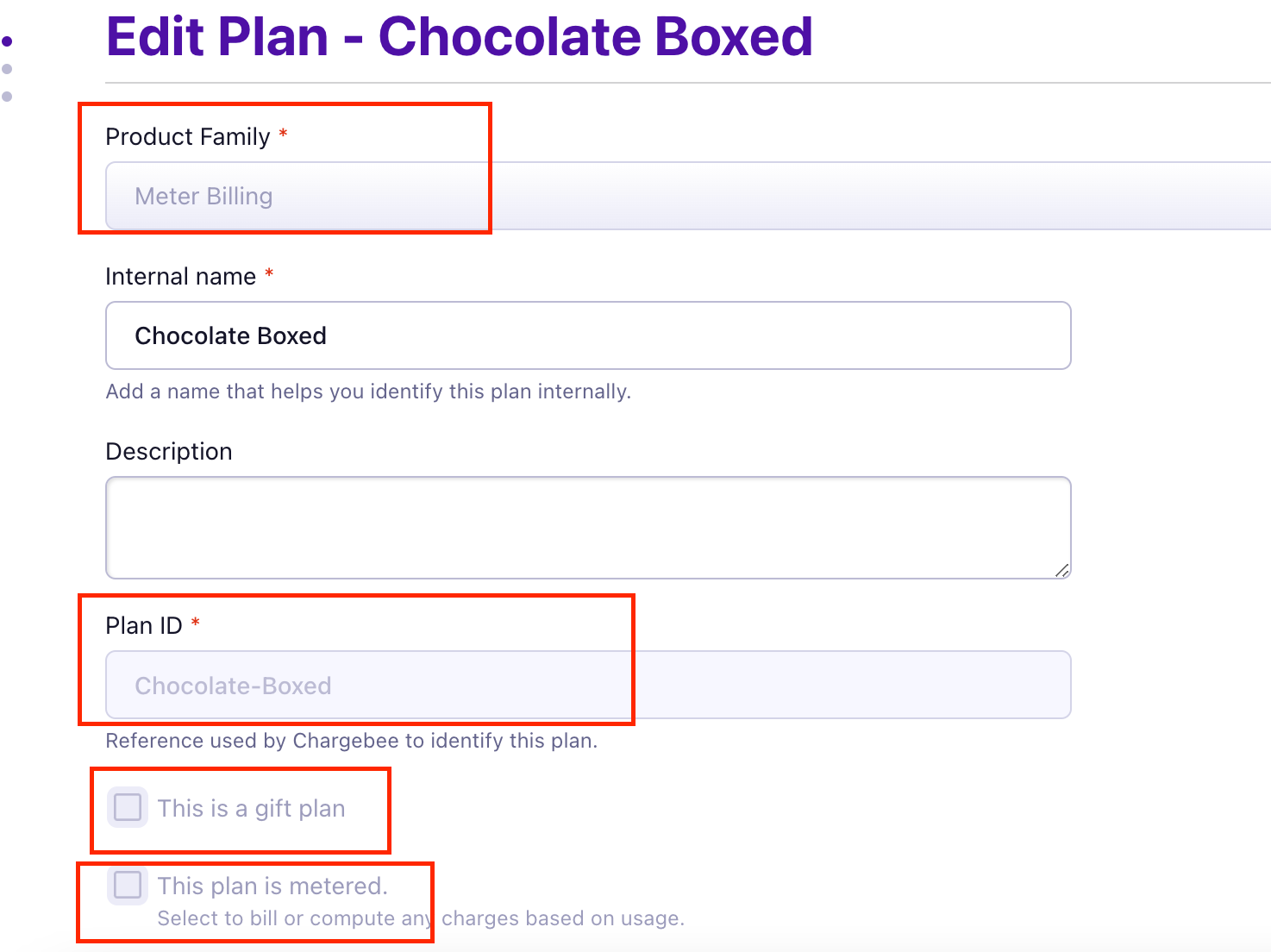

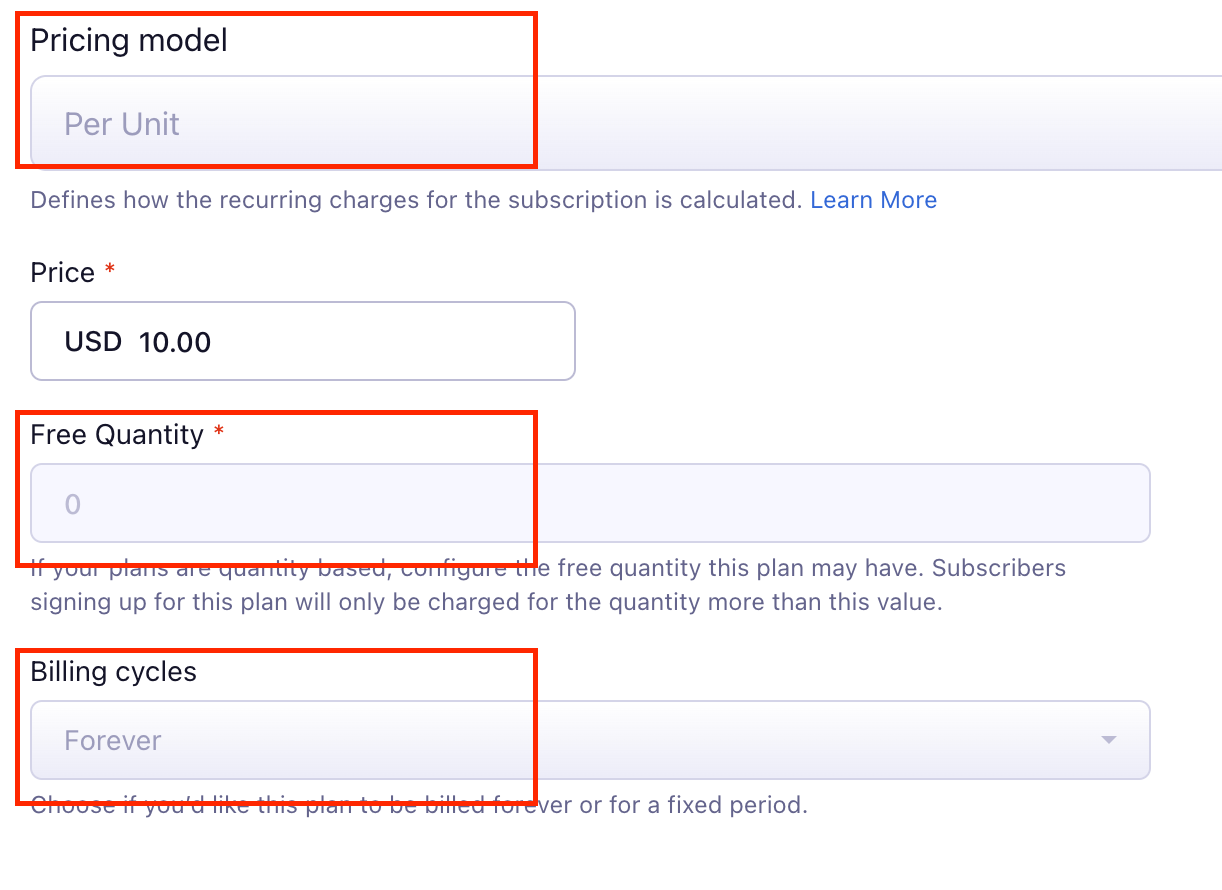
Option 1:
Delete the associated subscriptions and then edit this plan. Filter all the subscriptions associated with the plan and then delete them.
This operation is irreversible - all data related to the Subscription, such as Transactions and Invoices, get deleted.

Option 2:
Create a whole new plan with the required free quantity.
Was this article helpful?