Xero connection expired: Reconnect to resume data sync
Problem Statement
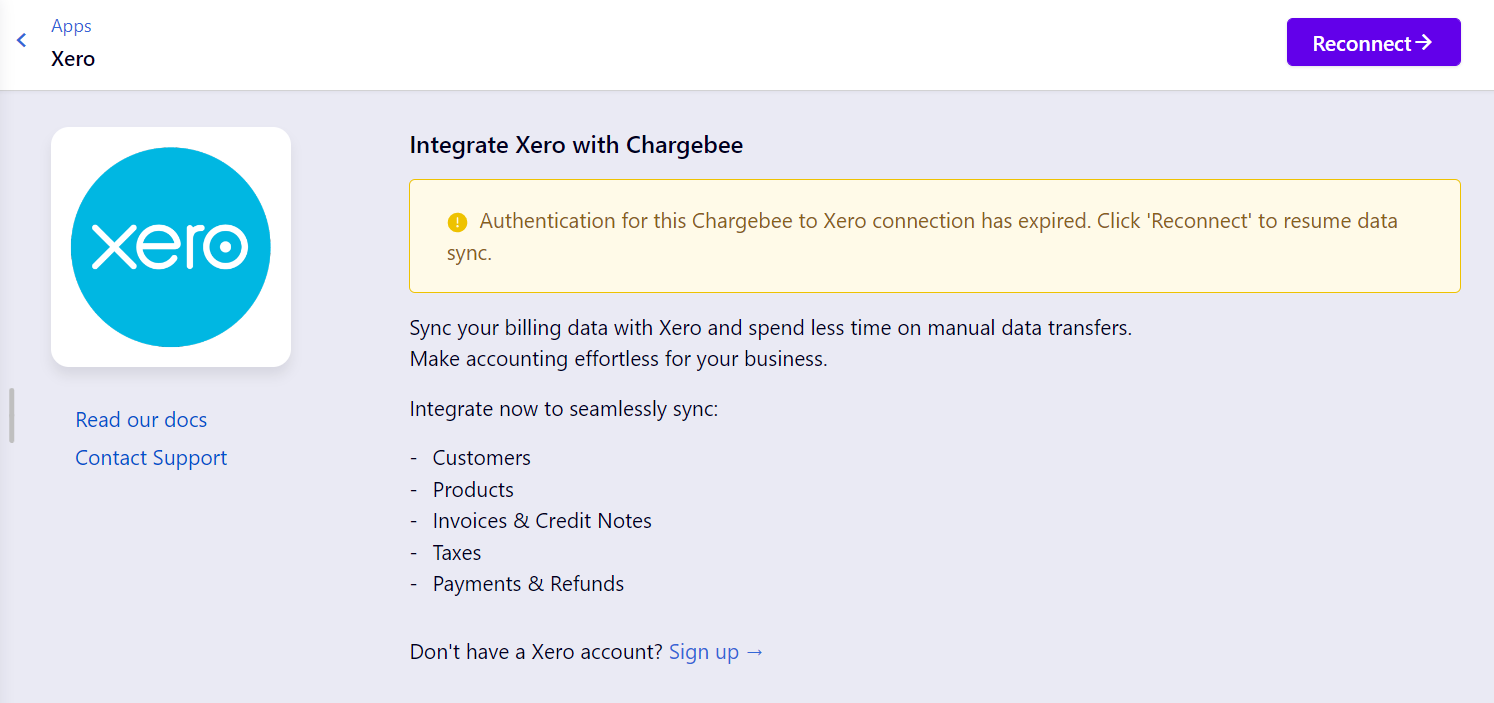
You see "Authentication for this Chargebee to Xero connection has expired. Click 'reconnect' to resume data sync". Data sync between Chargebee and Xero has stopped until the connection is re-authorized.
Solution
The OAuth connection has expired. Disconnect Chargebee in Xero, then reconnect from Chargebee to re-authorize.
Steps to Set It Up
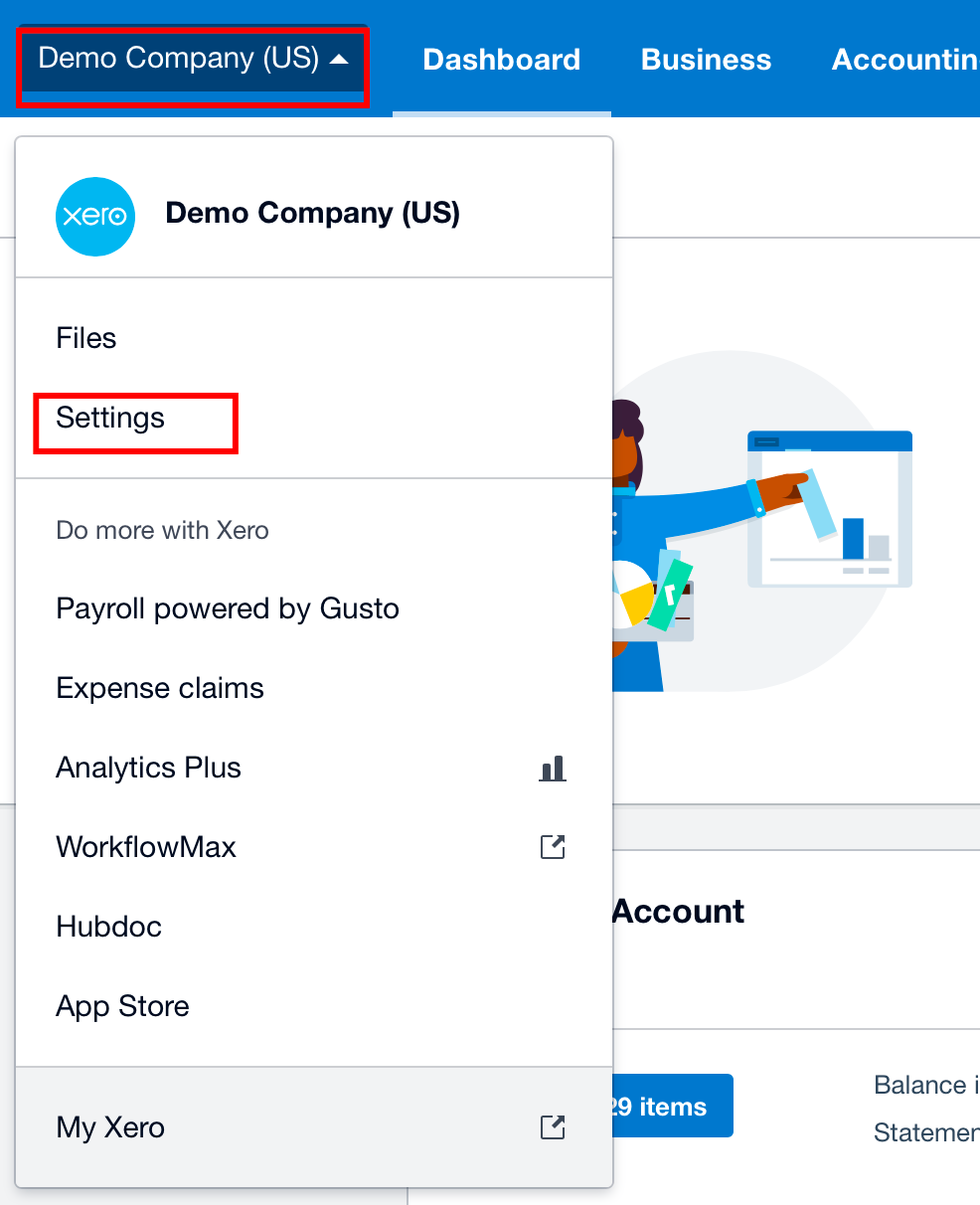
- Log in to your Xero account.
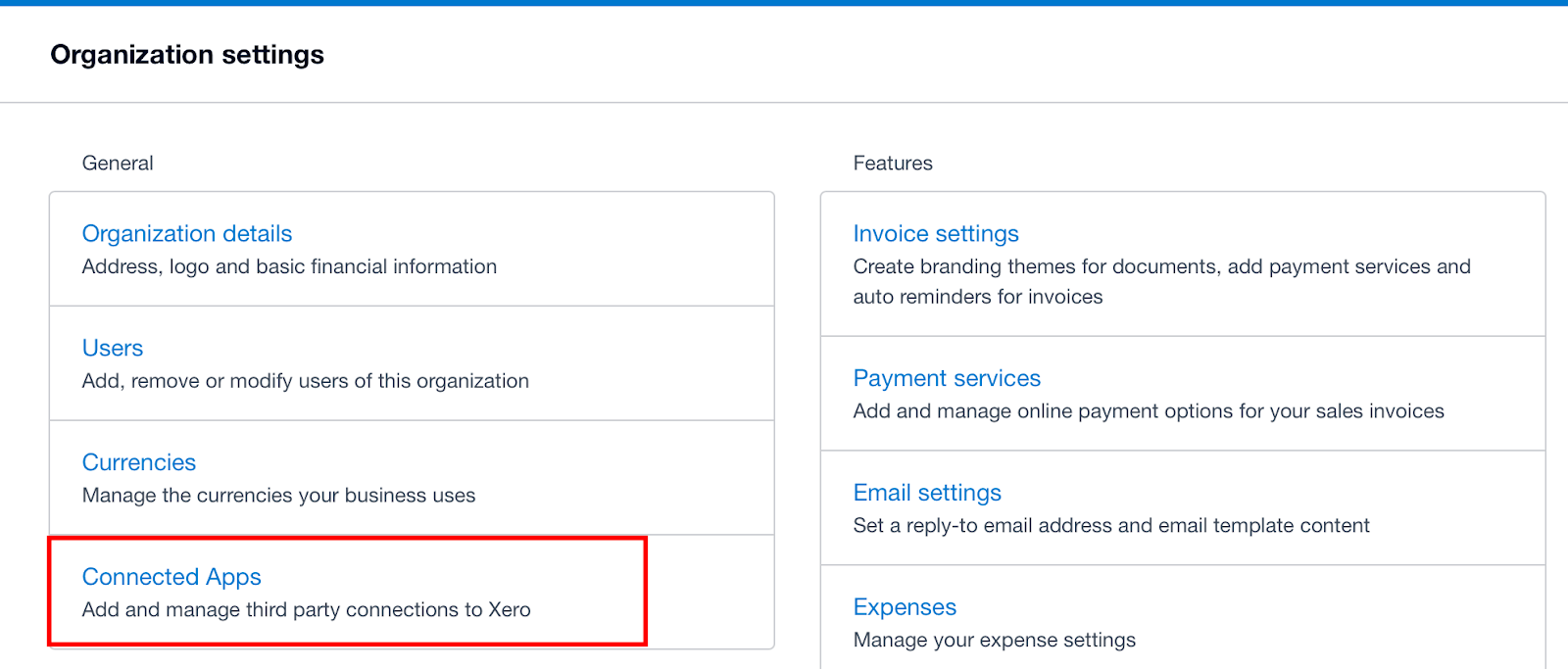
- Go to Settings → Connected Apps.
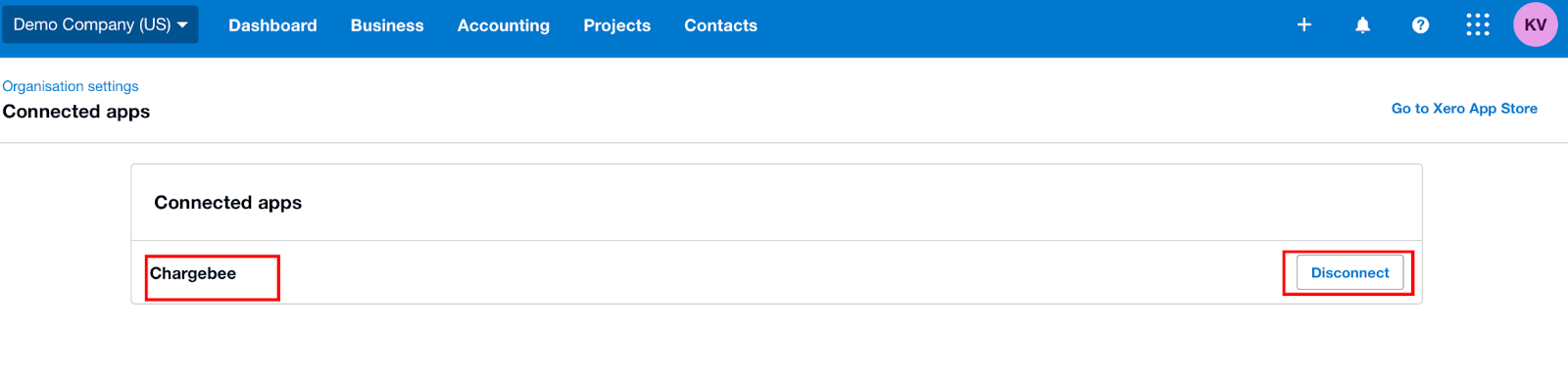
- Find Chargebee and click Disconnect.
- In Chargebee, go to Settings → Third-Party Integrations → Xero and click Reconnect (or the equivalent to re-authorize the connection).
- Complete the Xero authorization flow. After reconnecting, sync can run again.
Related Articles
Show more
Was this article helpful?