Save option greyed out while trying to change account mapping on Xero.
Problem Statement
When changing account mapping under Manage mapping for Xero or QuickBooks in Chargebee, the Save button is greyed out and you cannot save your changes.
Solution
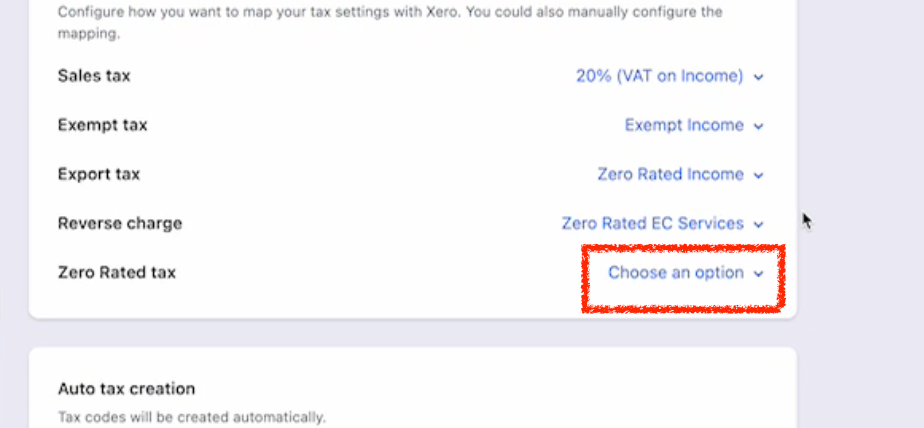
The Save button stays disabled when any field on the page is left unconfigured. You must set every option on the mapping screen—if any dropdown or setting is left blank, Save remains greyed out.
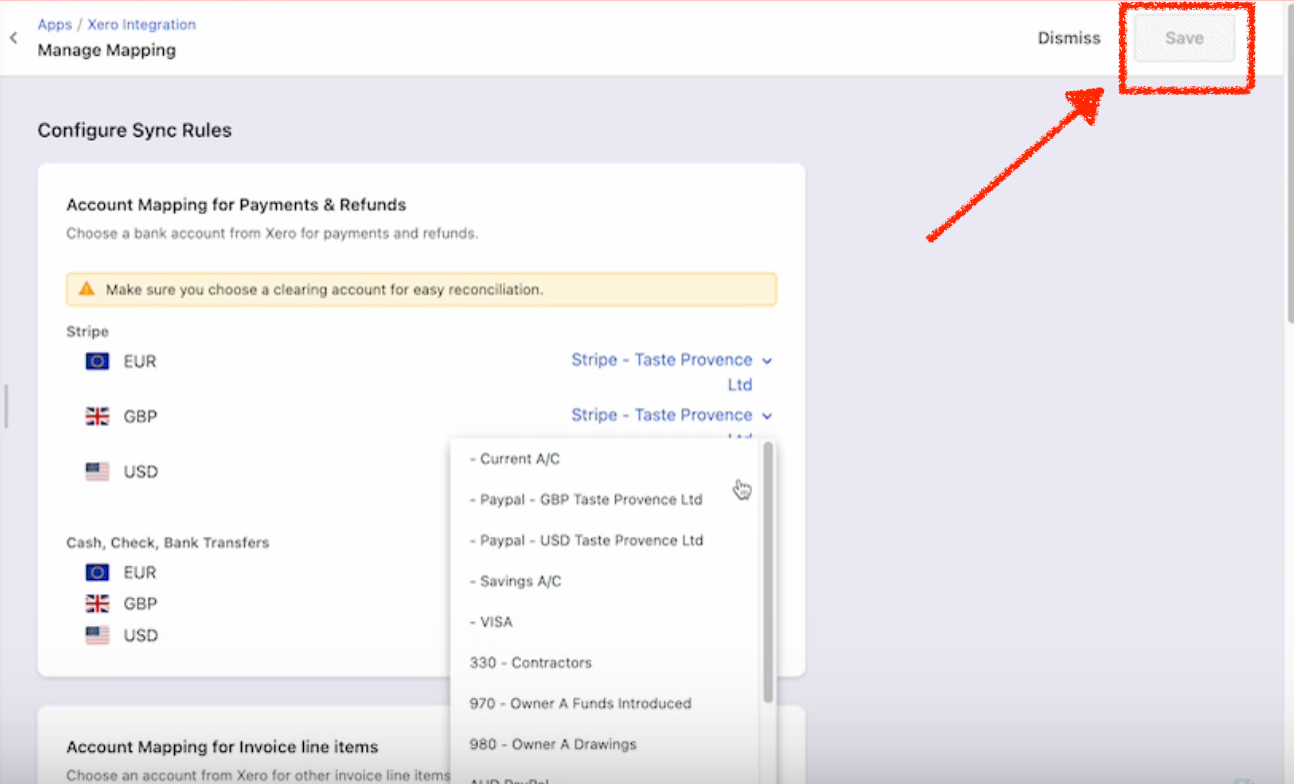
When editing the mapping after the integration is set up, configure each section (e.g. chart of accounts, tax, payment types). Select a value for every unconfigured option shown on the page; only then will Save be enabled.
Related Articles
Show more
Was this article helpful?