New in Chargebee: Explore Reveal and understand your payment performance end-to-end.Try Now

Docschargebeedocs

HomeBillingPaymentsRevRecGrowthReveal
Support

Product Updates


  • Release Notes

Getting Started


  • Overview
  • Chargebee Billing Data Centers
  • Object Relationship Model
  • Understanding Sites
  • Developer Resources
  • Chargebee Tech Glossary
  • Articles and FAQ

Implementing Chargebee


  • Implementation Guide
  • Go-live Checklist
  • Articles and FAQ

AI in Chargebee


  • Chargebee Agents
  • Chargebee Copilot
  • Chargebee MCP Server (Model context protocol)

Product Catalog


  • Product Catalog Overview
  • Coupons
  • Articles and FAQ

Subscriptions


  • Working with Subscriptions
  • Billing
  • Orders
  • Articles and FAQ

Customers


  • Managing Customers
  • Account Hierarchy
  • Email Notifications
  • Branding
  • Configure Multiple Languages
  • Articles and FAQ

Invoices, Credit Notes and Quotes


  • Invoices
  • Credit Notes
  • Quotes [Legacy]
  • Transactions
  • Articles and FAQ

Taxes


  • Overview
  • Configuring Taxes
  • Country-specific Taxes
  • Articles and FAQ

Hosted Capabilities


  • Overview
  • Hosted Checkout
  • Hosted Self-Serve Portal
  • Hosted Pages Features
  • Additional Hosted Pages
  • Payment Components
  • Managing payments with ChargebeeJS
  • Mobile-Optimized Hosted Pages
  • Articles and FAQ

Site Configuration


  • Users & Roles
  • Custom Fields & Metadata
  • Mandatory Fields
  • File Attachments & Comments
  • Advanced Filter Options
  • Multicurrency Pricing
  • Multi-decimal Support
  • Configuring Reason Codes
  • Events and Webhooks
  • API Keys
  • Time Zone
  • Time Machine
  • Transfer Configurations
  • Articles and FAQ

Reports and Analytics


  • RevenueStory
  • Home Dashboard
  • Frequently Asked Questions
  • FAQs for Classic Reports Sunset
  • Articles and FAQ

Integrations


  • Sales
  • Customer Support and Success
  • Finance
  • Tax
  • Marketing
  • Stitch
  • Collaboration
  • Contract Management
  • Order Management
  • Mobile Subscriptions (Legacy)
  • Other Integrations
  • Articles and FAQ

Data Privacy & Security


  • Two Factor Authentication
  • SAML Single Sign-On
  • System for Cross-Domain Identity Management (SCIM)
  • EU-GDPR
  • Consent Management
  • Personal Data Management
  • Compliance Certificates
  • HIPAA Guidelines
  • PCI Recommendations and Integration Types
  • Articles and FAQ

Data Operations


  • Bulk Operations
  • Migration
  • Articles and FAQ
  1. Billing
  2. Product Catalog
  3. Articles and FAQ
  4. Plans
  1. Billing
  2. Product Catalog
  3. Articles and FAQ
  4. Plans

Delete an item or item price in Latest Product Catalog

Problem Statement

This article helps you understand delete an item or item price in latest product catalog.

Scope

  1. How to delete an item price in Latest Product Catalog?
  2. Trying to delete a plan price in Latest Product Catalog but getting an error 'cannot delete as items are linked'.

Summary

Deleting an item price like plan or addon or charges in Latest Product Catalog might not be possible directly if there are many linked entities(subscriptions, quote,s or invoices). Those need to be removed first.

Solution

If you want to delete a plan price let's say test-USD-monthly but this item has subscriptions and invoices and also has a quote generated and all are linked to the item price.

Then you have to delete the quote and invoice first then the subscription and at last the item price.

Example 1: Delete the plan zzz1 but have monthly frequency configured and have the subscription also attached along with the invoice and transactions.

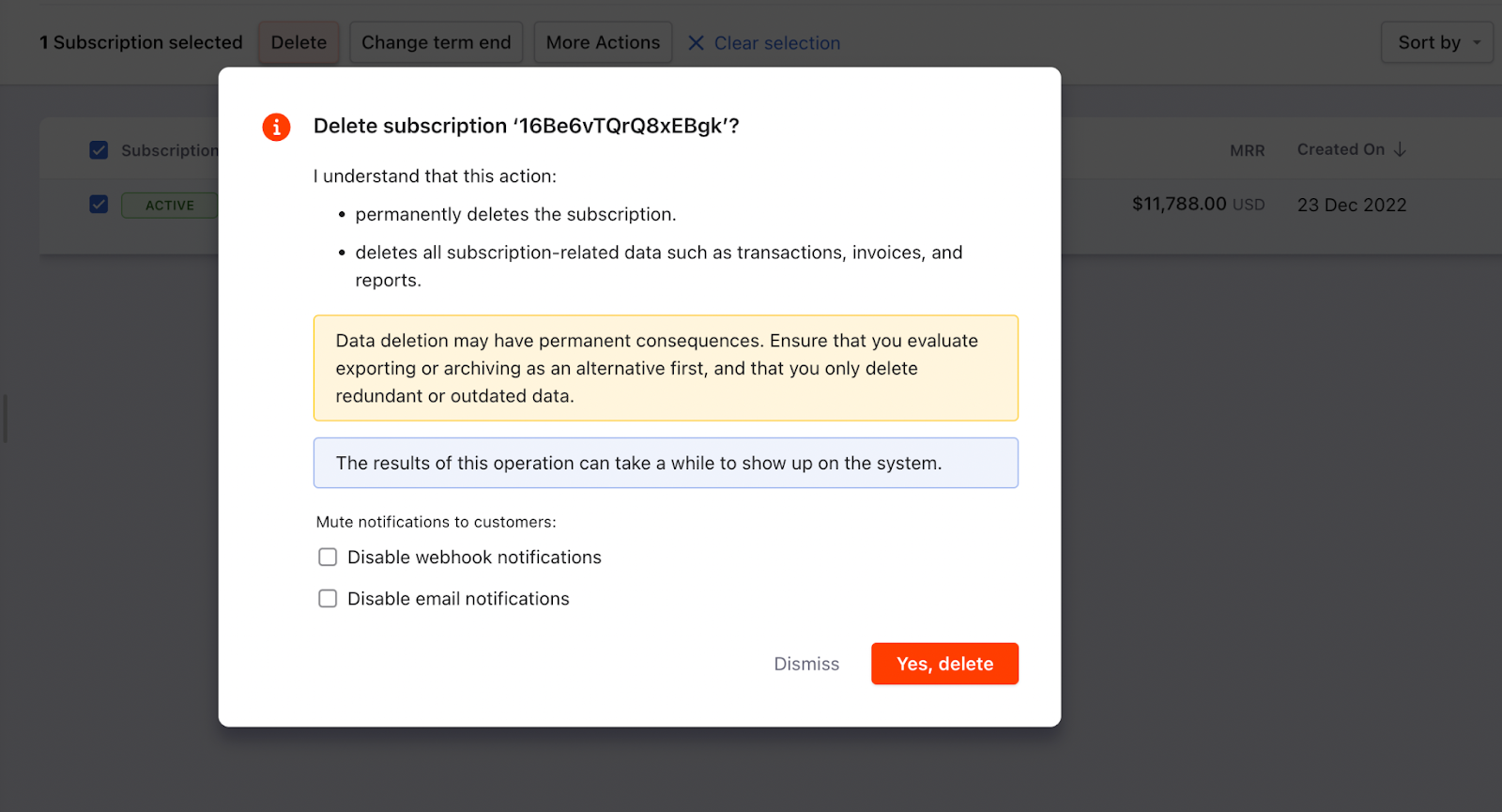
Step 1: Delete the subscription and related invoice and transaction using the bulk operation

image

The bulk operation will get scheduled and it will take time based on the data here I had one record so it was deleted instantly.
image

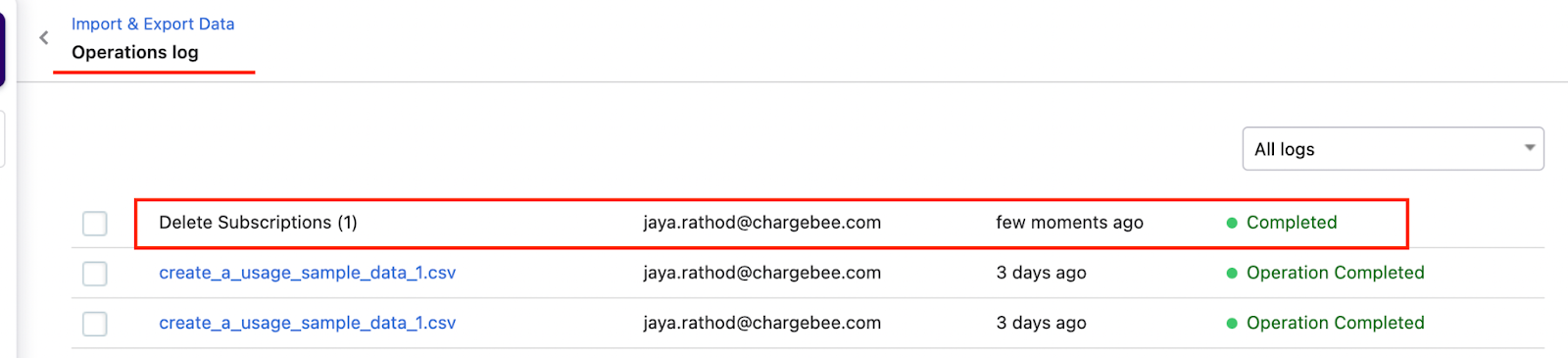
Check the operation logs if the scheduled action is completed.
image

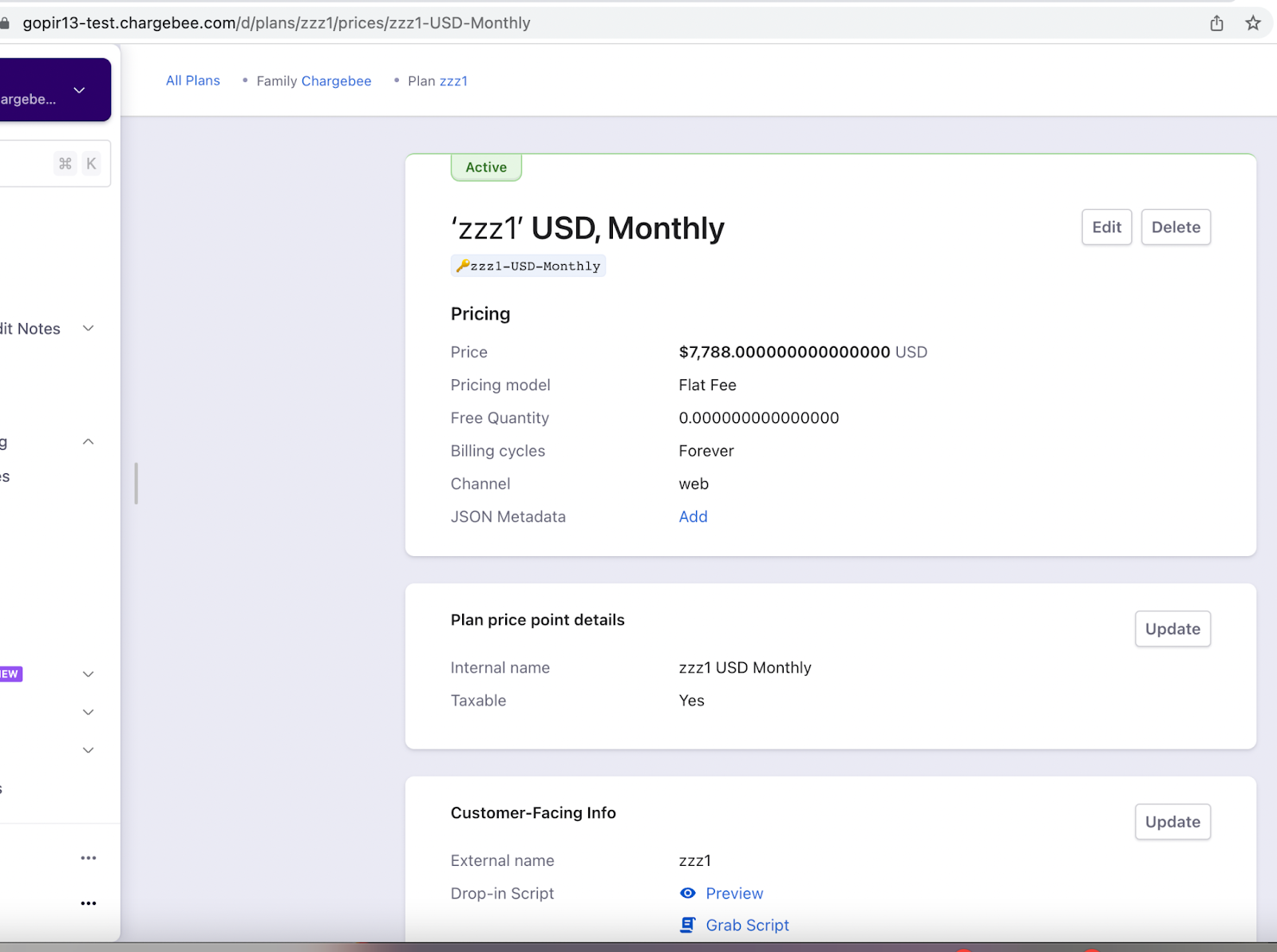
Step 2: Delete the price point now then delete the plan item
image

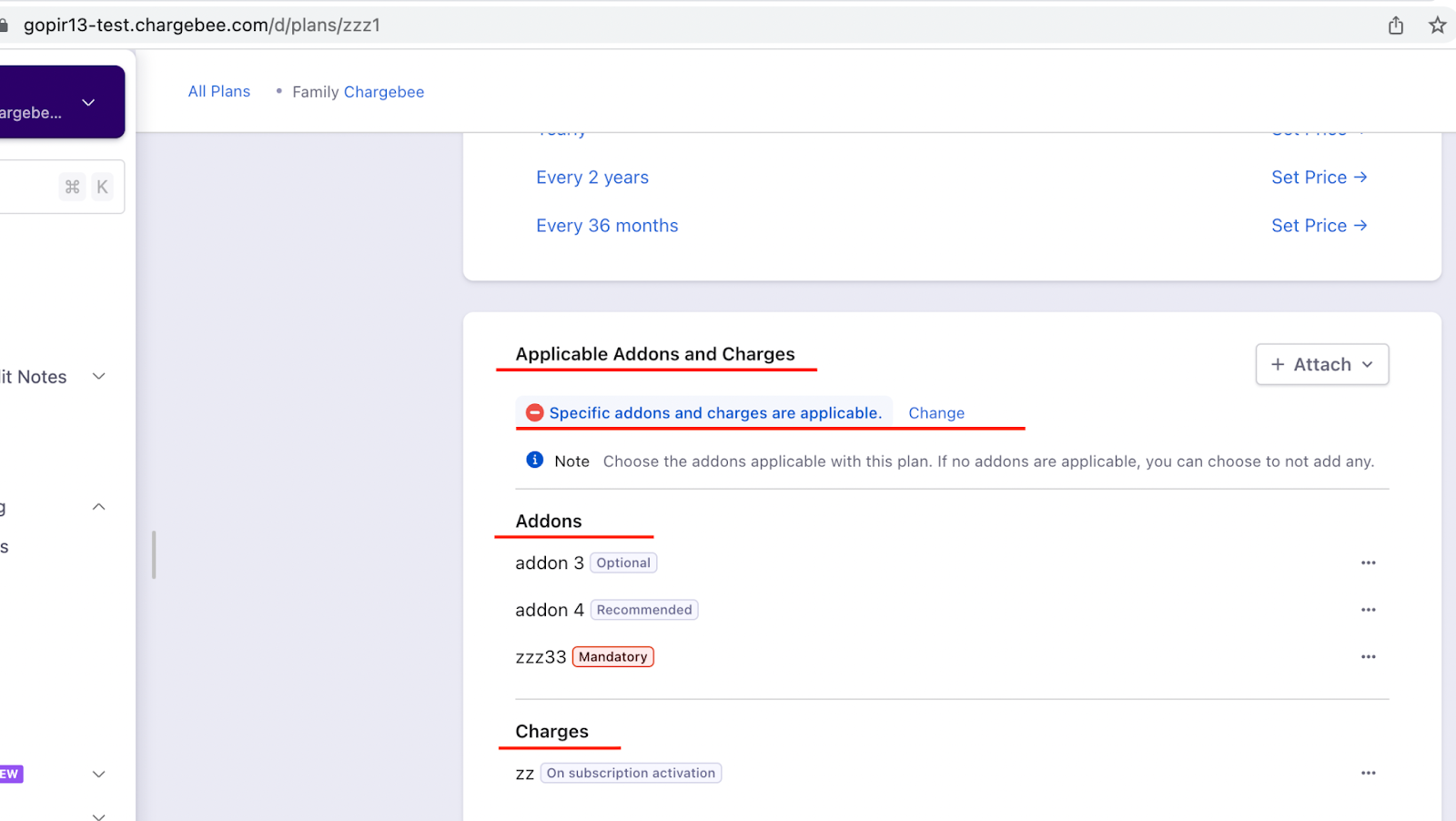
Example 2: If plan zzz1 has addons or charges to be added on specific conditions, then those also need to remove before deleting the plan as it will archive the plan and will not allow deleting the plan
image

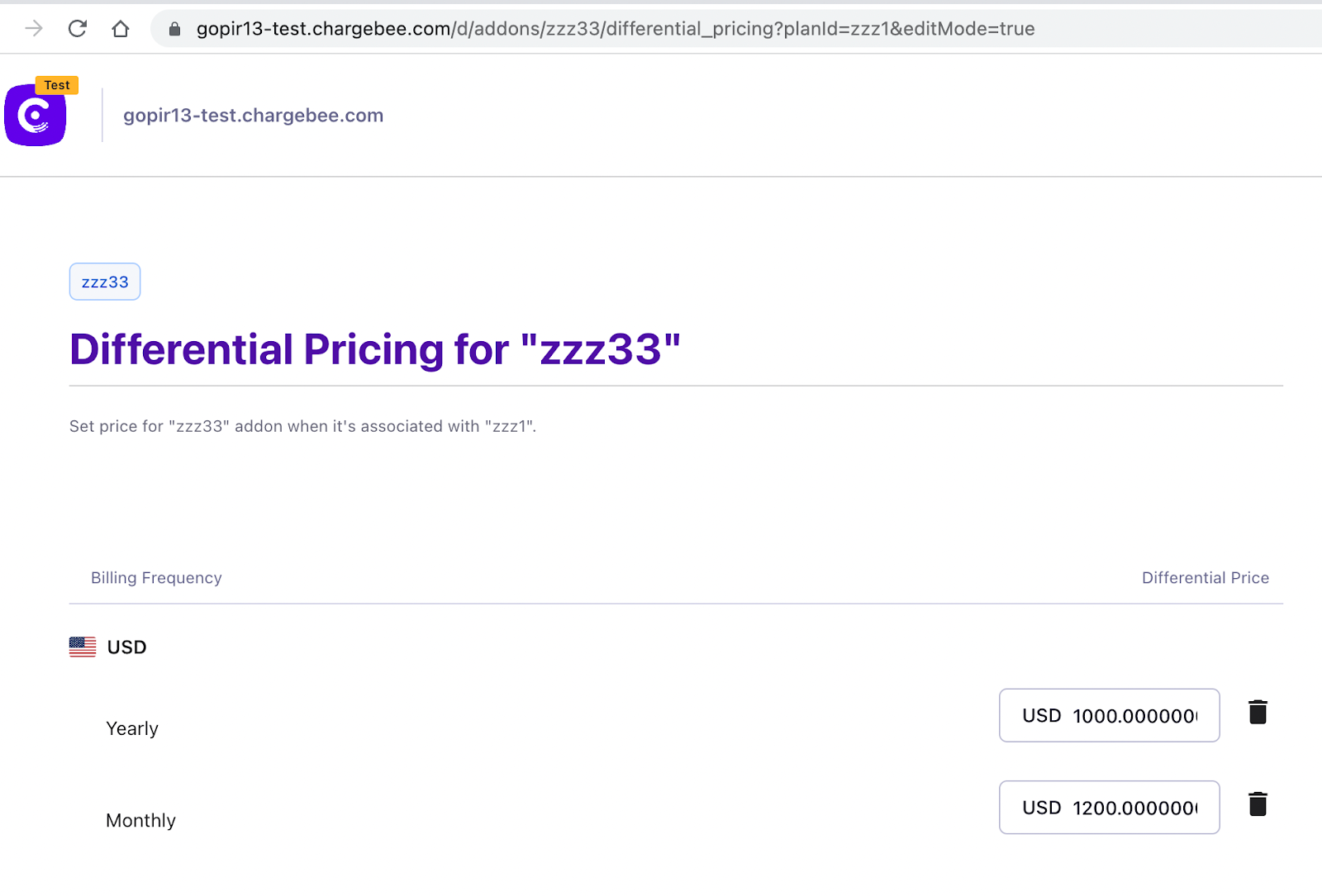
We have a Differential Pricing feature in the Latest Product Catalog version.

If you are trying to delete the addon and still getting archived then you need to check the differential pricing linked to addon item. First unlink the differential pricing and then delete the addon item.

Example 3:

Step 1: Delete the addon zzz333
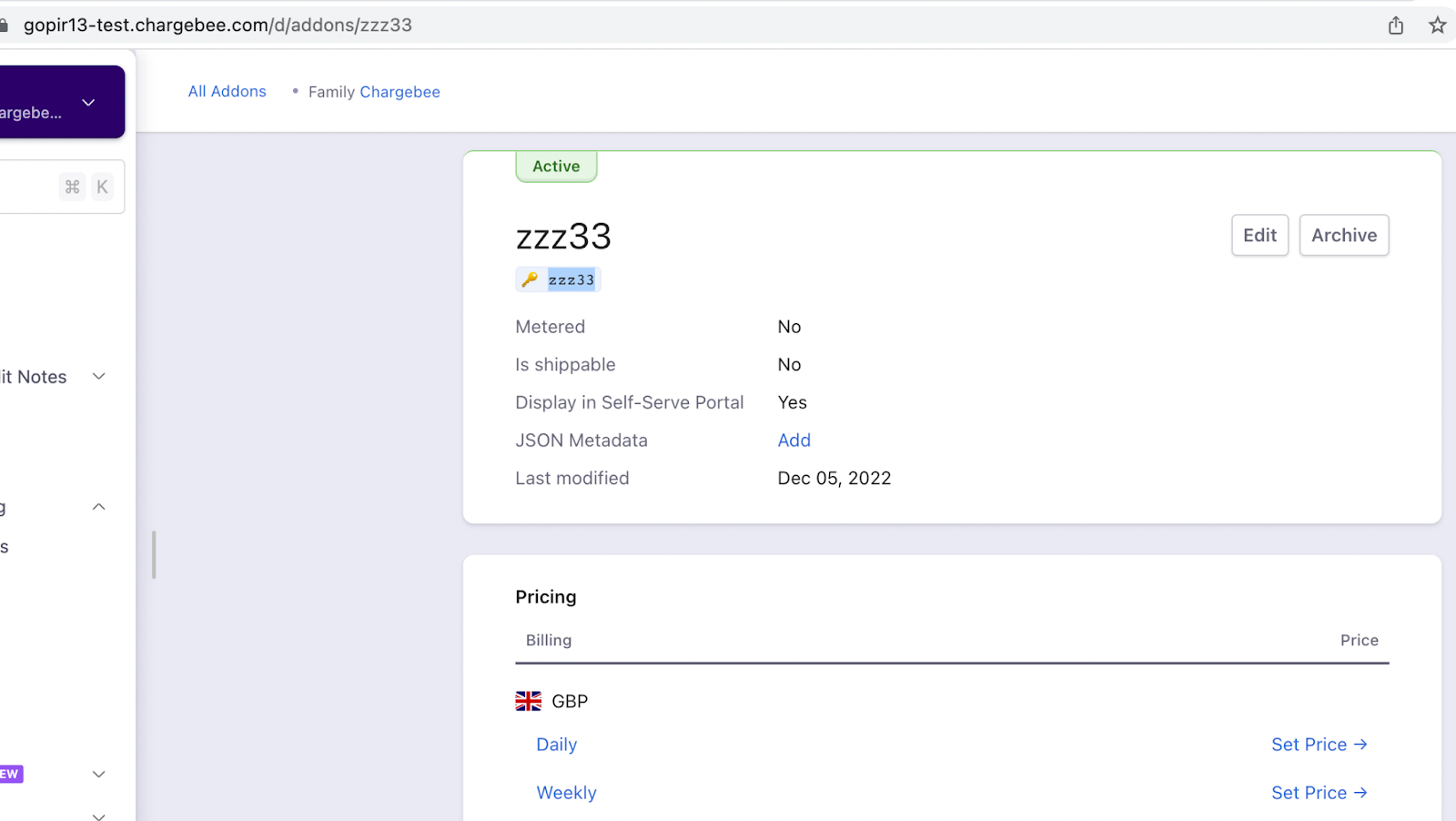
image

But this addon has the price points in USD currency for monthly and yearly frequency
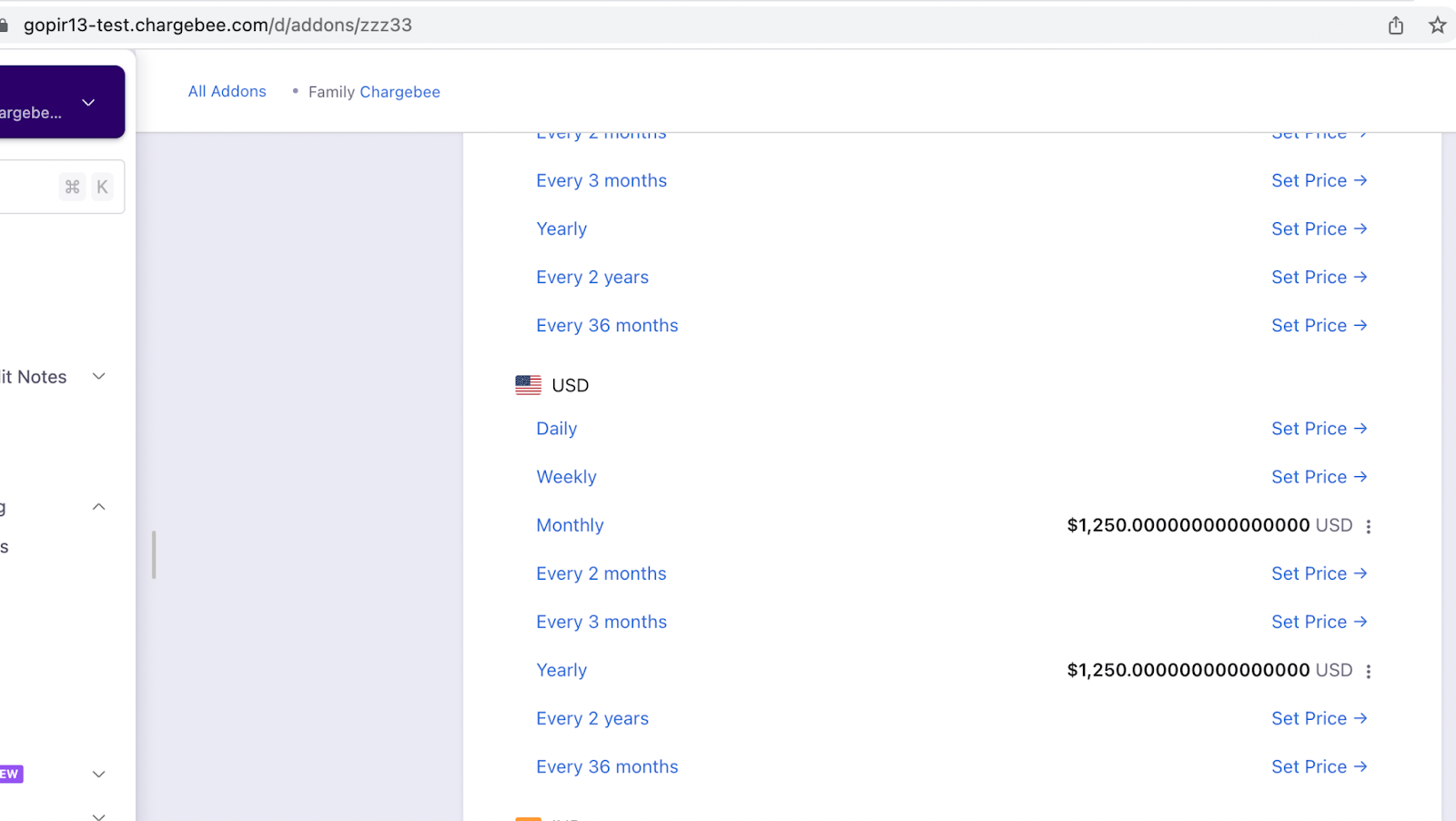
image

Also, have differential pricing set for the plan zzz1
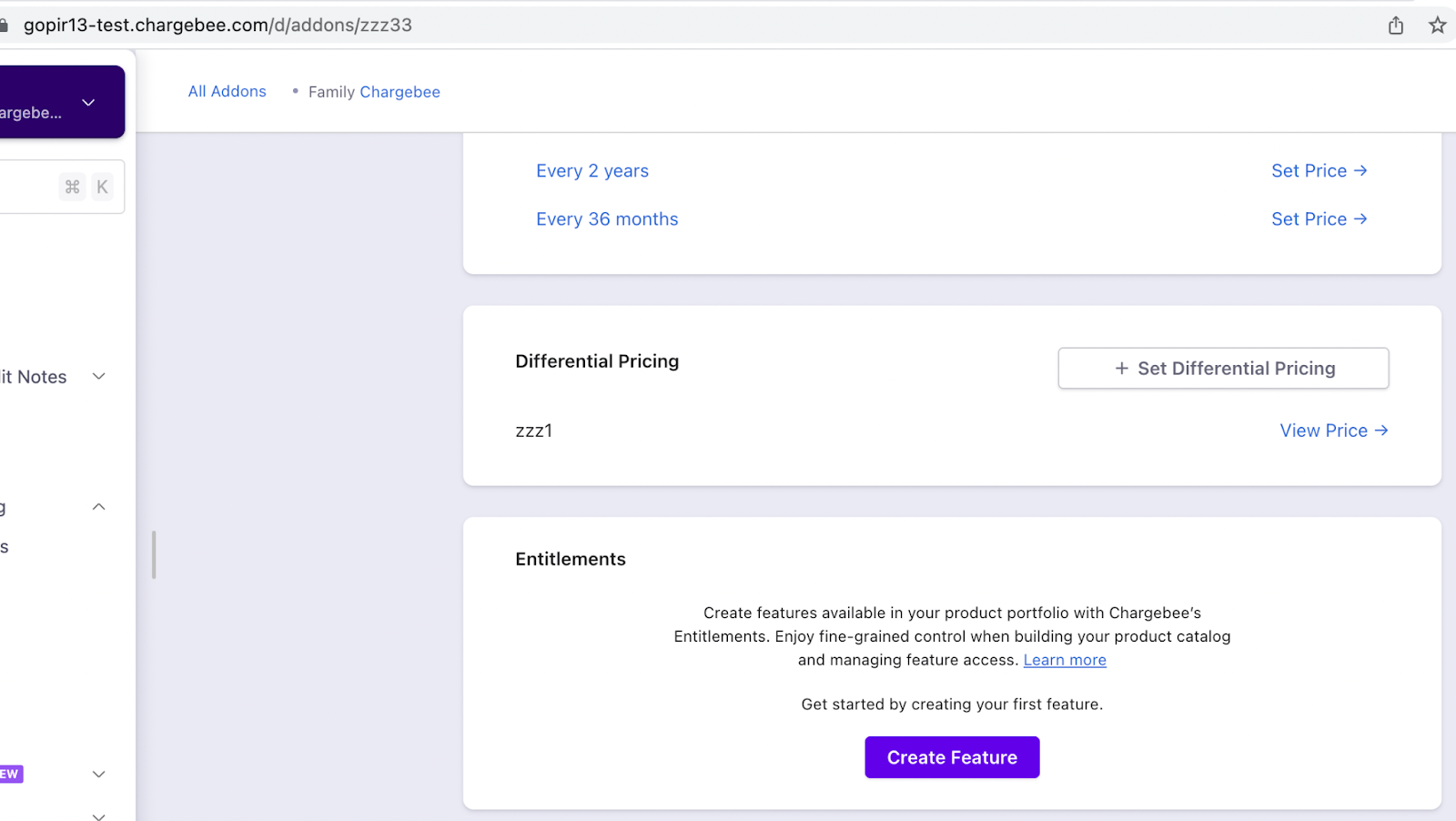
image
image

Step 2: Remove the differential pricing first then you will be able to delete the price point of the addon and now you can delete the addon as well.

Related Articles

What are the improvements on the revamped item detail page on Latest Product Catalog?
Editing a Plan's Pricing & Billing Frequency
Will a new plan price affect the existing subscriptions?
Is there any option to add a trial period for a subscription/plan?
How do I collect the setup fee upfront for a trial subscription?
How do I setup paid trial for my plans, in Chargebee?
What is the maximum duration of a trial period that I can offer using Chargebee?
Error : ChargeBee_InvalidRequestException
How do I create a zero-dollar or zero cost plan in Chargebee?
What happens when I delete a plan in Chargebee?
How to configure plans with different currencies in bulk?
Unable to remove trial for a plan
Unable to edit the free quantity in per-unit price plans
How to change plan pricing in Product Catalog?
How to configure trial period for a plan in Product Catalog?
Changing to a plan with different trial days
What is the difference between price override and differential pricing for addons/charges?
How to set up site wide billing frequency settings in Latest Product Catalog?
How to create a Plan and view plan ID in Latest Product Catalog?
How to create a plan in Latest Product Catalog with multiple currencies and billing frequencies?
I am unable to find the invoice name field while creating the plan.
Is it possible to change the ID of the plan on my Chargebee site?
How to define a product with fixed price for a specific number of units and then with a unit price??
Error:item_price_ids already applicable for item_type plan cannot be removed
What are pricing models available for plans, addons & charges in Chargebee?
What is the difference between price override and creating customer specific plans or addons?
How to find the plans that are associated with a feature using API?
How to combine and configure a per unit and flat-free pricing model?
Is it possible to have a single plan with different options for contract length such as 3 months, 6 months or forever?

Show more

Was this article helpful?