


Usage unit changes
Move from seats to agent runs, tokens, workflows, credits, or any metered unit your product team can defend.
Your pricing keeps changing. Tokens now, credits next. Product Catalog lets teams launch each change without rebuilding billing.
Plans, addons, charges, and entitlements attach around one product family instead of spreading across disconnected price books.
Pricing now changes on the product's schedule. The catalog has to absorb the next motion without turning the financial record into cleanup work.
New usage units, credit rules, service tiers, regional prices, and enterprise exceptions appear before the last pricing motion has settled. Product Catalog gives each change a controlled path into the revenue system.
Move from seats to agent runs, tokens, workflows, credits, or any metered unit your product team can defend.
Bundle platform access, credit wallets, premium agents, onboarding, and support services without creating a parallel price book.
Add currencies, billing frequencies, invoice descriptions, tax profiles, and accounting codes per market.
Carry ramps, add-ons, one-time services, and entitlement limits into the subscription and revenue schedule.
The catalog is the control layer. It decides what can be sold, how it is priced, where it appears, what the customer gets, and how finance treats it downstream.
Product Catalog defines each commercial object before it reaches CPQ, billing, Receivables, RevRec, tax, accounting, entitlements, and AI workflows. Plans, addons, charges, and price points carry the rules they need after the deal is sold.
CPQ quotes approved terms. Billing creates invoice lines. Receivables follows collection state. RevRec uses service periods. AI queries the same operational record.
Define the fields that govern checkout, invoices, entitlement access, tax, accounting, Receivables, and revenue recognition.
Plans define the subscription promise: who can buy it, how long the trial runs, when billing starts, what renews, and whether usage is measured.
Price points carry regional and term-specific variants. Change currency, frequency, invoice language, tax treatment, and accounting fields without multiplying plan records.
| Currency | Frequency | Model | Price |
|---|---|---|---|
| USD | Monthly | Package | $125,000 |
| USD | Annual | Tiered | $1,320,000 |
| EUR | Annual | Volume | €1,260,000 |
| GBP | Quarterly | Per unit | £310,000 |
Start with usage, credits, commitments, and hybrid subscriptions. Then layer in flat fee, per unit, tiered, volume, stairstep, and package pricing where they fit.
Bill by agent runs, API calls, tokens, workflow executions, seats consumed, or any tracked usage unit.
Sell prepaid credits that customers draw down across agents, usage events, support tiers, or product modules.
Package usage commitments with overage rules so enterprise buyers can commit upfront and expand later.
Combine a platform fee, included usage, metered overages, recurring addons, and one-time implementation work.
Charge a fixed recurring amount for a plan, platform package, or recurring addon.
Bill by seats, agents, workspaces, environments, or any quantity that belongs on the subscription.
Apply per-unit prices across successive quantity ranges as usage or seats increase.
Set one unit price based on the total quantity or usage range.
Charge a flat amount for each quantity band or usage band.
Sell seats, units, or usage in blocks, packs, bundles, or committed tiers.
AI products often combine recurring access, usage expansion, onboarding, implementation, and migration work. Addons and charges keep each motion clear on the subscription and invoice.
| Name | Object | Renewal | Revenue field |
|---|---|---|---|
| Credit Wallet | Addon | Recurring | Usage drawdown |
| Agent Overage | Addon | Recurring | Metered |
| Implementation | Charge | One-time | Service period |
| Data Migration | Charge | Event-based | Deferred |
When a SKU is created, attach taxability, accounting code, revenue category, invoice description, and service-period logic so downstream teams do not rebuild that context later.
AI products need more than feature gates. Plans and addons should define usage limits, credit allowances, consumption rules, rollover behavior, and the overage charges that apply when customers grow past their included usage.
| Control | Starter | Growth | Enterprise |
|---|---|---|---|
| Agent runs included | 10k | 100k | Custom |
| Usage tracking | Monthly | Real-time | Real-time |
| Overage rule | Blocked | Per 1k runs | Contracted rate |
| Credit rollover | No | 30 days | Custom |
| MCP access | No | Read | Read and act |
A pricing decision is only complete when the quote, subscription, invoice, collection workflow, and revenue schedule can all read the same terms.
Product, RevOps, and finance define the commercial object once. Sales quotes from approved plans, addons, charges, coupons, billing frequencies, price points, and discount rules.
Accepted quotes become subscriptions with plan quantity, recurring addons, one-time charges, trial rules, renewal terms, ramp terms, usage rules, and entitlement access.
Revenue recognition uses service period, accounting code, charge type, contract context, and invoice line detail. Finance, RevOps, and AI clients query the same operational record.
AI workflows become more useful when they can inspect live plans, price points, usage rules, invoice lines, collection status, and revenue treatment.
Everything you need to configure plans, price points, addons, charges, coupons, and applicability rules — with step-by-step guides for each.
Understand the full catalog model: product families, plans, addons, charges, coupons, and coupon sets.
Open docs →SubscriptionsCreate plans, define billing frequencies, enable metered behavior, and add plan price points.
Open docs →Pricing variantsConfigure price points for currency, billing frequency, regional terms, invoice names, tax treatment, and accounting fields.
Open docs →Recurring expansionCreate recurring addons, define addon price points, and attach additional services to subscriptions.
Open docs →One-time itemsConfigure non-recurring charges, quick charges, event-based fees, and service periods.
Open docs →PromotionsSet fixed, percentage, and offer-quantity coupons with validity, eligibility, and applicability rules.
Open docs →AutomationAttach recommended or mandatory addons and charges to plans, including event-based application.
Open docs →It includes product families, plans, addons, charges, coupons, coupon sets, and price points.
Metered usage, credit wallets, committed usage, hybrid subscriptions, flat fee, per unit, tiered, volume, stairstep, and package patterns.
Catalog objects can carry tax profiles, accounting codes, invoice notes, customer-facing descriptions, and service periods.
Yes. New prices can apply to new subscriptions while existing subscribers remain on the terms they bought.
Features, usage limits, credit allowances, and overage rules can be mapped to plans and addons so product access follows the commercial terms.
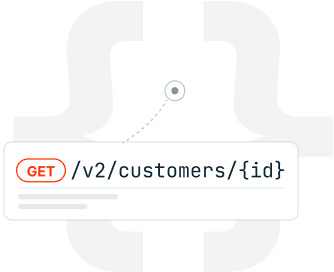
MCP lets AI clients query subscriptions, invoices, pricing, usage, and catalog context from the same system.
Keep each pricing motion connected to the systems that quote, bill, collect, recognize, report, and answer questions about revenue.