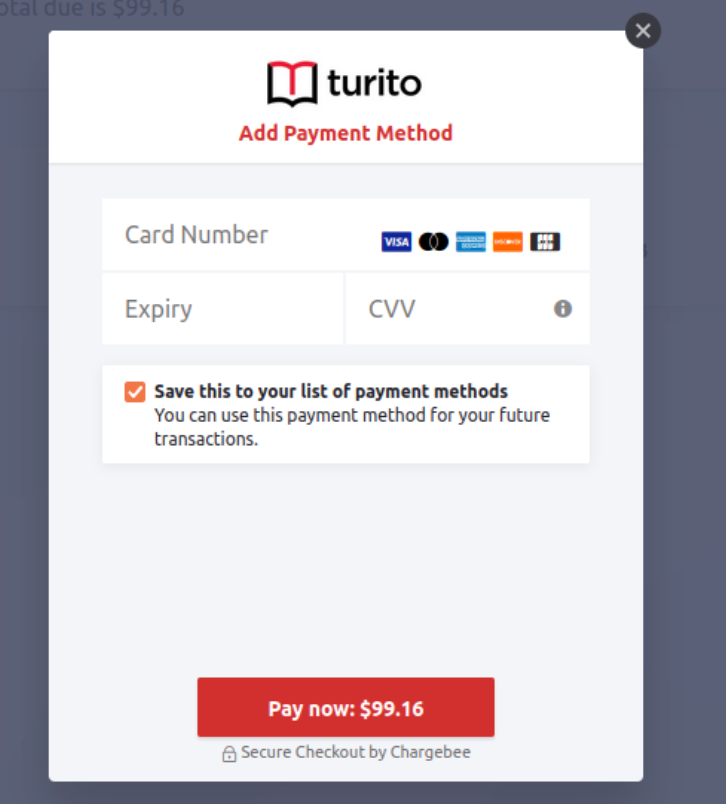
How to translate the "Save this payment method" text on the Pay Now link
Problem Statement
You want to translate the text "Save this to your list of payment methods" on the Pay Now link. This text is not editable via the Labels section.
Solution
Edit the text via the language pack.
Configuration steps
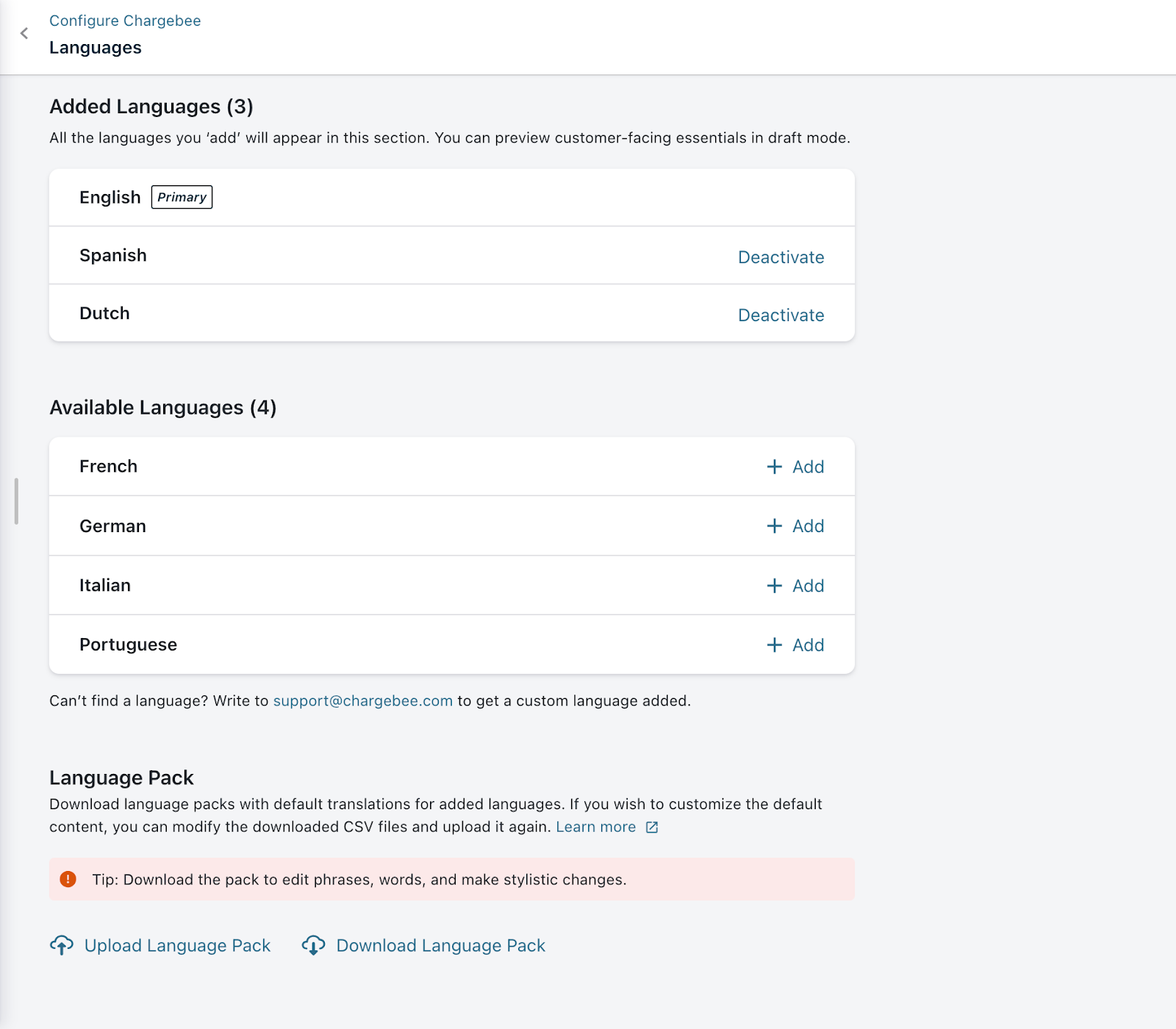
- Go to Settings > Configure Chargebee > Languages and click Download Language pack.
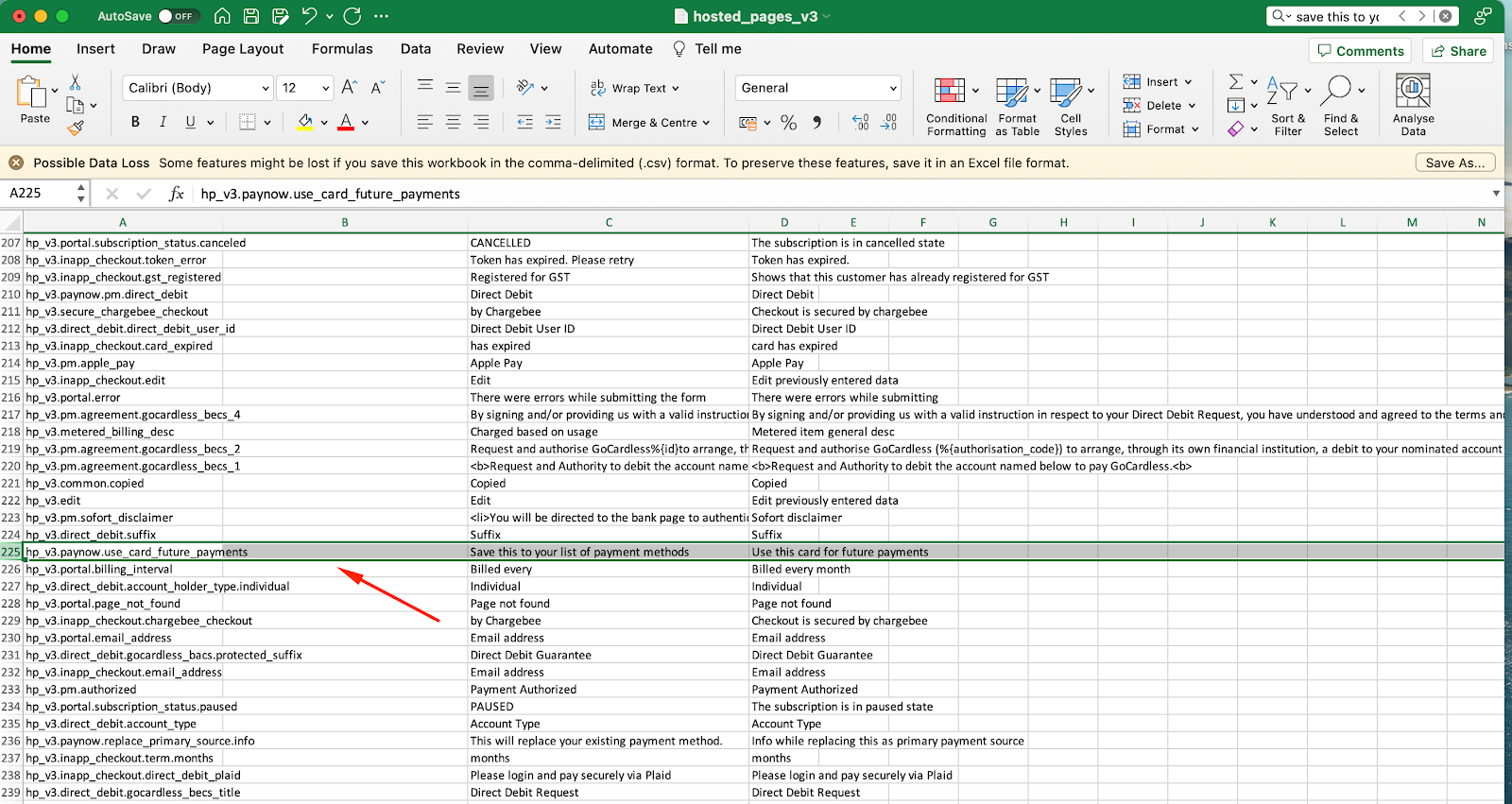
- Unzip the file and open en > Internal > hosted_pages_v3.csv (or the folder for your language).
- Find the row for the "Save this to your list of payment methods" text and add your translation in Column B (Value).
- Save the file, zip the pack, and upload it via Upload Language Pack.
Was this article helpful?