Docschargebeedocs

HomeBillingPaymentsRevRecGrowthReveal
Support

Product Updates


  • Release Notes

Getting Started


  • Overview
  • Chargebee Billing Data Centers
  • Object Relationship Model
  • Understanding Sites
  • Developer Resources
  • Chargebee Tech Glossary
  • Articles and FAQ

Implementing Chargebee


  • Implementation Guide
  • Go-live Checklist
  • Articles and FAQ

AI in Chargebee


  • Chargebee Agents
  • Chargebee Copilot
  • Chargebee MCP Server (Model context protocol)

Product Catalog


  • Product Catalog Overview
  • Coupons
  • Articles and FAQ

Subscriptions


  • Working with Subscriptions
  • Billing
  • Orders
  • Articles and FAQ

Customers


  • Managing Customers
  • Account Hierarchy
  • Email Notifications
  • Branding
  • Configure Multiple Languages
  • Articles and FAQ

Invoices, Credit Notes and Quotes


  • Invoices
  • Credit Notes
  • Quotes [Legacy]
  • Transactions
  • Articles and FAQ

Taxes


  • Overview
  • Configuring Taxes
  • Country-specific Taxes
  • Articles and FAQ

Hosted Capabilities


  • Overview
  • Hosted Checkout
  • Hosted Self-Serve Portal
  • Hosted Pages Features
  • Additional Hosted Pages
  • Payment Components
  • Managing payments with ChargebeeJS
  • Mobile-Optimized Hosted Pages
  • Articles and FAQ

Site Configuration


  • Users & Roles
  • Custom Fields & Metadata
  • Mandatory Fields
  • File Attachments & Comments
  • Advanced Filter Options
  • Multicurrency Pricing
  • Multi-decimal Support
  • Configuring Reason Codes
  • Events and Webhooks
  • API Keys
  • Time Zone
  • Time Machine
  • Transfer Configurations
  • Articles and FAQ

Reports and Analytics


  • RevenueStory
  • Home Dashboard
  • Frequently Asked Questions
  • FAQs for Classic Reports Sunset
  • Articles and FAQ

Integrations


  • Sales
  • Customer Support and Success
  • Finance
  • Tax
  • Marketing
  • Stitch
  • Collaboration
  • Contract Management
  • Order Management
  • Mobile Subscriptions (Legacy)
  • Other Integrations
  • Articles and FAQ

Data Privacy & Security


  • Two Factor Authentication
  • SAML Single Sign-On
  • System for Cross-Domain Identity Management (SCIM)
  • EU-GDPR
  • Consent Management
  • Personal Data Management
  • Compliance Certificates
  • HIPAA Guidelines
  • PCI Recommendations and Integration Types
  • Articles and FAQ

Data Operations


  • Bulk Operations
  • Migration
  • Articles and FAQ
  1. Billing
  2. Product Catalog
  3. Articles and FAQ
  4. Coupons
  1. Billing
  2. Product Catalog
  3. Articles and FAQ
  4. Coupons

How to create a Coupon in Latest Product Catalog?

Problem Statement

You want to know how to create a coupon in latest product catalog.

Scope

  1. How to create a one-time coupon?
  2. How to create a coupon for seasonal offers?
  3. Do we have the option to create a coupon forever?
  4. Is there any option to update a coupon only to specific plans or add-ons?
  5. I want to restrict coupon redemptions for a particular period, how?

Summary

You can create coupons by navigating from the Product Catalog and three criteria define the coupons functionality.

1. Coupon Type

2. Coupon Duration

3. Coupon Validity

Solution

Chargebee gives you the flexibility and ease of providing buyers/subscribers with discounts, promotions, and special offers with coupons. These coupons can be used at any time and the discounts will be applied to the next invoice.

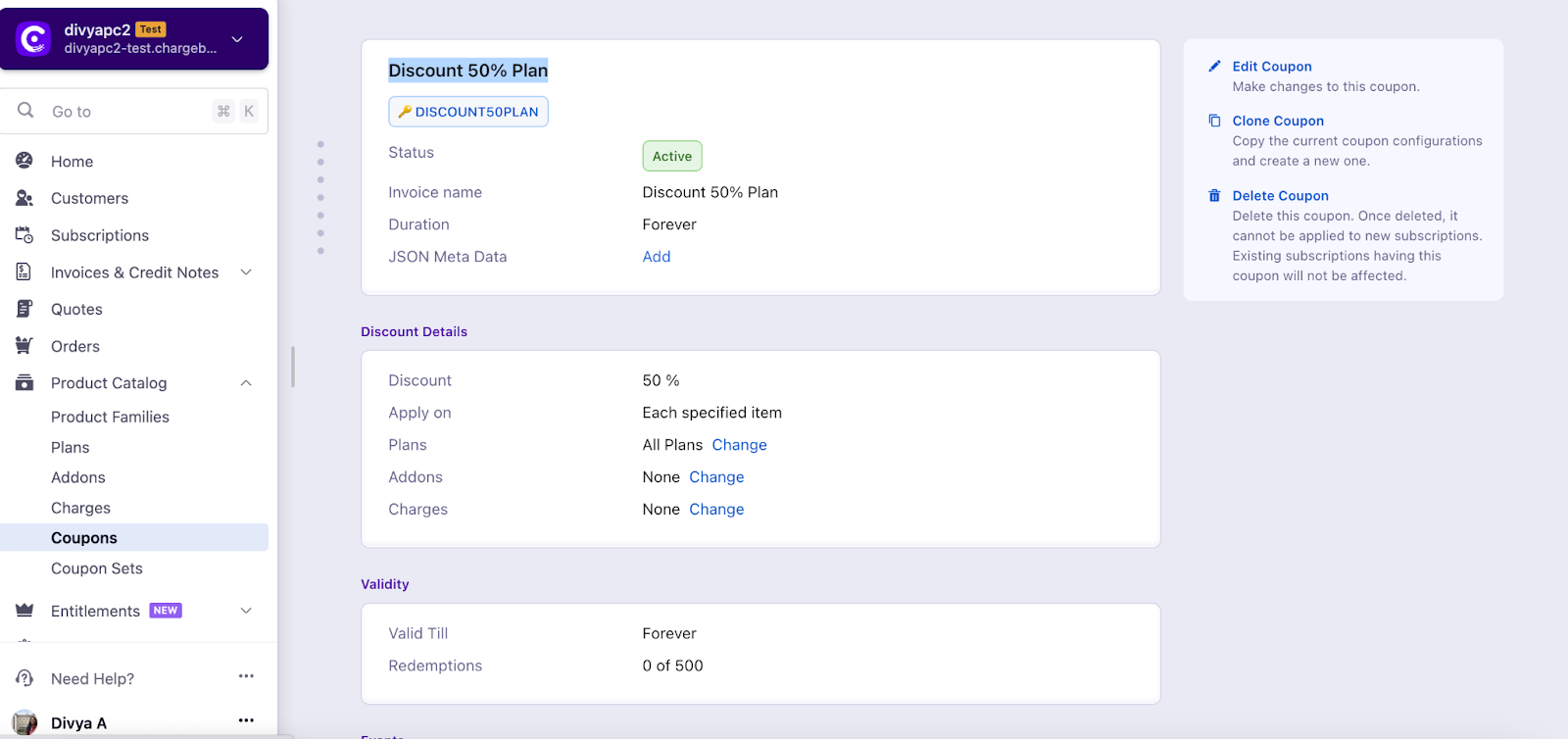
Introuding Leap UI Coupon Details page With the recent update, the Coupon Details page is migrated from the default Classic UI to the Leap UI page. The new Leap UI Coupon Details page is designed to provide a more intuitive and efficient user experience, allowing you to easily view and manage coupon details. Refer to this link to know more about the new UI enhancements.
image

1. Coupon Type

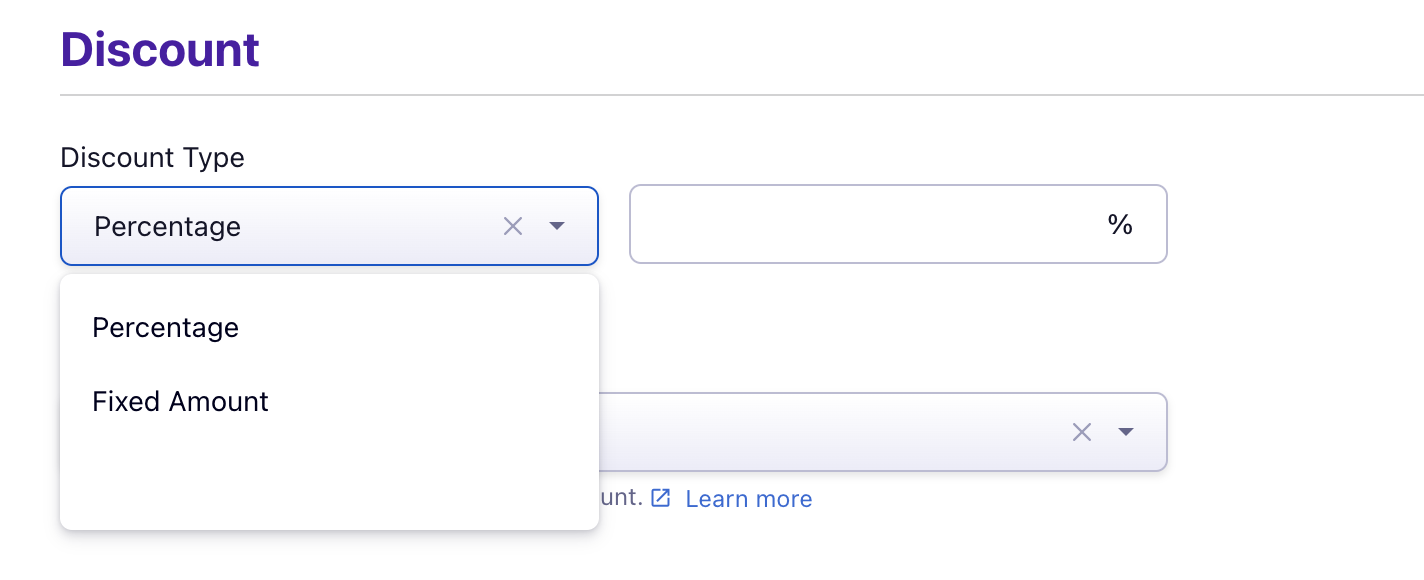
Coupons can be created in Chargebee to offer discounts on purchases. We currently support two types of coupons:

A. Percentage

B. Fixed Amount
image

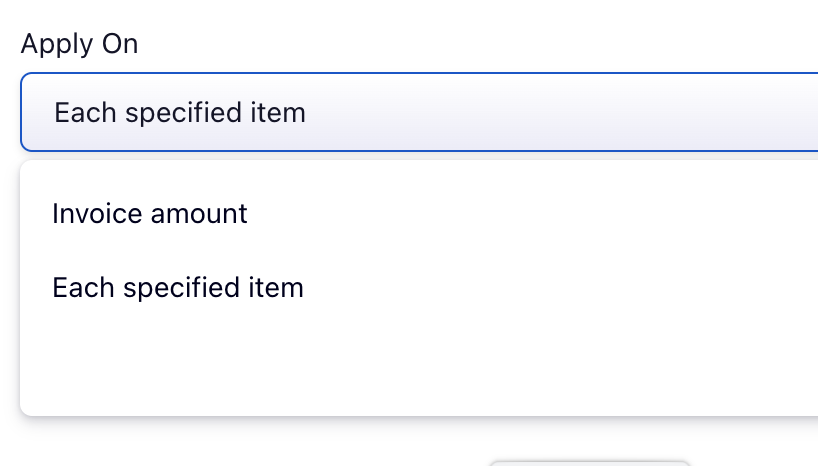
You can create a coupon (fixed amount/percentage) to be applied to the entire invoice or only to specific items on an invoice(such as selected plans or add-ons).

This can be configured only at the time the coupon is being created. Click here to read more about it.
image

Note: Click here to read more about Coupons in Latest Product Catalog

2. Coupon Duration

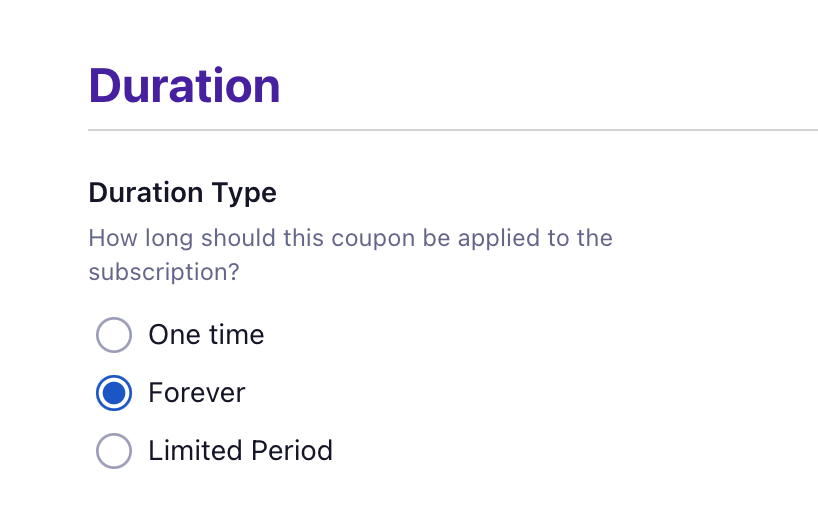
The duration of the coupon is also defined at the time the coupon is created. The duration defines how long a discount should apply to a subscription once it's added.

A. One Time - Applies only one time on the next immediate invoice at the time it's added.

B. Forever - Discount will be applied until it's removed from the subscription.

C. Limited Period - Will be applied for a fixed number of months.
image

3. Coupon Validity

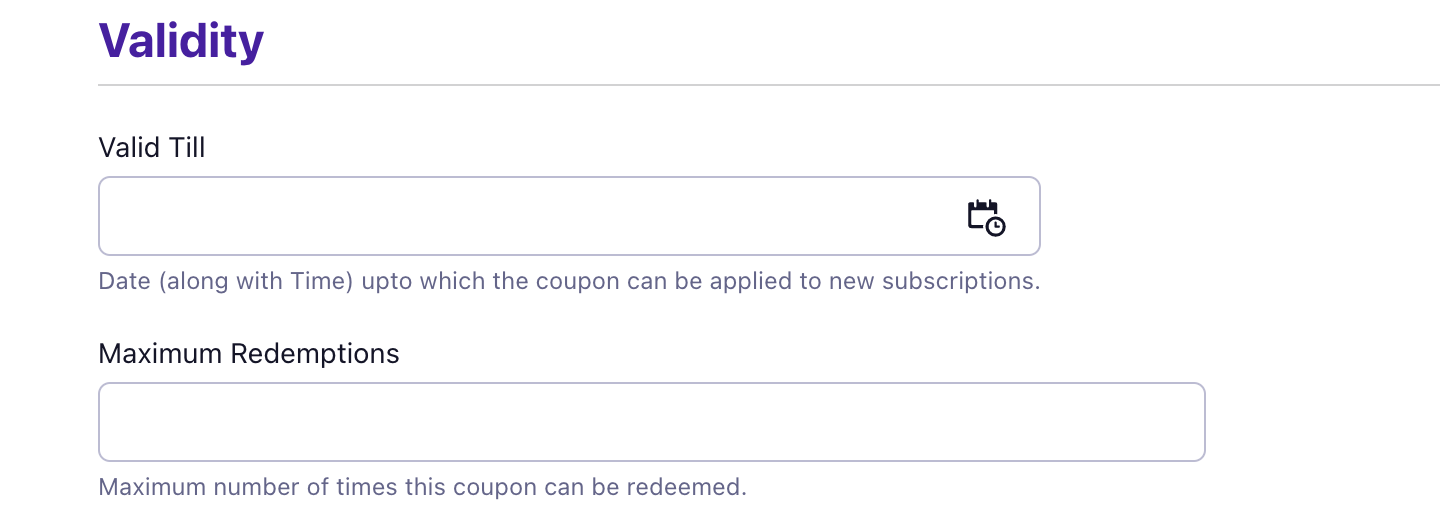
The validity of a coupon is to determine the expiry of the coupon. Validity can be limited to a specific date (eg; a new discount) or the number of redemptions (eg, first 10 customers).
image

A coupon code that is once used on a subscription can be used again on the same subscription provided the coupon code is valid. To make coupon codes unique you will need to use Coupon Sets

Related Articles

What are coupon codes/ coupon sets in Latest Product Catalog?
How is coupon validity different from coupon duration?
Bulk coupon code generator
Is it possible to limit the coupons only to certain plans via the UI?
How to find out list of coupon code‌s redeemed by the customer?
How to delete a coupon?
Difference between coupons and manual discounts
How to automatically apply coupon only to the first subscription of the customer during sign up?
How to add a coupon for a specific plans? - Legacy Product Catalog
How to apply a coupon while reactivating a cancelled subscription?
How to unarchive a coupon that was accidentally archived?
How to add a coupon for a specific currency or items on Latest Product Catalog?
How to clone a coupon?
Coupon not reflecting in the unbilled charges
How to add coupon to an existing subscription in Product Catalog?
What are coupon codes/ coupon sets in Latest Product Catalog?
How to apply coupons on a recurring basis?
How will the coupon code behave?
Applying multiple coupons and manual discounts to a subscription
How to offer coupons to multiple subscriptions of a customer at once?
What is the order type in which coupons are applied?
How to disable 'multiple coupons for a subscription'?
What does it mean when a coupon is marked as 'Exhausted'?
Error - coupon Id is 'already exists' while creating coupon
Why coupon redemption count is more than the coupons actually applied to the Subscription?

Show more

Was this article helpful?