Update payment method is not showing Direct-Debit for the customer
Problem Statement
This article helps you understand update payment method is not showing direct-debit for the customer.
Scope
I am unable to send update payment method for direct debit customers. Why?
Update payment method is missing or direct debit customers
Solution
There are a few pre-requisite to be met so that the customers can update their direct debit account information via the updated payment method.
Please verify if the following information is met:
- Check the settings under: Settings -> Configure Chargebee -> Gateway -> Your Gateway -> Advanced Settings -> Display Direct Debit as a payment method for.
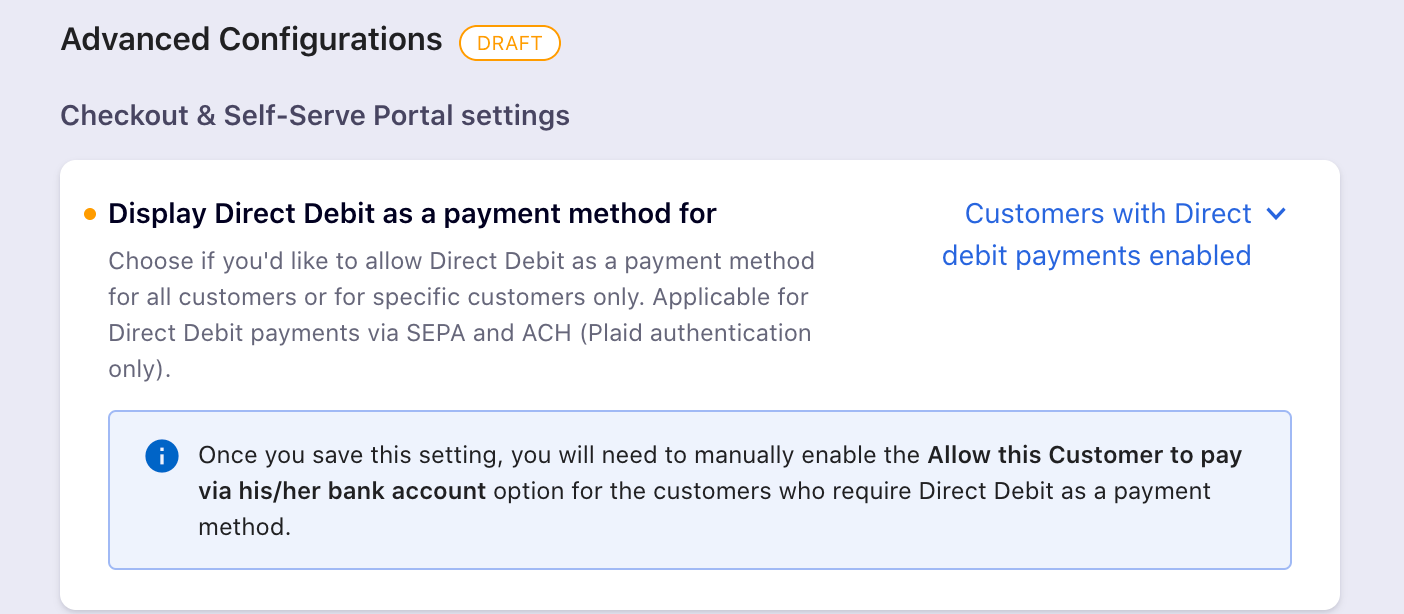
Here, if you have chosen "Customers with Direct Debit Payments enabled", then further verify the below settings under the customer.
- Open the specific customer record -> Edit Customer -> Make sure that "Allow this Customer to pay via his/her bank account" is enabled.
Note: Introducing Jump to section, with this enhancement users can easily navigate between sections on Leap UI detail pages such as the Customer Details page, and Subscription Details page. Refer to this link for more information.
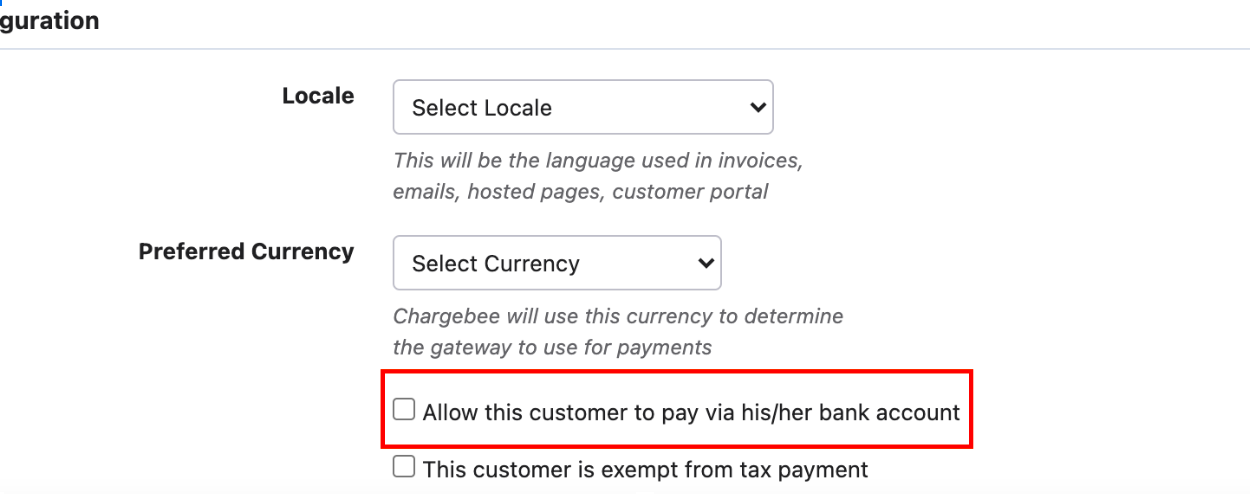
- For the customer to get the correct direct debit option (Example: ACH, PAD, SEPA) make sure the preferred currency is selected correctly under the customer record.
Was this article helpful?