"An error occurred while processing your request" error on Chargebee checkout by Mollie
Problem Statement
Why do customers see "An error occurred while processing your request" on checkout when using the Mollie gateway?
Solution
This error comes from Mollie and is usually caused by missing cardholder information. Mollie requires First Name and Last Name for card details to be mandatory.
Steps to Set It Up
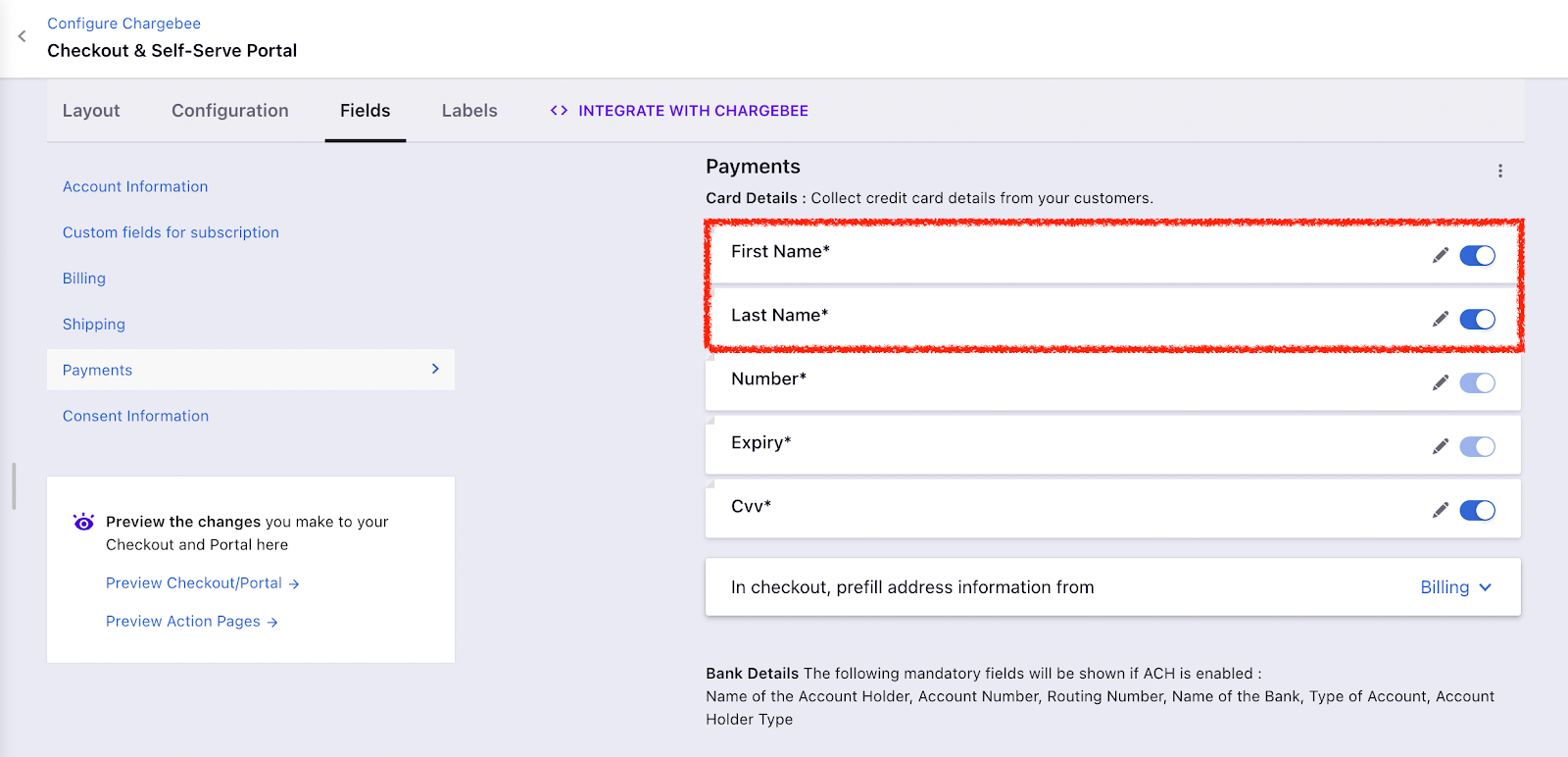
- Go to Settings > Configure Chargebee > Checkout & Self-Serve Portal > Fields > Payments
- Enable First Name and Last Name for card details
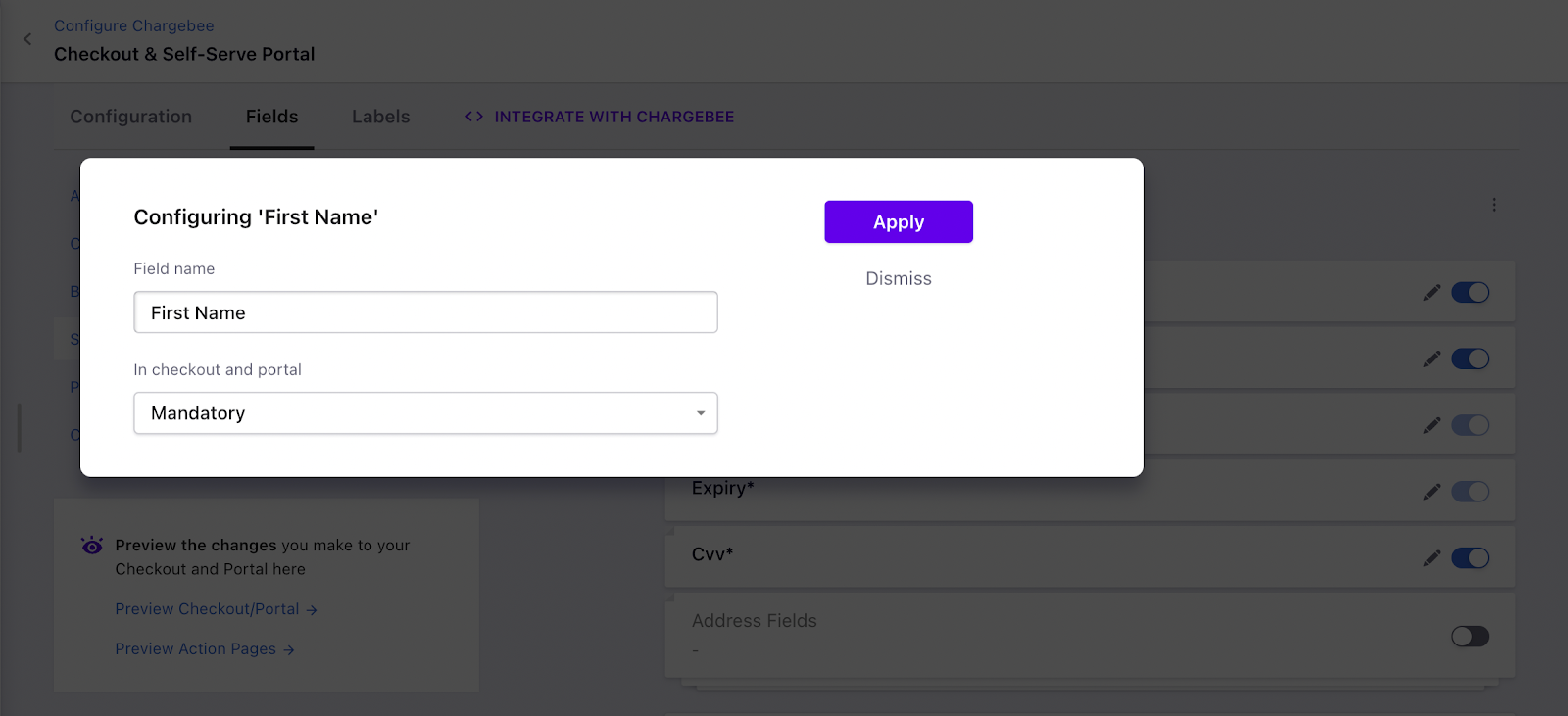
- Click Edit next to each field and set them to Mandatory
Related Articles
Show more
Was this article helpful?