How to change a cancelled subscription to a non-renewing subscription?
Scope
My customer cancelled his subscription but his prorated charges are not getting applied. What to do?
How to stop the subscription from renewing for another term?
How do I renew a subscription for 1 term?
Summary
To change a cancelled subscription to a non-renewing status you can reactivate the subscription to the billing cycles as 1 from the Subscription details page in two ways as mentioned below.
1. Edit/Change Subscription
**2. Reactivate Subscription Solution
To change the status of the scheduled cancelled subscription that is Active to Non-Renewing from the admin console, Go to Chargebee Dashboard
Subscriptions
Select the subscription
Change Subscription/Reactivate Subscription
Enter the No. of Billing Cycles as 1
Note:
If you make the billing cycle as 1, the term would be considered according to the plan's frequency. For example, if the subscription has a monthly plan then it is between 17 Jul 2020 - 17 Aug 2020.
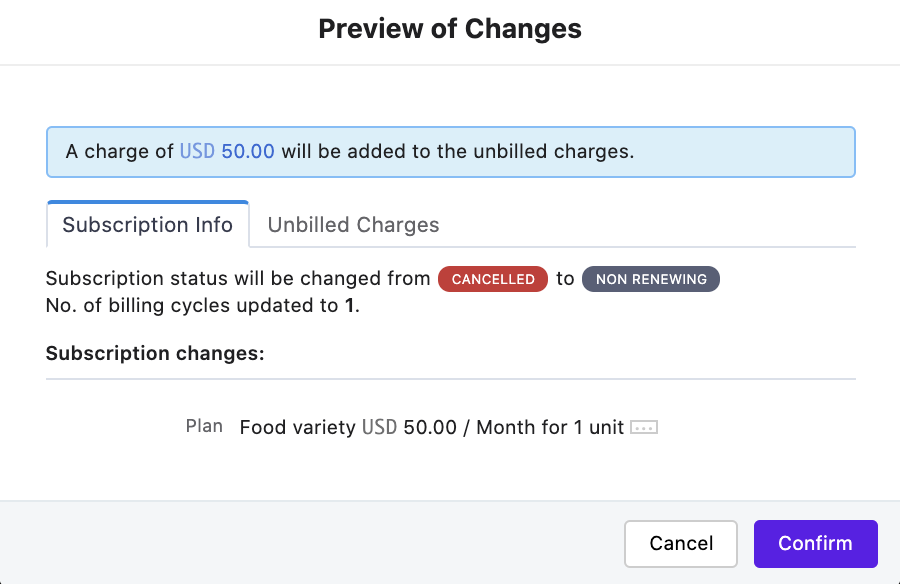
Here's a video explaining this use case.
If you allow your customers to answer their subscriptions via the portal, you can configure your portal settings to allow cancellations at term-end. This way all your customer cancellations will be scheduled at the end of the billing cycle.
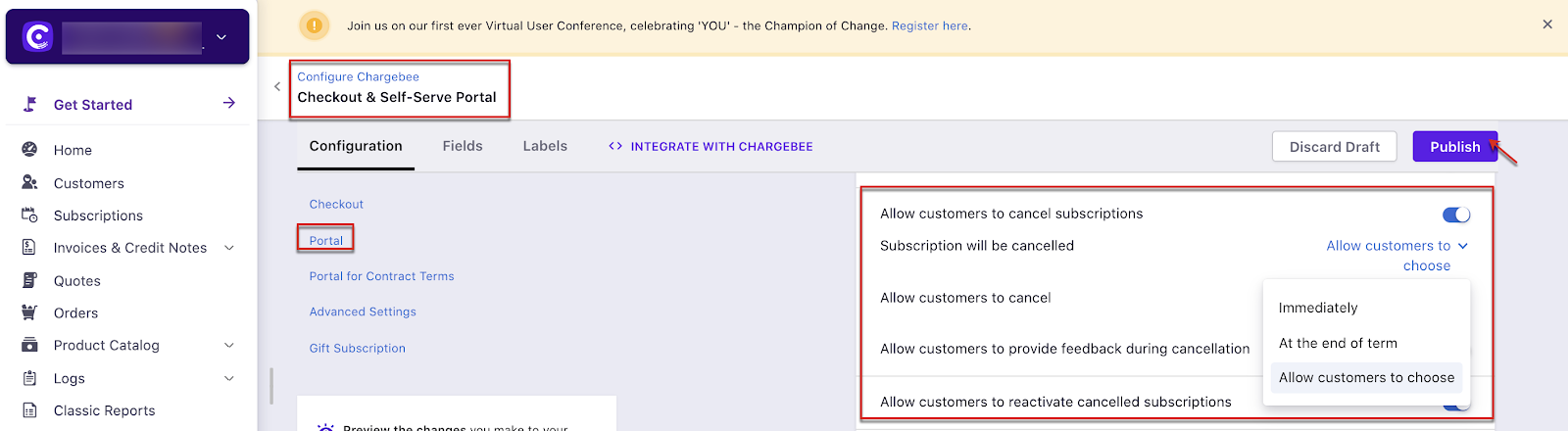
Note:
If you allow your customers to cancel during the term you can choose to set up refunds to your customers under the Cancellation settings.
Was this article helpful?