Chargebee CPQ: Streamline Your Quote-to-Revenue Process
Overview
Chargebee CPQ is a powerful configuration, pricing, and quoting solution built for subscription-based businesses that enables you to create, customize, and approve subscription quotes quickly and accurately. From new business opportunities to renewals and amendments, Chargebee CPQ helps your sales team deliver error-free quotes while maintaining pricing governance.
With Chargebee CPQ, you can configure quote templates to reflect your business rules, set up approval workflows based on discount thresholds, and empower your sales team with the right level of flexibility. Here's a quick snapshot of what Chargebee CPQ offers, who it is for, and the value it brings to your quoting process:
- Chargebee CPQ: A flexible quoting solution built to streamline quote creation, pricing, and approvals within Chargebee Billing.
- Who Is It For? Designed for sales teams, finance teams, and subscription-based businesses managing complex pricing and approval processes.
- Key Benefits: Accelerate your sales cycles, reduce manual errors, and ensure pricing accuracy with flexible, customizable workflows.
- How Does It Integrate? Seamlessly connects with Chargebee Billing product catalog and CRM systems like Salesforce, for unified operations.
- Business Outcomes: Drive faster deal closures, improve sales-finance alignment, and deliver a better quoting experience.
Key Concepts
The following are some key concepts of Chargebee CPQ:
- Quote Types: Create and manage new subscription quotes, one-time charge quotes, and amendment quotes to suit various sales scenarios.
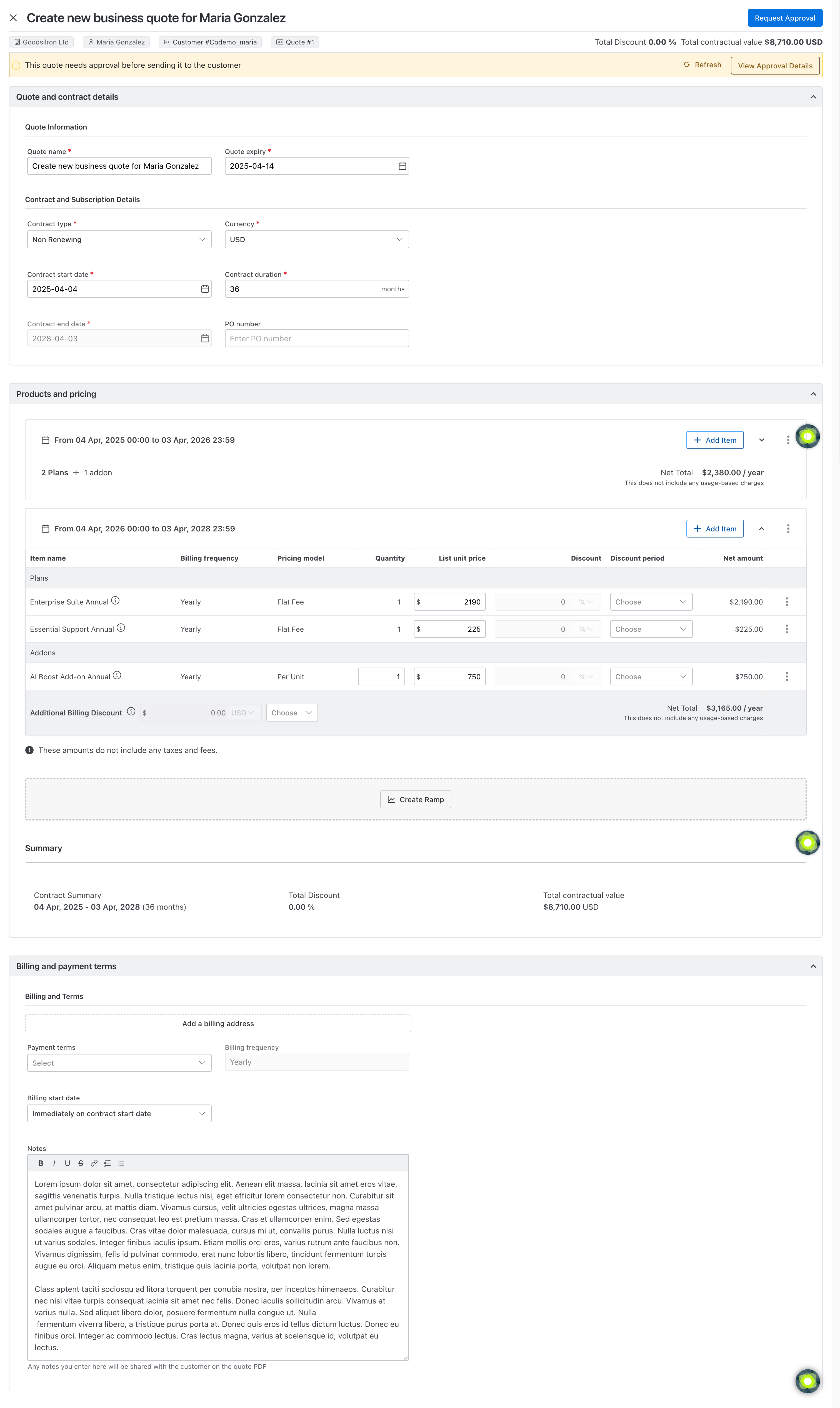
- Quote Components: Each quote includes customer details, product configurations, pricing, discounts, taxes, ramps, billing, and payment terms.
- Quote Statuses: Track quotes across different stages such as Pending Approval, Open, Proposed, Accepted, Declined, Invoiced, Voided, and Expired, for better visibility and control.
- Roles and Permissions: Control access to quote creation, editing, and approvals based on user roles such as sales agents, sales managers, or finance managers.
- Quote Forms: Use the Quote Form Builder to customize how sales teams input quote details, aligning with your sales process and branding.
- Custom Fields: Capture business-specific information on quotes using custom fields that support tailored workflows and reporting.
- Approval Workflows: Define automated approval rules based on deal size, discounts, or product types to maintain pricing governance.
- Quote Calculations: Automatically calculate prorations, discounts, and taxes based on the billing logic and product configurations defined in your Chargebee Billing site.
Quote Statuses and Workflow
Quotes can be created for new business opportunities, modifications to existing agreements, or one-time purchases. When a customer accepts a quote, you can provide the option for them to complete the purchase directly, creating a seamless experience.
The following statuses represent the lifecycle of a new business quote from creation to customer response, and final conversion:
- Pending Approval: The quote has been submitted for internal approval and is awaiting review.
- Open: The quote has been created or approved but hasn't been sent to the customer yet.
- Approval Rejected: The quote was rejected during the approval process, typically with comments for required revisions.
- Proposed: The quote has been shared with the customer via email or e-signature and is awaiting their response.
- Accepted: The customer has reviewed and accepted the quote.
- Declined: The customer has rejected the quote or chosen not to proceed.
- Invoiced: The accepted quote has been converted into a subscription and invoiced through Chargebee.
- Voided: The quote has been invalidated and can no longer be acted upon.
- Expired: The quote has passed its set expiration date and is no longer valid.
Getting Started with Chargebee CPQ
Configure Chargebee CPQ
Chargebee CPQ lets you customize quotes and approval workflows to fit your unique sales process and business needs. With CPQ, you can:
- Customize quotes using the intuitive Quote Form Builder.
- Set up approval workflows to align with your internal sales policies. This configuration is optional if you don't want to sned an approval for your quote.
Generate a Quote
Based on your business use case or requirement, you can generate different types of quotes:
- New Business: Quotes for acquiring new customers.
- Amendment: Quotes to modify existing subscriptions (e.g., cross-sells or up-sells).
- Renewal: Quotes for extending subscription contracts (e.g., contract renewals).
- One-Time Charge: Quotes for billing non-recurring fees (e.g., implementation fees).

Submit Quote for Approval (Optional)
You can configure approvals for quotes to support a Maker-Checker process for your sales organization. This step is optional for you if you have not set up approval workflows for your quote. Learn more about submiting a quote for an approval.
Send Quote to Customer for Acceptance
You can send a quote to your customer if no approvals are pending or not required. Learn more about submiting a quote to a customer.
Convert Quote to Subscription
You can convert it to a subscription once the customer accepts the quote. Learn more about convering a quote to a subscription.
Related Articles
Was this article helpful?