How to add notes to an invoice?
Problem Statement
How do I add custom comments to an invoice? Can I add notes to invoices that are already generated?
Solution
Invoice notes can be added at four levels: site-wide, customer-specific, subscription-specific, or invoice-specific. Notes are applied when the invoice is first generated. You cannot add notes to an invoice that has already been generated or that is not in the current term.
Note
To show recently updated notes on the current invoice, you can regenerate the invoice.
Steps to Set It Up
Site-wide notes
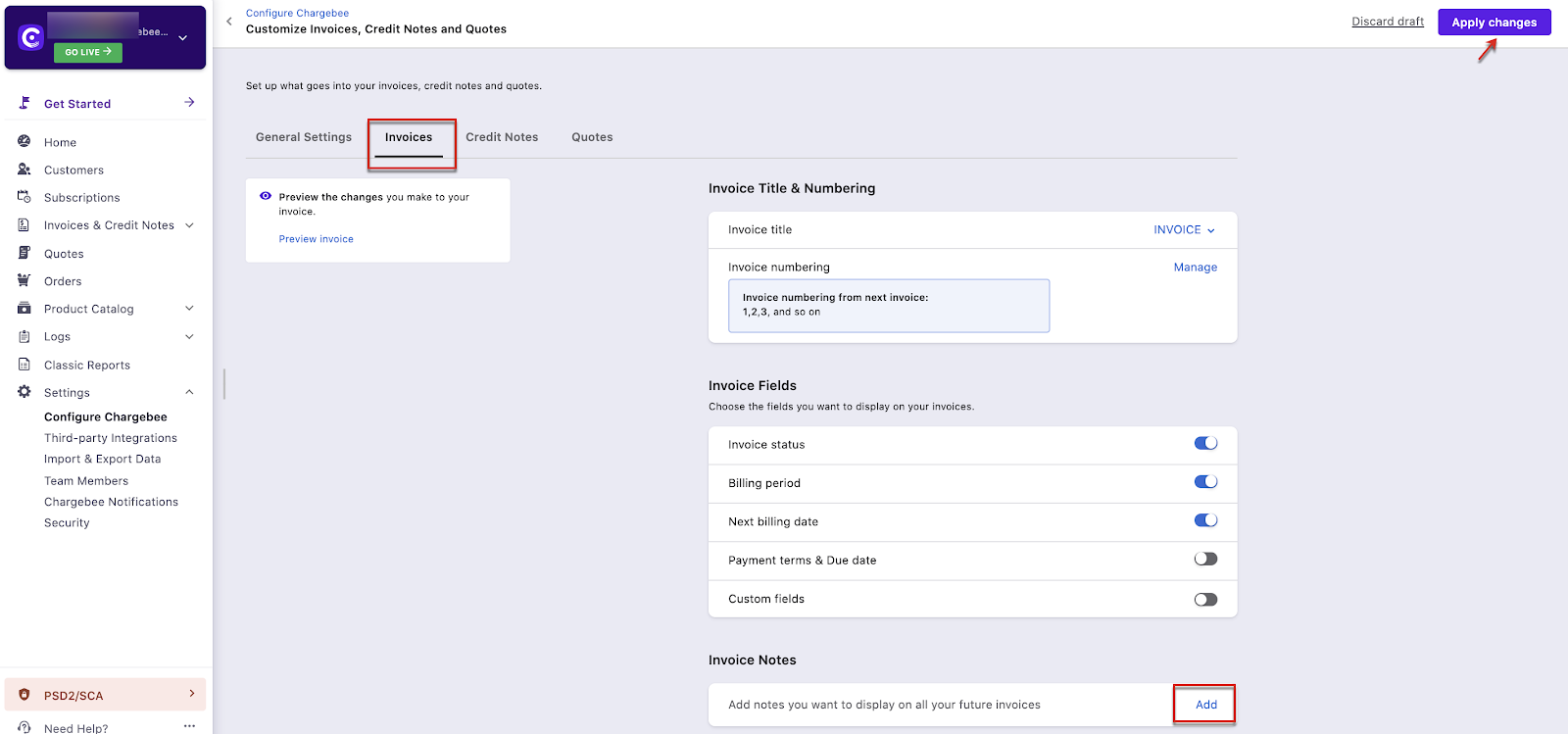
- Go to Settings > Configure Chargebee > Invoices, credit notes, and quotes > Invoices tab
- Open Invoice Notes > Add
- Enter the notes (shown on PDF invoices; HTML is supported)
- Click Apply changes
Customer or subscription-specific notes
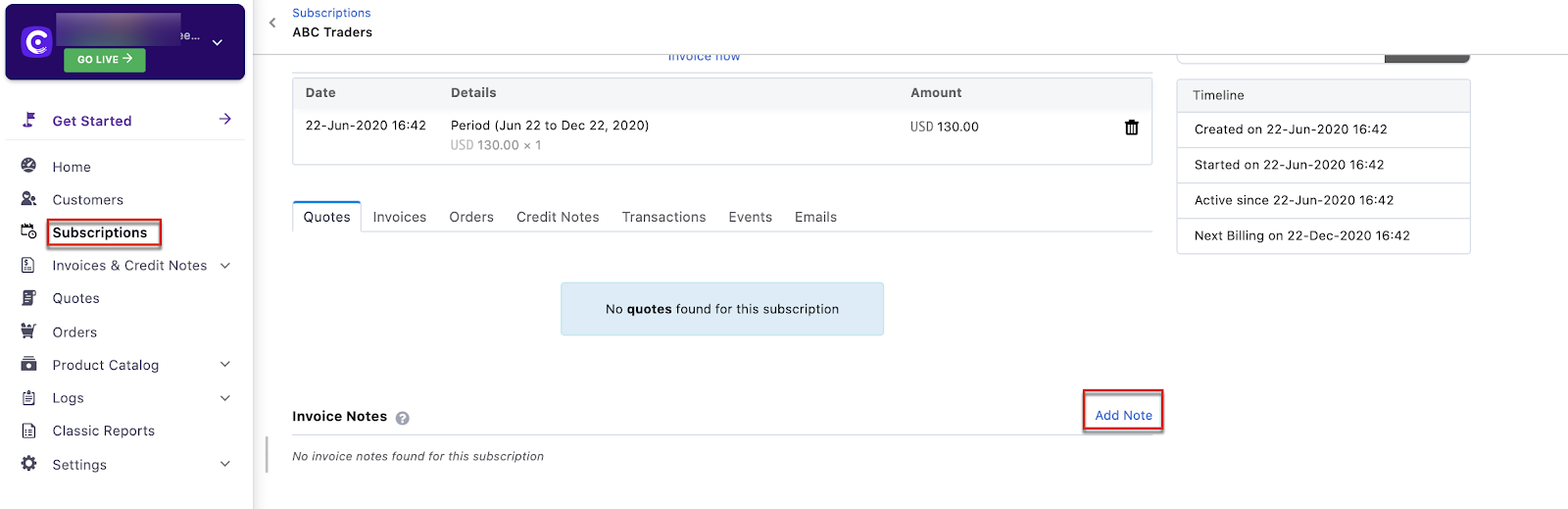
- Go to Subscriptions or Customers and open the record
- Scroll to Invoice Note > Add Note
Was this article helpful?