How to change the billing cycles & frequency on an existing subscription?
Problem Statement
You want to know how to change the billing cycles & frequency on an existing subscription.
Solution
Scope
How to change billing cycles on a current subscription?
How to change my plan at renewal?
How can I chage someones plan to a adifferent plan?
Summary
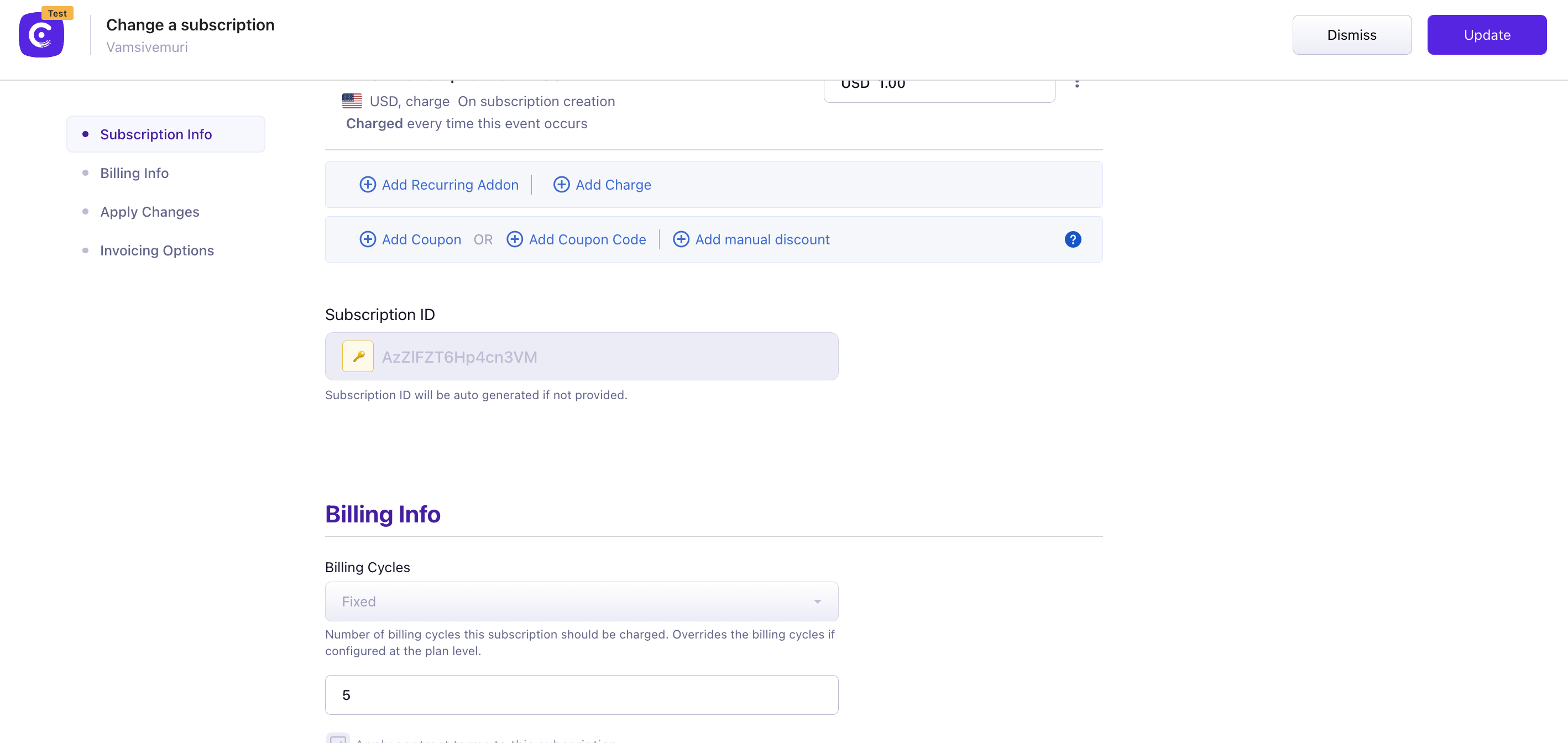
The billing cycles field is used to set the number of times a customer will be charged for the subscription. Here, you can specify a different value for the no. of billing cycles than the previously configured number in the plan. The value entered in the edit subscription page will override the value that was already configured during subscription creation.
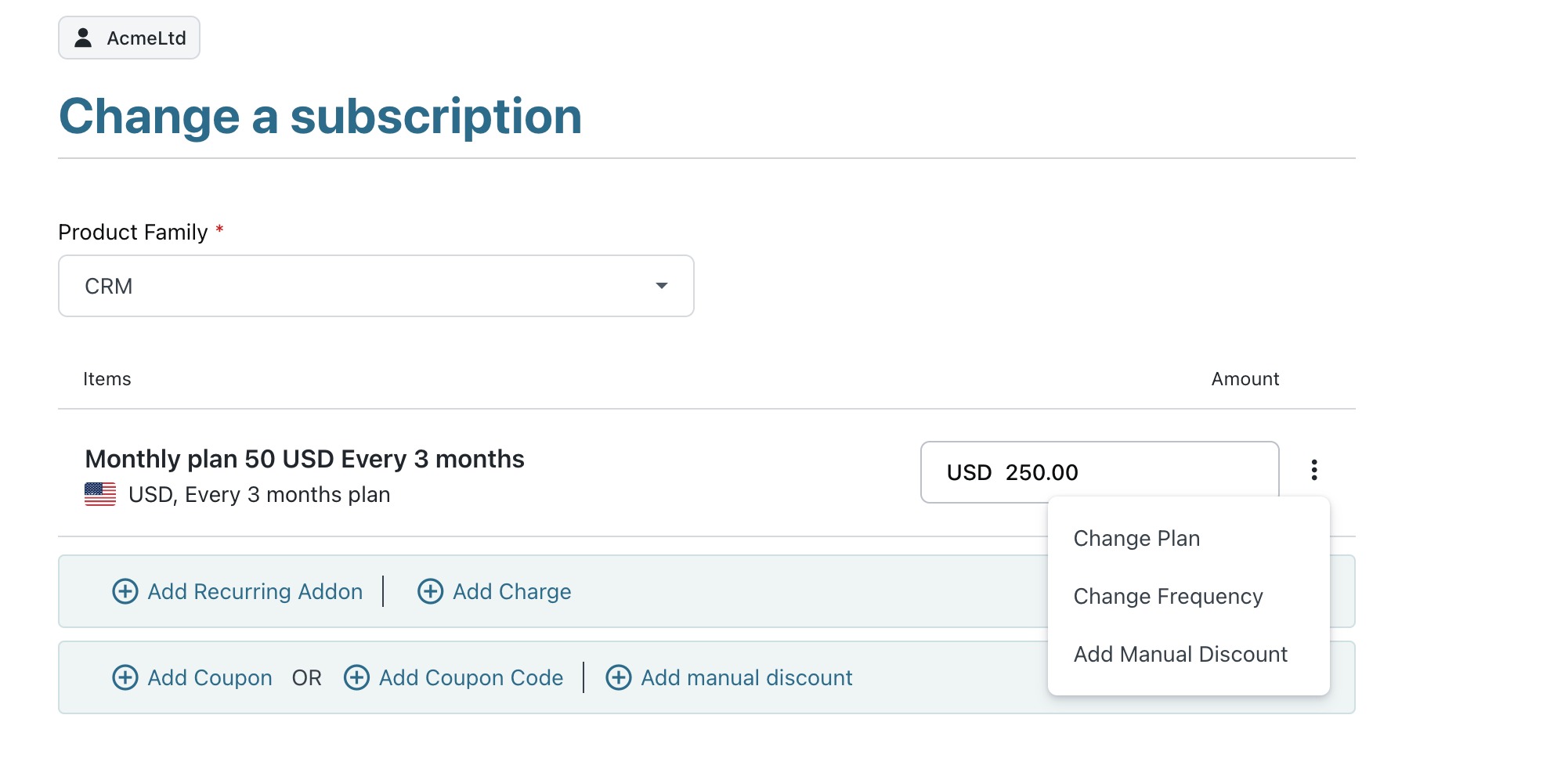
To change the Subscription Billing frequency, you can update it from the Edit Subscription page, by clicking on the ellipsis on the right corner of the plan's name, and selecting Change frequency.
Note: To change a subscription frequency, you should configured the subscription's plan frequency. Refer to this link.
Solution
Change Billing Cycles
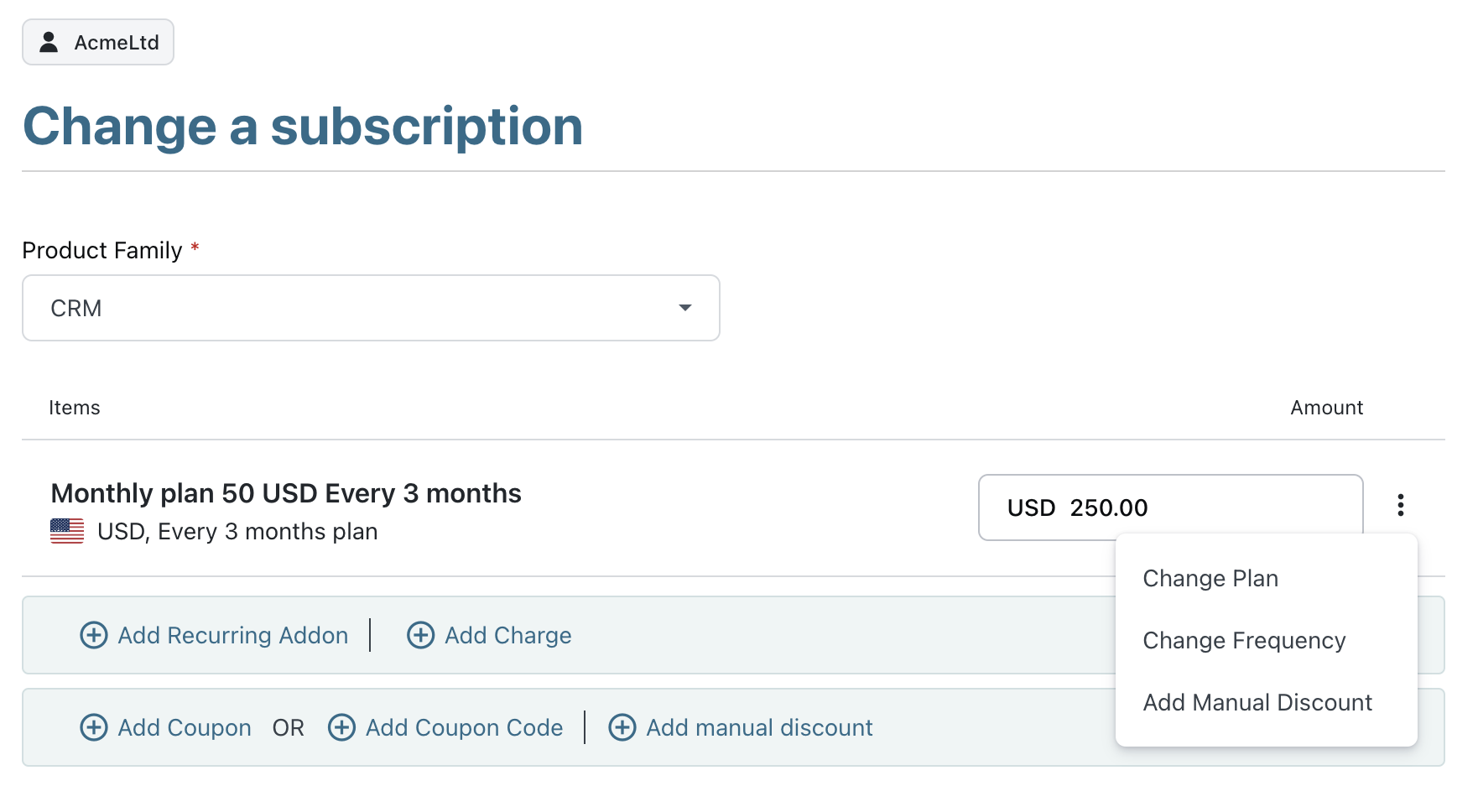
Navigate to Customer/Subscription details page > Action Panel > Edit Subscription. Enter the required no. of billing cycles and update the changes.
Change a subscription page
Change Billing Frequency
To change the Subscription Billing frequency, you can update it from the Edit Subscription page, by clicking on the ellipsis on the right corner of the plan's name, and selecting Change frequency.
Note: To change a subscription frequency, you should configured the subscription's plan frequency. Refer to this link to create multiple price points on the same plan.
Related Article
Does the subscription billing cycle override the plan's billing cycle?
Was this article helpful?