How to check the follow-up invoice number after I bulk import invoices?
Problem Statement
How do I confirm the next invoice number after bulk importing invoices? Does Chargebee auto-generate the invoice number after bulk upload?
Solution
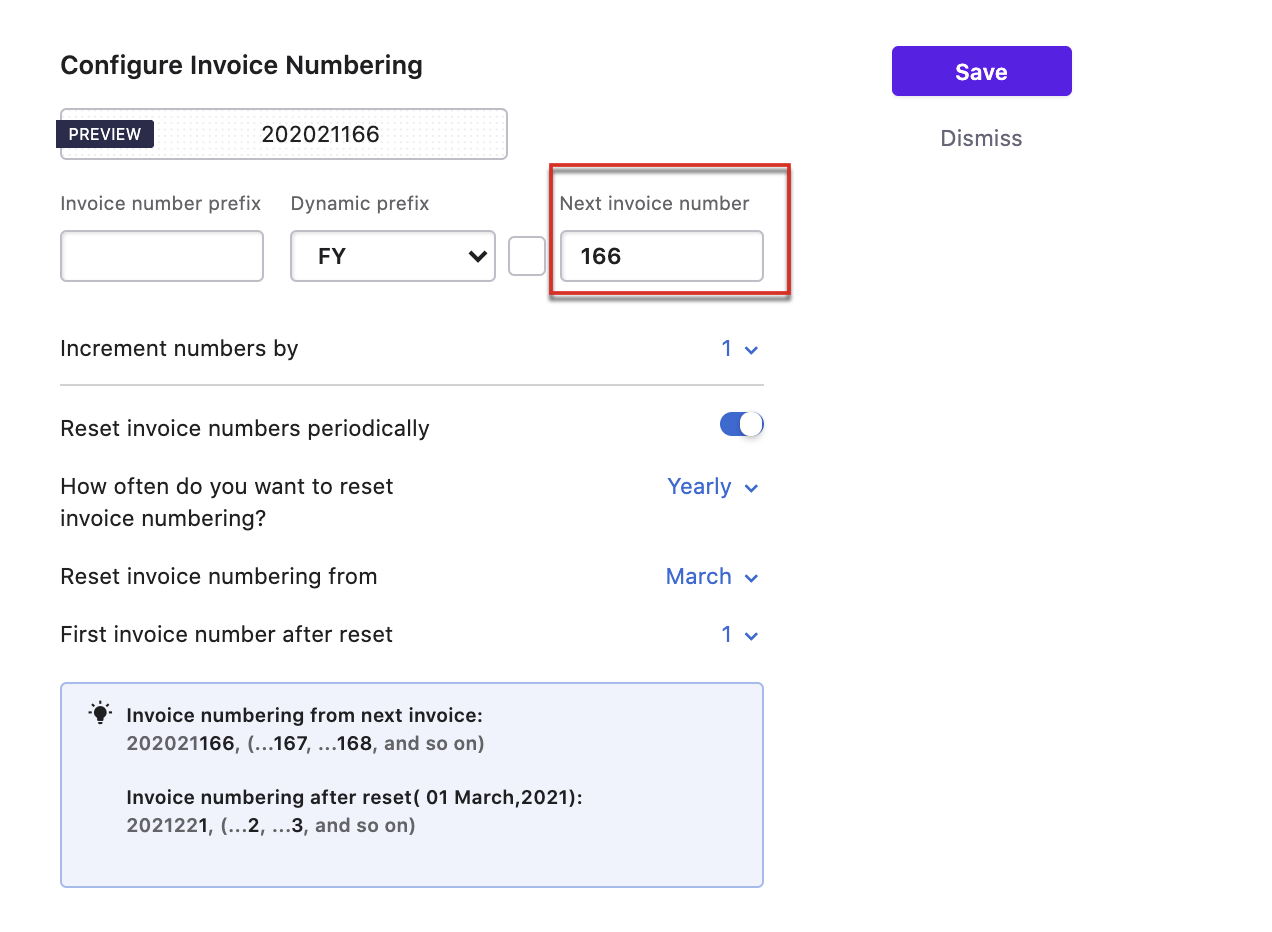
Chargebee avoids duplicate invoice numbers. The sequence depends on your invoice numbering configuration (simple series, prefix, fixed digits, or dynamic prefix). You can view and change the next auto-generated number in Invoice Numbering settings.
Steps to Set It Up
- Go to Settings > Configure Chargebee > Invoices, credit notes and quotes > Invoices tab
- Click Manage next to Invoice Numbering
- Check the follow-up invoice number; use Preview to see the next sequential number
Note
Clicking Save only saves a draft. Changes apply when you click Apply changes on the Customize Invoices, Credit Notes and Quotes page.
Was this article helpful?