How to extend the billing period for a month?
Problem Statement
You want to know how to extend the billing period for a month.
Solution
Summary
Chargebee follows the Advance billing mechanism (is billed for the period ahead). If you want to change the current subscription period, for example move the billing date from 10th July to 15th Aug then,
In doing so you can extend or reduce the billing period where charges and credits will be calculated accordingly.To do so you need to enable the proration.
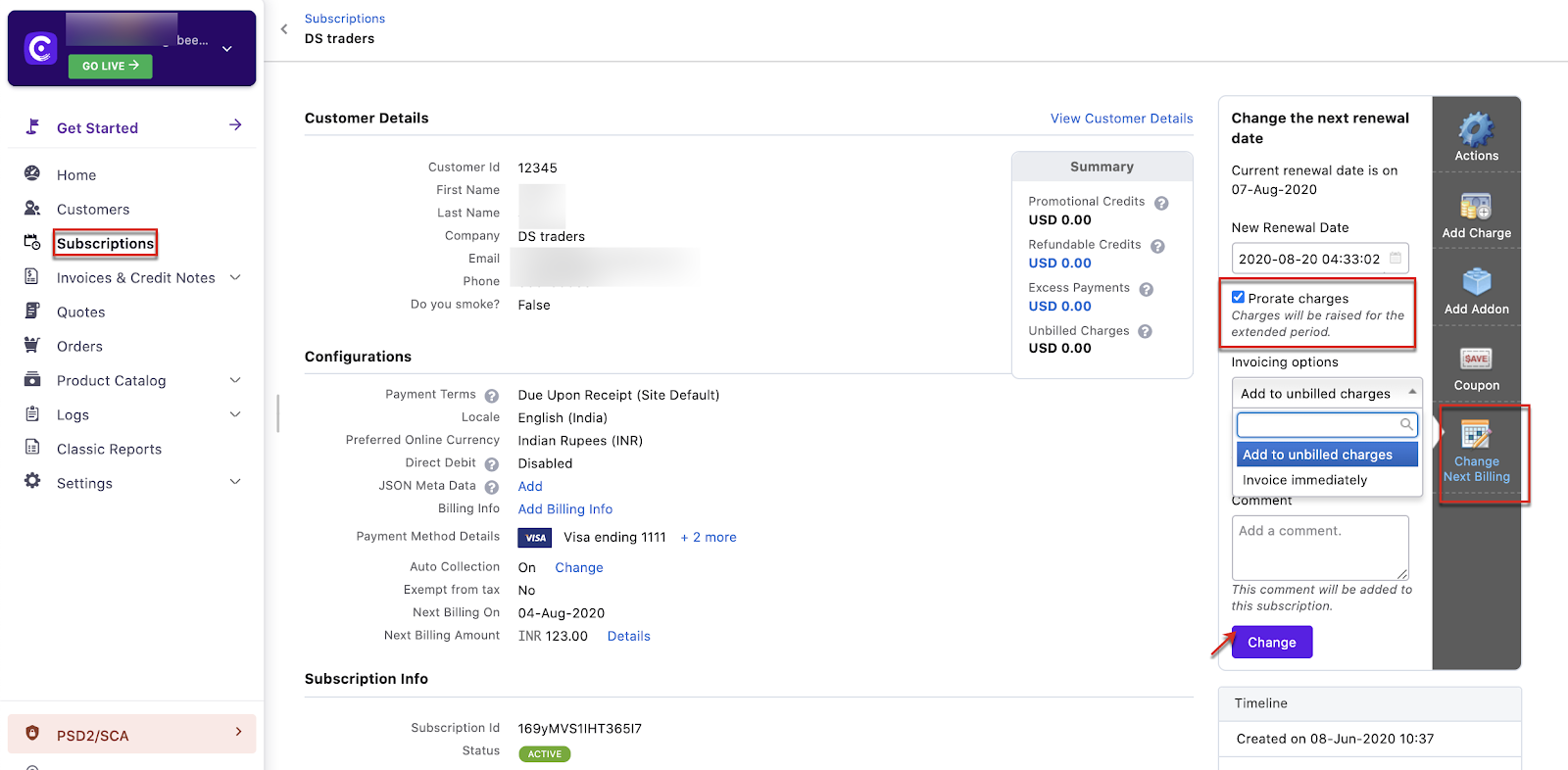
To make this change, Go to Chargebee Dashboard,
Subscriptions Select the subscription you want to extend for a month Click Change Next Billing date from the action panel to the right Select the Next Renewal date Click on Prorate charges (if applicable)
Select how you want to invoice the subscription Add Comment (Mandatory)
Click Change
Was this article helpful?