How to prevent multiple users or subscriptions with the same email address?
Problem Statement
You want to prevent duplicate customer records and multiple subscriptions with the same email. You may also need to merge existing duplicates.
Solution
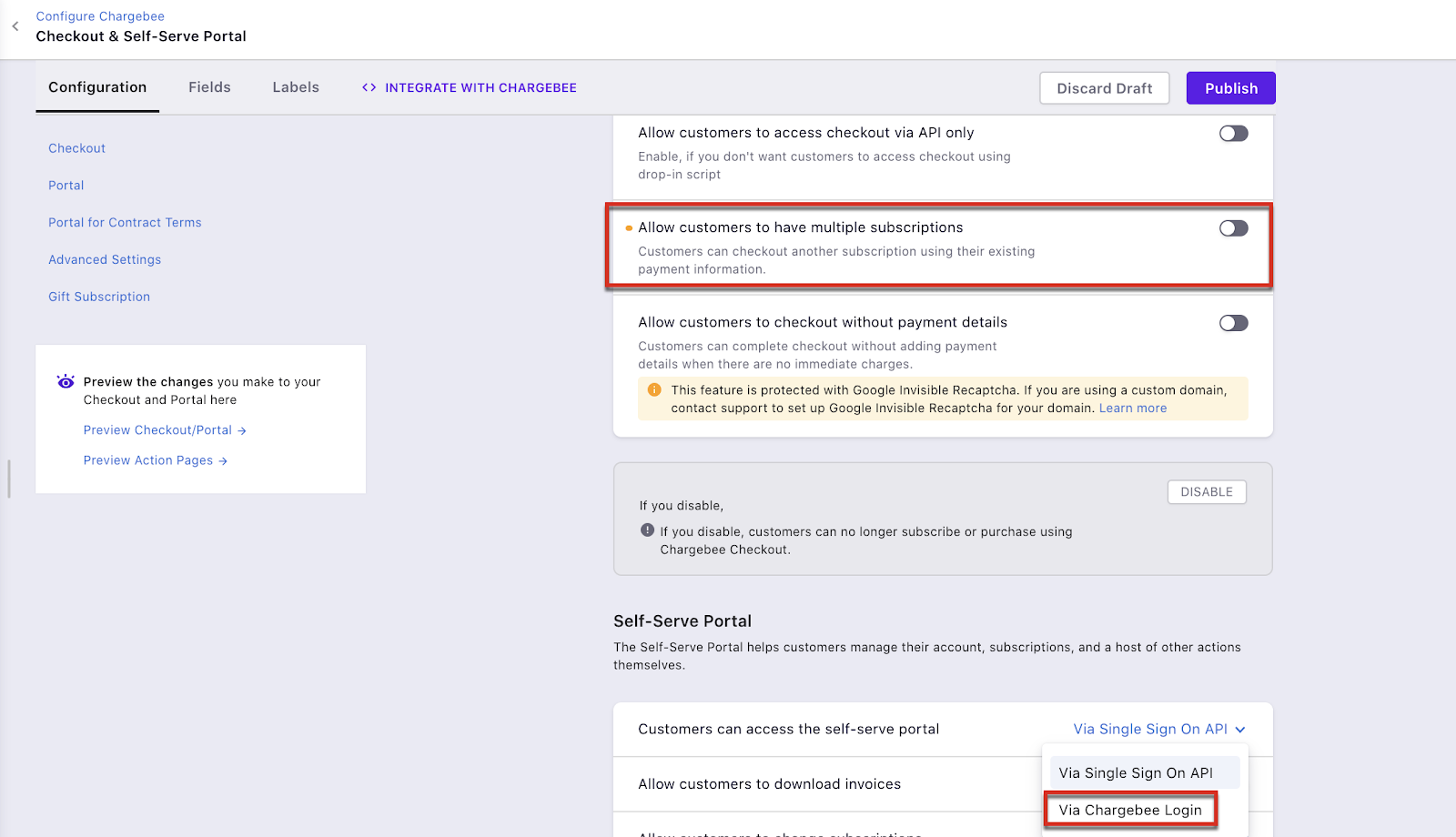
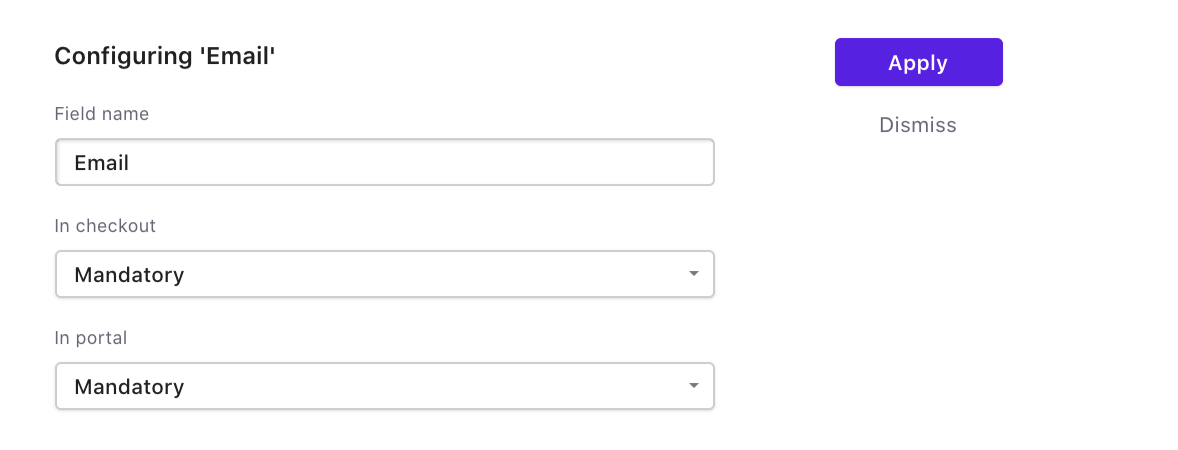
Hosted Pages: Disable "Allow customers to have multiple subscriptions" and make Email mandatory. Use Chargebee login (not SSO via API) so customers are verified by OTP. Portal login as SSO API does not prevent multiple subscriptions per email.
APIs: Use the List customers API to check for existing emails before creating subscriptions. Use the Merge customers API to combine duplicates. Video walkthrough.
Steps to Set It Up
- Go to Settings > Configure Chargebee > Checkout & Self-serve portal.
- Disable Allow customers to have multiple subscriptions.
- Set Portal login to Chargebee login (OTP verification).
- Under Fields > Account Information, set Email as mandatory.
- Click Publish.
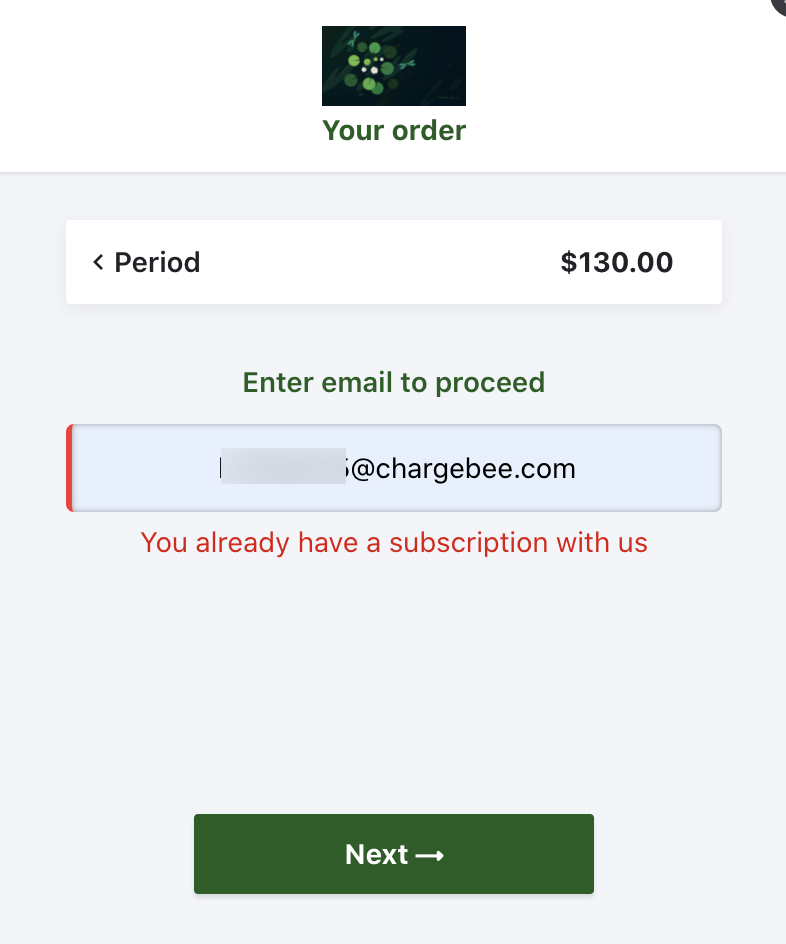
Existing customers who try to checkout will see "You already have a subscription with us".
Important Notes
Note
These settings do not apply to API-based checkout. Duplicate records can still be created via API. Use the List customers API and Merge customers API to handle API flows. See handling existing and new subscriptions.
Was this article helpful?