My invoice dates are one day earlier than it was in Chargebee. Why am I seeing this mismatch?
Problem Statement
Invoice dates in your accounting system (e.g., QuickBooks, Xero) are one day earlier than in Chargebee. You want to fix the mismatch.
Solution
The mismatch is usually caused by different time zone settings between Chargebee and your accounting system. Use the same time zone in both to align invoice dates.
Steps to Set It Up
In Chargebee
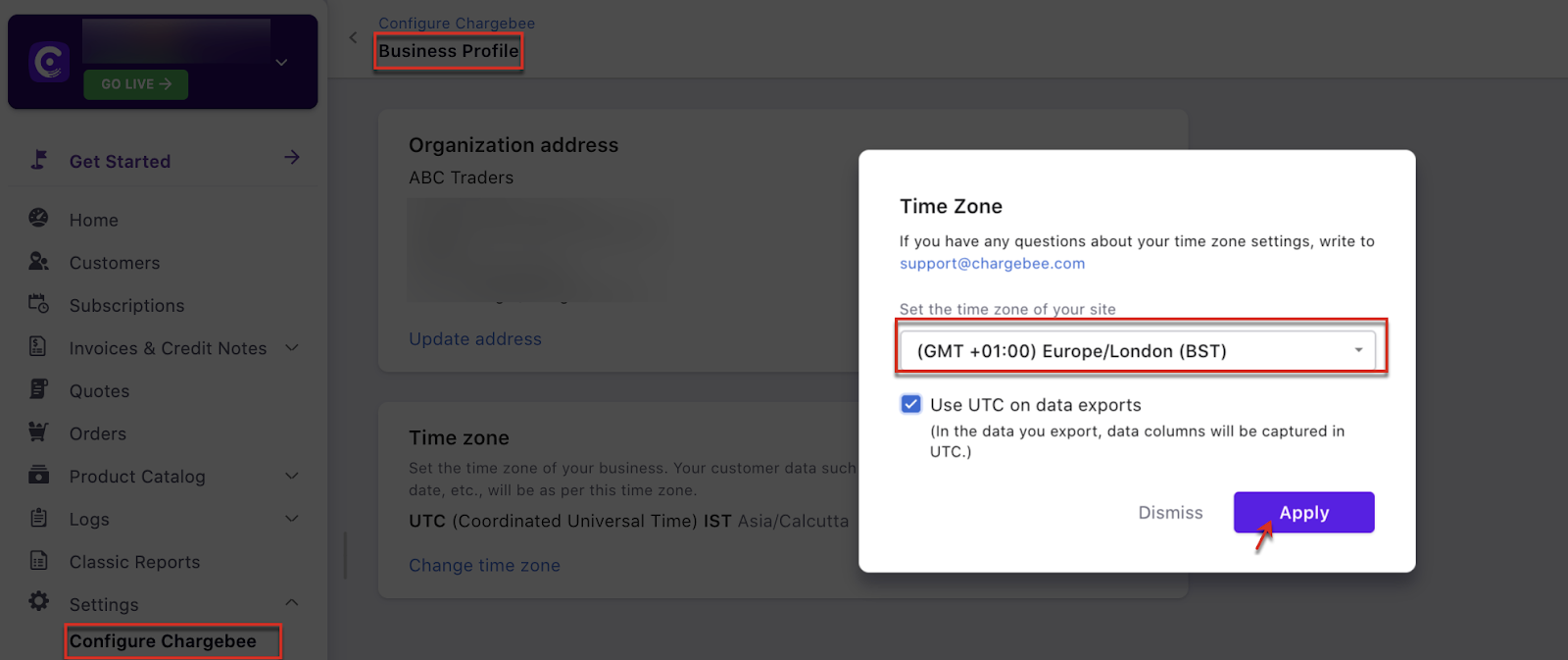
- Go to Settings > Configure Chargebee > Business profile.
- Click Change time zone.
- Set the time zone for your site and click Apply.
In your accounting system
Configure the same time zone (e.g., BST) in your accounting software:
Was this article helpful?