What are the reasons the invoice will not be generated for non-recurring addons?
Problem Statement
You want to understand what the reasons the invoice will not be generated for non-recurring addons are.
Scope
Why I can't generate an invoice for non-recurring addons?
What is the list of scenarios the invoice will not generate for a one-time addon?
Summary
While adding a non-recurring addon/one-time addon/Charge, there are a few scenarios that the invoice that will not generate immediately as mentioned below.
1. Adding Charges from Edit Subscription,
 **i)** If you don't choose to **Charge the Customer on** as **immediately.**
 **ii)** Not applying **Subscription changes** as **immediately.**

 **iii)** If you choose the **Invoicing Option** as **Add to unbilled charges.**
2. Adding Charges from the Subscription details page,
**i)** If you choose the **Invoice Option** as **Add to unbilled charges**
Solution
1. Edit Subscription
i) Charge Customer on
You can add charges while editing a subscription.
- On the subscription details page, click Edit Subscription.
- Click +Add Charge and choose the charge that you want to add to the subscription. Any charge that has been restricted for the plan selected, will not be available.
- Select the event on when to apply the charge from the drop-down.
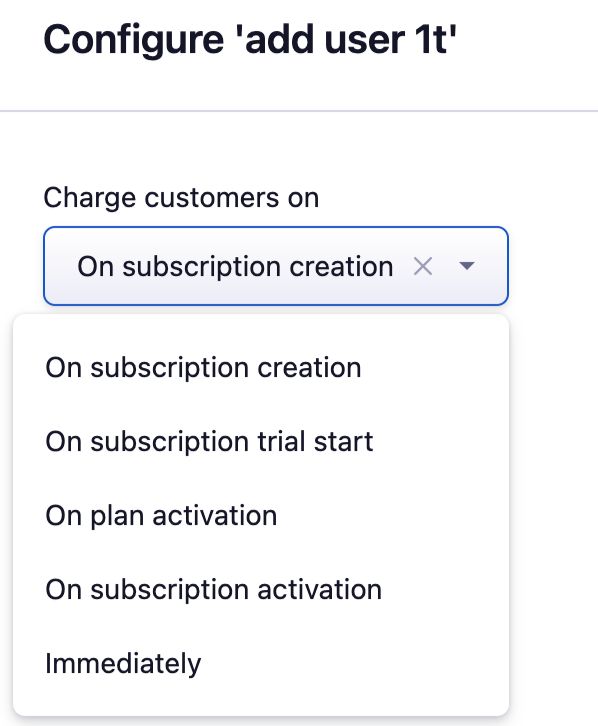
Events such as 'On subscription creation, On subscription trial start, On plan activation, On subscription activation' will be charged as per the event however, choosing immediately will charge the customer on an immediate basis. Refer to this link for more information.
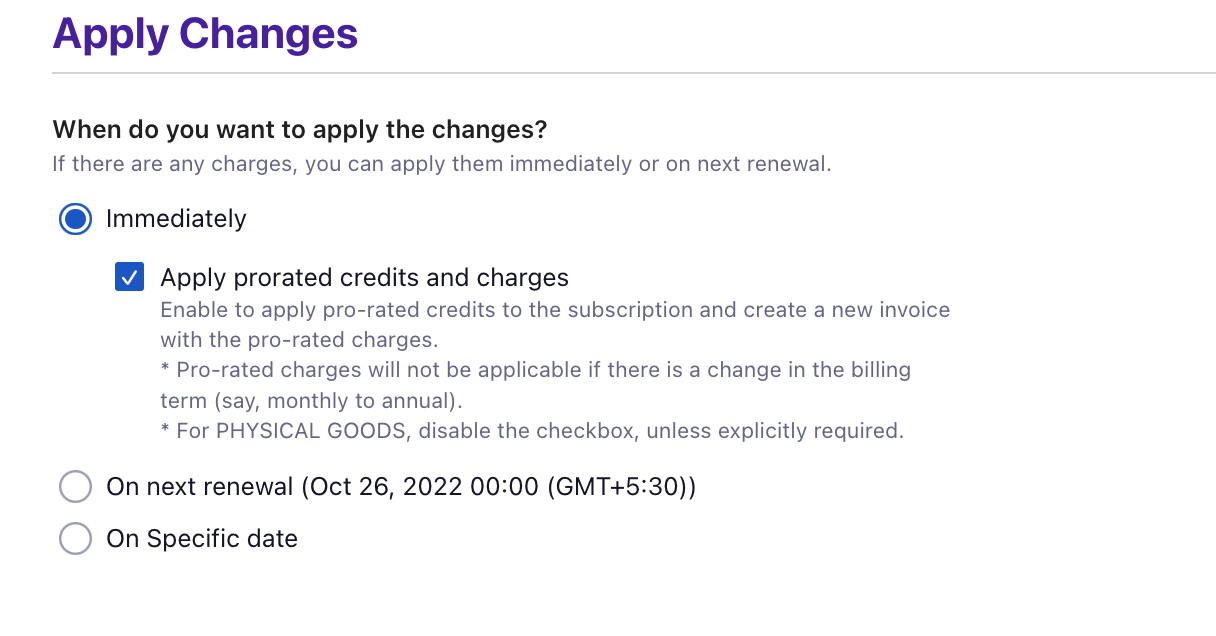
ii) Apply Subscription Changes
After adding the charge, if you choose to apply changes 'On next renewal' & 'On specific date' will apply charges on the next renewal**.** Applying the changes Immediately will generate an invoice right away.
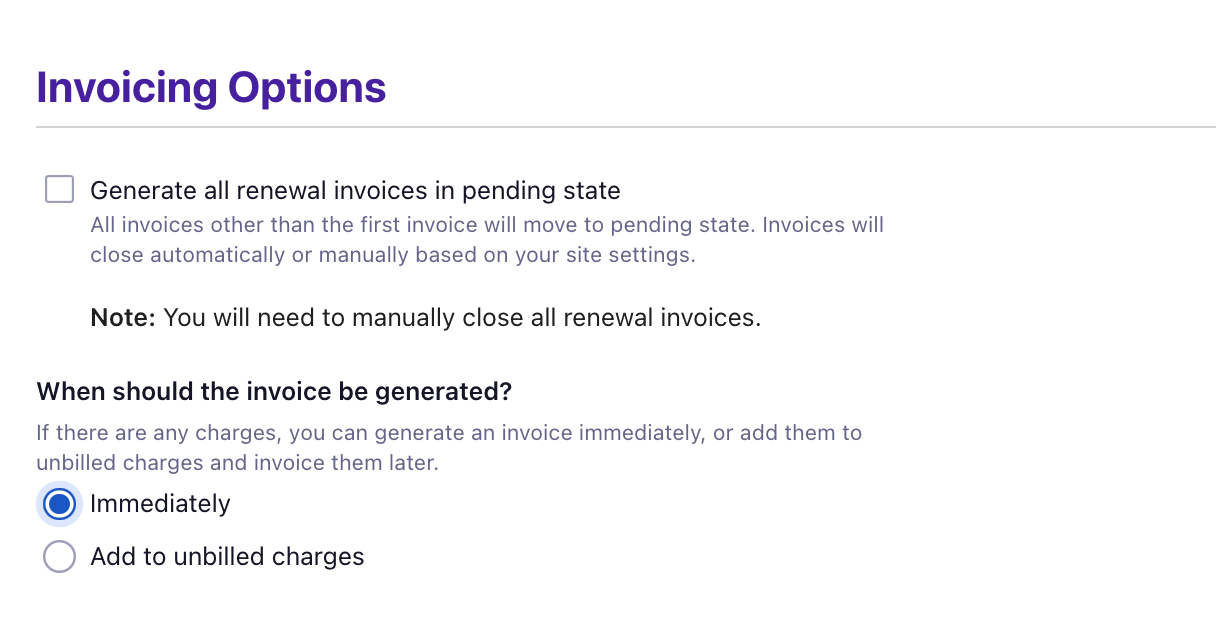
iii) Invoicing Options
While adding the Charge, if you choose **Invoicing Options** as **Add to unbilled charges,** then the invoice will not be generated**.** Select Invoicing Options as Immediately, which will generate the invoice at the same time.
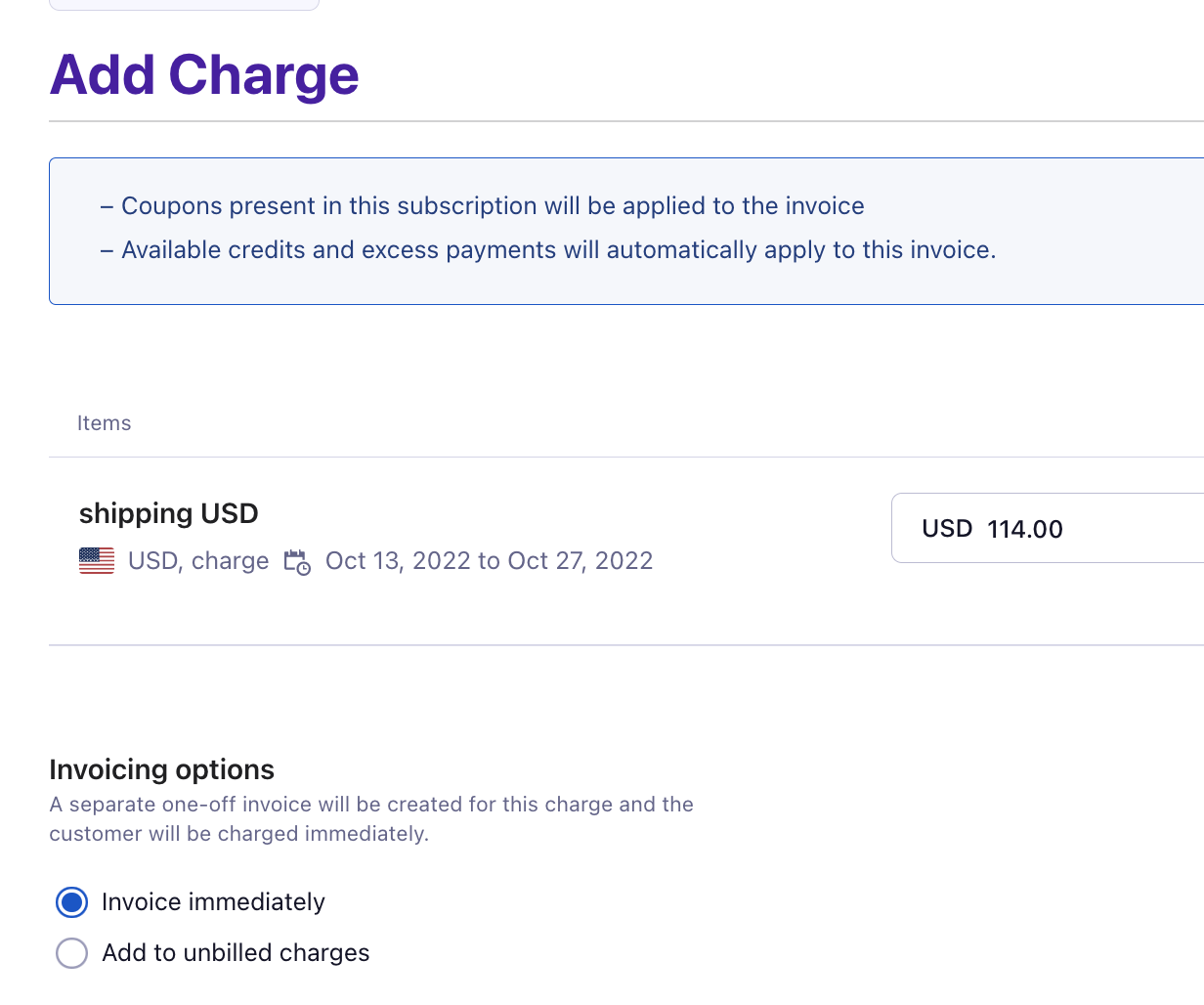
**2. **Subscription details page
If you are adding the Charge from the **Action panel** from the Subscription details page, choose the Invoicing Options as Immediately.
Refer to this link on how to generate an invoice for add-on immediately via API
Was this article helpful?