Don't provide credit notes while downgrading/changing a subscription
Problem Statement
This article helps you understand don't provide credit notes while downgrading/changing a subscription.
Solution
Scope
Not provide credit notes on downgrading/changing a subscription
Avoid credit notes for downgrading/changing a subscription
No automatic creation of credit notes on subscription downgrading/upgrading.
Avoid proration on change subscription.
Summary
Yes, you can certainly have this set up so that the credit note does not automatically apply to editing (upgrade/downgrade) the subscription.
Go to subscriptions page > click on edit subscription > scroll down, under "Apply Changes" you can disable the option "Apply Prorated credits and charges"
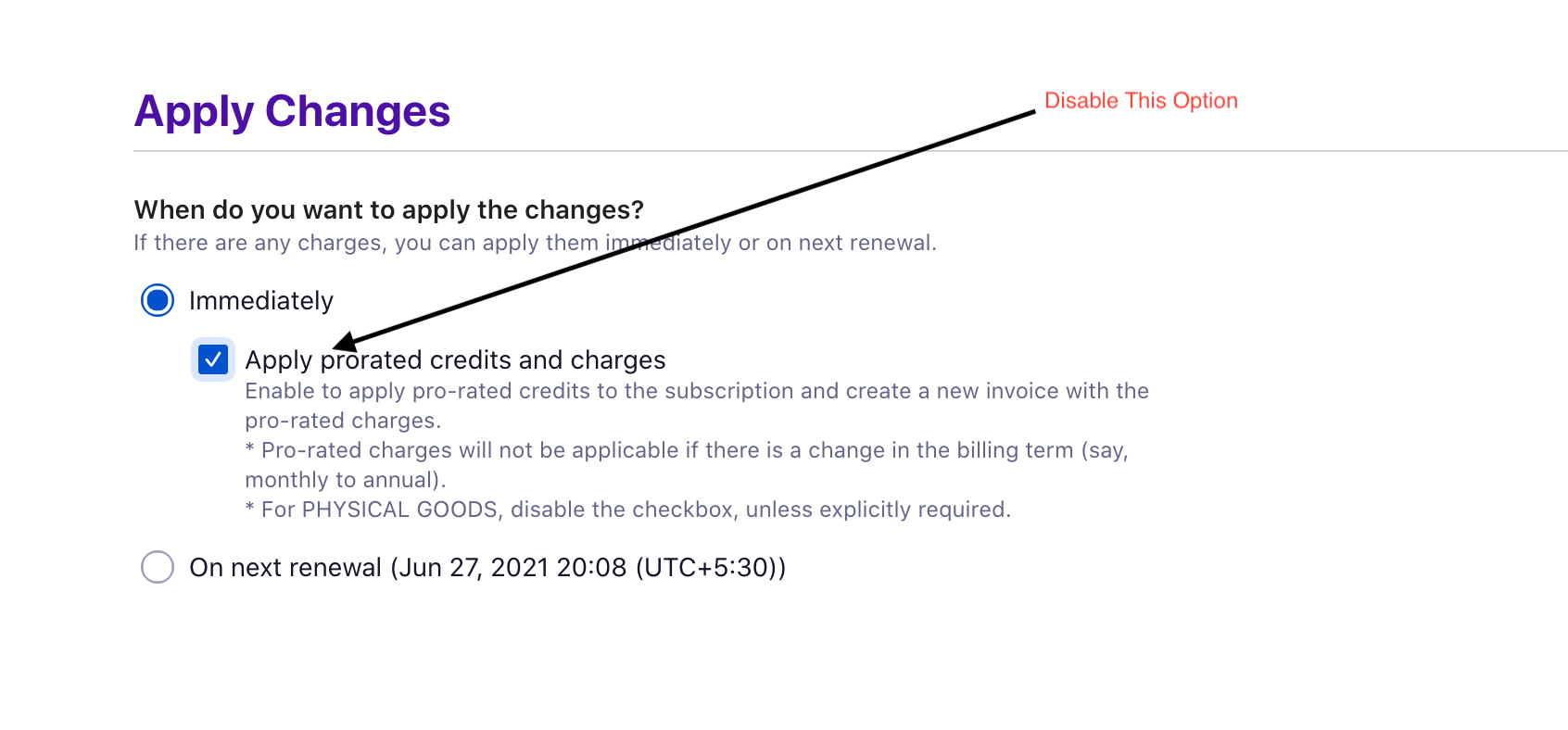
This will disable the creation of prorated credit notes on editing the subscriptions thus avoiding the creation of credit notes.
Was this article helpful?